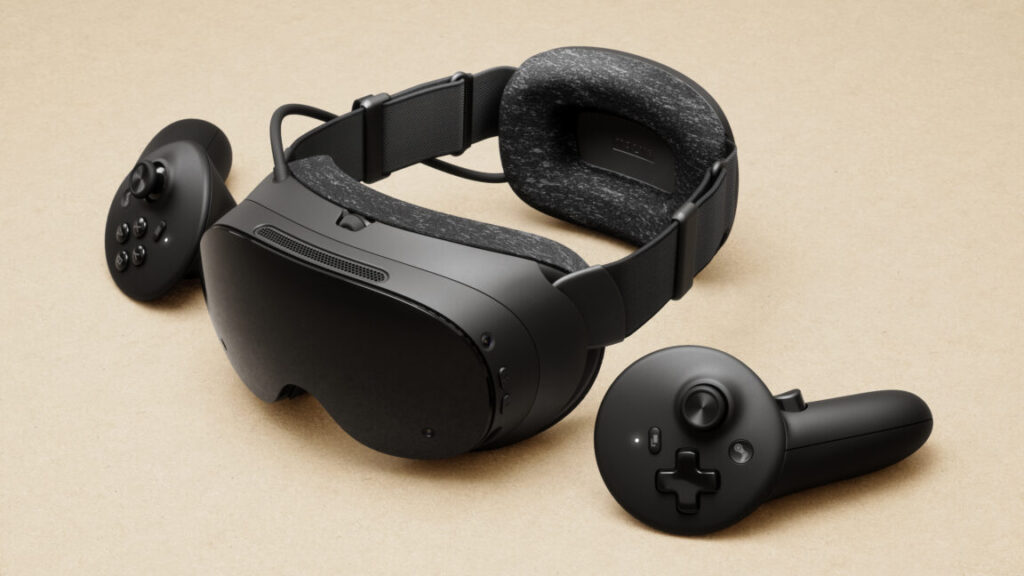
Some of the changes—like the removal of individual worlds from the VR store—are presented by the company as efforts to make the store a better discovery platform for third-party developers.
In general, Meta frames many of its recent moves as a pivot away from first-party development of VR experiences to a focus on a third-party developer ecosystem, with stats like “86% of the effective time people spend in their VR headsets is with third-party apps.”
“We’ll continue to support the third-party community through strategic partnerships and targeted investments—as we have since the beginning,” writes Meta Reality Labs VP of Content Samantha Ryan.
Meta launched a Horizon Worlds mobile app last year and found it attracted an influx of new users interested in the service’s social gaming aspects, except for the VR element. It seems that the mobile launch was successful enough to merit focusing the entire service on that platform and audience, rather than shutting it down amid the other closures of internal content projects.
As far as we know, Meta plans to continue to design, make, and sell VR hardware and maintain the storefronts that third-party developers sell on for those platforms. It won’t make much content in-house, and you don’t see much talk about the promise of an all-encompassing, transformational metaverse anymore.
Instead, Meta’s speculative investment appears focused on smart glasses, as well as AI models, technologies, and applications.
A state of the union from someone who actually sort of uses the thing.
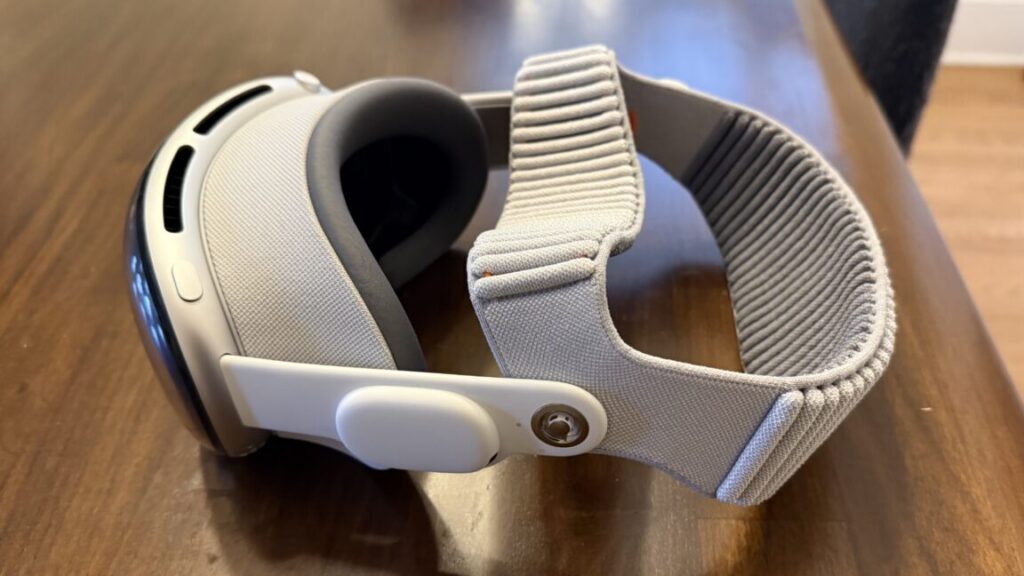
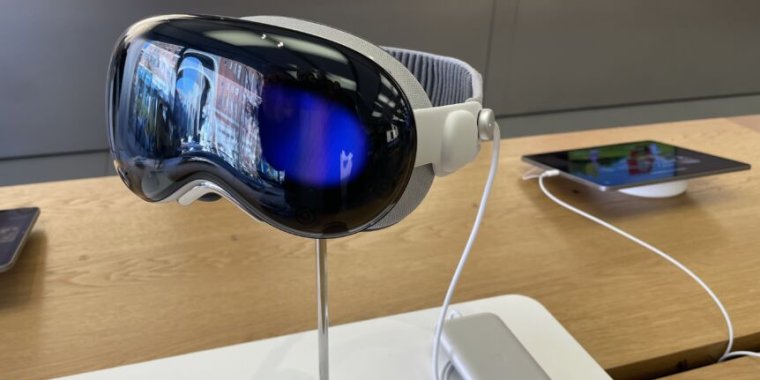
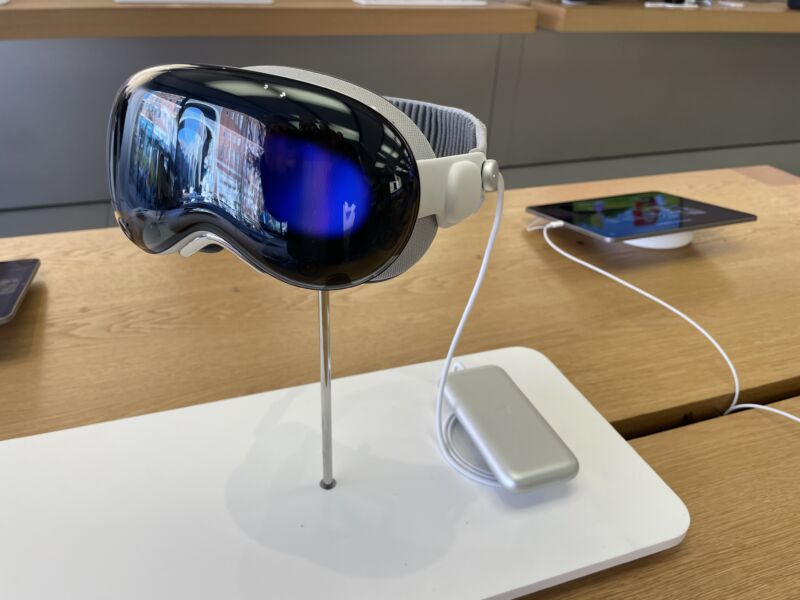
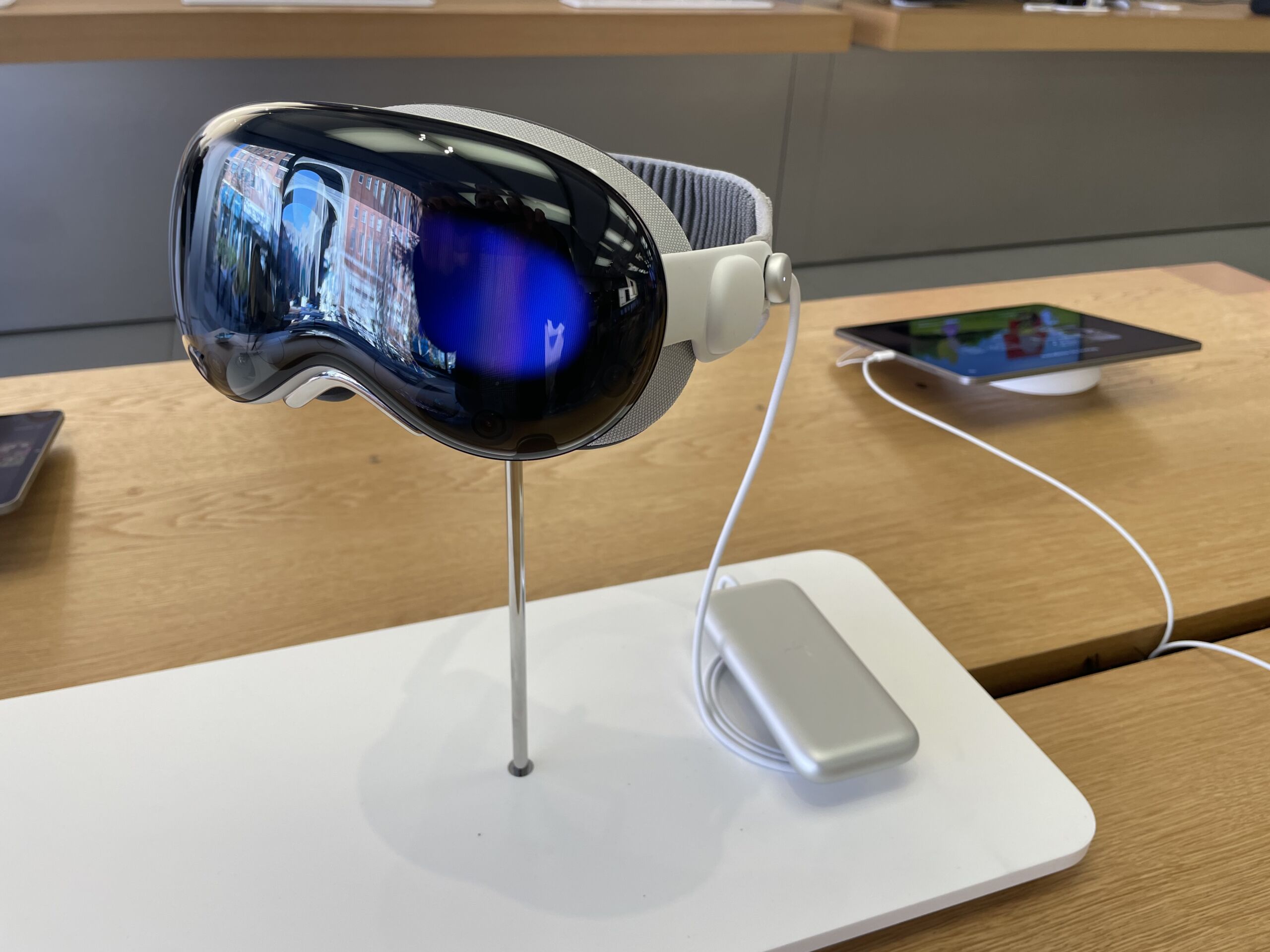
The M5 Vision Pro with the Dual Knit Band. Credit: Samuel Axon
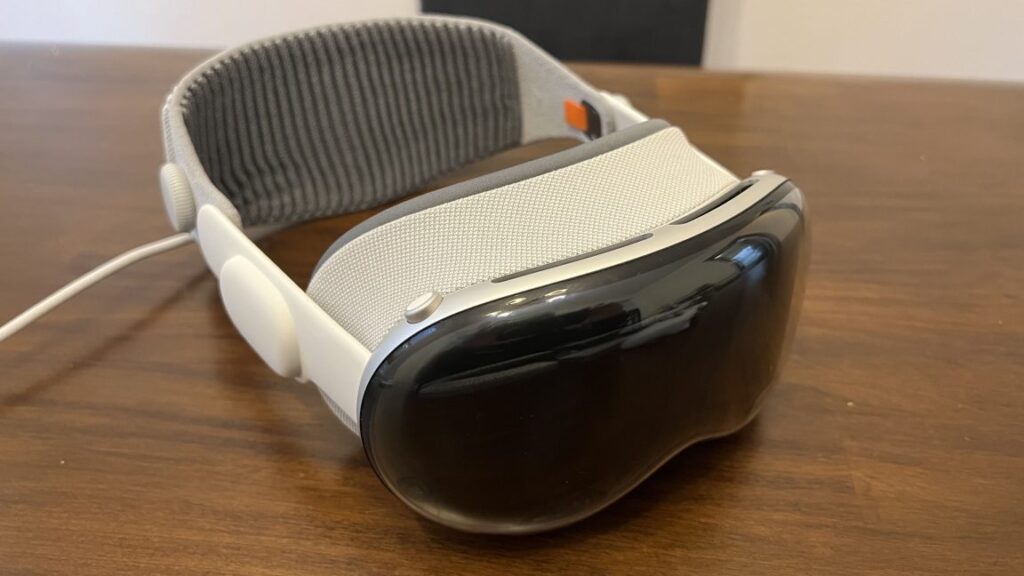
With the recent releases of visionOS 26 and newly refreshed Vision Pro hardware, it’s an ideal time to check in on Apple’s Vision Pro headset—a device I was simultaneously amazed and disappointed by when it launched in early 2024.
I still like the Vision Pro, but I can tell it’s hanging on by a thread. Content is light, developer support is tepid, and while Apple has taken action to improve both, it’s not enough, and I’m concerned it might be too late.
When I got a Vision Pro, I used it a lot: I watched movies on planes and in hotel rooms, I walked around my house placing application windows and testing out weird new ways of working. I tried all the neat games and educational apps, and I watched all the immersive videos I could get ahold of. I even tried my hand at developing my own applications for it.
As the months went on, though, I used it less and less. The novelty wore off, and as cool as it remained, practicality beat coolness. By the time Apple sent me the newer model a couple of weeks ago, I had only put the original one on a few times in the prior couple of months. I had mostly stopped using it at home, but I still took it on trips as an entertainment device for hotel rooms now and then.
That’s not an uncommon story. You even see it in the subreddit for Vision Pro owners, which ought to be the home of the device’s most dedicated fans. Even there, people say, “This is really cool, but I have to go out of my way to keep using it.”
Perhaps it would have been easier to bake it into my day-to-day habits if developer and content creator support had been more robust, a classic chicken-and-egg problem.
After a few weeks of using the new Vision Pro hardware refresh daily, it’s clear to me that the platform needs a bigger rethink. As a fan of the device, I’m concerned it won’t get that, because all the rumors point to Apple pouring its future resources into smart glasses, which, to me, are a completely different product category.
What changed in the new model?
For many users, the most notable change here will be something you can buy separately (albeit at great expense) for the old model: A new headband that balances the device’s weight on your head better, making it more comfortable to wear for long sessions.
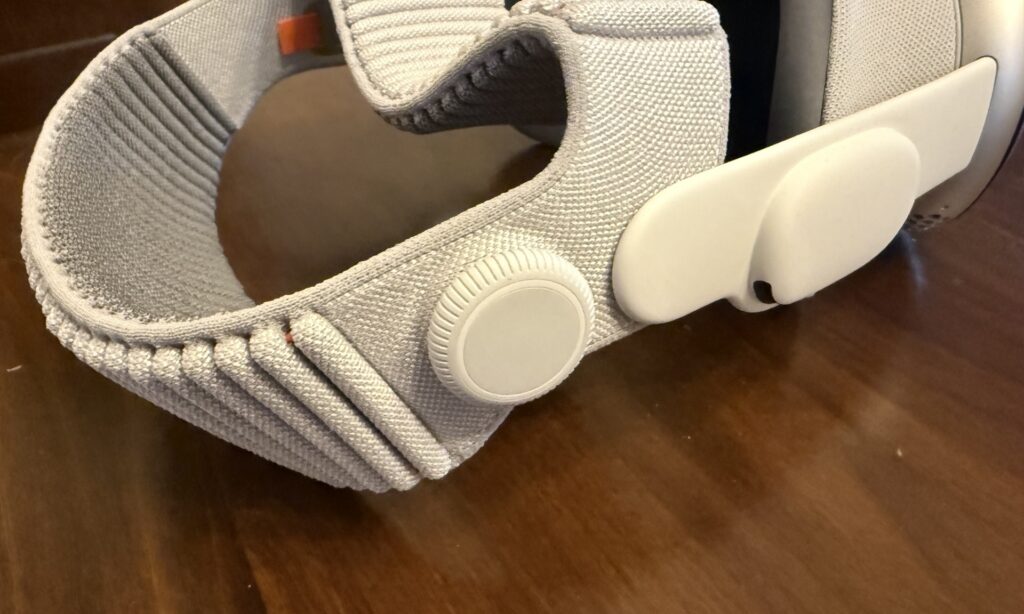
Dubbed the Dual Knit Band, it comes with an ingeniously simple adjustment knob that can be used to tighten or loosen either the band that goes across the back of your head (similar to the old band) or the one that wraps around the top.
It’s well-designed, and it will probably make the Vision Pro easier to use for many people who found the old model to be too uncomfortable—even though this model is slightly heavier than its predecessor.
The band fit is adjusted with this knob. You can turn it to loosen or tighten one strap, then pull it out and turn it again to adjust the other. Credit: Samuel Axon
I’m one of the lucky few who never had any discomfort problems with the Vision Pro, but I know a bunch of folks who said the pressure the device put on their foreheads was unbearable. That’s exactly what this new band remedies, so it’s nice to see.
The M5 chip offers more than just speed
Whereas the first Vision Pro had Apple’s M2 chip—which was already a little behind the times when it launched—the new one adds the M5. It’s much faster, especially for graphics-processing and machine-learning tasks. We’ve written a lot about the M5 in our articles on other Apple products if you’re interested to learn more about it.
Functionally, this means a lot of little things are a bit faster, like launching certain applications or generating a Persona avatar. I’ll be frank: I didn’t notice any difference that significantly impacted the user experience. I’m not saying I couldn’t tell it was faster sometimes. I’m just saying it wasn’t faster in a way that’s meaningful enough to change any attitudes about the device.
It’s most noticeable with games—both native mixed-reality Vision Pro titles and the iPad versions of demanding games that you can run on a virtual display on the device. Demanding 3D games look and run nicer, in many cases. The M5 also supports more recent graphics advancements like ray tracing and mesh shading, though very few games support them, even in terms of iPad versions.
All this is to say that while I always welcome performance improvements, they are definitely not enough to convince an M2 Vision Pro owner to upgrade, and they won’t tip things over for anyone who has been on the fence about buying one of these things.
The main perk of the new chip is improved efficiency, which is the driving force behind modestly increased battery life. When I first took the M2 Vision Pro on a plane, I tried watching 2021’s Dune. I made it through the movie, but just barely; the battery ran out during the closing credits. It’s not a short movie, but there are longer ones.
Now, the new headset can easily get another 30 or 60 minutes, depending on what you’re doing, which finally puts it in “watch any movie you want” territory.
Given how short battery life was in the original version, even a modest bump like that makes a big difference. That, alongside a marginally increased field of view (about 10 percent) and a new 120 Hz maximum refresh rate for passthrough are the best things about the new hardware. These are nice-to-haves, but they’re not transformational by any means.
We already knew the Vision Pro offered excellent hardware (even if it’s overkill for most users), but the platform’s appeal is really driven by software. Unfortunately, this is where things are running behind expectations.
For content, it’s quality over quantity
When the first Vision Pro launched, I was bullish about the promise of the platform—but a lot of that was contingent on a strong content cadence and third-party developer support.
And as I’ve written since, the content cadence for the first year was a disappointment. Whereas I expected weekly episodes of Apple’s Immersive Videos in the TV app, those short videos arrived with gaps of several months. There’s an enormous wealth of great immersive content outside of Apple’s walled garden, but Apple didn’t seem interested in making that easily accessible to Vision Pro owners. Third-party apps did some of that work, but they lagged behind those on other platforms.
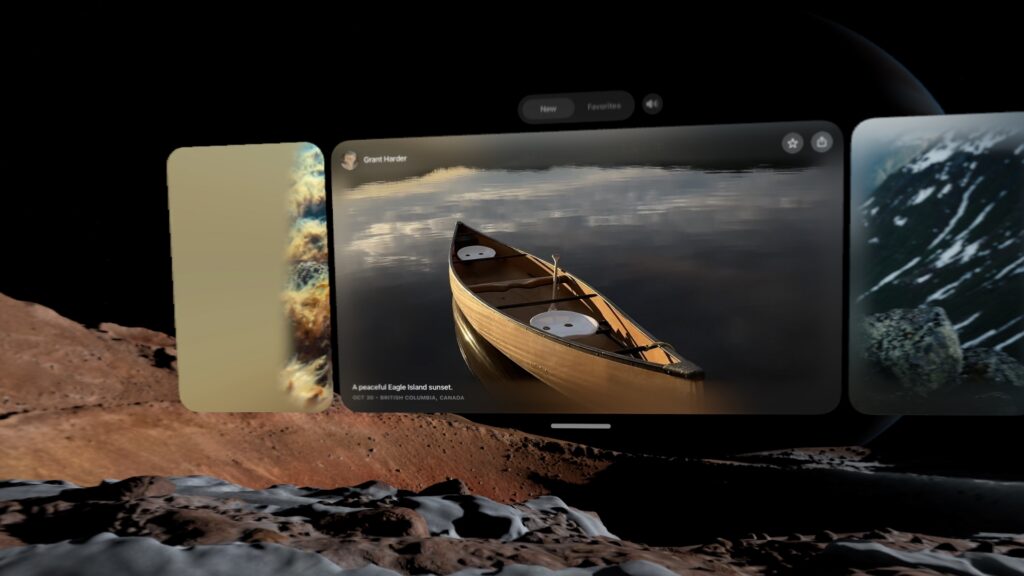
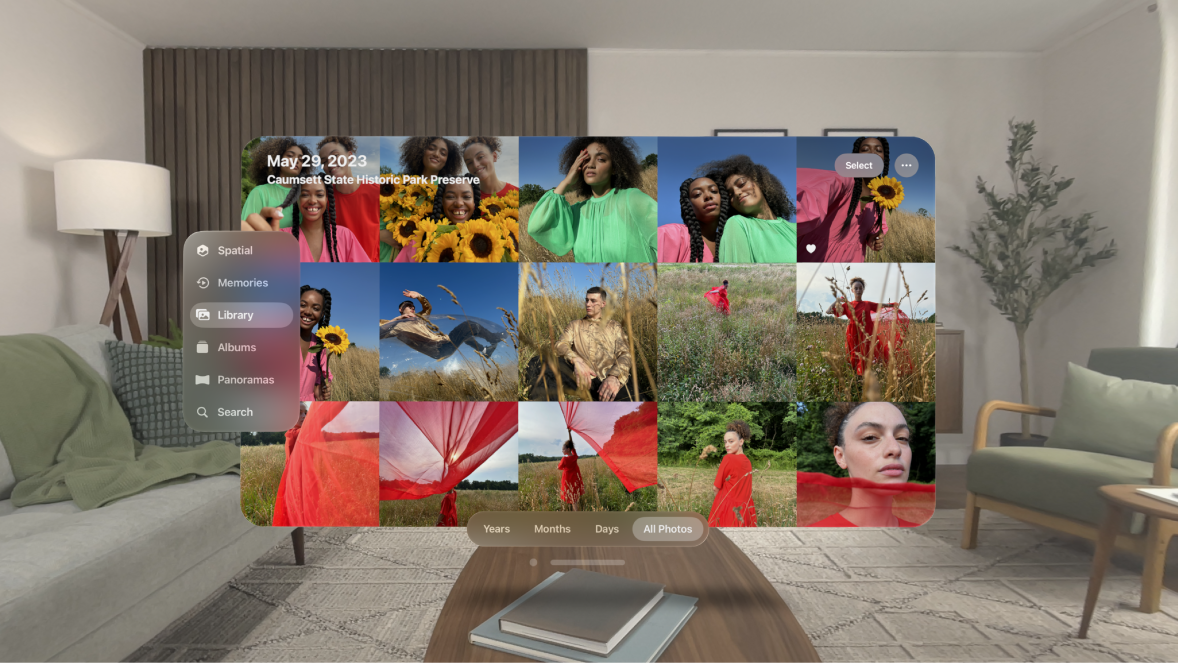
The first-party content cadence picked up after the first year, though. Plus, Apple introduced the Spatial Gallery, a built-in app that aggregates immersive 3D photos and the like. It’s almost TikTok-like in that it lets you scroll through short-form content that leverages what makes the device unique, and it’s exactly the sort of thing that the platform so badly needed at launch.
The Spatial Gallery is sort of like a horizontally-scrolling TikTok for 3D photos and video. Credit: Samuel Axon
The content that is there—whether in the TV app or the Spatial Gallery—is fantastic. It’s beautifully, professionally produced stuff that really leans on the hardware. For example, there is an autobiographical film focused on U2’s Bono that does some inventive things with the format that I had never seen or even imagined before.
Bono, of course, isn’t everybody’s favorite, but if you can stomach the film’s bloviating, it’s worth watching just with an eye to what a spatial video production can or should be.
I still think there’s significant room to grow, but the content situation is better than ever. It’s not enough to keep you entertained for hours a day, but it’s enough to make putting on the headset for a bit once a week or so worth it. That wasn’t there a year ago.
The software support situation is in a similar state.
App support is mostly frozen in the year 2024
Many of us have a suite of go-to apps that are foundational to our individual approaches to daily productivity. For me, primarily a macOS user, they are:
Firefox
Spark
Todoist
Obsidian
Raycast
Slack
Visual Studio Code
Claude
1Password
As you can see, I don’t use most of Apple’s built-in apps—no Safari, no Mail, no Reminders, no Passwords, no Notes… no Spotlight, even. All that may be atypical, but it has never been a problem on macOS, nor has it been on iOS for a few years now.
Impressively, almost all of these are available on visionOS—but only because it can run iPad apps as flat, virtual windows. Firefox, Spark, Todoist, Obsidian, Slack, 1Password, and even Raycast are all available as supported iPad apps, but surprisingly, Claude isn’t, even though there is a Claude app for iPads. (ChatGPT’s iPad app works, though.) VS Code isn’t available, of course, but I wasn’t expecting it to be.
Not a single one of these applications has a true visionOS app. That’s too bad, because I can think of lots of neat things spatial computing versions could do. Imagine browsing your Obsidian graph in augmented reality! Alas, I can only dream.
You can tell the native apps from the iPad ones: The iPad ones have rectangular icons nested within circles, whereas the native apps fill the whole circle. Credit: Samuel Axon
If you’re not such a huge productivity software geek like me and you use Apple’s built-in apps, things look a little better, but surprisingly, there are still a few apps that you would imagine would have really cool spatial computing features—like Apple Maps—that don’t. Maps, too, is just an iPad app.
Even if you set productivity aside and focus on entertainment, there are still frustrating gaps. Almost two years later, there is still no Netflix or YouTube app. There are decent-enough third-party options for YouTube, but you have to watch Netflix in a browser, which is lower-quality than in a native app and looks horrible on one of the Vision Pro’s big virtual screens.
To be clear, there is a modest trickle of interesting spatial app experiences coming in—most of them games, educational apps, or cool one-off ideas that are fun to check out for a few minutes.
All this is to say that nothing has really changed since February 2024. There was an influx of apps at launch that included a small number of show-stoppers (mostly educational apps), but the rest ranged from “basically the iPad app but with one or two throwaway tech-demo-style spatial features you won’t try more than once” to “basically the iPad app but a little more native-feeling” to “literally just the iPad app.” As far as support from popular, cross-platform apps, it’s mostly the same list today as it was then.
Its killer app is that it’s a killer monitor
Even though Apple hasn’t made a big leap forward in developer support, it has made big strides in making the Vision Pro a nifty companion to the Mac.
From the start, it has had a feature that lets you simply look at a Mac’s built-in display, tap your fingers, and launch a large, resizable virtual monitor. I have my own big, multi-monitor setup at home, but I have used the Vision Pro this way sometimes when traveling.
I had some complaints at the start, though. It could only do one monitor, and that monitor was limited to 60 Hz and a standard widescreen resolution. That’s better than just using a 14-inch MacBook Pro screen, but it’s a far cry from the sort of high-end setup a $3,500 price tag suggests. Furthermore, it didn’t allow you to switch audio between the two devices.
Thanks to both software and hardware updates, that has all changed. visionOS now supports three different monitor sizes: the standard widescreen aspect ratio, a wider one that resembles a standard ultra-wide monitor, and a gigantic, ultra-ultra-wide wrap-around display that I can assure you will leave no one wanting for desktop space. It looks great. Problem solved! Likewise, it will now transfer your Mac audio to the Vision Pro or its Bluetooth headphones automatically.
All of that works not just on the new Vision Pro, but also on the M2 model. The new M5 model exclusively addresses the last of my complaints: You can now achieve higher refresh rates for that virtual monitor than 60 Hz. Apple says it goes “up to 120 Hz,” but there’s no available tool for measuring exactly where it’s landing. Still, I’m happy to see any improvement here.
This is the standard width for the Mac monitor feature… Samuel Axon
Through a series of updates, Apple has turned a neat proof-of-concept feature into something that is genuinely valuable—especially for folks who like ultra-wide or multi-monitor setups but have to travel a lot (like myself) or who just don’t want to invest in the display hardware at home.
You can also play your Mac games on this monitor. I tried playing No Man’s Sky and Cyberpunk 2077 on it with a controller, and it was a fantastic experience.
This, alongside spatial video and watching movies, is the Vision Pro’s current killer app and one of the main areas where Apple has clearly put a lot of effort into improving the platform.
Stop trying to make Personas happen
Strangely, another area where Apple has invested quite a bit to make things better is in the Vision Pro’s usefulness as a communications and meetings device. Personas—the 3D avatars of yourself that you create for Zoom calls and the like—were absolutely terrible when the M2 Vision Pro came out.
There is also EyeSight, which uses your Persona to show a simulacrum of your eyes to people around you in the real world, letting them know you are aware of your surroundings and even allowing them to follow your gaze. I understand the thought behind this feature—Apple doesn’t want mixed reality to be socially isolating—but it sometimes puts your eyes in the wrong place, it’s kind of hard to see, and it honestly seems like a waste of expensive hardware.
Primarily via software updates, I’m pleased to report that Personas are drastically improved. Mine now actually looks like me, and it moves more naturally, too.
I joined a FaceTime call with Apple reps where they showed me how Personas float and emote around each other, and how we could look at the same files and assets together. It was indisputably cool and way better than before, thanks to the improved Personas.
I can’t say as much for EyeSight, which looks the same. It’s hard for me to fathom that Apple has put multiple sensors and screens on this thing to support this feature.
In my view, dropping EyeSight would be the single best thing Apple could do for this headset. Most people don’t like it, and most people don’t want it, yet there is no question that its inclusion adds a not-insignificant amount to both the price and the weight, the product’s two biggest barriers to adoption.
Likewise, Personas are theoretically cool, and it is a novel and fun experience to join a FaceTime call with people and see how it works and what you could do. But it’s just that: a novel experience. Once you’ve done it, you’ll never feel the need to do it again. I can barely imagine anyone who would rather show up to a call as a Persona than take the headset off for 30 minutes to dial in on their computer.
Much of this headset is dedicated to this idea that it can be a device that connects you with others, but maintaining that priority is simply the wrong decision. Mixed reality is isolating, and Apple is treating that like a problem to be solved, but I consider that part of its appeal.
If this headset were capable of out-in-the-world AR applications, I would not feel that way, but the Vision Pro doesn’t support any application that would involve taking it outside the home into public spaces. A lot of the cool, theoretical AR uses I can think of would involve that, but still no dice here.
The metaverse (it’s telling that this is the first time I’ve typed that word in at least a year) already exists: It’s on our phones, in Instagram and TikTok and WeChat and Fortnite. It doesn’t need to be invented, and it doesn’t need a new, clever approach to finally make it take off. It has already been invented. It’s already in orbit.
Like the iPad and the Apple Watch before it, the Vision Pro needs to stop trying to be a general-purpose device and instead needs to lean into what makes it special.
In doing so, it will become a better user experience, and it will get lighter and cheaper, too. There’s real potential there. Unfortunately, Apple may not go that route if leaks and insider reports are to be believed.
There’s still a ways to go, so hopefully this isn’t a dead end
The M5 Vision Pro was the first of four planned new releases in the product line, according to generally reliable industry analyst Ming-Chi Kuo. Next up, he predicted, would be a full Vision Pro 2 release with a redesign, and a Vision Air, a cheaper, lighter alternative. Those would all precede true smart glasses many years down the road.
I liked that plan: keep the full-featured Vision Pro for folks who want the most premium mixed reality experience possible (but maybe drop EyeSight), and launch a cheaper version to compete more directly with headsets like Meta’s Quest line of products, or the newly announced Steam Frame VR headset from Valve, along with planned competitors by Google, Samsung, and others.
True augmented reality glasses are an amazing dream, but there are serious problems of optics and user experience that we’re still a ways off from solving before those can truly replace the smartphone as Tim Cook once predicted.
All that said, it looks like that plan has been called into question. A Bloomberg report in October claimed that Apple CEO Tim Cook had told employees that the company was redirecting resources from future passthrough HMD products to accelerate work on smart glasses.
Let’s be real: It’s always going to be a once-in-a-while device, not a daily driver. For many people, that would be fine if it cost $1,000. At $3,500, it’s still a nonstarter for most consumers.
I believe there is room for this product in the marketplace. I still think it’s amazing. It’s not going to be as big as the iPhone, or probably even the iPad, but it has already found a small audience that could grow significantly if the price and weight could come down. Removing all the hardware related to Personas and EyeSight would help with that.
I hope Apple keeps working on it. When Apple released the Apple Watch, it wasn’t entirely clear what its niche would be in users’ lives. The answer (health and fitness) became crystal clear over time, and the other ambitions of the device faded away while the company began building on top of what was working best.
You see Apple doing that a little bit with the expanded Mac spatial display functionality. That can be the start of an intriguing journey. But writers have a somewhat crass phrase: “kill your darlings.” It means that you need to be clear-eyed about your work and unsentimentally cut anything that’s not working, even if you personally love it—even if it was the main thing that got you excited about starting the project in the first place.
It’s past time for Apple to start killing some darlings with the Vision Pro, but I truly hope it doesn’t go too far and kill the whole platform.
Samuel Axon is the editorial lead for tech and gaming coverage at Ars Technica. He covers AI, software development, gaming, entertainment, and mixed reality. He has been writing about gaming and technology for nearly two decades at Engadget, PC World, Mashable, Vice, Polygon, Wired, and others. He previously ran a marketing and PR agency in the gaming industry, led editorial for the TV network CBS, and worked on social media marketing strategy for Samsung Mobile at the creative agency SPCSHP. He also is an independent software and game developer for iOS, Windows, and other platforms, and he is a graduate of DePaul University, where he studied interactive media and software development.
Valve also tells Ars that streaming to the Steam Frame will be “as efficient as possible,” maximizing battery life from the included 21.6 Wh battery. “Standalone battery life will be much more variable, depending on the game and its settings,” Valve Engineer Jeremy Selan and Designer Lawrence Yang told Ars via email.
While a wired PC connection would go a long way toward addressing those battery-life and extra latency concerns, Valve said the Steam Frame won’t even support it as an option. “We’re focused on a robust wireless streaming experience, which is why we included a dedicated wireless adapter, have a dedicated radio on the headset just for streaming, and invented a new streaming technology to optimize the streaming experience (Foveated Streaming),” Selan and Yang told Ars.
A low-weight modular “core”
All told, the Steam Frame comes in at just 440 grams, a welcome and sizable reduction from the 515 grams of the Quest 3. Interestingly, Valve’s spec sheet also specifically calls out the 185 gram “core” of the headset hardware, which comprises all the main components besides the battery, headstrap, and speakers (e.g., lenses, displays, motherboard, cooling, processor, RAM, tracking system, etc).
That core weight is important, Selan and Yang told Ars, because “it’s designed to be modular so one could imagine other headsets connecting to this core module that bring different features.” So tinkerers or third-party headset makers could theoretically build modified versions of the Steam Frame with lighter batteries or streamlined headstrap/speaker combos, for instance. The Steam Frame’s monochrome passthrough cameras can also be accessed via a front expansion port with a standardized Gen 4 PCIe interface, Valve said.
It’s an interesting potential direction for new hardware that will launch into a more niche, less irrationally exuberant VR market than Valve’s previous virtual reality headsets. But with companies like Apple and Meta pivoting toward augmented reality and/or mixed-reality hardware of late, it’s nice to see Valve continuing to cater to the small but dedicated market of gamers who are still interested in playing in fully immersive VR environments.
Zuckerberg also showed how the neural interface can be used to compose messages (on WhatsApp, Messenger, Instagram, or via a connected phone’s messaging apps) by following your mimed “handwriting” across a flat surface. Though this feature reportedly won’t be available at launch, Zuckerberg said he had gotten up to “about 30 words per minute” in this silent input mode.
The most impressive part of Zuckerberg’s on-stage demo that will be available at launch was probably a “live caption” feature that automatically types out the words your partner is saying in real time. The feature reportedly filters out background noise to focus on captioning just the person you’re looking at, too.
A Meta video demos how live captioning works on the Ray-Ban Display (though the field-of-view on the actual glasses is likely much more limited).
Credit: Meta
A Meta video demos how live captioning works on the Ray-Ban Display (though the field-of-view on the actual glasses is likely much more limited). Credit: Meta
Beyond those “gee whiz” kinds of features, the Meta Ray-Ban Display can basically mirror a small subset of your smartphone’s apps on its floating display. Being able to get turn-by-turn directions or see recipe steps on the glasses without having to glance down at a phone feels like genuinely useful new interaction modes. Using the glasses display as a viewfinder to line up a photo or video (using the built-in 12 megapixel, 3x zoom camera) also seems like an improvement over previous display-free smartglasses.
But accessing basic apps like weather, reminders, calendar, and emails on your tiny glasses display strikes us as probably less convenient than just glancing at your phone. And hosting video calls via the glasses by necessity forces your partner to see what you’re seeing via the outward-facing camera, rather than seeing your actual face.
Meta also showed off some pie-in-the-sky video about how future “Agentic AI” integration would be able to automatically make suggestions and note follow-up tasks based on what you see and hear while wearing the glasses. For now, though, the device represents what Zuckerberg called “the next chapter in the exciting story of the future of computing,” which should serve to take focus away from the failed VR-based metaverse that was the company’s last “future of computing.”
Apple is also reportedly planning a “Vision Air” product, with production expected to start in Q3 2027. Kuo says it will be more than 40 percent lighter than the first-generation Vision Pro, and that it will include Apple’s flagship iPhone processor instead the more robust Mac processor found in the Vision Pro—all at a “significantly lower price than Vision Pro.” The big weight reduction is “achieved through glass-to-plastic replacement, extensive magnesium alloy use (titanium alloy deemed too expensive), and reduced sensor count.”
True smart glasses in 2027
The Vision Pro (along with the planned Vision Air) is a fully immersive VR headset that supports augmented reality by displaying the wearer’s surroundings on the internal screens based on what’s captured by 3D cameras on the outside of the device. That allows for some neat applications, but it also means the device is bulky and impractical to wear in public.
The real dream for many is smart glasses that are almost indistinguishable from normal glasses, but which display some of the same AR content as the Vision Pro on transparent lenses instead of via a camera-to-screen pipeline.
Apple is also planning to roll that out, Kuo says. But first, mass production of display-free “Ray-Ban-like” glasses is scheduled for Q2 2027, and Kuo claims Apple plans to ship between 3 million and 5 million units through 2027, suggesting the company expects this form factor to make a much bigger impact than the Vision Pro’s VR-like HMD approach.
The glasses would have a “voice control and gesture recognition user interface” but no display functionality at all. Instead, “core features include: audio playback, camera, video recording, and AI environmental sensing.”
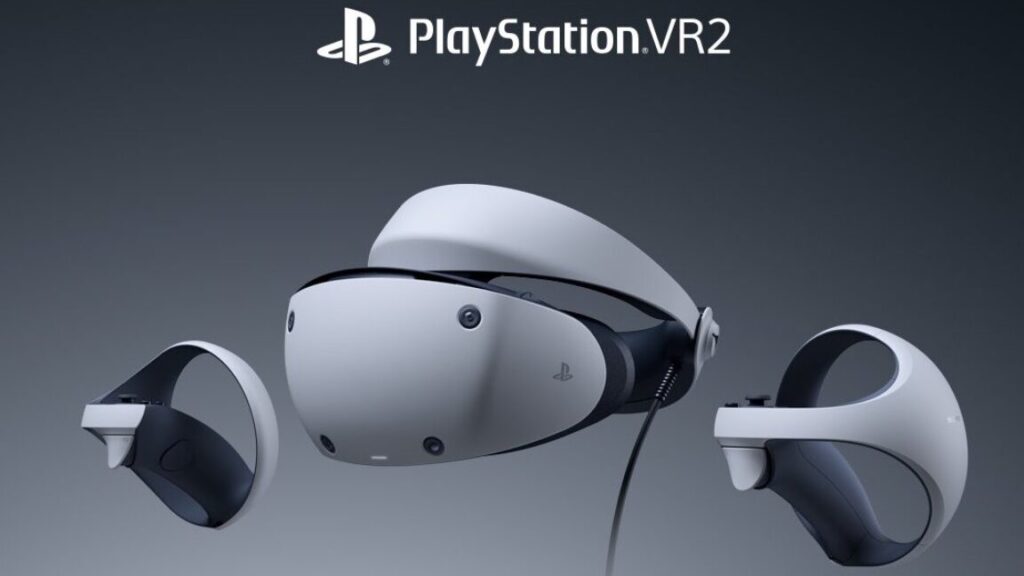
Sony’s first PlayStation VR for the PlayStation 4 hit stores at the right price at the right time and ended up being one of VR’s biggest hits. The PlayStation 5’s PlayStation VR2? Not so much, unfortunately. In either an effort to clear unsold inventory, an attempt to revitalize the platform, or both, Sony has announced it’s dropping the price of the headset significantly.
Starting in March, the main SKU of the headset will drop from $550 to $400 in the US. Europe, the UK, and Japan will also see price cuts to 550 euros, 400 pounds, and 66,980 yen, respectively, as detailed on the PlayStation Blog. Strangely, the bundle that includes the game Horizon: Call of the Mountain (originally $600) will also drop to the same exact price. That’s welcome, but it’s also a little bit difficult not to interpret that as a sign that this is an attempt to empty inventory more than anything else.
The headset launched in early 2023 but has suffered from weak software support ever since—a far cry from the first PSVR, which had one of the strongest libraries of its time. It didn’t help that unlike the regular PlayStation 5, the PSVR2 was not backward-compatible with games released for its predecessor.
About a year ago, there were reports that Sony was temporarily pausing production because it wasn’t able to move the inventory it already had. Later, the company released an adapter and some software for getting it running on PCs. That made it one of the most attractive PC VR headsets, at least on paper. However, setup was clunky, and some features that were supported on the PS5 weren’t supported on PC.
PSVR2 games are still getting announced and released, but the VR market in general has slowed down quite a bit in recent years, and most of the remaining action (such as it is) is on Meta’s Quest platform.
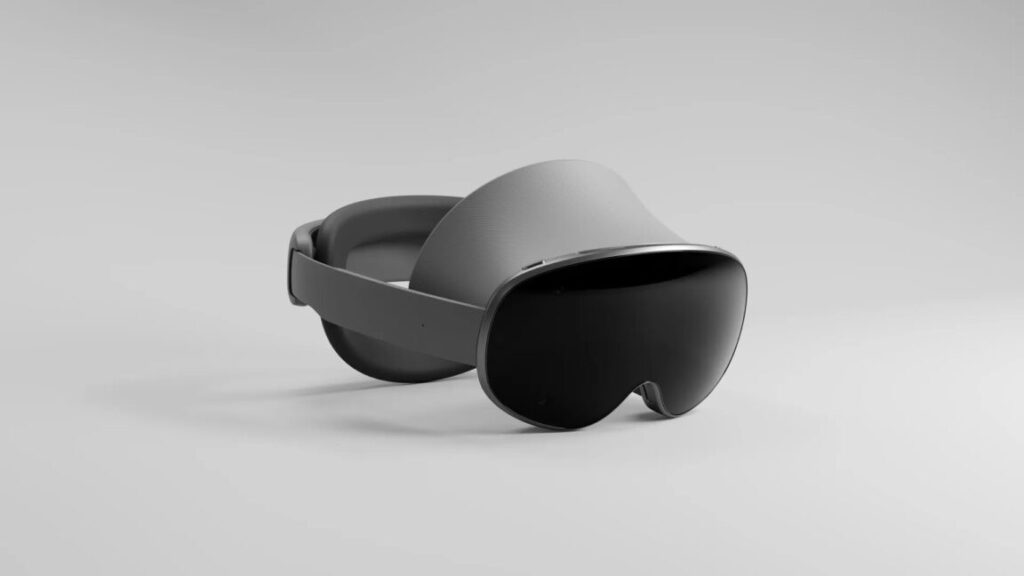
Citing “years of investment in AI, AR, and VR,” Google is stepping into the augmented reality market once more with Android XR. It’s an operating system that Google says will power future headsets and glasses that “transform how you watch, work, and explore.”
The first version you’ll see is Project Moohan, a mixed-reality headset built by Samsung. It will be available for purchase next year, and not much more is known about it. Developers have access to the new XR version of Android now.
“We’ve been in this space since Google Glass, and we have not stopped,” said Juston Payne, director of product at Google for XR in Android XR’s launch video. Citing established projects like Google Lens, Live View for Maps, instant camera translation, and, of course, Google’s general-purpose Gemini AI, XR promises to offer such overlays in both dedicated headsets and casual glasses.
Android XR announcement video.
There are few additional details right now beyond a headset rendering, examples in Google’s video labeled as “visualization for concept purposes.” Google’s list of things that will likely be on board includes Gemini, Maps, Photos, Translate, Chrome, Circle to Search, and Messages. And existing Android apps, or at least those updated to do so, should make the jump, too.
Enlarge/ The same gorgeous vistas return in the Riven remake.
Samuel Axon
A remake of Riven: The Sequel to Myst launched this week, made by the original game’s developers. It strikes a fascinating balance between re-creation and reinvention, and based on a couple of hours of playing it, it’s a resounding success.
Myst was the classic most people remembered fondly from the early CD-ROM era, but for me, its sequel, Riven, was the highlight. After that, the sequels declined in quality. The sophomore effort was the apex.
It was certainly more ambitious than Myst. Instead of a handful of tightly packed theme park worlds, it offered a singular, cohesive one that felt lived in and steeped in history in a way that Myst couldn’t quite match.
A worthy presentation
That was thanks to outstanding art direction but also to its iconic musical score.
For the most part, the remake nails both of those things. While the original game resembled the first Myst in that you had to click to scroll between static images to explore the game’s world, the new one follows the 2020 Myst remake (and 2000’s oft-forgotten realMyst) in giving the player full movement, akin to contemporary first-person puzzle games like Portal, The Witness, or The Talos Principle. Since it’s easy to re-create a lot of the original camera angles this way, it might have been cool if there had been an option to control the game as you did originally, but I can see why that wasn’t a priority.
Enlarge/ The environments are just as atmospheric and detailed as they used to be.
Samuel Axon
It just so happens that today’s graphics hardware does an outstanding job of replicating previously static visuals in full 3D. (There’s even VR support, though I haven’t tried it yet.) And the music is just as good as it used to be.
There are only two downsides on the presentation front. First, I’ve heard that folks running on older machines may struggle to achieve satisfactory fidelity and performance. I played it on both an M1 Max MacBook Pro and a Windows 11 desktop with an AMD Ryzen 9 5900X and an Nvidia GeForce RTX 3080. The MacBook Pro ran the game at maxed-out settings at the laptop’s native resolution at around 30 frames per second. The desktop did the same at 4K at 120 fps. But those are both high-end, recent-ish machines, so your mileage may vary.
Second, the full-motion video performances in the original game have been replaced with full 3D, video game-looking characters. It’s a necessary concession, but I feel some of the character was lost. They did a pretty good job matching the motions of the original videos, though.
The original’s FMV performances have been replaced by respectable but still video game-ish 3D models.
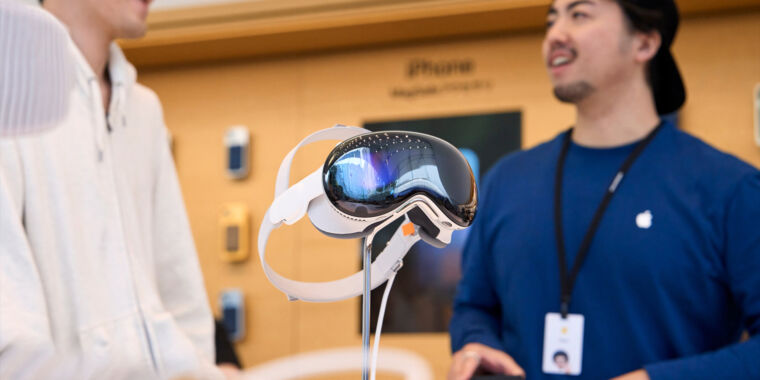
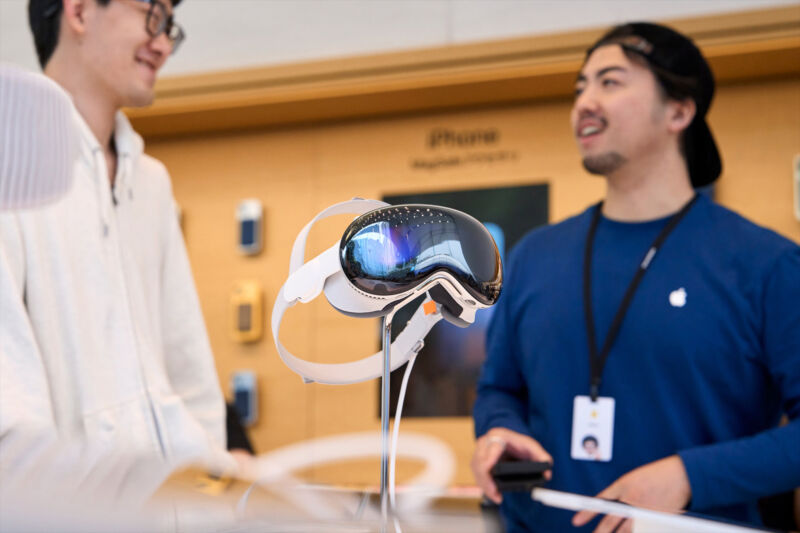
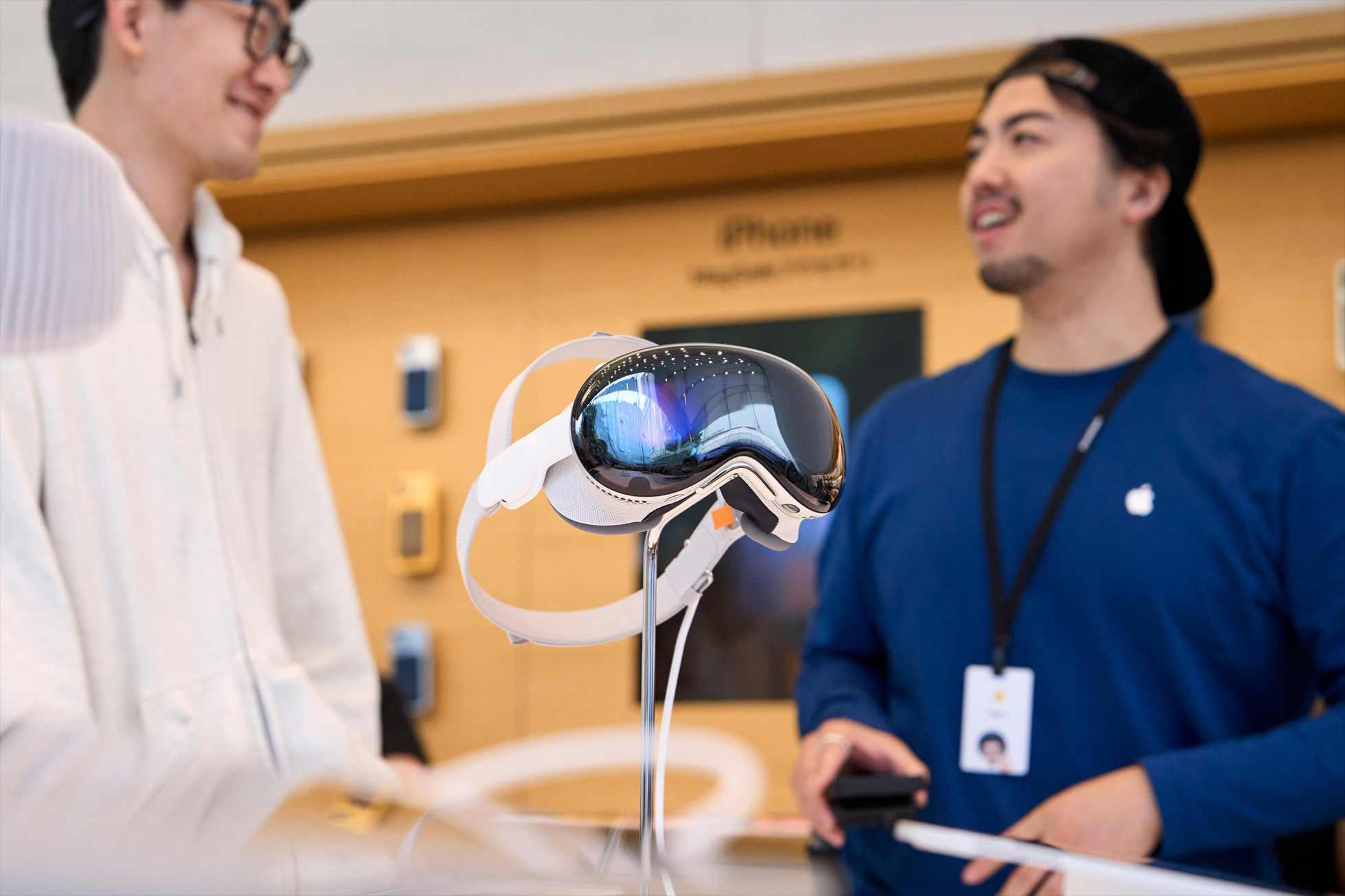
Enlarge/ A Vision Pro on display at an Apple Store in Tokyo.
Apple
Apple’s Vision Pro headset went on sale outside the United States for the first time today, in the first of two waves of expanded availability.
The $3,499 “spatial computing” device launched back in February in the US, but it hasn’t taken the tech world by storm. Part of that has been its regional launch, with some of the biggest markets still lacking access.
Apple announced that the product would be sold internationally during its keynote at the Worldwide Developers Conference earlier this month.
The first new markets to get Vision Pro shipments are China, Japan, and Singapore—those are the ones where it went on sale today.
A second wave will come on July 12, with the headset rolling out in Australia, Canada, France, Germany, and the United Kingdom.
When we first tested the Vision Pro in February, we wrote that it was a technically impressive device with a lot of untapped potential. It works very well as a personal entertainment device for frequent travelers, in particular. However, its applications for productivity and gaming still need to be expanded to justify the high price.
Of course, there have been conflicting rumors of late about just how expensive Apple plans to keep its mixed reality devices. One report claimed that the company put the brakes on a new version of the Vision Pro for now, opting instead to develop a cheaper alternative for a 2025 launch.
But another report in Bloomberg suggested that’s an overstatement. It simply noted that the Vision Pro 2 has been slightly delayed from its original target launch window and reported that the cheaper model will come first.
In any case, availability will have to expand and the price will ultimately have to come down if augmented reality can become the major computing revolution that Apple CEO Tim Cook has predicted. This international rollout is the next step to test whether there’s a market for that.
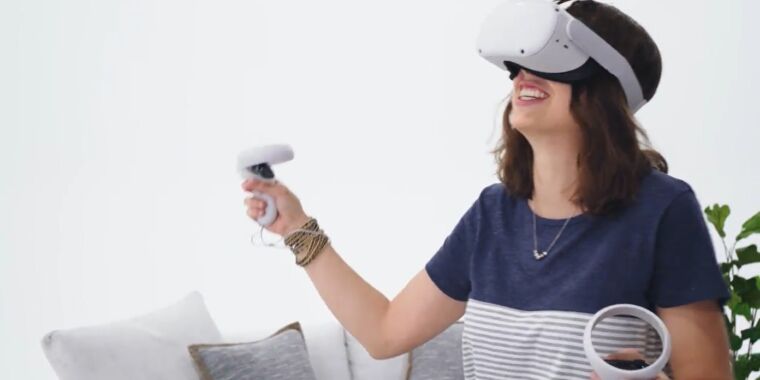
Enlarge/ For just $199, you could be having as much fun as this paid model.
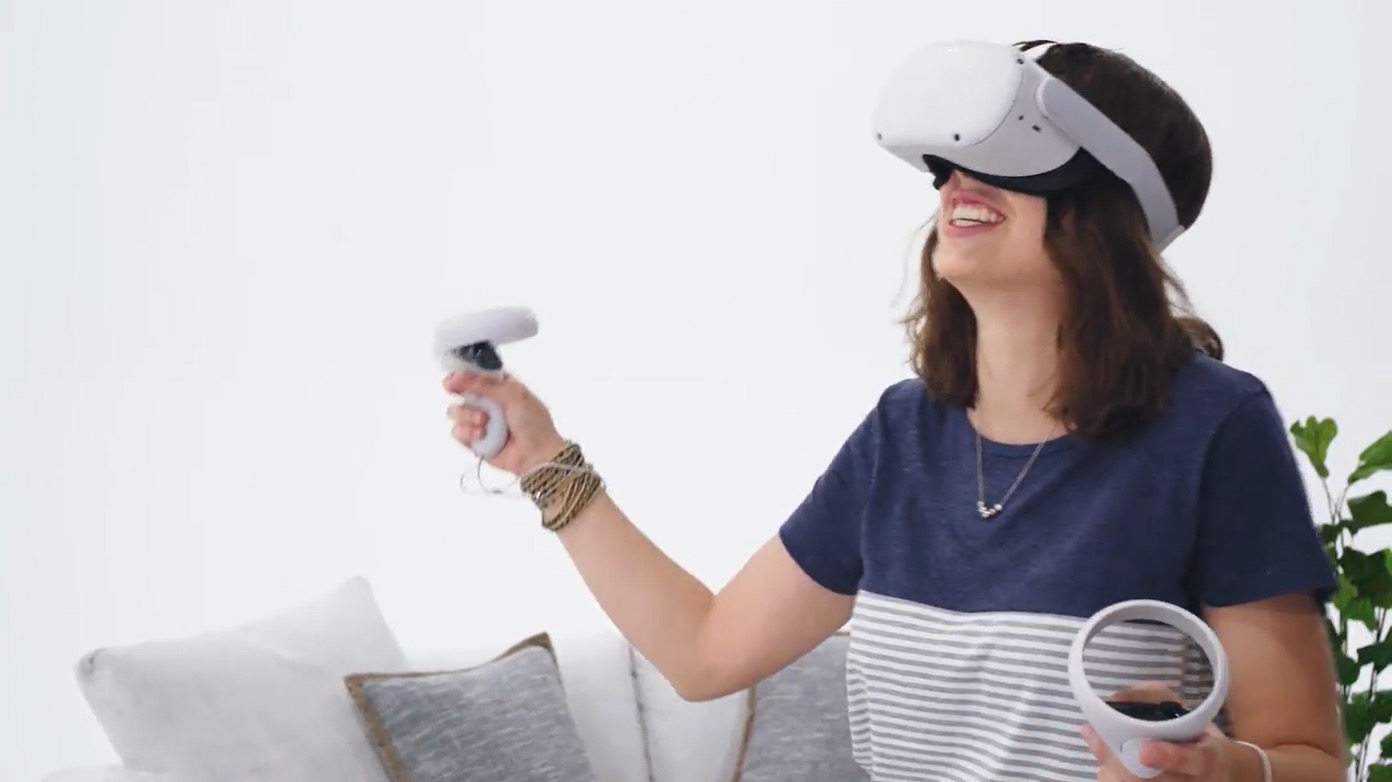
Meta has announced it’s permanently lowering the price of its aging Quest 2 headset to $199 for a 128GB base model, representing the company’s lowest price yet for a full-featured untethered VR headset.
And the Quest 2 is far from the company’s state-of-the-art headset at this point. Meta launched the surprisingly expensive Quest Pro in late 2022 before dropping that headset’s price from $1,499 to $999 less than five months later. And last year’s launch of the Quest 3 at a $499 starting price brought some significant improvements in resolution, processing power, thickness, and full-color passthrough images over the Quest 2.
But for how long?
Those looking to get the Quest 2 at its new bargain MSRP should keep in mind that Meta may not be planning to support the aging headset for the long haul. Meta is currently winding down support for the original Quest headset, which launched in 2019 and no longer has access to important online features, security updates, and even new apps. The Quest 2 is just 18 months younger than the original Quest, and the new price might represent an effort to clear out defunct stock in favor of newer, more powerful Quest options.
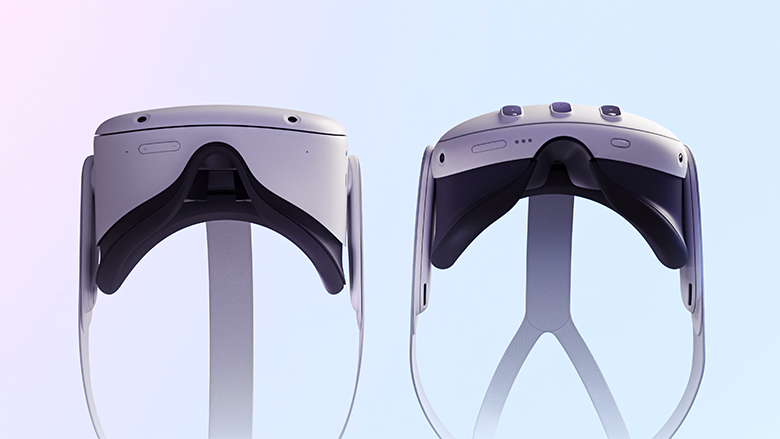
Enlarge/ The Quest 2 (left) has a 40 percent thicker profile than the pancake-optics on the Quest 3 (right).
The Quest 2’s new price is the first time Meta has offered a headset below the “$250 and 250 grams” target former Meta CTO John Carmack once envisioned for a “super cheap, super lightweight headset” that could bring in the mass market (the Quest 2 weighs in at 503 grams). The new price is also stunningly cheap when you consider that, just six or seven years ago, VR-curious consumers could easily end up paying $1,500 or more (in 2024 dollars) for a high-end tethered headset and the “VR-ready” computer needed to power it.
If you’ve waited this long to see what virtual reality gaming is all about, this price drop is the perfect opportunity to indulge your curiosity for a relative pittance. Heck, it might be worth it even if your headset ends up, like mine, a Beat Saber machine most of the time.
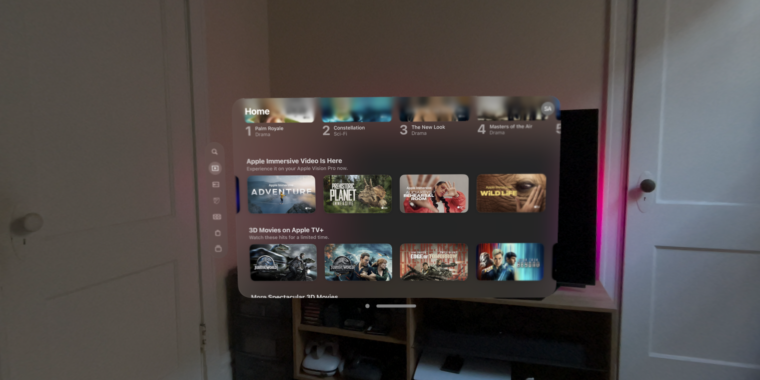
All the available Immersive Video launch content fit on a small strip in the TV app.
Samuel Axon
Initial videos were labeled as episodes in a series, but subsequent episodes haven’t come.
Tonight, Apple will debut some new Immersive Video content for the Vision Pro headset—the first sports content for the device. It doesn’t seem like much after two months of no new content, though.
Starting at 6 pm PT/9 pm ET, Vision Pro users will be able to watch a sports film captured for the platform’s Immersive Video format. The video will be a series of highlights from last year’s Major League Soccer (MLS) playoffs, and according to Six Colors, it will run just five minutes. It will be free for all Vision Pro users.
On February 2, Apple released what appeared to be the first episodes of three Immersive Video series: Adventure, Prehistoric Planet, and Wildlife. Each debuted alongside the Vision Pro’s launch with one episode labeled “Episode 1” of “Season 1.”
However, it’s been almost two months, and none of those series have received new episodes. The only other piece of Immersive Video content available is an Alicia Keyes performance video that also debuted on February 2. Most of these videos were only a few minutes long.
That means that this short soccer video depicting sports moments from 2023 will be the only new piece of Immersive Video content Apple has put out since the device launched at the beginning of February.
When I reviewed the Vision Pro as an entertainment device, I lauded its capabilities for viewing 2D films and videos, but I also talked a bit about its 3D video capabilities. I said the first pieces of original 3D content from Apple seemed promising and that I looked forward to future episodes. Given that they were labeled just like Apple TV+ series in the TV app, I assumed they would arrive at a weekly cadence. Further episodes haven’t come.
Notably, Apple didn’t include a first-party app for playing 3D videos downloaded from the web with the Vision Pro, though an independent developer filled that gap with an app called Reality Player. There are a few 3D video streaming or downloading services in the visionOS App Store, but the selection is very anemic compared to what you have access to with other headsets.
Apple hasn’t been calling the Vision Pro a VR headset, opting instead for the term “spatial computing”—and that’s understandable because it does a lot more than most VR headsets.
But if you’re looking for new examples of the sorts of passive viewing content you can enjoy on other headsets, the Vision Pro is still far behind the competition two months in.
The device can display a wealth of 2D video content, but this drives home the initial impression that the Vision Pro is meant for viewing flat, 2D content as windows in 3D space. The situation isn’t quite as dire with apps and games, with a handful of new spatial apps in those categories rolling out in recent weeks.
Most apps behave just like iPad apps, with 2D viewports at the content; you can position those viewports wherever you want in the room around you. Most video content is also 2D.
There are situations where that’s neat to have, but it’s surprising Apple hasn’t invested more in actual 3D content yet. In terms of new stuff, this short soccer video debuting tonight is all we have right now.
Enlarge/ These mounted displays near the entrance let visitors touch, but not use, a Vision Pro.
Kyle Orland
For decades now, potential Apple customers have been able to wander in to any Apple Store and get some instant eyes-on and hands-on experience with most of the company’s products. The Apple Vision Pro is an exception to this simple process; the “mixed-reality curious” need to book ahead for a guided, half-hour Vision Pro experience led by an Apple Store employee.
As a long-time veteran of both trade show and retail virtual-reality demos, I was interested to see how Apple would sell the concept of “spatial computing” to members of the public, many of whom have minimal experience with existing VR systems. And as someone who’s been following news and hands-on reports of the Vision Pro’s unique features for months now, I was eager to get a brief glimpse into what all the fuss was about without plunking down at least $3,499 for a unit of my own.
After going through the guided Vision Pro demo at a nearby Apple Store this week, I came away with mixed feelings about how Apple is positioning its new computer interface to the public. While the short demo contained some definite “oh, wow” moments, the device didn’t come with a cohesive story pitching it as Apple’s next big general-use computing platform.
Setup snafus
After arriving a few minutes early for my morning appointment in a sparsely attended Apple Store, I was told to wait by a display of Vision Pro units set on a table near the front. These headsets were secured tightly to their stands, meaning I couldn’t try a unit on or even hold it in my hands while I waited. But I could fondle the Vision Pro’s various buttons and straps while getting a closer look at the hardware (and at a few promotional videos running on nearby iPads).
Two Vision Pro headsets let you see it from multiple angles at once.
Kyle Orland
Nearby iPads let you scroll through videos and information about the Vision Pro.
Kyle Orland
The outward-facing display is very subtle in person.
Kyle Orland
Without an appointment you can feel the headstrap with your hands but not with your skull.
Kyle Orland
To Apple’s credit, it did not even try to hide the external battery in these store displays.
Kyle Orland
After a few minutes, an Apple Store employee, who we’ll call Craig, walked over and said with genuine enthusiasm that he was “super excited” to show off the Vision Pro. He guided me to another table, where I sat in a low-backed swivel chair across from another customer who looked a little zoned out as he ran through his own Vision Pro demo.
Craig told me that the Vision Pro was the first time Apple Store employees like him had gotten early hands-on access to a new Apple device well before the public, in order to facilitate the training needed to guide these in-store demos. He said that interest had been steady for the first few days of demos and that, after some initial problems, the store now mostly managed to stay on schedule.
Unfortunately, some of those demo kinks were still present. First, Craig had trouble tracking down the dedicated iPhone used to scan my face and determine the precise Vision Pro light seal fit for my head. After consulting with a fellow employee, they decided to have me download the Apple Store app and use a QR code to reach the face-scanning tool on my own iPhone. (I was a bit surprised this fit scanning hadn’t been offered as part of the process when I signed up for my appointment days earlier.)
It took three full attempts, scanning my face from four angles, before the app managed to spit out the code that Craig needed to send my fit information to the back room. Craig told me that the store had 38 different light seals and 900 corrective lens options sitting back there, ready to be swapped in to ensure maximum comfort for each specific demo.
Sorry, I think I ordered the edamame…
Kyle Orland
Shhh… the Vision Pro is napping.
After a short wait, another employee brought my demo unit out on a round wooden platter that made me feel like I was at a Japanese restaurant. The platter was artistically arranged, from the Solo Knit Band and fuzzy front cover to the gently coiled cord leading to the battery pack sitting in the center. (I never even touched or really noticed the battery pack for the rest of the demo.)
At this point, Craig told me that he would be able to see everything I saw in the Vision Pro, which would stream directly to his iPad. Unfortunately, getting that wireless connection to work took a good five minutes of tapping and tinkering, including removing the Vision Pro’s external battery cord several times.
Once everything was set, Craig gave me a brief primer on the glances and thumb/forefinger taps I would use to select, move, and zoom in on things in the VisionOS interface. “You’re gonna pretend like you’re pulling on a piece of string and then releasing,” he said by way of analogy. “The faster you go, the faster it will scroll, so be mindful of that. Nice and gentle, nice and easy, and things will go smoothly for you.”
Fifteen minutes after my appointed start time, I was finally ready to don the Vision Pro.
A scripted experience
After putting the headset on, my first impression was how heavy and pinchy the Vision Pro was on the bridge of my nose. Thankfully, Craig quickly explained how to tighten the fit with a dial behind my right ear, which helped immediately and immensely. After that, it only took a minute or two to run through some quick calibration of the impressively snappy eye and hand tracking. (“Keep your head nice and still as you do this,” Craig warned me during the process.)
Enlarge/ Imagine this but with an Apple Store in the background.
Kyle Orland
As we dove into the demo proper, it quickly became clear that Craig was reading from a prepared script on his iPhone. This was a bit disappointing, as the genuine enthusiasm he had shown in our earlier, informal chat gave way to a dry monotone when delivering obvious marketing lines. “With Apple Vision Pro, you can experience your entire photo library in a brand new way,” he droned. “Right here, we have some beautiful shots, right from iPhone.”
Craig soldiered through the script as I glanced at a few prepared photos and panoramas. “Here we have a beautiful panorama, but we’re going to experience it in a whole new way… as if you were in the exact spot in which it was taken,” Craig said. Then we switched to some spatial photos and videos of a happy family celebrating a birthday and blowing bubbles in the backyard. The actors in the video felt a little stilted, but the sense of three-dimensional “presence” in the high-fidelity video was impressive.
After that, Craig informed me that “with spatial computing, your apps can exist anywhere in your space.” He asked me to turn the digital crown to replace my view of the store around me with a virtual environment of mountains bathed in cool blue twilight. Craig’s script seemed tuned for newcomers who might be freaked out by not seeing the “real world” anymore. “Remember, you’re always in control,” Craig assured me. “You can change it at any time.”
From inside the environment, Craig’s disembodied voice guided me as I opened a few flat app windows, placing them around my space and resizing them as I liked. Rather than letting these sell themselves, though, Craig pointed out how webpages are “super beautiful [and] easy to navigate” on Vision Pro. “As you can also see… text is super sharp, super easy to read. The pictures on the website look stunning.” Craig also really wanted me to know that “over one million iPhone/iPad apps” will work like this on the Vision Pro on day one.