Tech

windows-10-support-“ends”-today,-but-it’s-just-the-first-of-many-deaths

Windows 10 support “ends” today, but it’s just the first of many deaths

Today is the official end-of-support date for Microsoft’s Windows 10. That doesn’t mean these PCs will suddenly stop working, but if you don’t take action, it does mean your PC has received its last regular security patches and that Microsoft is washing its hands of technical support.

This end-of-support date comes about a decade after the initial release of Windows 10, which is typical for most Windows versions. But it comes just four years after Windows 10 was replaced by Windows 11, a version with stricter system requirements that left many older-but-still-functional PCs with no officially supported upgrade path. As a result, Windows 10 still runs on roughly 40 percent of the world’s Windows PCs (or around a third of US-based PCs), according to StatCounter data.

But this end-of-support date also isn’t set in stone. Home users with Windows 10 PCs can enroll in Microsoft’s Extended Security Updates (ESU) program, which extends the support timeline by another year. We’ve published directions for how to do this here—while you do need one of the Microsoft accounts that the company is always pushing, it’s relatively trivial to enroll in the ESU program for free.

Home users can only get a one-year stay of execution for Windows 10, but IT administrators and other institutions with fleets of Windows 10 PCs can also pay for up to three years of ESUs, which is also roughly the amount of time users can expect new Microsoft Defender antivirus updates and updates for core apps like Microsoft Edge.

Obviously, Microsoft’s preferred upgrade path would be either an upgrade to Windows 11 for PCs that meet the requirements or an upgrade to a new PC that does support Windows 11. It’s also still possible, at least for now, to install and run Windows 11 on unsupported PCs. Your day-to-day experience will generally be pretty good, though installing Microsoft’s major yearly updates (like the upcoming Windows 11 25H2 update) can be a bit of a pain. For new Windows 11 users, we’ll publish an update to our Windows 11 cleanup guide soon—these steps help to minimize the upsells and annoyances that Microsoft has baked into its latest OS.

Windows 10 support “ends” today, but it’s just the first of many deaths Read More »

google’s-photoshop-killer-ai-model-is-coming-to-search,-photos,-and-notebooklm

Google’s Photoshop-killer AI model is coming to search, Photos, and NotebookLM

NotebookLM added a video overview feature several months back, which uses AI to generate a video summary of the content you’ve added to the notebook. The addition of Nano Banana to NotebookLM is much less open-ended. Instead of entering prompts to edit images, NotebookLM has a new set of video styles powered by Nano Banana, including whiteboard, anime, retro print, and more. The original style is still available as “Classic.”

My favorite video.

NotebookLM’s videos are still somewhat limited, but this update adds a second general format. You can now choose “Brief” in addition to “Explainer,” with the option to add prompts that steer the video in the right direction. Although, that’s not a guarantee, as this is still generative AI. At least the style should be more consistent with the addition of Nano Banana.

The updated image editor is also coming to Google Photos, but Google doesn’t have a firm timeline. Google claims that its Nano Banana model is a “major upgrade” over its previous image-editing model. Conversational editing was added to Photos last month, but it’s not the Nano Banana model that has impressed testers over the summer. Google says that Nano Banana will arrive in the Photos app in the next few weeks, which should make those conversational edits much less frustrating.

Google’s Photoshop-killer AI model is coming to search, Photos, and NotebookLM Read More »

apple’s-streaming-service-gets-harder-to-tell-apart-from-its-streaming-app,-box

Apple’s streaming service gets harder to tell apart from its streaming app, box

Apple has lightly rebranded its video-on-demand streaming service. The Netflix rival that has brought us critically acclaimed shows and movies like Slow Horses and The Lost Bus has gone from Apple TV+ to Apple TV.

Apple announced the name change today in a press release that was primarily about the film F1: The Movie coming to its streaming service on December 12. Unlike previous announcements, however, today’s release referred to the streaming service as Apple TV, instead of Apple TV+. The announcement reads:

Apple TV+ is now simply Apple TV, with a vibrant new identity.

Apple didn’t specify how its streaming service’s “identity” has changed at all. As of this writing, accessing Apple’s streaming service via a browser or smart TV app still shows the original Apple TV+ branding.

Similar to rival streaming service HBO Max’s recent re-rebrand, or ESPN+ becoming ESPN, this rebrand is rather mild. Still, the change makes Apple’s streaming service slightly harder to differentiate from Apple’s streaming app, which is also named Apple TV, and its streaming boxes, which Apple officially called Apple TVs until 2015, when their official names started including the max resolution that they support (such as: Apple TV 4K). You can have one or two of those offerings without needing the others (although watching Apple’s streaming service on streaming hardware does require Apple’s streaming app).

Apple’s streaming service gets harder to tell apart from its streaming app, box Read More »

people-regret-buying-amazon-smart-displays-after-being-bombarded-with-ads

People regret buying Amazon smart displays after being bombarded with ads

Amazon Echo Show owners are reporting an uptick in advertisements on their smart displays.

The company’s Echo Show smart displays have previously shown ads through the company’s Shopping Lists feature, as well as advertising for Alexa skills. Additionally, Echo Shows may play audio ads when users listen to Amazon Music on Alexa.

However, reports on Reddit (examples here, here, and here) and from The Verge’s Jennifer Pattison Tuohy, who owns more than one Echo Show, suggest that Amazon has increased the amount of ads it shows on its smart displays’ home screens. The Echo Show’s apparent increase in ads is pushing people to stop using or even return their Echo Shows.

The smart displays have also started showing ads for Alexa+, the new generative AI version of Amazon’s Alexa voice assistant. Ads for the subscription-based Alexa+ are reportedly taking over Echo Show screens, even though the service is still in Early Access.

“This is getting ridiculous and I’m about to just toss the whole thing and move back to Google,” one Redditor said of the “full-volume” ads for Alexa+ on their Echo Show.

The Verge’s Tuohy reported seeing ads on one (but not all) of her Echo Shows for the first time this week and said ads sometimes show when the display is set to show personal photos. She reported seeing ads for “elderberry herbal supplements, Quest sports chips, and tabletop picture frames.”

Users are unable to disable the home screen ads. When reached for comment, an Amazon spokesperson told Ars Technica:

People regret buying Amazon smart displays after being bombarded with ads Read More »

bose-soundtouch-home-theater-systems-regress-into-dumb-speakers-feb.-18

Bose SoundTouch home theater systems regress into dumb speakers Feb. 18

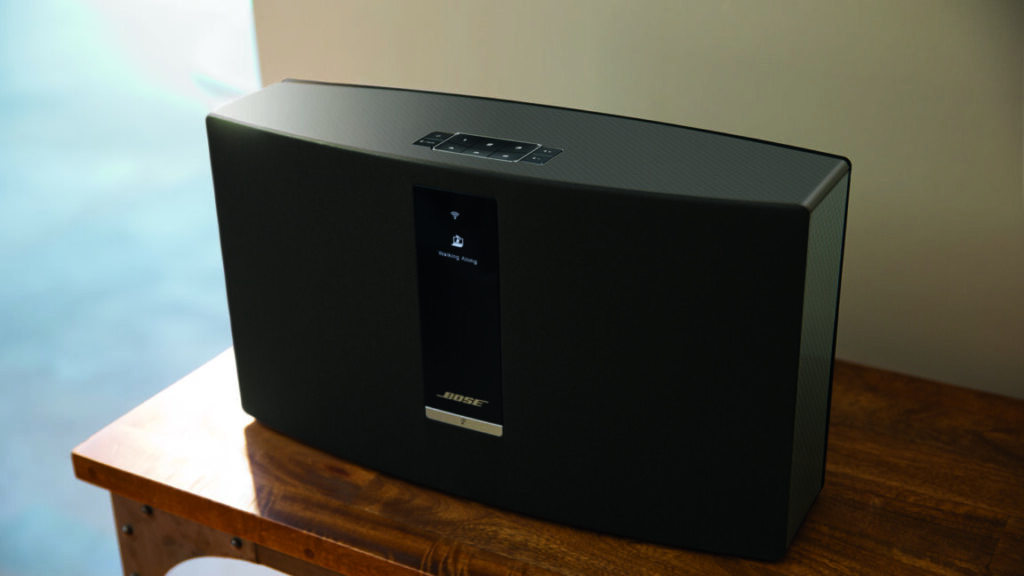
Bose will brick key features of its SoundTouch Wi-Fi speakers and soundbars soon. On Thursday, Bose informed customers that as of February 18, 2026, it will stop supporting the devices, and the devices’ cloud-based features, including the companion app, will stop working.

The SoundTouch app enabled numerous capabilities, including integrating music services, like Spotify and TuneIn, and the ability to program multiple speakers in different rooms to play the same audio simultaneously.

Bose has also said that some saved presets won’t work and that users won’t be able to change saved presets once the app is gone.

Additionally, Bose will stop providing security updates for SoundTouch devices.

The Framingham, Massachusetts-headquartered company noted to customers that the speakers will continue being able to play audio from a device connected via AUX or HDMI. Wireless playback will still work over Bluetooth; however, Bluetooth is known to introduce more latency than Wi-Fi connections.

Affected customers can trade in their SoundTouch product for a credit worth up to $200.

In its notice sent to customers this week, Bose provided minimal explanation for end-of-life-ing its pricey SoundTouch speakers, saying:

Bose SoundTouch systems were introduced into the market in 2013. Technology has evolved since then, and we’re no longer able to sustain the development and support of the cloud infrastructure that powers this older generation of products. We remain committed to creating new listening experiences for our customers built on modern technologies.

Ars Technica has reached out to Bose for comment.

“Really disgusted”

Bose launched SoundTouch with three speakers ranging from $399 to $699. The company marketed the wireless home audio system as a way to extend high-quality sound throughout the home using Wi-Fi-connected speakers.

In 2015, Bose expanded the lineup with speakers ranging from $200 to $400 and soundbars and home theater systems ranging from $1,100 to $1,500.

By 2020, however, Bose was distancing itself from SoundTouch. It informed customers that it was “discontinuing sales of some SoundTouch products” but said it was “committed” to supporting the “SoundTouch app and product software for the foreseeable future.” Apparently, Bose couldn’t see beyond the next five years.

Bose SoundTouch home theater systems regress into dumb speakers Feb. 18 Read More »

uk-regulators-plan-to-force-google-changes-under-new-competition-law

UK regulators plan to force Google changes under new competition law

Google is facing multiple antitrust actions in the US, and European regulators have been similarly tightening the screws. You can now add the UK to the list of Google’s governmental worries. The country’s antitrust regulator, known as the Competition and Markets Authority (CMA), has confirmed that Google has “strategic market status,” paving the way to more limits on how Google does business in the UK. Naturally, Google objects to this course of action.

The designation is connected to the UK’s new digital markets competition regime, which was enacted at the beginning of the year. Shortly after, the CMA announced it was conducting an investigation into whether Google should be designated with strategic market status. The outcome of that process is a resounding “yes.”

This label does not mean Google has done anything illegal or that it is subject to immediate regulation. It simply means the company has “substantial and entrenched market power” in one or more areas under the purview of the CMA. Specifically, the agency has found that Google is dominant in search and search advertising, holding a greater than 90 percent share of Internet searches in the UK.

In Google’s US antitrust trials, the rapid rise of generative AI has muddied the waters. Google has claimed on numerous occasions that the proliferation of AI firms offering search services means there is ample competition. In the UK, regulators note that Google’s Gemini AI assistant is not in the scope of the strategic market status designation. However, some AI features connected to search, like AI Overviews and AI Mode, are included.

According to the CMA, consultations on possible interventions to ensure effective competition will begin later this year. The agency’s first set of antitrust measures will likely expand on solutions that Google has introduced in other regions or has offered on a voluntary basis in the UK. This could include giving publishers more control over how their data is used in search and “choice screens” that suggest Google alternatives to users. Measures that require new action from Google could be announced in the first half of 2026.

UK regulators plan to force Google changes under new competition law Read More »

youtube-prepares-to-welcome-back-banned-creators-with-“second-chance”-program

YouTube prepares to welcome back banned creators with “second chance” program

A few weeks ago, Google told US Rep. Jim Jordan (R-Ohio) that it would allow creators banned for COVID and election misinformation to rejoin the platform. It didn’t offer many details in the letter, but now YouTube has explained the restoration process. YouTube’s “second chances” are actually more expansive than the letter made it seem. Going forward, almost anyone banned from YouTube will have an opportunity to request a new channel. The company doesn’t guarantee approval, but you can expect to see plenty of banned creators back on Google’s video platform in the coming months.

YouTube will now allow banned creator to request reinstatement, but this is separate from appealing a ban. If a channel is banned, creators continue to have the option of appealing the ban. If successful, their channel comes back as if nothing happened. After one year, creators will now have the “second chance” option.

“We know many terminated creators deserve a second chance,” the blog post reads, noting that YouTube itself doesn’t always get things right the first time. The option for getting a new channel will appear in YouTube Studio on the desktop, and Google expects to begin sending out these notices in the coming months. However, anyone terminated for copyright violations is out of luck—Google does not forgive such infringement as easily as it does claiming that COVID is a hoax.

The readmission process will still come with a review by YouTube staff, and the company says it will take multiple factors into consideration, including whether or not the behavior that got the channel banned is still against the rules. This is clearly a reference to COVID and election misinformation, which Google did not allow on YouTube for several years but has since stopped policing. The site will also consider factors like how severe or persistent the violations were and whether the creator’s actions “harmed or may continue to harm the YouTube community.”

YouTube prepares to welcome back banned creators with “second chance” program Read More »

logitech-will-brick-its-$100-pop-smart-home-buttons-on-october-15

Logitech will brick its $100 Pop smart home buttons on October 15

In another loss for early smart home adopters, Logitech has announced that it will brick all Pop switches on October 15.

In August of 2016, Logitech launched Pop switches, which provide quick access to a range of smart home actions, including third-party gadgets. For example, people could set their Pop buttons to launch Philips Hue or Insteon lighting presets, play a playlist from their Sonos speaker, or control Lutron smart blinds. Each button could store three actions, worked by identifying smart home devices on a shared Wi-Fi network, and was controllable via a dedicated Android or iOS app. The Pop Home Switch Starter Pack launched at $100, and individual Pop Add-on Home Switches debuted at $40 each.

A company spokesperson told Ars Technica that Logitech informed customers on September 29 that their Pop switches would soon become e-waste. According to copies of the email shared via Reddit, Logitech’s notice said:

As of October 15, 2025, your POP button(s) and the connected hub will no longer be supported and will lose all functionality.

As an attempt at compensation, Logitech gave affected customers a coupon for 15 percent off some Logitech products, including its Ultimate Ears speakers. The coupon is only valid in the US until March 31, 2026, and doesn’t apply to Logitech’s Pro or RS racing wheels for gaming, videoconferencing products, its Logitech for Business line, or “newly released products,” according to the email.

Logitech’s neglected smart home

Logitech’s spokesperson didn’t respond to Ars’ questions regarding e-waste, the short cancellation notice, or whether Pop button owners can continue using the devices locally after October 15.

“For close to a decade we have been maintaining the POP ecosystem, but as technology evolves, we have made the decision to end support for this device,” Logitech’s representative told Ars, repeating messaging from the email sent to customers.

Logitech will brick its $100 Pop smart home buttons on October 15 Read More »

google-pixel-10-pro-fold-review:-the-ultimate-google-phone

Google Pixel 10 Pro Fold review: The ultimate Google phone


Google delivers another phone that is slightly better than its predecessor—is that enough?

Pixel 10 Pro Fold flexed

The Pixel 10 Pro Fold is a sleek piece of hardware. Credit: Ryan Whitwam

The Pixel 10 Pro Fold is a sleek piece of hardware. Credit: Ryan Whitwam

When the first foldable phones came along, they seemed like a cool evolution of the traditional smartphone form factor and, if they got smaller and cheaper, like something people might actually want. After more than five years of foldable phones, we can probably give up on the latter. Google’s new Pixel 10 Pro Fold retains the $1,800 price tag of last year’s model, and while it’s improved in several key ways, spending almost two grand on any phone remains hard to justify.

For those whose phones are a primary computing device or who simply love gadgets, the Pixel 10 Pro Fold is still appealing. It offers the same refined Android experience as the rest of the Pixel 10 lineup, with much more screen real estate on which to enjoy it. Google also improved the hinge for better durability, shaved off some bezel, and boosted both charging speed and battery capacity. However, the form factor hasn’t taken the same quantum leap as Samsung’s latest foldable.

An iterative (but good) design

The Pixel 10 Pro Fold doesn’t reinvent the wheel—it looks and feels almost exactly like last year’s foldable, with a few minor tweaks centered around a new “gearless” hinge. Dropping the internal gears allegedly helps make the mechanism twice as durable. Google claims the Pixel 10 Pro Fold’s hinge will last for more than 10 years of folding and unfolding.

Specs at a glance: Google Pixel 10 series
Pixel 10 ($799) Pixel 10 Pro ($999) Pixel 10 Pro XL ($1,199) Pixel 10 Pro Fold ($1,799)
SoC Google Tensor G5  Google Tensor G5  Google Tensor G5  Google Tensor G5
Memory 12GB 16GB 16GB 16GB
Storage 128GB / 256GB 128GB / 256GB / 512GB 128GB / 256GB / 512GB / 1TB 256GB / 512GB / 1TB
Display 6.3-inch 1080×2424 OLED, 60-120 Hz, 3,000 nits 6.3-inch 1280×2856 LTPO OLED, 1-120 Hz, 3,300 nits 6.8-inch 1344×2992 LTPO OLED, 1-120 Hz, 3,300 nits External: 6.4-inch 1080×2364 OLED, 60-120 Hz, 3,000 nits; Internal: 8-inch 2076×2152 LTPO OLED, 1-120 Hz, 3,000 nits
Cameras 48 MP wide with Macro

Focus, F/1.7, 1/2-inch sensor; 13 MP ultrawide, f/2.2, 1/3.1-inch sensor;

10.8 MP 5x telephoto, f/3.1, 1/3.2-inch sensor; 10.5 MP selfie, f/2.2
50 MP wide with Macro

Focus, F/1.68, 1/1.3-inch sensor; 48 MP ultrawide, f/1.7, 1/2.55-inch sensor;

48 MP 5x telephoto, f/2.8, 1/2.55-inch sensor; 42 MP selfie, f/2.2
50 MP wide with Macro

Focus, F/1.68, 1/1.3-inch sensor; 48 MP ultrawide, f/1.7, 1/2.55-inch sensor;

48 MP 5x telephoto, f/2.8, 1/2.55-inch sensor; 42 MP selfie, f/2.2
48 MP wide, F/1.7, 1/2-inch sensor; 10.5 MP ultrawide with Macro Focus, f/2.2, 1/3.4-inch sensor;

10.8 MP 5x telephoto, f/3.1, 1/3.2-inch sensor; 10.5 MP selfie, f/2.2 (outer and inner)
Software Android 16 Android 16 Android 16 Android 16
Battery 4,970 mAh, up to 30 W wired charging, 15 W wireless charging (Pixelsnap) 4,870 mAh, up to 30 W wired charging, 15 W wireless charging (Pixelsnap) 5,200 mAh, up to 45 W wired charging, 25 W wireless charging (Pixelsnap) 5,015 mAh, up to 30 W wired charging, 15 W wireless charging (Pixelsnap)
Connectivity Wi-Fi 6e, NFC, Bluetooth 6.0, sub-6 GHz and mmWave 5G, USB-C 3.2 Wi-Fi 7, NFC, Bluetooth 6.0, sub-6 GHz and mmWave 5G, UWB, USB-C 3.2 Wi-Fi 7, NFC, Bluetooth 6.0, sub-6 GHz and mmWave 5G, UWB, USB-C 3.2 Wi-Fi 7, NFC, Bluetooth 6.0, sub-6 GHz and mmWave 5G, UWB, USB-C 3.2
Measurements 152.8 height×72.0 width×8.6 depth (mm), 204 g 152.8 height×72.0 width×8.6 depth (mm), 207 g 162.8 height×76.6 width×8.5 depth (mm), 232 g Folded: 154.9 height×76.2 width×10.1 depth (mm); Unfolded: 154.9 height×149.8 width×5.1 depth (mm); 258 g
Colors Indigo

Frost

Lemongrass

Obsidian
Moonstone

Jade

Porcelain

Obsidian
Moonstone

Jade

Porcelain

Obsidian
Moonstone

Jade

While the new phone is technically a fraction of a millimeter thicker, it’s narrowed by a similar amount. You likely won’t notice this, nor will the 1g in additional mass register. You may, however, spot the slimmer bezels and hinge. And that means cases for the 2024 foldable are just a fraction of a millimeter from fitting on the Pixel 10 Pro Fold. It does fit better in your hand, though.

Pixel 10 Pro Fold side

The Pixel is on the thick side for 2025, but this was record-setting thinness last year.

The Pixel is on the thick side for 2025, but this was record-setting thinness last year.

Thanks to the gearless hinge, the Pixel 10 Pro Fold the first foldable with full IP68 certification for water and dust resistance. The hinge feels extremely smooth and sturdy, but it’s a bit stiffer than we’ve seen on most foldables. This might change over time, but it’s a little harder to open and close out of the box. Samsung’s Z Fold 7 is thinner and easier to fold, but the hinge doesn’t open to a full 180 degrees like the Pixel does.

The new foldable also retains the camera module design of last year’s phone—it’s off-center on the back panel, a break from Google’s camera bar on other Pixels. The Pixel 10 Pro Fold, therefore, doesn’t lie flat on tables and will rock back and forth like most other phones. However, it does have the Qi2 magnets like in the cheaper phones. There are various Maglock kickstands and mounting rings that will attach to the back of the phone if you want to prop it up on a surface.

Pixel 10 Pro Fold and Z Fold 7

The Pixel 10 Pro Fold (left) and the Galaxy Z Fold 7 (right) both have 8-inch displays, but the Pixel is curvier.

Credit: Ryan Whitwam

The Pixel 10 Pro Fold (left) and the Galaxy Z Fold 7 (right) both have 8-inch displays, but the Pixel is curvier. Credit: Ryan Whitwam

The power and volume buttons are on the right edge in the same location as last year. The buttons are stable and tactile when pressed, and there’s a fingerprint sensor in the power button. It’s as fast and accurate as any capacitive sensor on a phone today. The aluminum frame and the buttons have the same matte finish, which differs from the glossy look of the other Pro Pixels. The more grippy matte texture is preferable for a phone you need to fold and unfold throughout the day.

Thanks to the modestly slimmer bezels, Google equipped the phone with a 6.4-inch external screen, slightly larger than the 6.3-inch panel on last year’s Fold. The 120 Hz OLED has a respectable 1080p resolution, and the brightness peaks around 3,000 nits, making it readable in bright outdoor light.

Pixel 10 Pro Fold and Pixel 9 Pro Fold

The Pixel 10 Pro Fold (left) has a more compact hinge and slimmer bezels compared to the Pixel 9 Pro Fold (right).

The Pixel 10 Pro Fold (left) has a more compact hinge and slimmer bezels compared to the Pixel 9 Pro Fold (right).

The Pixel 10 Pro Fold has a big 8-inch flexible OLED inside, clocking in at 2076×2152 pixels and 120Hz. It gets similarly bright, but the plastic layer is more reflective than the Gorilla Glass Victus 2 on the cover screen. While the foldable screen is legible, it’s not as pleasant to use outside as high-brightness glass screens.

Like all foldable screens, it’s possible to damage the internal OLED if you’re not careful. On the other hand, the flexible OLED is well-protected when the phone is closed—there’s no gap between the halves, and the magnets hold them together securely. There’s a crease visible in the middle of the screen, but it’s slightly improved from last year’s phone. You can see it well from some angles, but you get used to it.

Pixel 10 Pro Fold keyboard glamor

The Jade colorway looks great.

Credit: Ryan Whitwam

The Jade colorway looks great. Credit: Ryan Whitwam

While the flat Pixel 10 phones have dropped the physical SIM card slot, the Pixel 10 Pro Fold still has one. It has moved to the top this year, but it seems like only a matter of time before Google removes the slot in foldables, too. For the time being, you can move a physical SIM card to the Fold, transfer to eSIM, or use a combination of physical and electronic SIMs.

Google’s take on big Androids

Google’s version of Android is pretty refined these days. The Pixel 10 Pro Fold uses the same AI-heavy build of Android 16 as the flat Pixels. That means you can expect old favorites like Pixel Screenshots, Call Screen, and Magic Compose, along with new arrivals like Magic Cue and Pixel Journal. One thing you won’t see right now is the largely useless Daily Brief, which was pulled after its launch on the Pixel 10 so it could be improved.

Google’s expanded use of Material 3 Expressive theming is also a delight. The Pixel OS has a consistent, clean look you don’t often see on Android phones. Google bundles almost every app it makes on this phone, but you won’t see any sponsored apps, junk games, or other third-party software cluttering up the experience. In short, if you like the vibe of the Pixel OS on other Pixel 10 phones, you’ll like it on the Pixel 10 Pro Fold. We’ve noted a few minor UI glitches in the launch software, but there are no show-stopping bugs.

Pixel 10 Pro Fold split-screen

Multitasking on foldables is a snap.

Credit: Ryan Whitwam

Multitasking on foldables is a snap. Credit: Ryan Whitwam

The software on this phone goes beyond the standard Pixel features to take advantage of the folding screen. There’s a floating taskbar that can make swapping apps and multitasking easier, and you can pin it on the screen for even more efficiency. The Pixel 10 Pro Fold also supports saving app pairs to launch both at once in split-screen.

Google’s multi-window system on the Fold isn’t as robust as what you get with Samsung, though. For example, split-screen apps open in portrait mode on the Pixel, and if you want them in landscape, you have to physically rotate the phone. On Samsung foldables, you can move app windows around and change the orientation however you like—there’s even support for floating app windows and up to three windowed apps. Google reserves floating windows for tablets, none of which it has released since the Pixel Tablet in 2023. It would be nice to see a bit more multitasking power to make the most of the Fold’s big internal display.

As with all of Google’s Pixels, the new foldable gets seven years of update support, all the way through 2032. You’ll probably need at least one battery swap to make it that long, but you might be more inclined to hold onto an $1,800 phone for seven years. Samsung also offers seven years of support, but its updates are slower and don’t usually include new features after the first year. Google rolls out new updates promptly every month, and updated features are delivered in regular Pixel Drops.

Almost the best cameras

Google may have fixed some of the drawbacks of foldables, but you’ll get better photos with flat Pixels. That said, the Pixel 10 Pro Fold is no slouch—it has a camera setup very similar to the base model Pixel 10 (and last year’s foldable), which is still quite good in the grand scheme of mobile photography.

Pixel 10 Pro Fold cameras

The cameras are unchanged from last year.

Credit: Ryan Whitwam

The cameras are unchanged from last year. Credit: Ryan Whitwam

The Pixel 10 Pro Fold sports a 48 MP primary sensor, a 10.5 MP ultrawide, and a 10.8 MP 5x telephoto. There are 10 MP selfie cameras peeking through the front and internal displays as well.

Like the other Pixels, this phone is great for quick snapshots. Google’s image processing does an admirable job of sharpening details and has extraordinary dynamic range. The phone also manages to keep exposure times short to help capture movement. You don’t have to agonize over exactly how to frame a shot or wait for the right moment to hit the shutter. The Pixel 10 Pro and Pro XL do all of this slightly better, but provided you don’t zoom too much, the Pixel 10 Pro Fold photos are similarly excellent.

Medium indoor light. Ryan Whitwam

The primary sensor does better than most in dim conditions, but this is where you’ll notice limitations compared to the flat Pro phones. The Fold’s smaller image sensor can’t collect as much light, resulting in longer exposures. You’ll notice this most in Night Sight shots.

The telephoto sensor is only 10.8 MP compared to 48 MP on the other Pro Pixels. So images won’t be as sharp if you zoom in, but the normal framing looks fine and gets you much closer to your subject. The phone does support up to 20x zoom, but going much beyond 5x begins to reveal the camera’s weakness, and even Google’s image processing can’t hide that. The ultrawide camera is good enough for landscapes and wide group shots, but don’t bother zooming in. It also has autofocus for macro shots.

The selfie cameras are acceptable, but you don’t have to use them. As a foldable, this phone allows you to use the main cameras to snap selfies with the external display as a viewfinder. The results are much better, but the phone is a bit awkward to hold in that orientation. Google also added a few more camera features that complement the form factor, including a split-screen camera roll similar to Samsung’s app and a new version of the Made You Look cover screen widgets.

The Pixel 10 Pro Fold can leverage generative AI in several imaging features, so it has the same C2PA labeling as the other Pixels. We’ve seen this “AI edited” tag appear most often on images from the flat Pixels that are zoomed beyond 20x, so you likely won’t end up with any of those on the Fold. However, features like Add Me and Best Take will get the AI labeling.

The Tensor tension

This probably won’t come as a surprise, but the Tensor G5 in the Pixel 10 Pro Fold performs identically to the Tensor in other Pixel 10 phones. It is marginally faster across the board than the Tensor G4, but this isn’t the huge leap people hoped for with Google’s first TSMC chip. While it’s fast enough to keep the phone chugging, benchmarks are not its forte.

Pixel 10 Pro Fold in hand

Pixel 10 Pro Fold hinge has been redesigned.

Credit: Ryan Whitwam

Pixel 10 Pro Fold hinge has been redesigned. Credit: Ryan Whitwam

Across all our usual benchmarks, the Tensor G5 shows small gains over last year’s Google chip, but it’s running far behind the latest from Qualcomm. We expect that gap to widen even further when Qualcomm updates its flagship Snapdragon line in a few months.

The Tensor G5 does remain a bit cooler under load than the Snapdragon 8 Elite, losing only about 20 percent to thermal throttling. So real-world gaming performance on the Pixel 10 Pro Fold is closer to Qualcomm-based devices than the benchmark numbers would lead you to believe. Some game engines behave strangely on the Tensor’s PowerVR GPU, though. If mobile gaming is a big part of your usage, a Samsung or OnePlus flagship might be more your speed.

Day-to-day performance with the Pixel 10 Pro Fold is solid. Google’s new foldable is quick to register taps and open apps, even though the Tensor G5 chip doesn’t offer the most raw speed. Even on Snapdragon-based phones like the Galaxy Z Fold 7, the UI occasionally hiccups or an animation gets jerky. That’s a rarer occurrence on the Pixel 10 Pro Fold.

One of the biggest spec bumps is the battery—it’s 365 mAh larger, at 5,015 mAh. This finally puts Google’s foldables in the same range as flat phones. Granted, you will use more power when the main display is unfurled, and you should not expect a substantial increase in battery life generally. The power-hungry Tensor and increased background AI processing appear to soak up most of the added capacity. The Pixel 10 Pro Fold should last all day, but there won’t be much leeway.

The Pixel 10 Pro Fold does bring a nice charging upgrade, boosting wired speeds from 21 W to 30 W with a USB-PD charger that supports PPS (as most now do). That’s enough for a 50 percent charge in about half an hour. Wireless charging is now twice as fast, thanks to the addition of Qi2 support. Any Qi2-certified charger can hit those speeds, including the Google Pixelsnap charger. But the Fold is limited to 15 W, whereas the Pixel 10 Pro XL gets 25 W over Qi2. It’s nice to see an upgrade here, but all of Google’s phones should charge faster than they do.

Big phone, big questions

The Pixel 10 Pro Fold is better than last year’s Google foldable, and that means there’s a lot to like. The new hinge and slimmer bezels make the third-gen foldable a bit easier to hold, and the displays are fantastic. The camera setup, while a step down from the other Pro Pixels, is still one of the best you can get on a phone. The addition of Qi2 charging is much appreciated, too. And while Google has overloaded the Pixels with AI features, more of them are useful compared to those on the likes of Samsung, Motorola, or OnePlus.

Pixel 10 Pro Fold and Pixel 10 Pro

Left: Pixel 10 Pro Fold, Right: Pixel 10 Pro.

Credit: Ryan Whitwam

Left: Pixel 10 Pro Fold, Right: Pixel 10 Pro. Credit: Ryan Whitwam

That’s all great, but these are relatively minor improvements for an $1,800 phone, and the competition is making great strides. The Pixel 10 Pro Fold isn’t as fast or slim as the Galaxy Z Fold 7, and Samsung’s multitasking system is much more powerful. The Z Fold 7 retails for $200 more, but that distinction hardly matters as you close in on two grand for a smartphone. If you’re willing to pay $1,800, going to $2,000 isn’t much of a leap.

Pixel 10 Pro Fold back in hand

It’s the size of a normal phone when closed.

Credit: Ryan Whitwam

It’s the size of a normal phone when closed. Credit: Ryan Whitwam

The Pixel 10 Pro Fold is the ultimate Google phone with some useful AI features, but the Galaxy Z Fold 7 is a better piece of hardware. Ultimately, the choice depends on what’s more important to you, but Google will have to move beyond iterative upgrades if it wants foldables to look like a worthwhile upgrade.

The good

  • Redesigned hinge and slimmer bezels
  • Huge, gorgeous foldable OLED screen
  • Colorful, attractive Material 3 UI
  • IP68 certification
  • Includes Qi2 with magnetic attachment
  • Seven years of update support
  • Most AI features run on-device for better privacy

The bad

  • Cameras are a step down from other Pro Pixels
  • Tons of AI features you probably won’t use
  • Could use more robust multitasking
  • Tensor G5 still not benchmark king
  • High $1,800 price

Photo of Ryan Whitwam

Ryan Whitwam is a senior technology reporter at Ars Technica, covering the ways Google, AI, and mobile technology continue to change the world. Over his 20-year career, he’s written for Android Police, ExtremeTech, Wirecutter, NY Times, and more. He has reviewed more phones than most people will ever own. You can follow him on Bluesky, where you will see photos of his dozens of mechanical keyboards.

Google Pixel 10 Pro Fold review: The ultimate Google phone Read More »

synology-caves,-walks-back-some-drive-restrictions-on-upcoming-nas-models

Synology caves, walks back some drive restrictions on upcoming NAS models


Policy change affects at least 2025 model Plus, Value, and J-series DiskStations.

Credit: SOPA Images / Getty

If you were considering the purchase of a Synology NAS but were leery of the unreasonably high cost of populating it with special Synology-branded hard disk drives, you can breathe a little easier today. In a press release dated October 8, Synology noted that with the release of its latest Disk Station Manager (DSM) update, some of its 2025 model-year products—specifically, the Plus, Value, and J-series DiskStation NAS devices—would “support the installation and storage pool creation of non-validated third-party drives.”

This unexpected move comes just a few months after Synology aggressively expanded its “verified drive” policy down-market to the entire Plus line of DiskStations. Prior to today, the network-attached storage vendor had shown no signs of swerving from the decision, painting it as a pro-consumer move intended to enhance reliability. “Extensive internal testing has shown that drives that follow a rigorous validation process when paired with Synology systems are at less risk of drive failure and ongoing compatibility issues,” Synology previously claimed in an email to Ars.

What is a “verified” or “validated” drive?

Synology first released its own brand of hard disk drives back in 2021 and began requiring their use in a small but soon-to-increase number of its higher-end NAS products. Although the drives were rebadged offerings from other manufacturers—there are very few hard disk drive OEMs, and Synology isn’t one of them—the company claimed that its branded disks underwent significant additional validation and testing that, when coupled with customized firmware, yielded reliability and performance improvements over off-the-shelf components.

However, those drives came with what was in some cases a substantial price increase over commodity hardware. Although I couldn’t find an actual published MSRP list, some spot checking on several web stores shows that the Synology HAT5310 enterprise SATA drive (a drive with the same warranty and expected service life as a Seagate Exos or Western Digital Gold) is available in 8TB at $299, 12TB at $493, and 20TB at an eye-watering $605. (For comparison, identically sized Seagate Exos disks are $220 at 8TB, $345 at 12TB, and $399 at 20TB.) Other Synology drive models tell similar pricing stories.

Photograph of a synology nas in profile

A Synology DS1525+ NAS, which up until today would scream at you unless you filled it with special Synology-branded disks.

Credit: Synology

A Synology DS1525+ NAS, which up until today would scream at you unless you filled it with special Synology-branded disks. Credit: Synology

If you put non-verified drives in a Synology NAS that required verified drives, certain functionality would be reduced or potentially removed, depending on the specific model disks you were introducing. Additionally, the Synology DSM interface would spam you with large “DANGER” warnings that your data might not be safe. Synology also at first refused to display S.M.A.R.T. diagnostic information from unverified drives, though this particular restriction was eventually lifted.

Savvy sysadmins could disable the verified drive requirements altogether by using one of several different workarounds, though that kind of thing opens one up to a different kind of danger—the danger of depending on an unsupported configuration tweak to keep a production system fully online and functional. It’s not a big deal for home users, but for business users relying on a Synology system at work with people’s livelihoods involved, the should-I-or-shouldn’t-I calculus of using such a workaround gets murkier. Synology is likely banking on the fact that if your business is of a certain size and you’re spending someone else’s money, a few hundred bucks more on each disk drive for peace of mind and a smoothly functioning NAS might seem like less of a speed bump than it would to a homelab admin spending money out of their own pocket.

While Synology’s claims about its validated drives having undergone extensive testing and yielding some performance benefit do hold water (at least under the specific benchmark circumstances called out on Synology drive page), it’s very difficult for me to see Synology’s actions here as anything other than an attempt to squeeze additional revenue out of what the company thought to be an exploitable market segment.

Enterprise storage companies like Dell-EMC enjoy vast margins on high-end storage gear—margins that don’t exist down in the consumer and SMB space where Synology is usually found. So the company decided to be the change it wanted to see in the world and created a way to extract those margins by making expensive custom hard disk drives mandatory (at least in a “nice data you got there, it’d be a shame if something happened to it—better use our disks” kind of way) for more and more products.

Unfortunately for Synology, today is not 2021, and the prosumer/SMB NAS market is getting downright crowded. In addition to long-time players like QNAP that continue to pump out new products, up-and-comer UGREEN is taking market share from Synology in the consumer areas where Synology has traditionally been most successful, and even Ubiquiti is making a run at the mid-market with its own line of Unifi-integrated NAS devices. Synology’s verified drive rent-seeking has made the brand practically impossible to recommend over competitors’ offerings for any use case without significant caveats. At least, up until today’s backpedaling.

When asked about the reasoning behind the change, a Synology representative gave the following statement via email: “First and foremost, our goal is to create reliable and secure solutions for user’s data, which is what drives our decisions as a company, including this original one. We are continuing with our validation program, working with third-party vendors to test their drives under the same rigorous testing we put our branded drives through, so we will still uphold those standards that we have set for ourselves. However, based on user feedback and to provide more flexibility in drive choices since testing third party drives has taken a while, we’re opening up the drive policy to include non-verified drives.”

As part of the same exchange, I asked Synology if they’re aware that—at least anecdotally, from what I see among the IT-savvy Ars audience—that this change has caused reputational damage among a significant number of existing and potential Synology customers. “While our original goal was to improve system reliability by focusing on a smaller set of validated configurations,” the company representative replied, “our valued community has shared feedback that flexibility is equally important. We are committed to our user’s experience and we understand that this decision didn’t align with their expectations of us. We value their input and will utilize it as we move forward.”

The about-face

As of the October 8 release of DSM 7.3, the input has been utilized. Here’s the full section from the company’s DSM 7.3 announcement:

As a part of its mission statement, Synology is committed to delivering reliable, high-performance storage systems. This commitment has led to a standardized process of rigorous testing and validation for both hardware and software components, and has been an integral part of Synology’s development approach for many years. Both Synology storage drives and components validated through the third-party program undergo uniform testing processes to ensure they are able to provide the highest levels of reliability with DSM.

Synology is currently collaborating closely with third-party drive manufacturers to accelerate the testing and verification of additional storage drives, and will announce more updates as soon as possible. In the meantime, 25 model year DiskStation Plus, Value, and J series running DSM 7.3 will support the installation and storage pool creation of non-validated third-party drives. This provides users greater flexibility while Synology continues to expand the lineup of officially verified drives that meet long-term reliability standards.

The upshot is that the validated drive requirements are being removed from 2025 model-year Plus, Value, and J-series NAS devices. (Well, mostly removed—the press release indicates that pool and cache creation on M.2 disks “still requires drives on the HCL [hardware compatibility list].”)

We asked Synology whether the requirements will also be lifted from previous-generation Synology products—and the answer to that question appears to be a “no.”

“This change only affects the ’25 series models: DS725+, DS225+, DS425+, DS925+, DS1525+, DS1825+. Models in the xs+ line, like the DS3622xs+, are considered a business/enterprise model and will remain under the current HCL policy for our business lines,” Synology explained.

Updated with comments from Synology.

Photo of Lee Hutchinson

Lee is the Senior Technology Editor, and oversees story development for the gadget, culture, IT, and video sections of Ars Technica. A long-time member of the Ars OpenForum with an extensive background in enterprise storage and security, he lives in Houston.

Synology caves, walks back some drive restrictions on upcoming NAS models Read More »

microsoft-removes-even-more-microsoft-account-workarounds-from-windows-11-build

Microsoft removes even more Microsoft account workarounds from Windows 11 build

Of the many minor to medium-size annoyances that come with a modern Windows 11 installation, the requirement that you sign in with a Microsoft account is one of the most irritating. Sure, all operating systems (including Apple’s and Google’s) encourage account sign-in as part of their setup process and prevent you from using multiple operating system features until and unless you sign in.

Various sanctioned and unsanctioned tools and workarounds existed to allow users to set their PCs up with old-fashioned local accounts, and those workarounds haven’t changed much in the last three years. But Microsoft is working on tightening the screws in preview builds of Windows, foreshadowing some future version of Windows where getting around the account requirement is even harder than it already is.

In a new update released to the Dev channel of the Windows Insider Preview program yesterday (build number 26220.6772), Microsoft announced it was “removing known mechanisms for creating a local account in the Windows Setup experience (OOBE).” Microsoft says that these workarounds “inadvertently skip critical setup screens, potentially causing users to exit OOBE with a device that is not fully configured for use.”

The removed commands include the “OOBEBYPASSNRO” workaround that Microsoft announced it was removing earlier this year, plus a “start ms-cxh:localonly” workaround that had been documented more recently. In current Windows releases, users can open a command prompt window during setup with Shift+F10 and input either of those commands to remove both the Microsoft account requirement and Internet connection requirement.

Windows 11 Pro currently includes another workaround, where you can indicate that you plan to join your computer to a corporate domain and use that to create a local account. We don’t know whether this mechanism has also been removed from the new Windows build.

It’s unclear what “critical setup screens” Microsoft is referring to; when using the workarounds to create a local account, the Windows setup assistant still shows you all the screens you need for creating an account and a password, plus toggling a few basic privacy settings. Signing in with a Microsoft account does add multiple screens to this process though—these screens will attempt to sell you Microsoft 365 and Xbox Game Pass subscriptions, and to opt you into features like the data-scraping Windows Recall on PCs that support it. I would not describe any of these as “critical” from a user’s perspective, but my priorities are not Microsoft’s priorities.

Microsoft removes even more Microsoft account workarounds from Windows 11 build Read More »

qualcomm-is-buying-arduino,-releases-new-raspberry-pi-esque-arduino-board

Qualcomm is buying Arduino, releases new Raspberry Pi-esque Arduino board

Smartphone processor and modem maker Qualcomm is acquiring Arduino, the Italian company known mainly for its open source ecosystem of microcontrollers and the software that makes them function. In its announcement, Qualcomm said that Arduino would “[retain] its brand and mission,” including its “open source ethos” and “support for multiple silicon vendors.”

“Arduino will retain its independent brand, tools, and mission, while continuing to support a wide range of microcontrollers and microprocessors from multiple semiconductor providers as it enters this next chapter within the Qualcomm family,” Qualcomm said in its press release. “Following this acquisition, the 33M+ active users in the Arduino community will gain access to Qualcomm Technologies’ powerful technology stack and global reach. Entrepreneurs, businesses, tech professionals, students, educators, and hobbyists will be empowered to rapidly prototype and test new solutions, with a clear path to commercialization supported by Qualcomm Technologies’ advanced technologies and extensive partner ecosystem.”

Qualcomm didn’t disclose what it would pay to acquire Arduino. The acquisition also needs to be approved by regulators “and other customary closing conditions.”

The first fruit of this pending acquisition will be the Arduino Uno Q, a Qualcomm-based single-board computer with a Qualcomm Dragonwing QRB2210 processor installed. The QRB2210 includes a quad-core Arm Cortex-A53 CPU and a Qualcomm Adreno 702 GPU, plus Wi-Fi and Bluetooth connectivity, and combines that with a real-time microcontroller “to bridge high-performance computing with real-time control.”

Qualcomm is buying Arduino, releases new Raspberry Pi-esque Arduino board Read More »