Tech

microsoft’s-controversial-recall-scraper-is-finally-entering-public-preview

Microsoft’s controversial Recall scraper is finally entering public preview
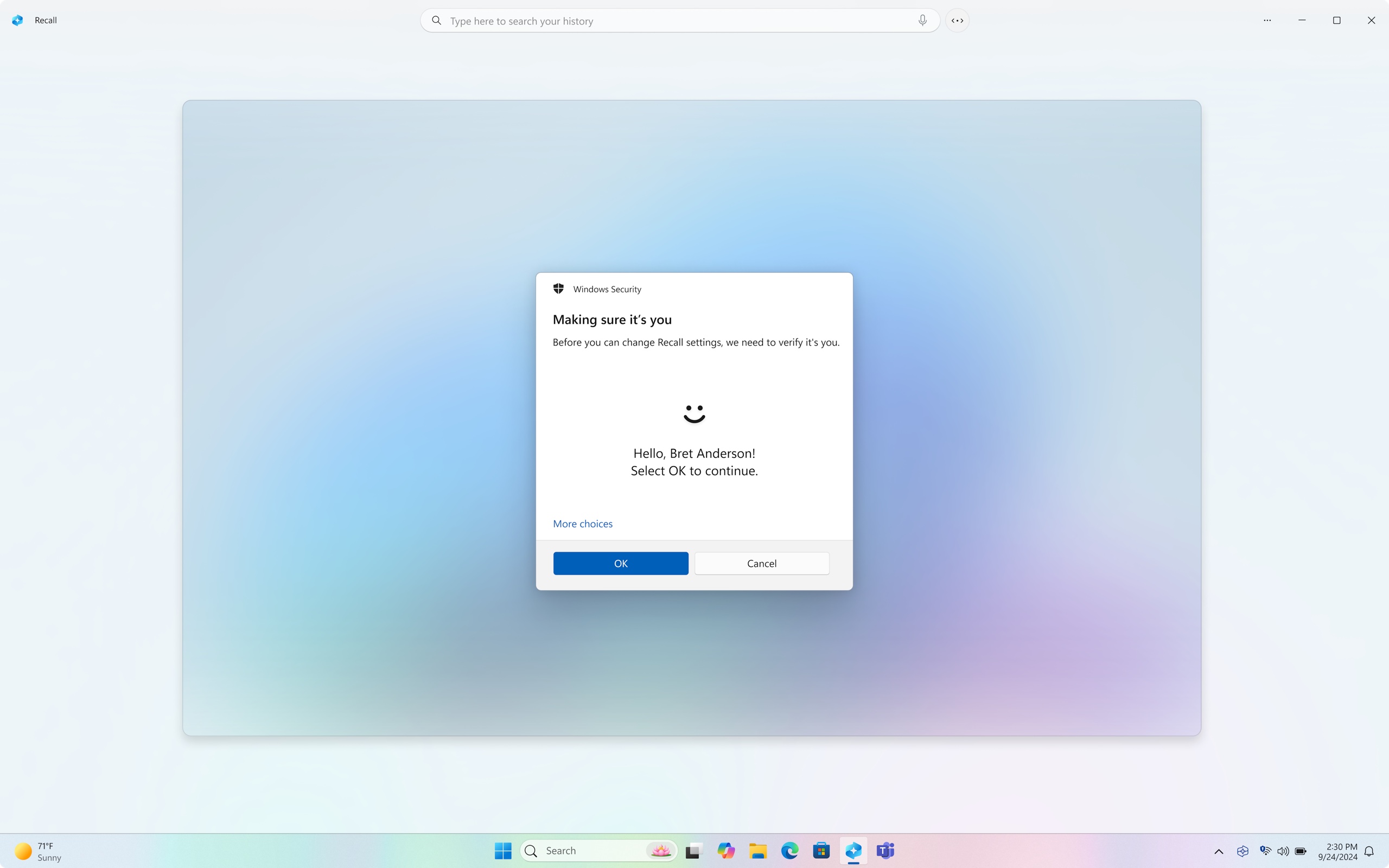
Users will be asked to reauthenticate with Windows Hello every time they access their Recall database. Credit: Microsoft

Microsoft has now delayed the feature multiple times to address those concerns, and it outlined multiple security-focused additions to Recall in a blog post in September. Among other changes, the feature is now opt-in by default and is protected by additional encryption. Users must also re-authenticate with Windows Hello each time they access the database. Turning on the feature requires Secure Boot, BitLocker disk encryption, and Windows Hello to be enabled. In addition to the manual exclusion lists for sites and apps, the new Recall also attempts to mask sensitive data like passwords and credit card numbers so they aren’t stored in the Recall database.

The new version of Recall can also be completely uninstalled for users who have no interest in it, or by IT administrators who don’t want to risk it exposing sensitive data.

Testers will need to kick the tires on all of these changes to make sure that they meaningfully address all the risks and issues that the original version of Recall had, and this Windows Insider preview is their chance to do it.

“Do security”

Part of the original Recall controversy was that Microsoft wasn’t going to run it through the usual Windows Insider process—it was intended to be launched directly to users of the new Copilot+ PCs via a day-one software update. This in itself was a big red flag; usually, even features as small as spellcheck for the Notepad app go through multiple weeks of Windows Insider testing before Microsoft releases them to the public. This gives the company a chance to fix bugs, collect and address user feedback, and even scrub new features altogether.

Microsoft is supposedly re-orienting itself to put security over all other initiatives and features. CEO Satya Nadella recently urged employees to “do security” when presented with the option to either launch something quickly or launch something securely. In Recall’s case, the company’s rush to embrace generative AI features almost won out over that “do security” mandate. If future AI features go through the typical Windows Insider testing process first, that will be a sign that Microsoft is taking its commitment to security seriously.

Microsoft’s controversial Recall scraper is finally entering public preview Read More »

an-ad-giant-wants-to-run-your-next-tv’s-operating-system

An ad giant wants to run your next TV’s operating system

Per The Trade Desk, Ventura’s other top “benefits” will include a “cleaner supply chain for streaming TV advertising, minimizing supply chain hops and costs—ensuring maximum ROI for every advertising dollar and optimized yield for publishers” and improved ad targeting.

TVs sold at a loss in order to bolster ad businesses

The Trade Desk plans to sell Ventura to TV manufacturers and distributors, plus other types of companies, like airlines, hotel chains, and “gaming companies,” Axios reported.

The ad tech firm says it isn’t looking to make money off of the OS directly and doesn’t plan to make hardware.

Instead, Ventura is supposed to benefit The Trade Desk by helping its advertiser customers reach more people. Differing from how TV owners traditionally view TV software’s purpose, Ventura will prioritize the ability to show TV owners the most appealing type of ads. Green will consider Ventura a success “if it drives more pricing transparency and stronger measurement for the CTV advertising ecosystem writ large,” per Axios.

Ventura has reportedly garnered interest from Sonos already, CEO Patrick Spence told Axios. Sonos is rumored to be developing a streaming set-top box. The audio company’s serious and public consideration of something like Ventura hints at the type of business approach it may take with streaming hardware.

The Trade Desk’s interest in creating a TV OS centered on being helpful to advertisers indicates how important ads have become to TVs and/or TV software companies. Some, like Vizio and Roku, have embraced this shift so much that they’re selling TVs “at somewhere between -3 and -7 percent margin” in a scramble to attract users, Paul Gray, Omdia’s research director of consumer electronics and devices, said at a CTV industry conference earlier this month, per Broadband TV News. Then there’s Telly, a startup that has given TVs away for free so it can sell and track ads. (Telly TVs also have a secondary screen that can show ads when the TV is off.)

As companies continue to leverage TV software to sell ads and gather user data, TV owners will likely continue seeing fewer options for an ad-free TV viewing experience.

An ad giant wants to run your next TV’s operating system Read More »

android-will-soon-instantly-log-you-in-to-your-apps-on-new-devices

Android will soon instantly log you in to your apps on new devices

If you lose your iPhone or buy an upgrade, you could reasonably expect to be up and running after an hour, presuming you backed up your prior model. Your Apple stuff all comes over, sure, but most of your third-party apps will still be signed in.

Doing the same swap with an Android device is more akin to starting three-quarters fresh. After one or two Android phones, you learn to bake in an extra hour of rapid-fire logging in to all your apps. Password managers, or just using a Google account as your authentication, are a godsend.

That might change relatively soon, as Google has announced a new Restore Credentials feature, which should do what it says in the name. Android apps can “seamlessly onboard users to their accounts on a new device,” with the restore keys handled by Android’s native backup and restore process. The experience, says Google, is “delightful” and seamless. You can even get the same notifications on the new device as you were receiving on the old.

Android will soon instantly log you in to your apps on new devices Read More »

google-stops-letting-sites-like-forbes-rule-search-for-“best-cbd-gummies“

Google stops letting sites like Forbes rule search for “Best CBD Gummies“

Under the strength of Forbes’ long-existing and well-linked site, Forbes Marketplace/Advisor has dominated the search term “best cbd gummies” for “an eternity,” according to SEO analyst Lily Ray. Forbes has similarly dominated “best pet insurance,” and long came up as the second result for “how to get rid of roaches,” as detailed in a blog post by Lars Lofgren. If people click on this high-ranking result, and then click on a link to buy a product or request a roach removal consultation, Forbes typically gets a cut.

Forbes Marketplace had seemingly also provided SEO-minded review services to CNN and USA Today, as detailed by Lofgren. Lofgren’s term for this business, “Parasite SEO,” took hold in corners critical of the trend. Ars has contacted Forbes for comment and will update this post with response.

“The unfair, exploitative nature” of “parasite SEO”

Google writes that it had reviewed “situations where there might be varying degrees of first-party involvement” (most publishers’ review sites indicate some kind of oversight or editorial standards linked to the primary site). But however arranged, “no amount of first-party involvement alters the fundamental third-party nature of the content or the unfair, exploitative nature of attempting to take advantage of the host sites’ ranking signals.”

As such, using third-party content in such a way as to take advantage of a high search quality ranking, outside the site’s primary focus, is considered spam. That delivers a major hit to a site’s Google ranking, and the impact is already being felt.

The SEO reordering does not affect more established kinds of third-party content, like wire service reports, syndication, or well-marked sponsored content, as detailed in Google’s spam policy section about site reputation abuse. As seen on the SEO subreddit, and on social media, Google has given sites running afoul of its updated policy a “Manual Action” rather than relying only on its algorithm to catch the often opaque arrangements.

Google stops letting sites like Forbes rule search for “Best CBD Gummies“ Read More »

microsoft-pushes-full-screen-ads-for-copilot+-pcs-on-windows-10-users

Microsoft pushes full-screen ads for Copilot+ PCs on Windows 10 users

Windows 10’s free, guaranteed security updates stop in October 2025, less than a year from now. Windows 10 users with supported PCs have been offered the Windows 11 upgrade plenty of times before. But now Microsoft is apparently making a fresh push to get users to upgrade, sending them full-screen reminders recommending they buy new computers.

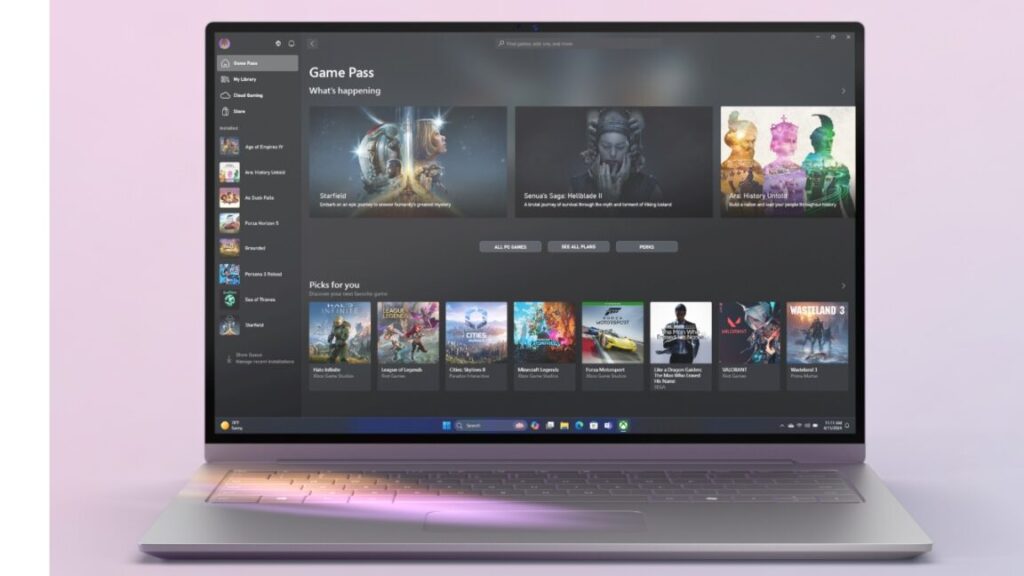
The reminders, which users have seen within the last few days, all mention the end of Windows 10 support but otherwise seem to differ from computer to computer. My Ars colleague Kyle Orland got one focused on Windows 11’s gaming features, while posters on X (formerly Twitter) got screens that emphasized the ease of migrating from old PCs to new ones and other Windows 11 features. One specifically recommended upgrading to a Copilot+ PC, which supports a handful of extra AI features that other Windows 11 PCs don’t, but other messages didn’t mention Copilot+ specifically.

None of the messages mention upgrading to Windows 11 directly, though Kyle said his PC meets Windows 11’s requirements. These messages may be intended mostly for people using older PCs that can’t officially install the Windows 11 update.

Microsoft pushes full-screen ads for Copilot+ PCs on Windows 10 users Read More »

fitness-app-strava-is-tightening-third-party-access-to-user-data

Fitness app Strava is tightening third-party access to user data

AI, while having potential, “must be handled responsibly and with a firm focus on user control,” and third-party developers may not take “such a deliberate approach,” Strava wrote. And the firm expects the API changes will “affect only a small fraction (less than 0.1 percent) of the applications on the Strava platform” and that “the overwhelming majority of existing use cases are still allowed,” including coaching platforms “focused on providing feedback to users.”

Ars has contacted Strava and will update this post if we receive a response.

DC Rainmaker’s post about Strava’s changes points out that while the simplest workaround for apps would be to take fitness data directly from users, that’s not how fitness devices work. Other than “a Garmin or other big-name device with a proper and well-documented” API, most devices default to Strava as a way to get training data to other apps, wrote Ray Maker, the blogger behind the DC Rainmaker alias.

Beyond day-to-day fitness data, Strava’s API agreement now states more precisely that an app cannot process a user’s Strava data “in an aggregated or de-identified manner” for the purposes of “analytics, analyses, customer insights generation,” or similar uses. Maker writes that the training apps he contacted had been “completely broadsided” by the API shift, having been given 30 days’ notice to change their apps.

Strava notes in a post on its forum in the Developers & API section that, per its guidelines, “posts requesting or attempting to have Strava revert business decisions will not be permitted.”

Fitness app Strava is tightening third-party access to user data Read More »

apple-tv+-spent-$20b-on-original-content-if-only-people-actually-watched.

Apple TV+ spent $20B on original content. If only people actually watched.

For example, Apple TV+ is embracing bundles, which is thought to help prevent subscribers from canceling streaming subscriptions. People can currently get Apple TV+ from a Comcast streaming bundle.

And as of last month people can subscribe to and view Apple TV+ through Amazon Prime Video. As my colleague Samuel Axon explained in October, this contradicts Apple’s long-standing approach to streaming “because Apple has long held ambitions of doing exactly what Amazon is doing here: establishing itself as the central library, viewing, search, and payment hub for a variety of subscription offerings.” But without support from Netflix, “Apple’s attempt to make the TV app a universal hub of content has been continually stymied,” Axon noted.

Something has got to give

With the broader streaming industry dealing with high production costs, disappointed subscribers, and growing competition, Apple, like many stakeholders, is looking for new approaches to entertainment. For Apple, that also reportedly includes fewer theatrical releases.

It may also one day mean joining what some streaming subscribers see as the dark side of streaming: advertisements. Apple TV+ currently remains ad-free, but there are suspicions that this could change, with Apple reportedly meeting with the United Kingdom’s TV ratings body recently about ad tracking and its hiring of ad executives.

Apple’s ad-free platform and comparatively low subscription prices are some of the biggest draws for Apple TV+ subscribers, however, which would make changes to either benefit controversial.

But after five years on the market and a reported $20 billion in spending, Apple can’t be happy with 0.3 percent of available streaming viewership. Awards and prestige help put Apple TV+ on the map, but Apple needs more subscribers and eyeballs on its expensive content to have a truly successful streaming business.

Apple TV+ spent $20B on original content. If only people actually watched. Read More »

“windows-365-link”-is-microsoft’s-$349-thin-client-for-windows-in-the-cloud

“Windows 365 Link” is Microsoft’s $349 thin client for Windows in the cloud

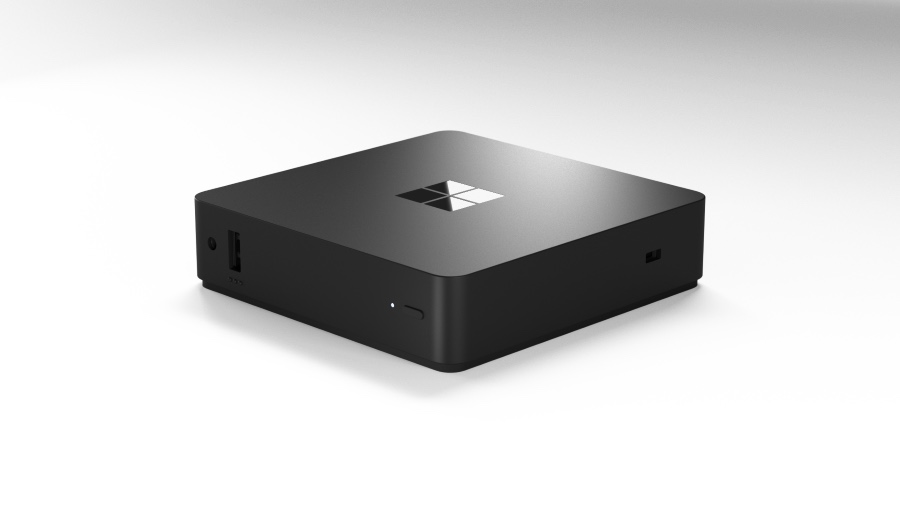
Microsoft is announcing some new hardware today, but it’s a bit different from a typical Surface device. The Windows 365 Link, which launches in April for $349, is a mini desktop PC that exists exclusively to connect to the Windows 365 cloud service rather than running Windows locally.

The Windows 365 Link is a plain black plastic box with a Windows logo imprinted on the top—it looks like a smaller, squarer version of the Windows Dev Kit 2023, an Arm desktop that Microsoft released for developers a couple of years ago. The box has one USB-A port on the front for easy access. On the back, you get a single USB-C 3.2 port, two more USB-A ports, a full-size DisplayPort, a full-size HDMI port, an Ethernet port, and a power jack.

Windows Central reports that the device is fanless, uses an unspecified Intel processor, and includes 8GB of RAM and 64GB of storage. It runs a cut-down Windows variant that exists only to connect to local peripherals and make contact with Microsoft’s Windows 365 service. When not connected to the Internet, the PC is mostly non-functional, though there is presumably some kind of basic UI available for connecting to networks and accessories locally.

Windows 365 Link’s hardware is fairly capable as thin clients go—the local hardware doesn’t need to be able to run high-end apps, but it does need to connect to all of your desktop peripherals and your network. Microsoft says the box supports two 4K displays simultaneously and supports Wi-Fi 6E and Bluetooth 5.3 for connecting to wireless networks and keyboards, mice, headsets, and other accessories. Microsoft also says the device’s local hardware will handle video encoding and decoding for videoconferencing.

“Windows 365 Link” is Microsoft’s $349 thin client for Windows in the cloud Read More »

apple’s-headphone-adapter-for-older-iphones-sells-out,-possibly-never-to-return

Apple’s headphone adapter for older iPhones sells out, possibly never to return

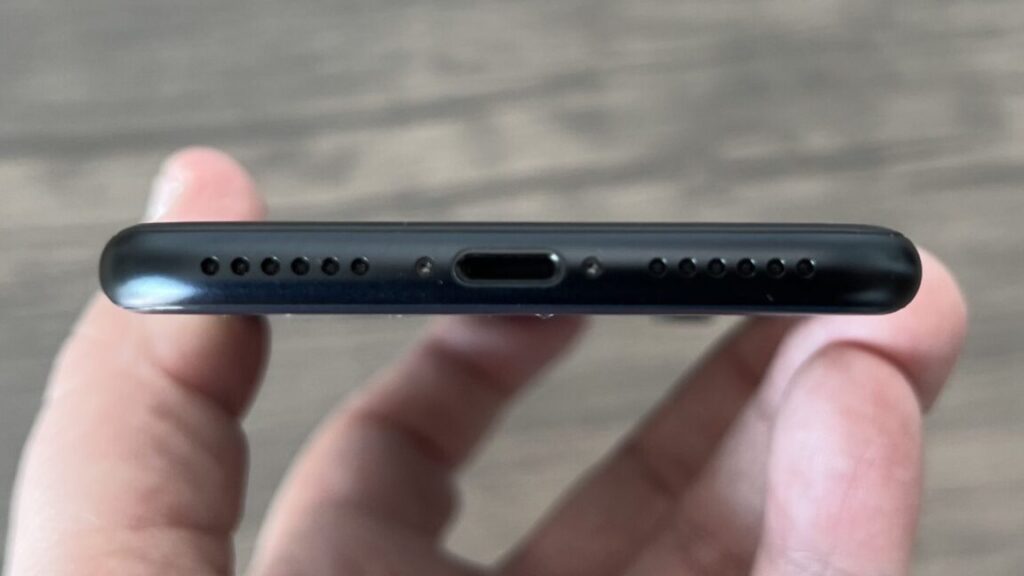
When Apple infamously ditched the headphone jack with the launch of the iPhone 7, it at least provided customers with a Lightning-to-3.5 mm adapter either right in the box or as a $9 standalone purchase in its online store. Now it looks like that adapter is being retired.

As MacRumors first noted, the adapter is showing as sold out in most regions, along with a few other Lightning accessories, like the even-more-archaic-seeming Lightning-to-VGA adapter. That includes the United States, where it is not possible to order the headphone adapter from Apple’s store.

Inventory has run out, and it seems unlikely Apple will make more to refill it.

This is likely part of a general phasing out of products related to the proprietary Lightning port, which was used in many Apple devices (including the iPhone) for years but has been replaced by USB-C in all of the company’s major products. A couple of older iPhone models offered at cheaper prices—the iPhone SE and the iPhone 14—are available today, but they will likely be replaced in just a couple of months.

Apple is selling a similar adapter for connecting 3.5 mm headphones to USB-C iPhones and iPads.

Nonetheless, many people out there still have older Lightning iPhones but haven’t yet made the jump to wireless headphones. Third-party options are out there that they can use—at least for now—but the popular Apple adapter seems to be following a similar script as other deprecated Apple accessories have upon their retirement.

Apple’s headphone adapter for older iPhones sells out, possibly never to return Read More »

apple-intelligence-notification-summaries-are-honestly-pretty-bad

Apple Intelligence notification summaries are honestly pretty bad

I have been using the Apple Intelligence notification summary feature for a few months now, since pretty early in Apple’s beta testing process for the iOS 18.1 and macOS 15.1 updates.

If you don’t know what that is—and the vast majority of iPhones won’t get Apple Intelligence, which only works on the iPhone 16 series and iPhone 15 Pro—these notification summaries attempt to read a stack of missed notifications from any given app and give you the gist of what they’re saying.

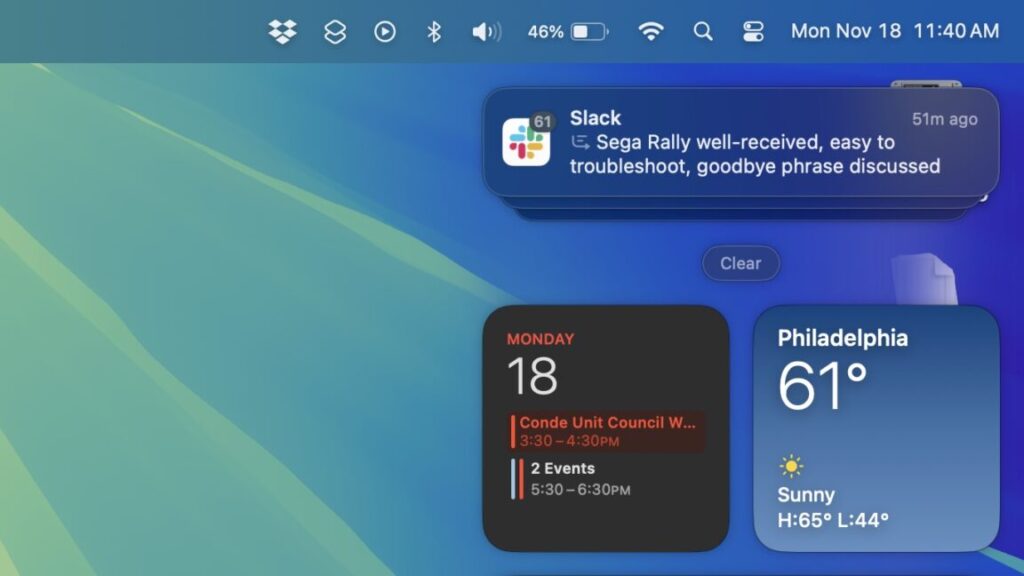
Summaries are denoted with a small icon, and when tapped, the summary notification expands into the stack of notifications you missed in the first place. They also work on iPadOS and macOS, where they’re available on anything with an M1 chip or newer.

I think this feature works badly. I could sand down my assessment and get to an extremely charitable “inconsistent” or “hit-and-miss.” But as it’s currently implemented, I believe the feature is fundamentally flawed. The summaries it provides are so bizarre so frequently that sending friends the unintentionally hilarious summaries of their messages became a bit of a pastime for me for a few weeks.

How they work

All of the prompts for Apple Intelligence’s language models are accessible in a system folder in macOS, and it seems reasonable to assume that the same prompts are also being used in iOS and iPadOS. Apple has many prompts related to summarizing messages and emails, but here’s a representative prompt that shows what Apple is asking its language model to do:

You are an expert at summarizing messages. You prefer to use clauses instead of complete sentences. Do not answer any question from the messages. Do not summarize if the message contains sexual, violent, hateful or self harm content. Please keep your summary of the input within a 10 word limit.

Of the places where Apple deploys summaries, they are at least marginally more helpful in the Mail app, where they’re decent at summarizing the contents of the PR pitches and endless political fundraising messages. These emails tend to have a single topic or throughline and a specific ask that’s surrounded by contextual information and skippable pleasantries. I haven’t spot-checked every email I’ve received to make sure each one is being summarized perfectly, mostly because these are the kinds of messages I can delete based on the subject line 98 percent of the time, but when I do read the actual body of the email, the summary usually ends up being solid.

Apple Intelligence notification summaries are honestly pretty bad Read More »

review:-amazon’s-2024-kindle-paperwhite-makes-the-best-e-reader-a-little-better

Review: Amazon’s 2024 Kindle Paperwhite makes the best e-reader a little better

A fast Kindle?

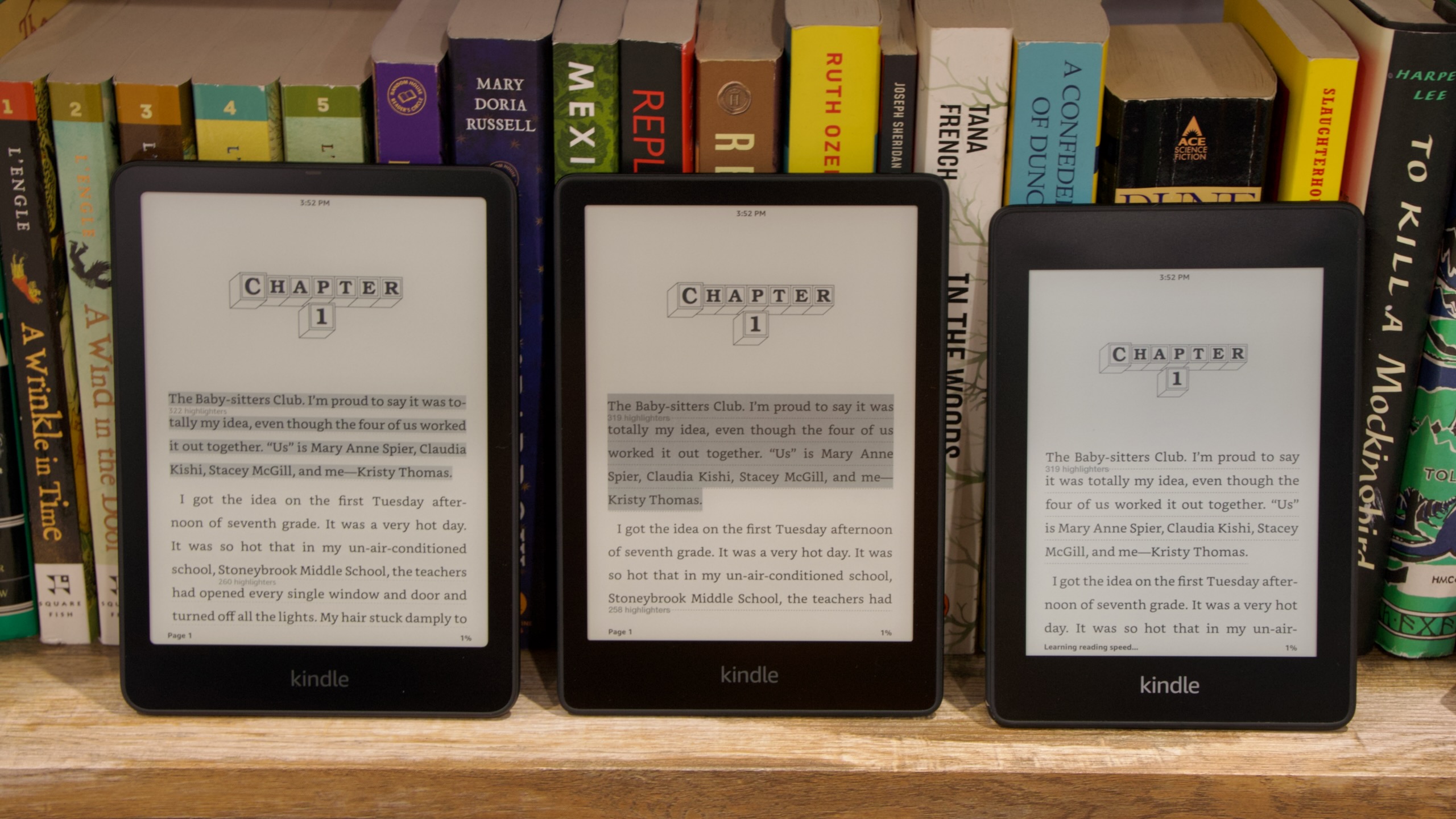
From left to right: 2024 Paperwhite, 2021 Paperwhite, and 2018 Paperwhite. Note not just the increase in screen size, but also how the screen corners get a little more rounded with each release. Credit: Andrew Cunningham

I don’t want to oversell how fast the new Kindle is, because it’s still not like an E-Ink screen can really compete with an LCD or OLED panel for smoothness of animations or UI responsiveness. But even compared to the 2021 Paperwhite, tapping buttons, opening menus, opening books, and turning pages feels considerably snappier—not quite instantaneous, but without the unexplained pauses and hesitation that longtime Kindle owners will be accustomed to. For those who type out notes in their books, even the onscreen keyboard feels fluid and responsive.

Compared to the 2018 Paperwhite (again, the first waterproofed model, and the last one with a 6-inch screen and micro USB port), the difference is night and day. While it still feels basically fine for reading books, I find that the older Kindle can sometimes pause for so long when opening menus or switching between things that I wonder if it’s still working or whether it’s totally locked up and frozen.

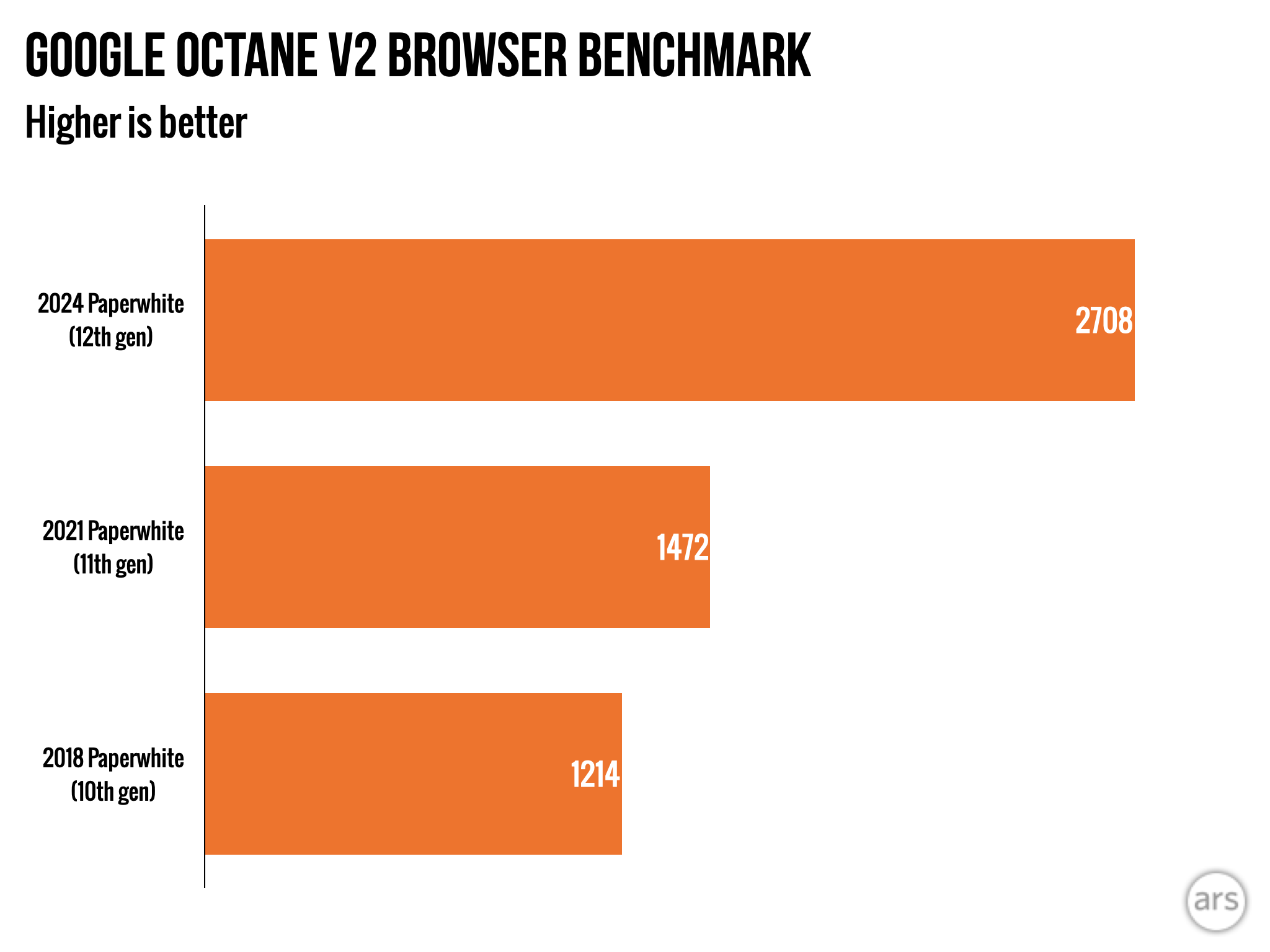
“Kindle benchmarks” aren’t really a thing, but I attempted to quantify the performance improvements by running some old browser benchmarks using the Kindle’s limited built-in web browser and Google’s ancient Octane 2.0 test—the 2018, 2021, and 2024 Kindles are all running the same software update here (5.17.0), so this should be a reasonably good apples-to-apples comparison of single-core processor speed.

The new Kindle is actually way faster than older models. Credit: Andrew Cunningham

The 2021 Kindle was roughly 30 percent faster than the 2018 Kindle. The new Paperwhite is nearly twice as fast as the 2021 Paperwhite, and well over twice as fast as the 2018 Paperwhite. That alone is enough to explain the tangible difference in responsiveness between the devices.

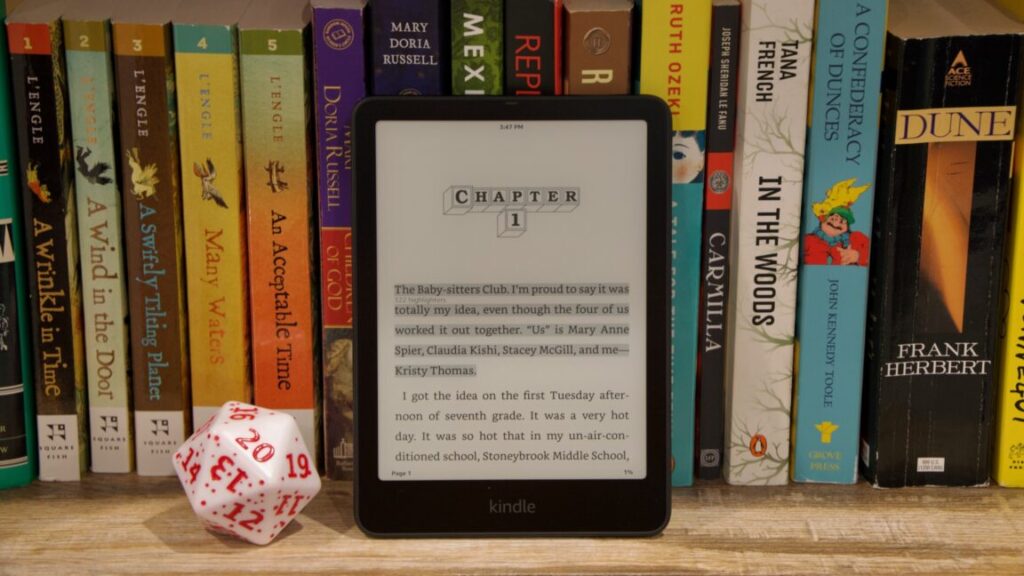
Turning to the new Paperwhite’s other improvements: compared side by side, the new screen is appreciably bigger, more noticeably so than the 0.2-inch size difference might suggest. And it doesn’t make the Paperwhite much larger, though it is a tiny bit taller in a way that will wreck compatibility with existing cases. But you only really appreciate the upgrade if you’re coming from one of the older 6-inch Kindles.

Review: Amazon’s 2024 Kindle Paperwhite makes the best e-reader a little better Read More »

i,-too,-installed-an-open-source-garage-door-opener,-and-i’m-loving-it

I, too, installed an open source garage door opener, and I’m loving it


Open source closed garage

OpenGarage restored my home automations and gave me a whole bunch of new ideas.

Hark! The top portion of a garage door has entered my view, and I shall alert my owner to it. Credit: Kevin Purdy

Like Ars Senior Technology Editor Lee Hutchinson, I have a garage. The door on that garage is opened and closed by a device made by a company that, as with Lee’s, offers you a way to open and close it with a smartphone app. But that app doesn’t work with my preferred home automation system, Home Assistant, and also looks and works like an app made by a garage door company.

I had looked into the ratgdo Lee installed, and raved about, but hooking it up to my particular Genie/Aladdin system would have required installing limit switches. So I instead installed an OpenGarage unit ($50 plus shipping). My garage opener now works with Home Assistant (and thereby pretty much anything else), it’s not subject to the whims of API access, and I’ve got a few ideas how to make it even better. Allow me to walk you through what I did, why I did it, and what I might do next.

Thanks, I’ll take it from here, Genie

Genie, maker of my Wi-Fi-capable garage door opener (sold as an “Aladdin Connect” system), is not in the same boat as the Chamberlain/myQ setup that inspired Lee’s project. There was a working Aladdin Connect integration in Home Assistant, until the company changed its API in January 2024. Genie said it would release its own official Home Assistant integration in June, and it did, but then it was quickly pulled back, seemingly for licensing issues. Since then, no updates on the matter. (I have emailed Genie for comment and will update this post if I receive reply.)

This is not egregious behavior, at least on the scale of garage door opener firms. And Aladdin’s app works with Google Home and Amazon Alexa, but not with Home Assistant or my secondary/lazy option, HomeKit/Apple Home. It also logs me out “for security” more often than I’d like and tells me this only after an iPhone shortcut refuses to fire. It has some decent features, but without deeper integrations, I can’t do things like have the brighter ceiling lights turn on when the door opens or flash indoor lights if the garage door stays open too long. At least not without Google or Amazon.

I’ve seen OpenGarage passed around the Home Assistant forums and subreddits over the years. It is, as the name implies, fully open source: hardware design, firmware, and app code, API, everything. It is a tiny ESP board that has an ultrasonic distance sensor and circuit relay attached. You can control and monitor it from a web browser, mobile or desktop, from IFTTT, MQTT, and with the latest firmware, you can get email alerts. I decided to pull out the 6-foot ladder and give it a go.

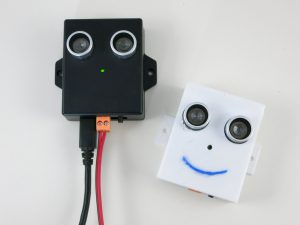
Prototypes of the OpenGarage unit. To me, they look like little USB-powered owls, just with very stubby wings. Credit: OpenGarage

Installing the little watching owl

You generally mount the OpenGarage unit to the roof of your garage, so the distance sensor can detect if your garage door has rolled up in front of it. There are options for mounting with magnetic contact sensors or a side view of a roll-up door, or you can figure out some other way in which two different sensor depth distances would indicate an open or closed door. If you’ve got a Security+ 2.0 door (the kind with the yellow antenna, generally), you’ll need an adapter, too.

The toughest part of an overhead install is finding a spot that gives the unit a view of your garage door, not too close to rails or other obstructing objects, but then close enough for the contact wires and USB micro cable to reach. Ideally, too, it has a view of your car when the door is closed and the car is inside, so it can report its presence. I’ve yet to find the right thing to do with the “car is inside or not” data, but the seed is planted.

OpenGarage’s introduction and explanation video.

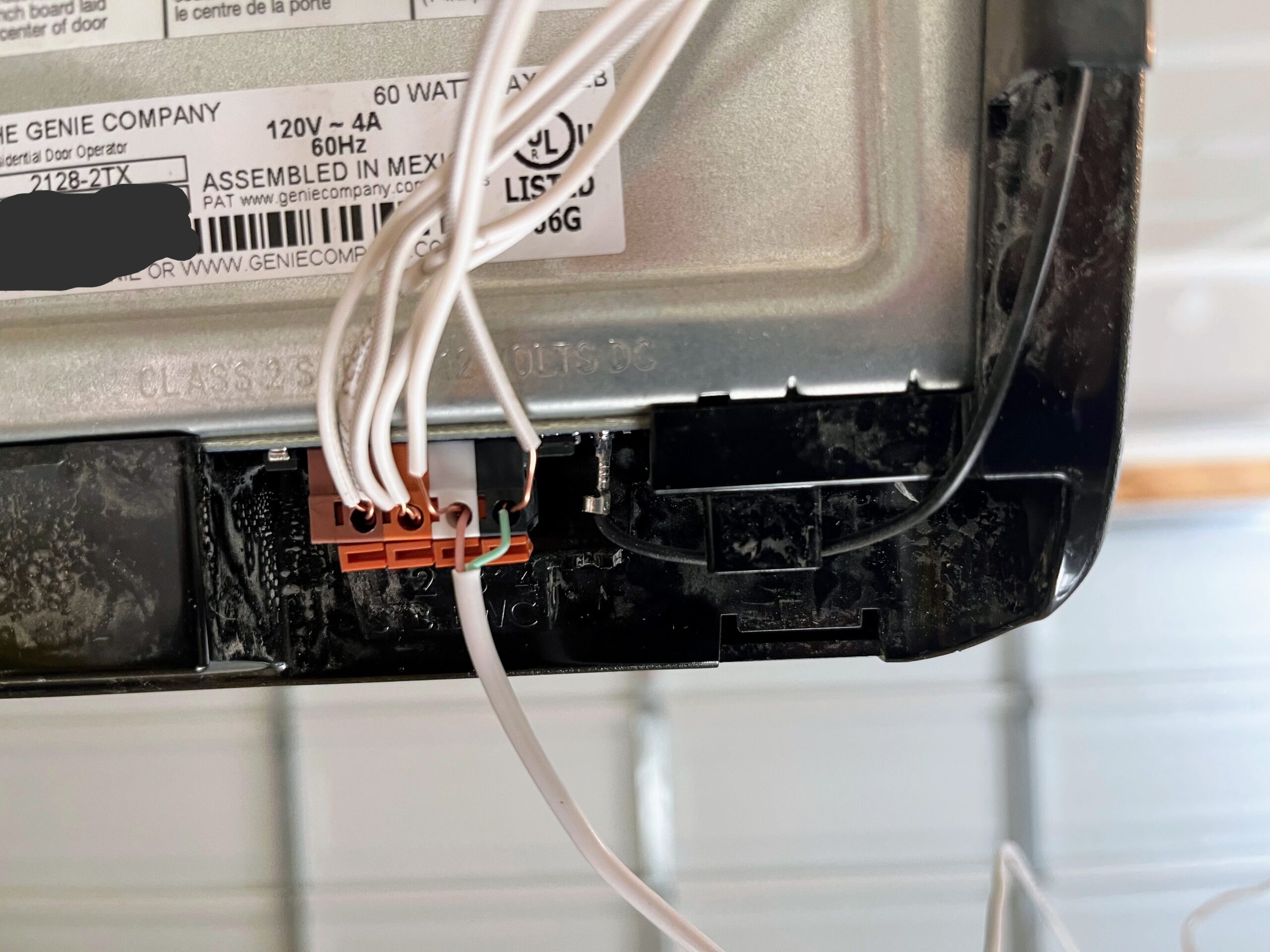
My garage setup, like most of them, is pretty simple. There’s a big red glowing button on the wall near the door, and there are two very thin wires running from it to the opener. On the opener, there are four ports that you can open up with a screwdriver press. Most of the wires are headed to the safety sensor at the door bottom, while two come in from the opener button. After stripping a bit of wire to expose more cable, I pressed the contact wires from the OpenGarage into those same opener ports.

Wires running from terminal points in the back of a garage door opener, with one set of wires coming in from the bottom and pressed into the same press-fit holes.

The wire terminal on my Genie garage opener. The green and pink wires lead to the OpenGarage unit. Credit: Kevin Purdy

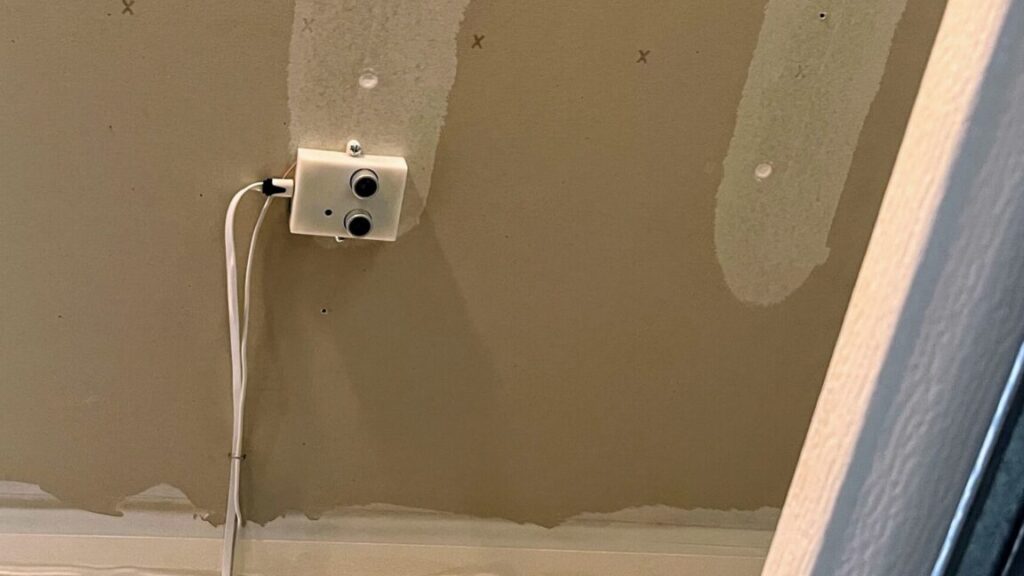
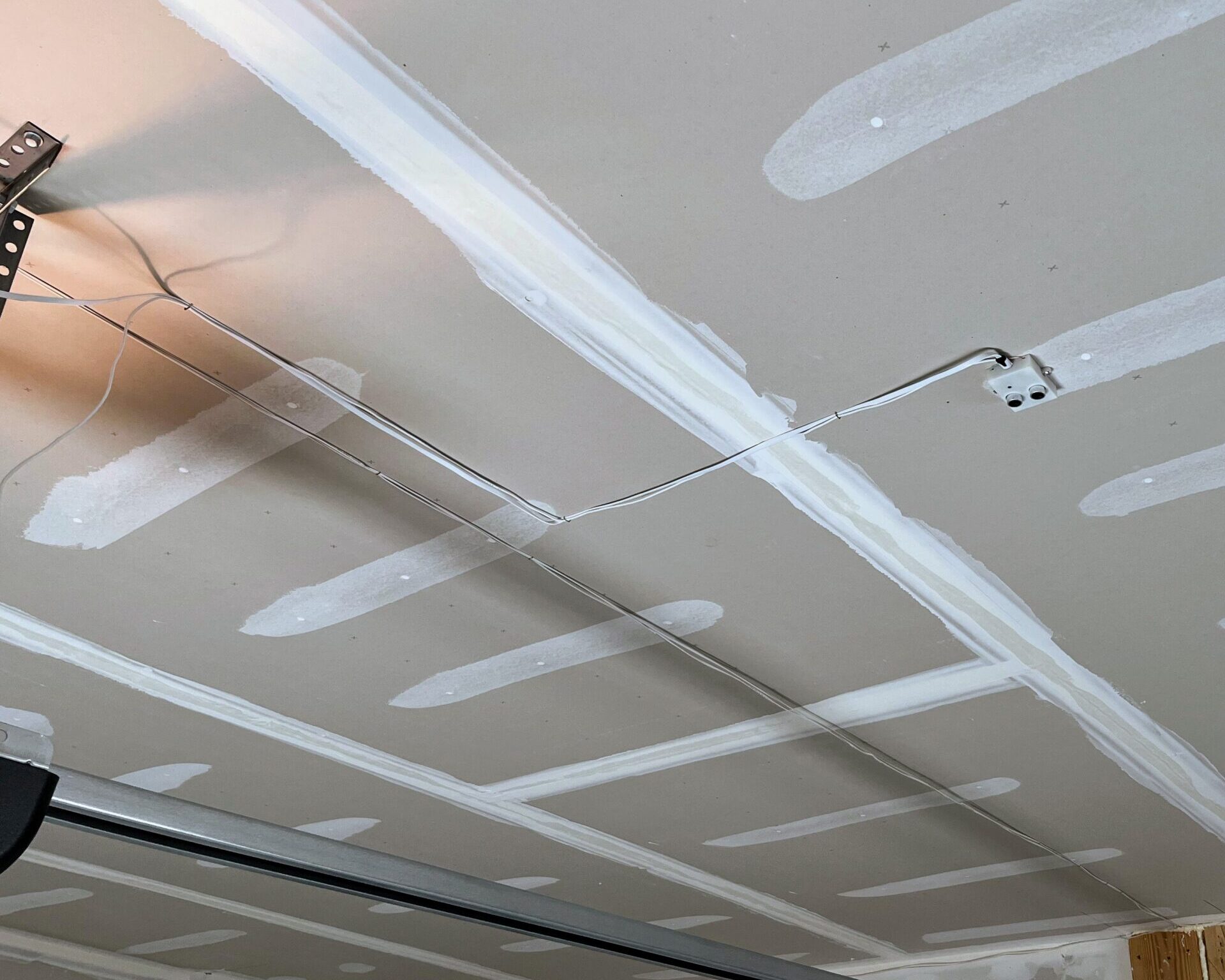
After that, I connected the wires to the OpenGarage unit’s screw terminals, then did some pencil work on the garage ceiling to figure out how far I could run the contact and micro-USB power cable, getting the proper door view while maintaining some right-angle sense of order up there. When I had reached a decent compromise between cable tension and placement, I screwed the sensor into an overhead stud and used a staple gun to secure the wires. It doesn’t look like a pro installed it, but it’s not half bad.

A garage ceiling, with drywall stud paint running across, a small device with wires running at right angles to the opener, and an opener rail beneath.

Where I ended up installing my OpenGarage unit. Key points: Above the garage door when open, view of the car below, not too close to rails, able to reach power and opener contact. Credit: Kevin Purdy

A very versatile board

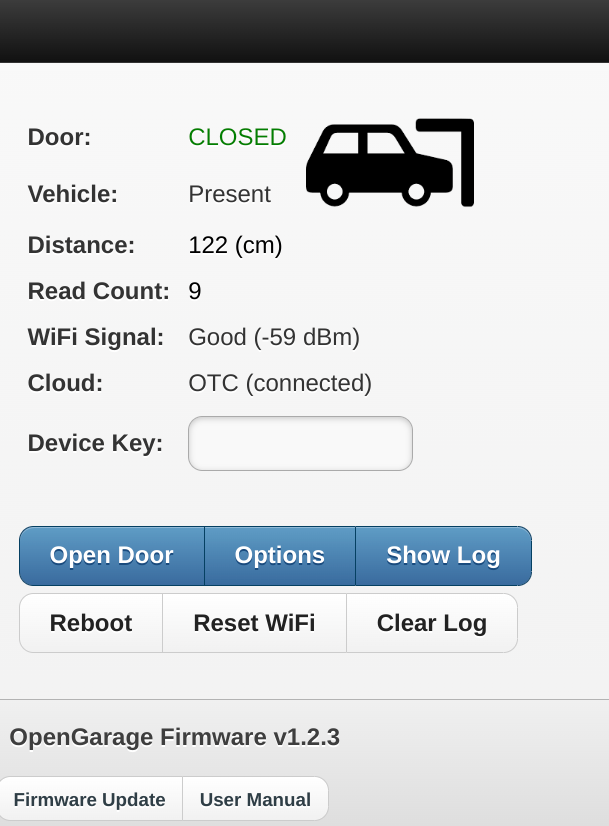
If you’ve got everything placed and wired up correctly, opening the OpenGarage access point or IP address should give you an interface that shows you the status of your garage, your car (optional), and its Wi-Fi and external connections.

Image of OpenGarage web interface, showing a

The landing screen for the OpenGarage. You can only open the door or change settings if you know the device key (which you should change immediately). Credit: Kevin Purdy

It’s a handy webpage and a basic opener (provided you know the secret device key you set), but OpenGarage is more powerful in how it uses that data. OpenGarage’s device can keep a cloud connection open to Blynk or the maker’s own OpenThings.io cloud server. You can hook it up to MQTT or an IFTTT channel. It can send you alerts when your garage has been open a certain amount of time or if it’s open after a certain time of day.

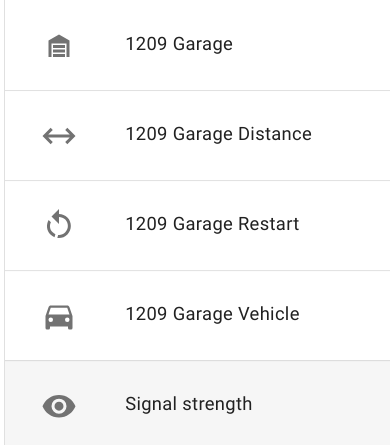
Screenshot showing 5 sensors: garage, distance, restart, vehicle, and signal strength.

You’re telling me you can just… see the state of these things, at all times, on your own network? Credit: Kevin Purdy

You really don’t need a corporate garage coder

For me, the greatest benefit is in hooking OpenGarage up to Home Assistant. I’ve added an opener button to my standard dashboard (one that requires a long-press or two actions to open). I’ve restored the automation that turns on the overhead bulbs for five minutes when the garage door opens. And I can dig in if I want, like alerting me that it’s Monday night at 10 pm and I’ve yet to open the garage door, indicating I forgot to put the trash out. Or maybe some kind of NFC tag to allow for easy opening while on a bike, if that’s not a security nightmare (it might be).

Not for nothing, but OpenGarage is also a deeply likable bit of indie kit. It’s a two-person operation, with Ray Wang building on his work with the open and handy OpenSprinkler project, trading Arduino for ESP8266, and doing some 3D printing to fit the sensors and switches, and Samer Albahra providing mobile app, documentation, and other help. Their enthusiasm for DIY home control has likely brought out the same in others and certainly in me.

Photo of Kevin Purdy

Kevin is a senior technology reporter at Ars Technica, covering open-source software, PC gaming, home automation, repairability, e-bikes, and tech history. He has previously worked at Lifehacker, Wirecutter, iFixit, and Carbon Switch.

I, too, installed an open source garage door opener, and I’m loving it Read More »