Tech

self-hosting-is-having-a-moment-ethan-sholly-knows-why.

Self-hosting is having a moment. Ethan Sholly knows why.

Self-hosting is having a moment, even if it’s hard to define exactly what it is.

It’s a niche that goes beyond regular computing devices and networks but falls short of a full-on home lab. (Most home labs involve self-hosting, but not all self-hosting makes for a home lab.) It adds privacy, provides DRM-free alternatives, and reduces advertising. It’s often touted as a way to get more out of your network-attached storage (NAS), but it’s much more than just backup and media streaming.

Is self-hosting just running services on your network for which most people rely on cloud companies? Broadly, yes. But take a look at the selfh.st site/podcast/newsletter, the r/selfhosted subreddit, and all the GitHub project pages that link to one another, and you’ll also find things that no cloud provider offers.

Ethan Sholly, proprietor of the selfh.st site, newsletter, and occasional podcast, recently walked me through the current state of self-hosting, and he shared some of the findings from his surveys of those people doing all that small-scale server administration.

“Turn your desktop on—it’s movie night”

Ethan Sholly headshot, in front of a blue bookshelf.

Ethan Sholly, proprietor of the selfh.st media mini-conglomerate.

Credit: Ethan Sholly

Ethan Sholly, proprietor of the selfh.st media mini-conglomerate. Credit: Ethan Sholly

Sholly works in finance, not tech, but he was a computer science minor with just enough knowledge to get Plex working on a desktop PC for his friends and family. “I’d get a call or text: ‘Can you turn your desktop on—it’s movie night,'” Sholly said.

He gradually expanded to building his own tower server with 10 terabyte drives. Once he had his media-serving needs covered, the question inevitably became “What else can I self-host?” He dug in, wandered around, and found himself with tons of bookmarked GitHub repos and project pages.

Sholly, a self-professed “old-school RSS junkie,” wanted one place to find the most commonly recommended apps and news about their changes and updates. It didn’t exist, so he assembled it, coded it, and shared it. He also started writing about the scene in his newsletter, which has more personality and punch than you’d expect from someone in a largely open source, DIY-minded hobby.

After Plex increased subscription prices and changed its business model in March, Sholly wrote in his newsletter that, while there were valid concerns about privacy and future directions, it would be a good time to note something else: The majority of people don’t donate to a single self-hosted project.

Self-hosting is having a moment. Ethan Sholly knows why. Read More »

gemini-2.5-is-leaving-preview-just-in-time-for-google’s-new-$250-ai-subscription

Gemini 2.5 is leaving preview just in time for Google’s new $250 AI subscription

Deep Think graphs I/O

Deep Think is more capable of complex math and coding. Credit: Ryan Whitwam

Both 2.5 models have adjustable thinking budgets when used in Vertex AI and via the API, and now the models will also include summaries of the “thinking” process for each output. This makes a little progress toward making generative AI less overwhelmingly expensive to run. Gemini 2.5 Pro will also appear in some of Google’s dev products, including Gemini Code Assist.

Gemini Live, previously known as Project Astra, started to appear on mobile devices over the last few months. Initially, you needed to have a Gemini subscription or a Pixel phone to access Gemini Live, but now it’s coming to all Android and iOS devices immediately. Google demoed a future “agentic” capability in the Gemini app that can actually control your phone, search the web for files, open apps, and make calls. It’s perhaps a little aspirational, just like the Astra demo from last year. The version of Gemini Live we got wasn’t as good, but as a glimpse of the future, it was impressive.

There are also some developments in Chrome, and you guessed it, it’s getting Gemini. It’s not dissimilar from what you get in Edge with Copilot. There’s a little Gemini icon in the corner of the browser, which you can click to access Google’s chatbot. You can ask it about the pages you’re browsing, have it summarize those pages, and ask follow-up questions.

Google AI Ultra is ultra-expensive

Since launching Gemini, Google has only had a single $20 monthly plan for AI features. That plan granted you access to the Pro models and early versions of Google’s upcoming AI. At I/O, Google is catching up to AI firms like OpenAI, which have offered sky-high AI plans. Google’s new Google AI Ultra plan will cost $250 per month, more than the $200 plan for ChatGPT Pro.

Gemini 2.5 is leaving preview just in time for Google’s new $250 AI subscription Read More »

microsoft-closes-9-year-old-feature-request,-open-sources-windows-subsystem-for-linux

Microsoft closes 9-year-old feature request, open-sources Windows Subsystem for Linux

Microsoft’s Windows Subsystem for Linux has become an important tool for developers and power users since it was introduced in the Windows 10 Anniversary Update back in 2016, giving them access to a built-in Linux command line and Linux applications from within Windows.

The company has steadily improved WSL since then, improving performance, making it easier to install and use, and adding features like GPU and audio support. But today as part of its Build developer conference, Microsoft announced that it would be making almost all of WSL open source, closing the very first issue that the then-new WSL project attracted on Github in 2016.

“WSL could never have been what it is today without its community,” writes Microsoft Senior Software Engineer Pierre Boulay in the company’s blog post. “We’ve seen how much the community has contributed to WSL without access to the source code, and we can’t wait to see how WSL will evolve now that the community can make direct code contributions to the project.”

Only two elements of WSL remain closed-source for now: an lxcore.sys kernel driver used for WSL 1 (the initial version of WSL that is still supported, though new installs default to 2019’s WSL 2); and the p9rdr.sys and p9np.dll files that handle filesystem redirection from Windows to Linux (in other words, making it so that Windows can easily access the Linux filesystem). Microsoft didn’t close the door to open-sourcing those components but also didn’t say if or when it planned to make them open source.

Microsoft closes 9-year-old feature request, open-sources Windows Subsystem for Linux Read More »

google-to-give-app-devs-access-to-gemini-nano-for-on-device-ai

Google to give app devs access to Gemini Nano for on-device AI

The rapid expansion of generative AI has changed the way Google and other tech giants design products, but most of the AI features you’ve used are running on remote servers with a ton of processing power. Your phone has a lot less power, but Google appears poised to give developers some important new mobile AI tools. At I/O next week, Google will likely announce a new set of APIs to let developers leverage the capabilities of Gemini Nano for on-device AI.

Google has quietly published documentation on big new AI features for developers. According to Android Authority, an update to the ML Kit SDK will add API support for on-device generative AI features via Gemini Nano. It’s built on AI Core, similar to the experimental Edge AI SDK, but it plugs into an existing model with a set of predefined features that should be easy for developers to implement.

Google says ML Kit’s GenAI APIs will enable apps to do summarization, proofreading, rewriting, and image description without sending data to the cloud. However, Gemini Nano doesn’t have as much power as the cloud-based version, so expect some limitations. For example, Google notes that summaries can only have a maximum of three bullet points, and image descriptions will only be available in English. The quality of outputs could also vary based on the version of Gemini Nano on a phone. The standard version (Gemini Nano XS) is about 100MB in size, but Gemini Nano XXS as seen on the Pixel 9a is a quarter of the size. It’s text-only and has a much smaller context window.

Not all versions of Gemini Nano are created equal.

Credit: Ryan Whitwam

Not all versions of Gemini Nano are created equal. Credit: Ryan Whitwam

This move is good for Android in general because ML Kit works on devices outside Google’s Pixel line. While Pixel devices use Gemini Nano extensively, several other phones are already designed to run this model, including the OnePlus 13, Samsung Galaxy S25, and Xiaomi 15. As more phones add support for Google’s AI model, developers will be able to target those devices with generative AI features.

Google to give app devs access to Gemini Nano for on-device AI Read More »

microsoft’s-surface-lineup-reportedly-losing-another-of-its-most-interesting-designs

Microsoft’s Surface lineup reportedly losing another of its most interesting designs

Like the Surface Studio desktop, the Laptop Studio’s odd and innovative exterior was rendered less exciting by a high price and relatively underpowered interior. Before discounts, the Laptop Studio 2 starts at around $2,400 for a basic configuration with a 13th-generation Core i7 processor, 16GB of RAM, and 512GB of storage—integrated graphics and a fully loaded version with 64GB of RAM, a 2TB SSD, and a GeForce RTX 4060 GPU would normally run you over $4,300.

Though experimental Surface designs like the Book and Studio rarely delivered great value for the money, they were at least unique attempts at new kinds of PCs with extra features for designers, artists, and anyone else who could benefit from a big stylus-compatible touchscreen. Microsoft’s most influential PC design remains the Surface Pro itself, one of the few tablet PC design templates to outlast the Windows 8 era. It makes sense for Microsoft (or any PC company) to play it safe with established designs, but it does make the PC industry just a little less interesting.

Microsoft’s Surface lineup reportedly losing another of its most interesting designs Read More »
motorola-razr-and-razr-ultra-(2025)-review:-cool-as-hell,-but-too-much-ai

Motorola Razr and Razr Ultra (2025) review: Cool as hell, but too much AI


The new Razrs are sleek, capable, and overflowing with AI features.

Razr Ultra and Razr (2025)

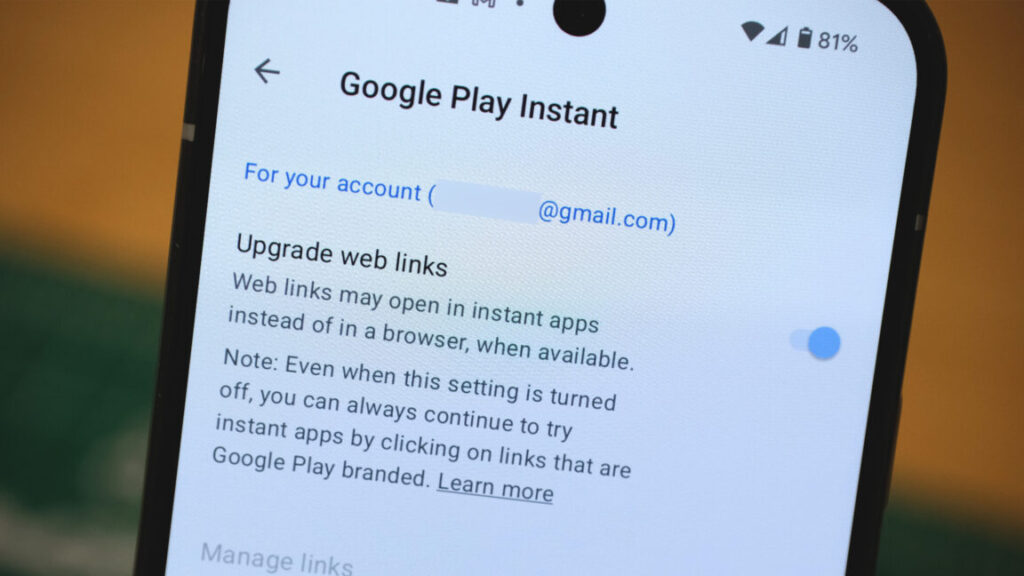
Motorola’s 2025 Razr refresh includes its first Ultra model. Credit: Ryan Whitwam

Motorola’s 2025 Razr refresh includes its first Ultra model. Credit: Ryan Whitwam

For phone nerds who’ve been around the block a few times, the original Motorola Razr is undeniably iconic. The era of foldables has allowed Motorola to resurrect the Razr in an appropriately flexible form, and after a few generations of refinement, the 2025 Razrs are spectacular pieces of hardware. They look great, they’re fun to use, and they just about disappear in your pocket.

The new Razrs also have enormous foldable OLEDs, along with external displays that are just large enough to be useful. Moto has upped its design game, offering various Pantone shades with interesting materials and textures to make the phones more distinctive, but Motorola’s take on mobile AI could use some work, as could its long-term support policy. Still, these might be the coolest phones you can get right now.

An elegant tactile experience

Many phone buyers couldn’t care less about how a phone’s body looks or feels—they’ll just slap it in a case and never look at it again. Foldables tend not to fit as well in cases, so the physical design of the Razrs is important. The good news is that Motorola has refined the foldable formula with an updated hinge and some very interesting material choices.

Razr Ultra back

The Razr Ultra is available with a classy wood back.

Credit: Ryan Whitwam

The Razr Ultra is available with a classy wood back. Credit: Ryan Whitwam

The 2025 Razrs come in various colors, all of which have interesting material choices for the back panel. There are neat textured plastics, wood, vegan leather, and synthetic fabrics. We’ve got wood (Razr Ultra) and textured plastic (Razr) phones to test—they look and feel great. The Razr is very grippy, and the wooden Ultra looks ultra-stylish, though not quite as secure in the hand. The aluminum frames are also colored to match the back with a smooth matte finish. Motorola has gone to great lengths to make these phones feel unique without losing the premium vibe. It’s nice to see a phone maker do that without resorting to a standard glass sandwich body.

The buttons are firm and tactile, but we’re detecting just a bit of rattle in the power button. That’s also where you’ll find the fingerprint sensor. It’s reasonably quick and accurate, whether the phone is open or closed. The Razr Ultra also has an extra AI button on the opposite side, which is unnecessary, for reasons we’ll get to later. And no, you can’t remap it to something else.

Motorola Razr 2025

The Razrs have a variety of neat material options.

Credit: Ryan Whitwam

The Razrs have a variety of neat material options. Credit: Ryan Whitwam

The front of the flip on these phones features a big sheet of Gorilla Glass Ceramic, which is supposedly similar to Apple’s Ceramic Shield glass. That should help ward off scratches. The main camera sensors poke through this front OLED, which offers some interesting photographic options we’ll get to later. The Razr Ultra has a larger external display, clocking in at 4 inches. The cheaper Razr gets a smaller 3.6-inch front screen, but that’s still plenty of real estate, even with the camera lenses at the bottom.

Specs at a glance: 2025 Motorola Razrs
Motorola Razr ($699.99) Motorola Razr+ ($999.99) Motorola Razr Ultra ($1,299.99)
SoC MediaTek Dimensity 7400X Snapdragon 8s Gen 3 Snapdragon 8 Elite
Memory 8GB 12GB 16GB
Storage 256GB 256GB 512GB, 1TB
Display 6.9″ foldable OLED (120 Hz, 2640 x 1080), 3.6″ external (90 Hz) 6.9″ foldable OLED (165 Hz, 2640 x 1080), 4″ external (120 Hz, 1272 x 1080) 7″ foldable OLED (165 Hz, 2992 x 1224), 4″ external (165 Hz)
Cameras 50 MP f/1.7 OIS primary; 13 MP f/2.2  ultrawide, 32 MP selfie 50 MP f/1.7 OIS primary; 50 MP 2x telephoto f/2.0, 32 MP selfie 50 MP f/1.8 OIS primary, 50 MP ultrawide + macro, f/2.0, 50 MP selfie
Software Android 15 Android 15 Android 15
Battery 4,500 mAh, 30 W wired charging, 15 W wireless charging 4,000 mAh, 45 W wired charging, 15 W wireless charging 4,700 mAh, 68 W wired charging, 15 W wireless charging
Connectivity Wi-Fi 6e, NFC, Bluetooth 5.4, sub-6 GHz 5G, USB-C 2.0 Wi-Fi 7, NFC, Bluetooth 5.4, sub-6 GHz 5G, USB-C 2.0 Wi-Fi 7, NFC, Bluetooth 5.4, sub-6 GHz 5G, USB-C 2.0
Measurements Open: 73.99 x 171.30 x 7.25 mm;

Closed: 73.99 x 88.08 x 15.85 mm; 188 g
Open: 73.99 x 171.42 x 7.09 mm;

Closed: 73.99 x 88.09x 15.32 mm; 189 g
Open: 73.99 x 171.48 x 7.19 mm;

Closed: 73.99 x 88.12 x 15.69 mm; 199 g

Motorola says the updated foldable hinge has been reinforced with titanium. This is the most likely point of failure for a flip phone, but the company’s last few Razrs already felt pretty robust. It’s good that Moto is still thinking about durability, though. The hinge is smooth, allowing you to leave the phone partially open, but there are magnets holding the two halves together with no gap when closed. The magnets also allow for a solid snap when you shut it. Hanging up on someone is so, so satisfying when you’re using a Razr flip phone.

Flip these phones open, and you get to the main event. The Razr has a 6.9-inch, 2640×1080 foldable OLED, and the Ultra steps up to 7 inches at an impressive 2992×1224. These phones have almost exactly the same dimensions, so the additional bit of Ultra screen comes from thinner bezels. Both phones are extremely tall when open, but they’re narrow enough to be usable in one hand. Just don’t count on reaching the top of the screen easily. While Motorola has not fully eliminated the display crease, it’s much smoother and less noticeable than it is on Samsung’s or Google’s foldables.

Motorola Razr Ultra

The Razr Ultra has a 7-inch foldable OLED.

Credit: Ryan Whitwam

The Razr Ultra has a 7-inch foldable OLED. Credit: Ryan Whitwam

The Razr can hit 3,000 nits of brightness, and the $1,300 Razr Ultra tops out at 4,500 nits. Both are bright enough to be usable outdoors, though the Ultra is noticeably brighter. However, both suffer from the standard foldable drawbacks of having a plastic screen. The top layer of the foldable screen is a non-removable plastic protector, which has very high reflectivity that makes it harder to see the display. That plastic layer also means you have to be careful not to poke or scratch the inner screen. It’s softer than your fingernails, so it’s not difficult to permanently damage the top layer.

Too much AI

Motorola’s big AI innovation for last year’s Razr was putting Gemini on the phone, making it one of the first to ship with Google’s generative AI system. This time around, it has AI features based on Gemini, Meta Llama, Perplexity, and Microsoft Copilot. It’s hard to say exactly how much AI is worth having on a phone with the rapid pace of change, but Motorola has settled on the wrong amount. To be blunt, there’s too much AI. What is “too much” in this context? This animation should get the point across.

Moto AI

Motorola’s AI implementation is… a lot.

Credit: Ryan Whitwam

Motorola’s AI implementation is… a lot. Credit: Ryan Whitwam

The Ask and Search bar appears throughout the UI, including as a floating Moto AI icon. It’s also in the app drawer and is integrated with the AI button on the Razr Ultra. You can use it to find settings and apps, but it’s also a full LLM (based on Copilot) for some reason. Gemini is a better experience if you’re looking for a chatbot, though.

Moto AI also includes a raft of other features, like Pay Attention, which can record and summarize conversations similar to the Google recorder app. However, unlike that app, the summarizing happens in the cloud instead of locally. That’s a possible privacy concern. You also get Perplexity integration, allowing you to instantly search based on your screen contents. In addition, the Perplexity app is preloaded with a free trial of the premium AI search service.

There’s so much AI baked into the experience that it can be difficult to keep all the capabilities straight, and there are some more concerning privacy pitfalls. Motorola’s Catch Me Up feature is a notification summarizer similar to a feature of Apple Intelligence. On the Ultra, this feature works locally with a Llama 3 model, but the less powerful Razr can’t do that. It sends your notifications to a remote server for processing when you use Catch Me Up. Motorola says data is “anonymous and secure” and it does not retain any user data, but you have to put a lot of trust in a faceless corporation to send it all your chat notifications.

Razr Ultra and Razr (2025)

The Razrs have additional functionality if you prop them up in “tent” or “stand” mode.

Credit: Ryan Whitwam

The Razrs have additional functionality if you prop them up in “tent” or “stand” mode. Credit: Ryan Whitwam

If you can look past Motorola’s frenetic take on mobile AI, the version of Android 15 on the Razrs is generally good. There are a few too many pre-loaded apps and experiences, but it’s relatively simple to debloat these phones. It’s quick, doesn’t diverge too much from the standard Android experience, and avoids duplicative apps.

We appreciate the plethora of settings and features for the external display. It’s a much richer experience than you get with Samsung’s flip phones. For example, we like how easy it is to type out a reply in a messaging app without even opening the phone. In fact, you can run any app on the phone without opening it, even though many of them won’t work quite right on a smaller square display. Still, it can be useful for chat apps, email, and other text-based stuff. We also found it handy for using smart home devices like cameras and lights. There are also customizable panels for weather, calendar, and Google “Gamesnack” games.

Razr Ultra and Razr (2025)

The Razr Ultra (left) has a larger screen than the Razr (right).

Credit: Ryan Whitwam

The Razr Ultra (left) has a larger screen than the Razr (right). Credit: Ryan Whitwam

Motorola promises three years of full OS updates and an additional year of security patches. This falls far short of the seven-year update commitment from Samsung and Google. For a cheaper phone like the Razr, four years of support might be fine, but it’s harder to justify that when the Razr Ultra costs as much as a Galaxy S25 Ultra.

One fast foldable, one not so much

Motorola is fond of saying the Razr Ultra is the fastest flip phone in the world, which is technically true. It has the Snapdragon 8 Elite chip with 16GB of RAM, but we expect to see the Elite in Samsung’s 2025 foldables later this year. For now, though, the Razr Ultra stands alone. The $700 Razr runs a Mediatek Dimensity 7400X, which is a distinctly midrange processor with just 8GB of RAM.

Razr geekbench

The Razr Ultra gets close to the S25.

Credit: Ryan Whitwam

The Razr Ultra gets close to the S25. Credit: Ryan Whitwam

In daily use, neither phone feels slow. Side by side, you can see the Razr is slower to open apps and unlock, and the scrolling exhibits occasional jank. However, it’s not what we’d call a slow phone. It’s fine for general smartphone tasks like messaging, browsing, and watching videos. You may have trouble with gaming, though. Simple games run well enough, but heavy 3D titles like Diablo Immortal are rough with the Dimensity 7400X.

The Razr Ultra is one of the fastest Android phones we’ve tested, thanks to the Snapdragon chip. You can play complex games and multitask to your heart’s content without fear of lag. It does run a little behind the Galaxy S25 series in benchmarks, but it thankfully doesn’t get as toasty as Samsung’s phones.

We never expect groundbreaking battery life from foldables. The hinge takes up space, which limits battery capacity. That said, Motorola did fairly well cramming a 4,700 mAh battery in the Razr Ultra and a 4,500 mAh cell in the Razr.

Based on our testing, both of these phones should last you all day. The large external displays can help by giving you just enough information that you don’t have to use the larger, more power-hungry foldable OLED. If you’re playing games or using the main display exclusively, you may find the Razrs just barely make it to bedtime. However, no matter what you do, these are not multi-day phones. The base model Razr will probably eke out a few more hours, even with its smaller battery, due to the lower-power MediaTek processor. The Snapdragon 8 Elite in the Razr Ultra really eats into the battery when you take advantage of its power.

Motorola Razr Ultra

The Razrs are extremely pocketable.

Credit: Ryan Whitwam

The Razrs are extremely pocketable. Credit: Ryan Whitwam

While the battery life is just this side of acceptable, the Razr Ultra’s charging speed makes this less of a concern. This phone hits an impressive 68 W, which is faster than the flagship phones from Google, Samsung, and Apple. Just a few minutes plugged into a compatible USB-C charger and you’ve got enough power that you can head out the door without worry. Of course, the phone doesn’t come with a charger, but we’ve tested a few recent models, and they all hit the max wattage.

OK cameras with super selfies

Camera quality is another area where foldable phones tend to compromise. The $1,300 Razr Ultra has just two sensors—a 50 MP primary sensor and a 50 MP ultrawide lens. The $700 Razr has a slightly different (and less capable) 50 MP primary camera and a 13 MP ultrawide. There are also selfie cameras peeking through the main foldable OLED panels—50 MP for the Ultra and 32 MP for the base model.

Motorola Razr 2025 in hand

The cheaper Razr has a smaller external display, but it’s still large enough to be usable.

Credit: Ryan Whitwam

The cheaper Razr has a smaller external display, but it’s still large enough to be usable. Credit: Ryan Whitwam

Motorola’s Razrs tend toward longer exposures compared to Pixels—they’re about on par with Samsung phones. That means capturing fast movement indoors is difficult, and you may miss your subject outside due to a perceptible increase in shutter lag compared to Google’s phones. Images from the base model Razr’s primary camera also tend to look a bit more overprocessed than they do on the Ultra, which leads to fuzzy details and halos in bright light.

Razr Ultra outdoors. Ryan Whitwam

That said, Motorola’s partnership with Pantone is doing some good. The colors in our photos are bright and accurate, capturing the vibe of the scene quite well. You can get some great photos of stationary or slowly moving subjects.

Razr 2025 indoor medium light. Ryan Whitwam

The 50 MP ultrawide camera on the Razr Ultra has a very wide field of view, but there’s little to no distortion at the edges. The colors are also consistent between the two sensors, but that’s not always the case for the budget Razr. Its ultrawide camera also lacks detail compared to the Ultra, which isn’t surprising considering the much lower resolution.

You should really only use the dedicated front-facing cameras for video chat. For selfies, you’ll get much better results by taking advantage of the Razr’s distinctive form factor. When closed, the Razrs let you take selfies with the main camera sensors, using the external display as the viewfinder. These are some of the best selfies you’ll get with a smartphone, and having the ultrawide sensor makes group shots excellent as well.

Flip phones are still fun

While we like these phones for what they are, they are objectively not the best value. Whether you’re looking at the Razr or the Razr Ultra, you can get more phone for the same money from other companies—more cameras, more battery, more updates—but those phones don’t fold in half. There’s definitely a cool-factor here. Flip phones are stylish, and they’re conveniently pocket-friendly in a world where giant phones barely fit in your pants. We also like the convenience and functionality of the external displays.

Motorola Razr Ultra

The Razr Ultra is all screen from the front.

Credit: Ryan Whitwam

The Razr Ultra is all screen from the front. Credit: Ryan Whitwam

The Razr Ultra makes the usual foldable compromises, but it’s as capable a flip phone as you’ll find right now. It’s blazing fast, it has two big displays, and the materials are top-notch. However, $1,300 is a big ask.

Is the Ultra worth $500 more than the regular Razr? Probably not. Most of what makes the foldable Razrs worth using is present on the cheaper model. You still get the solid construction, cool materials, great selfies, and a useful (though slightly smaller) outer display. Yes, it’s a little slower, but it’s more than fast enough as long as you’re not a heavy gamer. Just be aware of the potential for Moto AI to beam your data to the cloud.

There is also the Razr+, which slots in between the models we have tested at $1,000. It’s faster than the base model and has the same large external display as the Ultra. This model could be the sweet spot if neither the base model nor the flagship does it for you.

The good

  • Sleek design with distinctive materials
  • Great performance from Razr Ultra
  • Useful external display
  • Big displays in a pocket-friendly package

The bad

  • Too much AI
  • Razr Ultra is very expensive
  • Only three years of OS updates, four years of security patches
  • Cameras trail the competition

Photo of Ryan Whitwam

Ryan Whitwam is a senior technology reporter at Ars Technica, covering the ways Google, AI, and mobile technology continue to change the world. Over his 20-year career, he’s written for Android Police, ExtremeTech, Wirecutter, NY Times, and more. He has reviewed more phones than most people will ever own. You can follow him on Bluesky, where you will see photos of his dozens of mechanical keyboards.

Motorola Razr and Razr Ultra (2025) review: Cool as hell, but too much AI Read More »

google-deepmind-creates-super-advanced-ai-that-can-invent-new-algorithms

Google DeepMind creates super-advanced AI that can invent new algorithms

Google’s DeepMind research division claims its newest AI agent marks a significant step toward using the technology to tackle big problems in math and science. The system, known as AlphaEvolve, is based on the company’s Gemini large language models (LLMs), with the addition of an “evolutionary” approach that evaluates and improves algorithms across a range of use cases.

AlphaEvolve is essentially an AI coding agent, but it goes deeper than a standard Gemini chatbot. When you talk to Gemini, there is always a risk of hallucination, where the AI makes up details due to the non-deterministic nature of the underlying technology. AlphaEvolve uses an interesting approach to increase its accuracy when handling complex algorithmic problems.

According to DeepMind, this AI uses an automatic evaluation system. When a researcher interacts with AlphaEvolve, they input a problem along with possible solutions and avenues to explore. The model generates multiple possible solutions, using the efficient Gemini Flash and the more detail-oriented Gemini Pro, and then each solution is analyzed by the evaluator. An evolutionary framework allows AlphaEvolve to focus on the best solution and improve upon it.

Credit: Google DeepMind

Many of the company’s past AI systems, for example, the protein-folding AlphaFold, were trained extensively on a single domain of knowledge. AlphaEvolve, however, is more dynamic. DeepMind says AlphaEvolve is a general-purpose AI that can aid research in any programming or algorithmic problem. And Google has already started to deploy it across its sprawling business with positive results.

Google DeepMind creates super-advanced AI that can invent new algorithms Read More »
netflix-will-show-generative-ai-ads-midway-through-streams-in-2026

Netflix will show generative AI ads midway through streams in 2026

Netflix is joining its streaming rivals in testing the amount and types of advertisements its subscribers are willing to endure for lower prices.

Today, at its second annual upfront to advertisers, the streaming leader announced that it has created interactive mid-roll ads and pause ads that incorporate generative AI. Subscribers can expect to start seeing the new types of ads in 2026, Media Play News reported.

“[Netflix] members pay as much attention to midroll ads as they do to the shows and movies themselves,” Amy Reinhard, president of advertising at Netflix, said, per the publication.

Netflix started testing pause ads in July 2024, per The Verge.

Netflix launched its ad subscription tier in November 2022. Today, it said that the tier has 94 million subscribers, compared to the 300 million total subscribers it claimed in January. The current number of ad subscribers represents a 34 percent increase from November. Half of new Netflix subscribers opt for the $8 per month option rather than ad-free subscriptions, which start at $18 per month, the company says.

Netflix will show generative AI ads midway through streams in 2026 Read More »

“google-wanted-that”:-nextcloud-decries-android-permissions-as-“gatekeeping”

“Google wanted that”: Nextcloud decries Android permissions as “gatekeeping”

Nextcloud is a host-your-own cloud platform that wants to help you “Regain control over your data.” It contains products that allow for video chat, file storage, collaborative editing, and other stuff that reads a lot like a DIY Google Workspace replacement.

It’s hard to offer that kind of full replacement, though, if your Android app can’t upload anything other than media files. Since mid-2024, Nextcloud claims, Google has refused to reinstate the access it needs for uploading and syncing other file types.

“To make it crystal clear: All of you as users have a worse Nextcloud Files client because Google wanted that,” reads a Nextcloud blog post from May 13, attributed to its team. “We understand and share your frustration, but there is nothing we can do.”

A notice in Nextcloud’s Android app regarding file uploads.

Credit: Nextcloud

A notice in Nextcloud’s Android app regarding file uploads. Credit: Nextcloud

Ars has reached out to Google for comment and will update this post with any response. A representative for NextCloud told Ars late Tuesday that the company had no update on its Android app.

Nextcloud states that it has had read and write access to all file types since its first Android app. In September 2024, a Nextcloud Android update with “All files access” was “refused out of the blue,” with a request that the app use “a more privacy aware replacement,” Nextcloud claims. The firm states it has provided background and explanations but received “the same copy-and-paste answers or links to documentation” from Google.

“Google wanted that”: Nextcloud decries Android permissions as “gatekeeping” Read More »

microsoft-shares-its-process-(and-discarded-ideas)-for-redone-windows-11-start-menu

Microsoft shares its process (and discarded ideas) for redone Windows 11 Start menu

Microsoft put a lot of focus on Windows 11’s design when it released the operating system in 2021, making a clean break with the design language of Windows 10 (which had, itself, simply tweaked and adapted Windows 8’s design language from 2012). Since then, Microsoft has continued to modify the software’s design in bits and pieces, both for individual apps and for foundational UI elements like the Taskbar, system tray, and Windows Explorer.

Microsoft is currently testing a redesigned version of the Windows 11 Start menu, one that reuses most of the familiar elements from the current design but reorganizes them and gives users a few additional customization options. On its Microsoft Design blog today, the company walked through the new design and showed some of the ideas that were tried and discarded in the process.

This discarded Start menu design toyed with an almost Windows XP-ish left-hand sidebar, among other elements. Microsoft

Microsoft says it tested its menu designs with “over 300 Windows 11 fans” in unmoderated studies, “and dozens more” in “live co-creation calls.” These testers’ behavior and reactions informed what Microsoft kept and what it discarded.

Many of the discarded menu ideas include larger previews for recently opened files, more space given to calendar reminders, and recommended “For You” content areas; one has a “create” button that would presumably activate some generative AI feature. Looking at the discarded designs, it’s easier to appreciate that Microsoft went with a somewhat more restrained redesign of the Start menu that remixes existing elements rather than dramatically reimagining it.

Microsoft has also tweaked the side menu that’s available when you have a phone paired to your PC, making it toggleable via a button in the upper-right corner. That area is used to display recent texts and calls and other phone notifications, recent contacts, and battery information, among a couple other things.

Microsoft’s team wanted to make sure the new menu “felt like it belonged on both a [10.5-inch] Surface Go and a 49-inch ultrawide,” a nod to the variety of hardware Microsoft needs to consider when making any design changes to Windows. The menu the team landed on is essentially what has been visible in Windows Insider Preview builds for a month or so now: two rows of pinned icons, a “Recommended” section with recently installed apps, recently opened files, a (sigh) Windows Store app that Microsoft thinks you should try, and a few different ways to access all the apps on your PC. By default, these will be arranged by category, though you can also view a hierarchical alphabetized list like you can in the current Start menu; the big difference is that this view is at the top level of the Start menu in the new version, rather than being tucked away behind a button.

For more on the history of the Start menu from its inception in the early ’90s through the release of Windows 10, we’ve collected tons of screenshots and other reminiscences here.

Photo of Andrew Cunningham

Andrew is a Senior Technology Reporter at Ars Technica, with a focus on consumer tech including computer hardware and in-depth reviews of operating systems like Windows and macOS. Andrew lives in Philadelphia and co-hosts a weekly book podcast called Overdue.

Microsoft shares its process (and discarded ideas) for redone Windows 11 Start menu Read More »

google-announces-material-3-expressive,-a-colorful-evolution-of-android-design

Google announces Material 3 Expressive, a colorful evolution of Android design

Google accidentally showed off its big Android design refresh last week, but now Material 3 Expressive is official. Google says the new interface will begin with Android OS, but it will eventually expand across the full Google app ecosystem, bringing a more lively vibe to Gmail, Google Photos, and more.

Material 3 Expressive won’t be entirely unfamiliar—it shares some basic design elements with the Material You system Google launched four years ago. Material 3 Expressive is a bolder take on the same aesthetic, featuring “springy” animations, brighter colors, and new shapes.

Material 3 Expressive

As we learned from Google’s slipup, Material 3 Expressive is the result of numerous user studies, which included more than 18,000 participants. Google explored how people parse information on their phone, finding design themes that supposedly support quicker and easier interactions. Often, that seems to result in making certain UI elements larger and easier to spot. Google claims people can find these important buttons four times faster than they can with older Material You interfaces.

What you can expect from Material 3 Expressive

Animations will abound in future versions of Android, and Google emphasizes the springy aspect. The style is supposed to feel natural and fun, with more UI elements connected to dynamic haptics. Colors are also getting an overhaul, but this isn’t a complete rethink of Material You. The theming engine will pick bolder colors to improve the visual separation of UI elements, and you will see those colors in more places.

Google says it’s also updating Android’s typography, featuring more contrast between headers and body text. This will change across Google’s apps to help users parse information faster. Certain buttons will also come in a wider variety of shapes, and the labels will have varying text weights. Likewise, the style and shape of status bar icons will change to be more readable.

Google announces Material 3 Expressive, a colorful evolution of Android design Read More »

office-apps-on-windows-10-are-no-longer-tied-to-its-october-2025-end-of-support-date

Office apps on Windows 10 are no longer tied to its October 2025 end-of-support date

For most users, Windows 10 will stop receiving security updates and other official support from Microsoft on October 14, 2025, about five months from today. Until recently, Microsoft had also said that users running the Microsoft Office apps on Windows 10 would also lose support on that date, whether they were using the continually updated Microsoft 365 versions of those apps or the buy-once-own-forever versions included in Office 2021 or Office 2024.

Microsoft has recently tweaked this policy, however (as seen by The Verge). Now, Windows 10 users of the Microsoft 365 apps will still be eligible to receive software updates and support through October of 2028, “in the interest of maintaining your security while you upgrade to Windows 11.” Microsoft is taking a similar approach to Windows Defender malware definitions, which will be offered to Windows 10 users “through at least October 2028.”

The policy is a change from a few months ago, when Microsoft insisted that Office apps running on Windows 10 would become officially unsupported on October 14. The perpetually licensed versions of Office will be supported in accordance with Microsoft’s “Fixed Lifecycle Policy,” which guarantees support and security updates for a fixed number of years after a software product’s initial release. For Office 2021, this means Windows 10 users will get support through October of 2026; for Office 2024, this should extend to October of 2029.

Office apps on Windows 10 are no longer tied to its October 2025 end-of-support date Read More »