spatial computing

vision-pro-m5-review:-it’s-time-for-apple-to-make-some-tough-choices

Vision Pro M5 review: It’s time for Apple to make some tough choices


A state of the union from someone who actually sort of uses the thing.

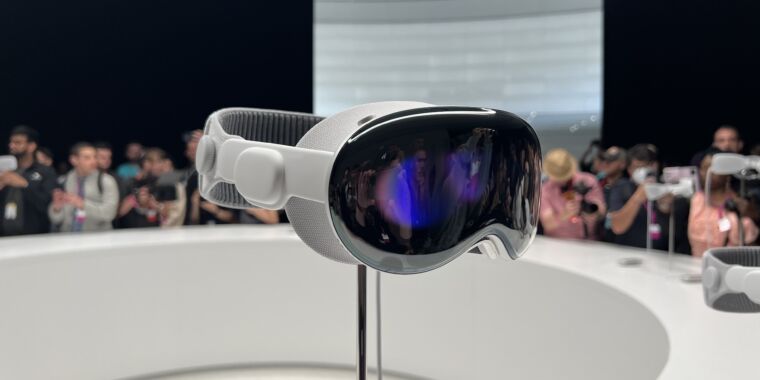
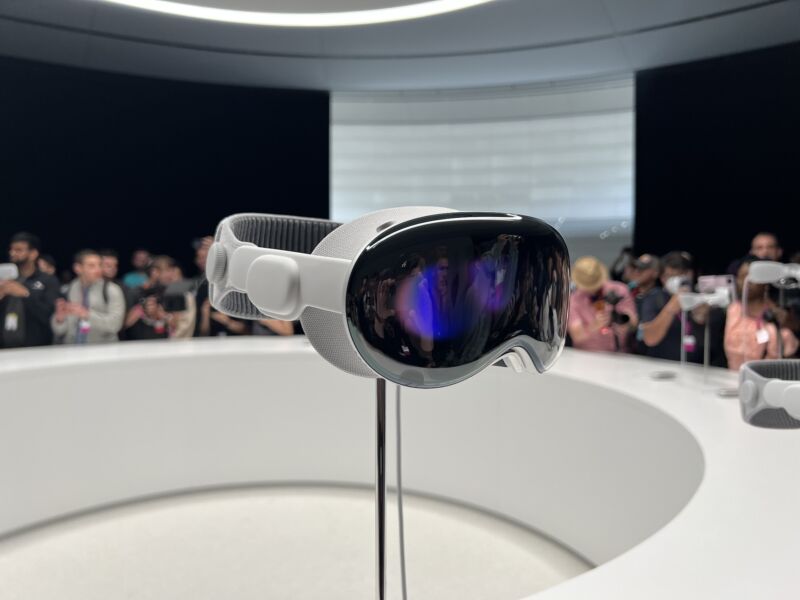
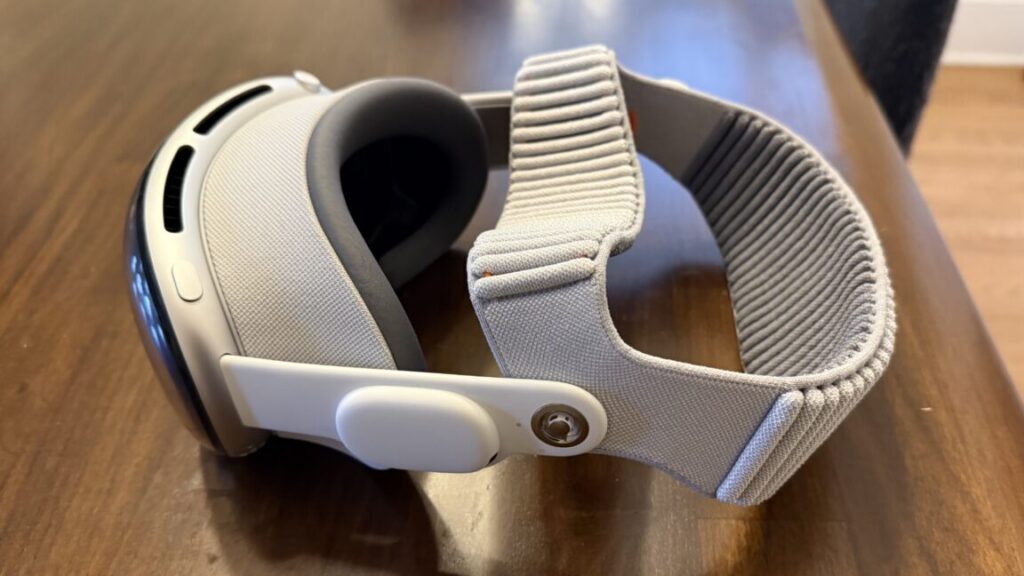
The M5 Vision Pro with the Dual Knit Band. Credit: Samuel Axon

With the recent releases of visionOS 26 and newly refreshed Vision Pro hardware, it’s an ideal time to check in on Apple’s Vision Pro headset—a device I was simultaneously amazed and disappointed by when it launched in early 2024.

I still like the Vision Pro, but I can tell it’s hanging on by a thread. Content is light, developer support is tepid, and while Apple has taken action to improve both, it’s not enough, and I’m concerned it might be too late.

When I got a Vision Pro, I used it a lot: I watched movies on planes and in hotel rooms, I walked around my house placing application windows and testing out weird new ways of working. I tried all the neat games and educational apps, and I watched all the immersive videos I could get ahold of. I even tried my hand at developing my own applications for it.

As the months went on, though, I used it less and less. The novelty wore off, and as cool as it remained, practicality beat coolness. By the time Apple sent me the newer model a couple of weeks ago, I had only put the original one on a few times in the prior couple of months. I had mostly stopped using it at home, but I still took it on trips as an entertainment device for hotel rooms now and then.

That’s not an uncommon story. You even see it in the subreddit for Vision Pro owners, which ought to be the home of the device’s most dedicated fans. Even there, people say, “This is really cool, but I have to go out of my way to keep using it.”

Perhaps it would have been easier to bake it into my day-to-day habits if developer and content creator support had been more robust, a classic chicken-and-egg problem.

After a few weeks of using the new Vision Pro hardware refresh daily, it’s clear to me that the platform needs a bigger rethink. As a fan of the device, I’m concerned it won’t get that, because all the rumors point to Apple pouring its future resources into smart glasses, which, to me, are a completely different product category.

What changed in the new model?

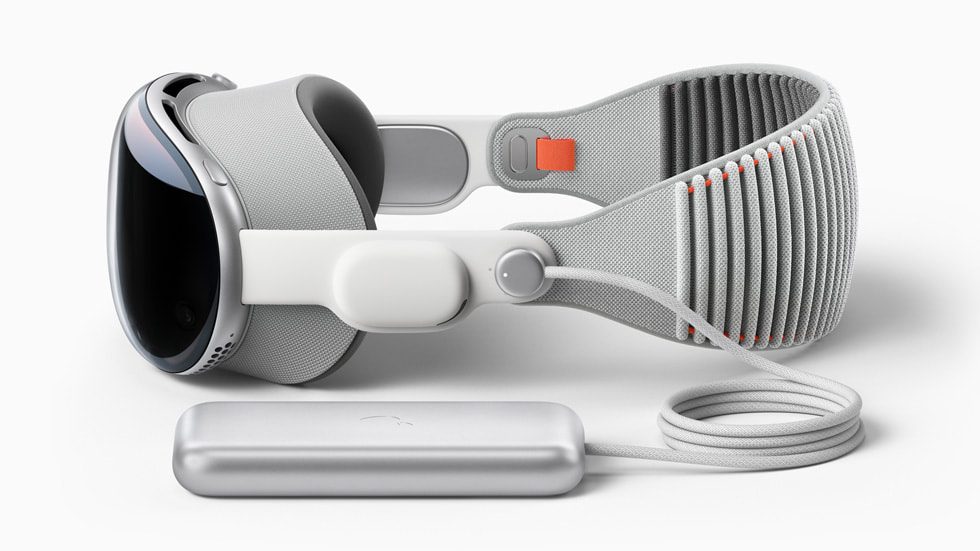
For many users, the most notable change here will be something you can buy separately (albeit at great expense) for the old model: A new headband that balances the device’s weight on your head better, making it more comfortable to wear for long sessions.

Dubbed the Dual Knit Band, it comes with an ingeniously simple adjustment knob that can be used to tighten or loosen either the band that goes across the back of your head (similar to the old band) or the one that wraps around the top.

It’s well-designed, and it will probably make the Vision Pro easier to use for many people who found the old model to be too uncomfortable—even though this model is slightly heavier than its predecessor.
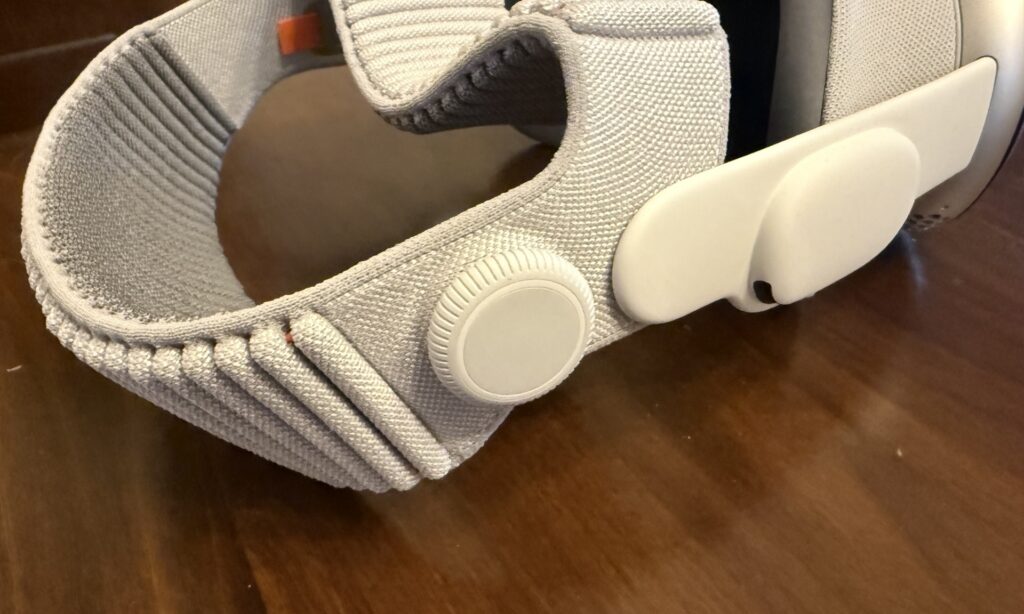
The band fit is adjusted with this knob. You can turn it to loosen or tighten one strap, then pull it out and turn it again to adjust the other. Credit: Samuel Axon

I’m one of the lucky few who never had any discomfort problems with the Vision Pro, but I know a bunch of folks who said the pressure the device put on their foreheads was unbearable. That’s exactly what this new band remedies, so it’s nice to see.

The M5 chip offers more than just speed

Whereas the first Vision Pro had Apple’s M2 chip—which was already a little behind the times when it launched—the new one adds the M5. It’s much faster, especially for graphics-processing and machine-learning tasks. We’ve written a lot about the M5 in our articles on other Apple products if you’re interested to learn more about it.

Functionally, this means a lot of little things are a bit faster, like launching certain applications or generating a Persona avatar. I’ll be frank: I didn’t notice any difference that significantly impacted the user experience. I’m not saying I couldn’t tell it was faster sometimes. I’m just saying it wasn’t faster in a way that’s meaningful enough to change any attitudes about the device.

It’s most noticeable with games—both native mixed-reality Vision Pro titles and the iPad versions of demanding games that you can run on a virtual display on the device. Demanding 3D games look and run nicer, in many cases. The M5 also supports more recent graphics advancements like ray tracing and mesh shading, though very few games support them, even in terms of iPad versions.

All this is to say that while I always welcome performance improvements, they are definitely not enough to convince an M2 Vision Pro owner to upgrade, and they won’t tip things over for anyone who has been on the fence about buying one of these things.

The main perk of the new chip is improved efficiency, which is the driving force behind modestly increased battery life. When I first took the M2 Vision Pro on a plane, I tried watching 2021’s Dune. I made it through the movie, but just barely; the battery ran out during the closing credits. It’s not a short movie, but there are longer ones.

Now, the new headset can easily get another 30 or 60 minutes, depending on what you’re doing, which finally puts it in “watch any movie you want” territory.

Given how short battery life was in the original version, even a modest bump like that makes a big difference. That, alongside a marginally increased field of view (about 10 percent) and a new 120 Hz maximum refresh rate for passthrough are the best things about the new hardware. These are nice-to-haves, but they’re not transformational by any means.

We already knew the Vision Pro offered excellent hardware (even if it’s overkill for most users), but the platform’s appeal is really driven by software. Unfortunately, this is where things are running behind expectations.

For content, it’s quality over quantity

When the first Vision Pro launched, I was bullish about the promise of the platform—but a lot of that was contingent on a strong content cadence and third-party developer support.

And as I’ve written since, the content cadence for the first year was a disappointment. Whereas I expected weekly episodes of Apple’s Immersive Videos in the TV app, those short videos arrived with gaps of several months. There’s an enormous wealth of great immersive content outside of Apple’s walled garden, but Apple didn’t seem interested in making that easily accessible to Vision Pro owners. Third-party apps did some of that work, but they lagged behind those on other platforms.

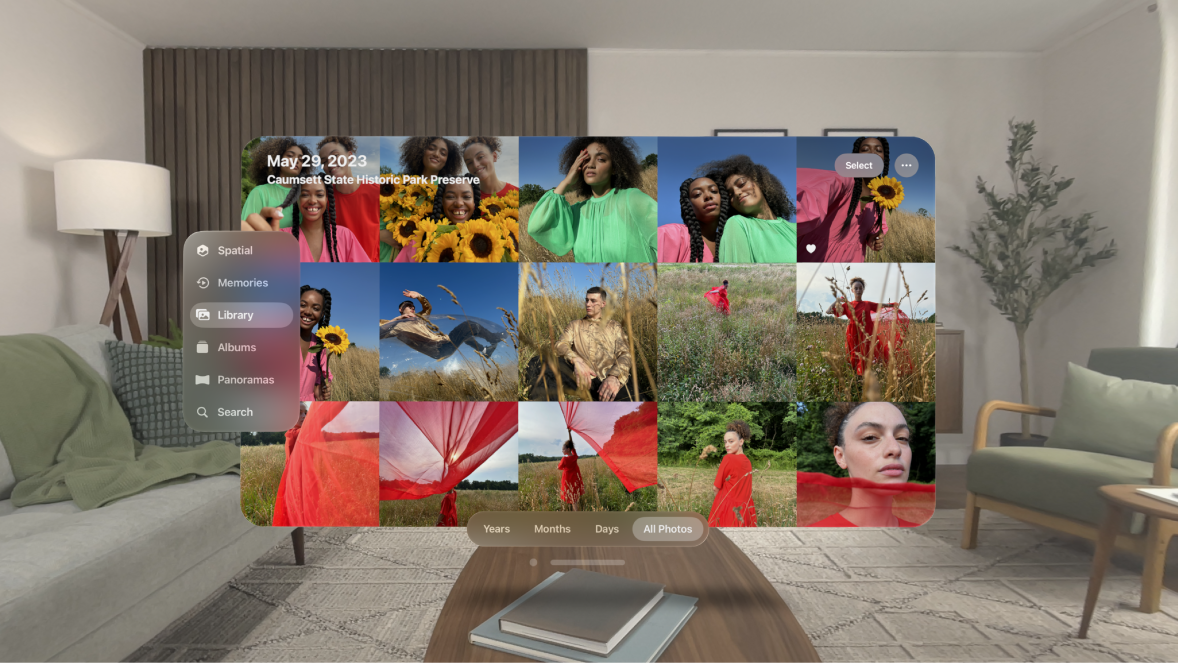
The first-party content cadence picked up after the first year, though. Plus, Apple introduced the Spatial Gallery, a built-in app that aggregates immersive 3D photos and the like. It’s almost TikTok-like in that it lets you scroll through short-form content that leverages what makes the device unique, and it’s exactly the sort of thing that the platform so badly needed at launch.
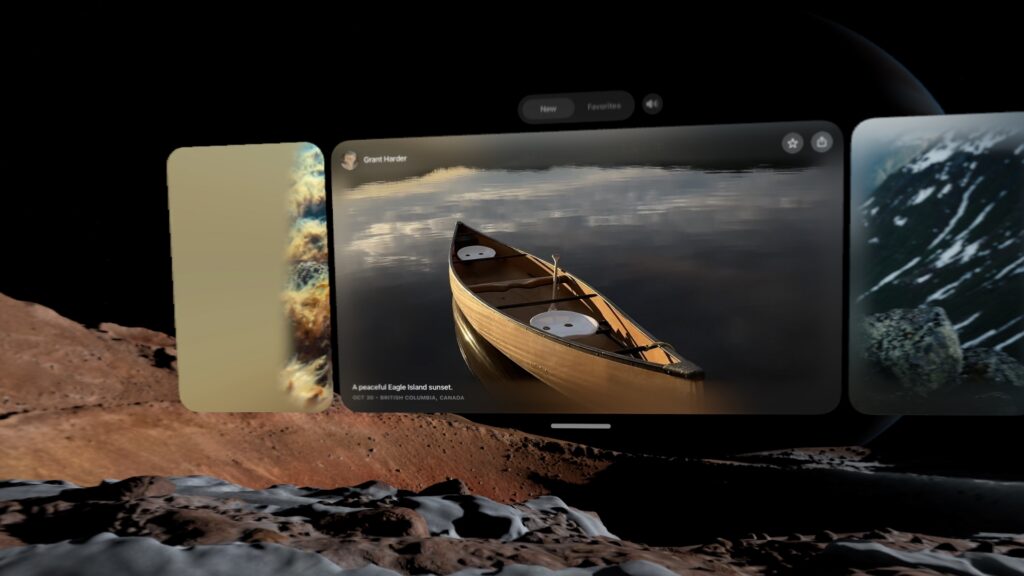
The Spatial Gallery is sort of like a horizontally-scrolling TikTok for 3D photos and video. Credit: Samuel Axon

The content that is there—whether in the TV app or the Spatial Gallery—is fantastic. It’s beautifully, professionally produced stuff that really leans on the hardware. For example, there is an autobiographical film focused on U2’s Bono that does some inventive things with the format that I had never seen or even imagined before.

Bono, of course, isn’t everybody’s favorite, but if you can stomach the film’s bloviating, it’s worth watching just with an eye to what a spatial video production can or should be.

I still think there’s significant room to grow, but the content situation is better than ever. It’s not enough to keep you entertained for hours a day, but it’s enough to make putting on the headset for a bit once a week or so worth it. That wasn’t there a year ago.

The software support situation is in a similar state.

App support is mostly frozen in the year 2024

Many of us have a suite of go-to apps that are foundational to our individual approaches to daily productivity. For me, primarily a macOS user, they are:

  • Firefox
  • Spark
  • Todoist
  • Obsidian
  • Raycast
  • Slack
  • Visual Studio Code
  • Claude
  • 1Password

As you can see, I don’t use most of Apple’s built-in apps—no Safari, no Mail, no Reminders, no Passwords, no Notes… no Spotlight, even. All that may be atypical, but it has never been a problem on macOS, nor has it been on iOS for a few years now.

Impressively, almost all of these are available on visionOS—but only because it can run iPad apps as flat, virtual windows. Firefox, Spark, Todoist, Obsidian, Slack, 1Password, and even Raycast are all available as supported iPad apps, but surprisingly, Claude isn’t, even though there is a Claude app for iPads. (ChatGPT’s iPad app works, though.) VS Code isn’t available, of course, but I wasn’t expecting it to be.

Not a single one of these applications has a true visionOS app. That’s too bad, because I can think of lots of neat things spatial computing versions could do. Imagine browsing your Obsidian graph in augmented reality! Alas, I can only dream.

You can tell the native apps from the iPad ones: The iPad ones have rectangular icons nested within circles, whereas the native apps fill the whole circle. Credit: Samuel Axon

If you’re not such a huge productivity software geek like me and you use Apple’s built-in apps, things look a little better, but surprisingly, there are still a few apps that you would imagine would have really cool spatial computing features—like Apple Maps—that don’t. Maps, too, is just an iPad app.

Even if you set productivity aside and focus on entertainment, there are still frustrating gaps. Almost two years later, there is still no Netflix or YouTube app. There are decent-enough third-party options for YouTube, but you have to watch Netflix in a browser, which is lower-quality than in a native app and looks horrible on one of the Vision Pro’s big virtual screens.

To be clear, there is a modest trickle of interesting spatial app experiences coming in—most of them games, educational apps, or cool one-off ideas that are fun to check out for a few minutes.

All this is to say that nothing has really changed since February 2024. There was an influx of apps at launch that included a small number of show-stoppers (mostly educational apps), but the rest ranged from “basically the iPad app but with one or two throwaway tech-demo-style spatial features you won’t try more than once” to “basically the iPad app but a little more native-feeling” to “literally just the iPad app.” As far as support from popular, cross-platform apps, it’s mostly the same list today as it was then.

Its killer app is that it’s a killer monitor

Even though Apple hasn’t made a big leap forward in developer support, it has made big strides in making the Vision Pro a nifty companion to the Mac.

From the start, it has had a feature that lets you simply look at a Mac’s built-in display, tap your fingers, and launch a large, resizable virtual monitor. I have my own big, multi-monitor setup at home, but I have used the Vision Pro this way sometimes when traveling.

I had some complaints at the start, though. It could only do one monitor, and that monitor was limited to 60 Hz and a standard widescreen resolution. That’s better than just using a 14-inch MacBook Pro screen, but it’s a far cry from the sort of high-end setup a $3,500 price tag suggests. Furthermore, it didn’t allow you to switch audio between the two devices.

Thanks to both software and hardware updates, that has all changed. visionOS now supports three different monitor sizes: the standard widescreen aspect ratio, a wider one that resembles a standard ultra-wide monitor, and a gigantic, ultra-ultra-wide wrap-around display that I can assure you will leave no one wanting for desktop space. It looks great. Problem solved! Likewise, it will now transfer your Mac audio to the Vision Pro or its Bluetooth headphones automatically.

All of that works not just on the new Vision Pro, but also on the M2 model. The new M5 model exclusively addresses the last of my complaints: You can now achieve higher refresh rates for that virtual monitor than 60 Hz. Apple says it goes “up to 120 Hz,” but there’s no available tool for measuring exactly where it’s landing. Still, I’m happy to see any improvement here.

This is the standard width for the Mac monitor feature… Samuel Axon

Through a series of updates, Apple has turned a neat proof-of-concept feature into something that is genuinely valuable—especially for folks who like ultra-wide or multi-monitor setups but have to travel a lot (like myself) or who just don’t want to invest in the display hardware at home.

You can also play your Mac games on this monitor. I tried playing No Man’s Sky and Cyberpunk 2077 on it with a controller, and it was a fantastic experience.

This, alongside spatial video and watching movies, is the Vision Pro’s current killer app and one of the main areas where Apple has clearly put a lot of effort into improving the platform.

Stop trying to make Personas happen

Strangely, another area where Apple has invested quite a bit to make things better is in the Vision Pro’s usefulness as a communications and meetings device. Personas—the 3D avatars of yourself that you create for Zoom calls and the like—were absolutely terrible when the M2 Vision Pro came out.

There is also EyeSight, which uses your Persona to show a simulacrum of your eyes to people around you in the real world, letting them know you are aware of your surroundings and even allowing them to follow your gaze. I understand the thought behind this feature—Apple doesn’t want mixed reality to be socially isolating—but it sometimes puts your eyes in the wrong place, it’s kind of hard to see, and it honestly seems like a waste of expensive hardware.

Primarily via software updates, I’m pleased to report that Personas are drastically improved. Mine now actually looks like me, and it moves more naturally, too.

I joined a FaceTime call with Apple reps where they showed me how Personas float and emote around each other, and how we could look at the same files and assets together. It was indisputably cool and way better than before, thanks to the improved Personas.

I can’t say as much for EyeSight, which looks the same. It’s hard for me to fathom that Apple has put multiple sensors and screens on this thing to support this feature.

In my view, dropping EyeSight would be the single best thing Apple could do for this headset. Most people don’t like  it, and most people don’t want it, yet there is no question that its inclusion adds a not-insignificant amount to both the price and the weight, the product’s two biggest barriers to adoption.

Likewise, Personas are theoretically cool, and it is a novel and fun experience to join a FaceTime call with people and see how it works and what you could do. But it’s just that: a novel experience. Once you’ve done it, you’ll never feel the need to do it again. I can barely imagine anyone who would rather show up to a call as a Persona than take the headset off for 30 minutes to dial in on their computer.

Much of this headset is dedicated to this idea that it can be a device that connects you with others, but maintaining that priority is simply the wrong decision. Mixed reality is isolating, and Apple is treating that like a problem to be solved, but I consider that part of its appeal.

If this headset were capable of out-in-the-world AR applications, I would not feel that way, but the Vision Pro doesn’t support any application that would involve taking it outside the home into public spaces. A lot of the cool, theoretical AR uses I can think of would involve that, but still no dice here.

The metaverse (it’s telling that this is the first time I’ve typed that word in at least a year) already exists: It’s on our phones, in Instagram and TikTok and WeChat and Fortnite. It doesn’t need to be invented, and it doesn’t need a new, clever approach to finally make it take off. It has already been invented. It’s already in orbit.

Like the iPad and the Apple Watch before it, the Vision Pro needs to stop trying to be a general-purpose device and instead needs to lean into what makes it special.

In doing so, it will become a better user experience, and it will get lighter and cheaper, too. There’s real potential there. Unfortunately, Apple may not go that route if leaks and insider reports are to be believed.

There’s still a ways to go, so hopefully this isn’t a dead end

The M5 Vision Pro was the first of four planned new releases in the product line, according to generally reliable industry analyst Ming-Chi Kuo. Next up, he predicted, would be a full Vision Pro 2 release with a redesign, and a Vision Air, a cheaper, lighter alternative. Those would all precede true smart glasses many years down the road.

I liked that plan: keep the full-featured Vision Pro for folks who want the most premium mixed reality experience possible (but maybe drop EyeSight), and launch a cheaper version to compete more directly with headsets like Meta’s Quest line of products, or the newly announced Steam Frame VR headset from Valve, along with planned competitors by Google, Samsung, and others.

True augmented reality glasses are an amazing dream, but there are serious problems of optics and user experience that we’re still a ways off from solving before those can truly replace the smartphone as Tim Cook once predicted.

All that said, it looks like that plan has been called into question. A Bloomberg report in October claimed that Apple CEO Tim Cook had told employees that the company was redirecting resources from future passthrough HMD products to accelerate work on smart glasses.

Let’s be real: It’s always going to be a once-in-a-while device, not a daily driver. For many people, that would be fine if it cost $1,000. At $3,500, it’s still a nonstarter for most consumers.

I believe there is room for this product in the marketplace. I still think it’s amazing. It’s not going to be as big as the iPhone, or probably even the iPad, but it has already found a small audience that could grow significantly if the price and weight could come down. Removing all the hardware related to Personas and EyeSight would help with that.

I hope Apple keeps working on it. When Apple released the Apple Watch, it wasn’t entirely clear what its niche would be in users’ lives. The answer (health and fitness) became crystal clear over time, and the other ambitions of the device faded away while the company began building on top of what was working best.

You see Apple doing that a little bit with the expanded Mac spatial display functionality. That can be the start of an intriguing journey. But writers have a somewhat crass phrase: “kill your darlings.” It means that you need to be clear-eyed about your work and unsentimentally cut anything that’s not working, even if you personally love it—even if it was the main thing that got you excited about starting the project in the first place.

It’s past time for Apple to start killing some darlings with the Vision Pro, but I truly hope it doesn’t go too far and kill the whole platform.

Photo of Samuel Axon

Samuel Axon is the editorial lead for tech and gaming coverage at Ars Technica. He covers AI, software development, gaming, entertainment, and mixed reality. He has been writing about gaming and technology for nearly two decades at Engadget, PC World, Mashable, Vice, Polygon, Wired, and others. He previously ran a marketing and PR agency in the gaming industry, led editorial for the TV network CBS, and worked on social media marketing strategy for Samsung Mobile at the creative agency SPCSHP. He also is an independent software and game developer for iOS, Windows, and other platforms, and he is a graduate of DePaul University, where he studied interactive media and software development.

Vision Pro M5 review: It’s time for Apple to make some tough choices Read More »
apple’s-vision-pro-goes-on-sale-outside-the-us-for-the-first-time

Apple’s Vision Pro goes on sale outside the US for the first time

Spatial computing —

Since February, the headset has only been available in the United States.

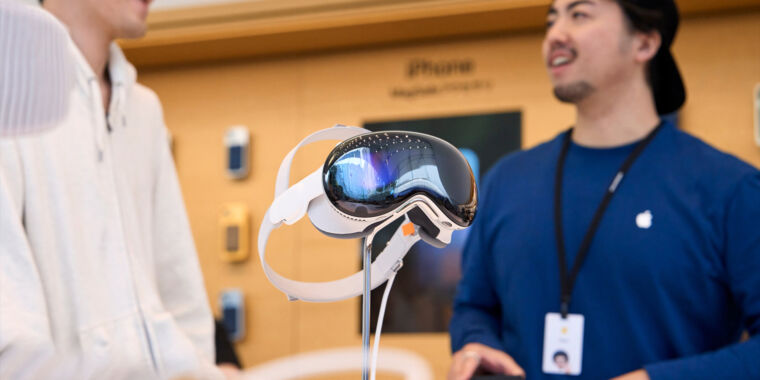
A mixed reality headset over a table in an Apple Store

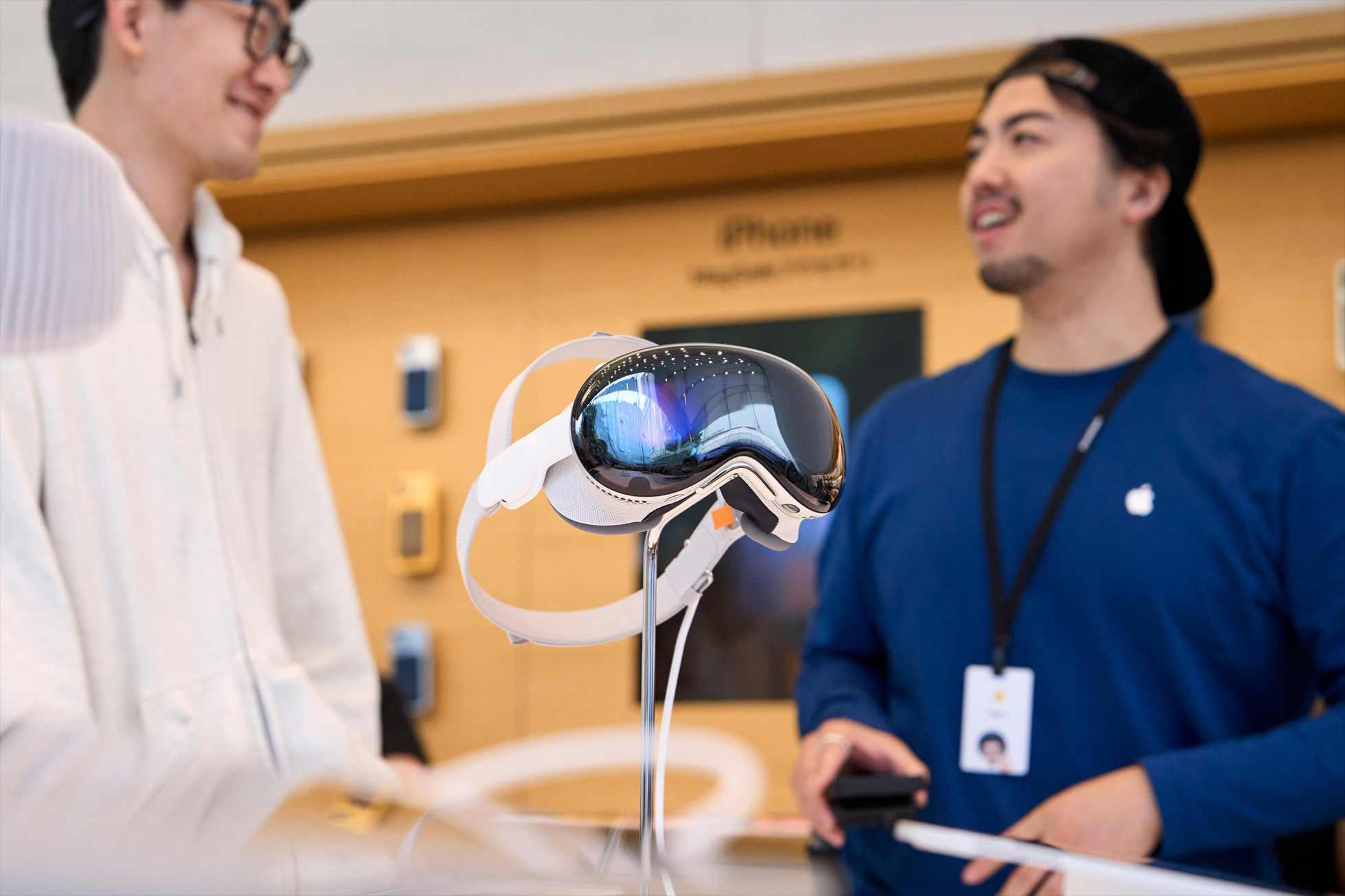
Enlarge / A Vision Pro on display at an Apple Store in Tokyo.

Apple

Apple’s Vision Pro headset went on sale outside the United States for the first time today, in the first of two waves of expanded availability.

The $3,499 “spatial computing” device launched back in February in the US, but it hasn’t taken the tech world by storm. Part of that has been its regional launch, with some of the biggest markets still lacking access.

Apple announced that the product would be sold internationally during its keynote at the Worldwide Developers Conference earlier this month.

The first new markets to get Vision Pro shipments are China, Japan, and Singapore—those are the ones where it went on sale today.

A second wave will come on July 12, with the headset rolling out in Australia, Canada, France, Germany, and the United Kingdom.

When we first tested the Vision Pro in February, we wrote that it was a technically impressive device with a lot of untapped potential. It works very well as a personal entertainment device for frequent travelers, in particular. However, its applications for productivity and gaming still need to be expanded to justify the high price.

Of course, there have been conflicting rumors of late about just how expensive Apple plans to keep its mixed reality devices. One report claimed that the company put the brakes on a new version of the Vision Pro for now, opting instead to develop a cheaper alternative for a 2025 launch.

But another report in Bloomberg suggested that’s an overstatement.  It simply noted that the Vision Pro 2 has been slightly delayed from its original target launch window and reported that the cheaper model will come first.

In any case, availability will have to expand and the price will ultimately have to come down if augmented reality can become the major computing revolution that Apple CEO Tim Cook has predicted. This international rollout is the next step to test whether there’s a market for that.

Apple’s Vision Pro goes on sale outside the US for the first time Read More »

why-walking-around-in-public-with-vision-pro-makes-no-sense

Why walking around in public with Vision Pro makes no sense

  • A close-up look at the Vision Pro from the front.

    Samuel Axon

  • The Apple Vision Pro with AirPods Pro, Magic Keyboard, Magic Trackpad, and an Xbox Series X|S controller.

    Samuel Axon

  • You can see the front-facing cameras that handle passthrough video just above the downward-facing cameras that read your hand gestures here.

    Samuel Axon

  • There are two buttons for Vision Pro, both on the top.

    Samuel Axon

  • This is the infamous battery pack. It’s about the size of an iPhone (but a little thicker) and has a USB-C port for external power sources.

    Samuel Axon

  • There are two displays inside the Vision Pro, one for each eye. Each offers just under 4K resolution.

    Samuel Axon

  • Apple offers several variations of the light seal to fit different face shapes.

    Samuel Axon

If you’ve spent any time in the tech-enthusiast corners of Instagram of TikTok over the past few weeks, you’ve seen the videos: so-called tech bros strolling through public spaces with confidence, donning Apple’s $3,500 Vision Pro headset on their faces while gesturing into the air.

Dive into the comments on those videos and you’ll see a consistent ratio: about 20 percent of the commenters herald this as the future, and the other 80 mock it with vehement derision. “I’ve never had as much desire to disconnect from reality as this guy does,” one reads.

Over the next few weeks, I’m going all-in on trying the Vision Pro in all sorts of situations to see which ones it suits. Last week, I talked about replacing a home theater system with it—at least when traveling away from home. Today, I’m going over my experience trying to find a use for it out on the streets of Chicago.

I’m setting out to answer a few questions here: Does it feel weird wearing it in public spaces? Will people judge you or react negatively when you wear it—and if so, will that become less common over time? Does it truly disconnect you from reality, and has Apple succeeded in solving virtual reality’s isolationist tendencies? Does it provide enough value to be worth wearing?

As it turns out, all these questions are closely related.

The potential of AR in the wild

I was excited about the Vision Pro in the lead-up to its launch. I was impressed by the demo I saw at WWDC 2023, even though I was aware that it was offered in an ideal setting: a private, well-lit room with lots of space to move around.

Part of my excitement was about things I didn’t see in that demo but that I’ve seen augmented reality developers explore in smartphone augmented reality (AR) and niche platforms like HoloLens and Xreal. Some smart folks have already produced a wide variety of neat tech demos showing what you can do with a good consumer AR headset, and many of the most exciting ideas work outside the home or office.

I’ve seen demonstrations of real-time directions provided with markers along the street while you walk around town, virtual assistant avatars guiding you through the airport, menus and Yelp reviews overlaid on the doors of every restaurant on a city strip, public art projects pieced together by multiple participants who each get to add an element to a virtual statue, and much more.

Of course, all those ideas—and most others for AR—make a lot more sense for unintrusive glasses than they do for something that is essentially a VR headset with passthrough. Nonetheless, I was hoping to get a glimpse at that eventuality with the Vision Pro.

Why walking around in public with Vision Pro makes no sense Read More »

what-i-learned-from-the-apple-store’s-30-minute-vision-pro-demo

What I learned from the Apple Store’s 30-minute Vision Pro demo

Seeing is believing? —

Despite some awe-inspiring moments, the $3,500 headset is a big lift for retail.

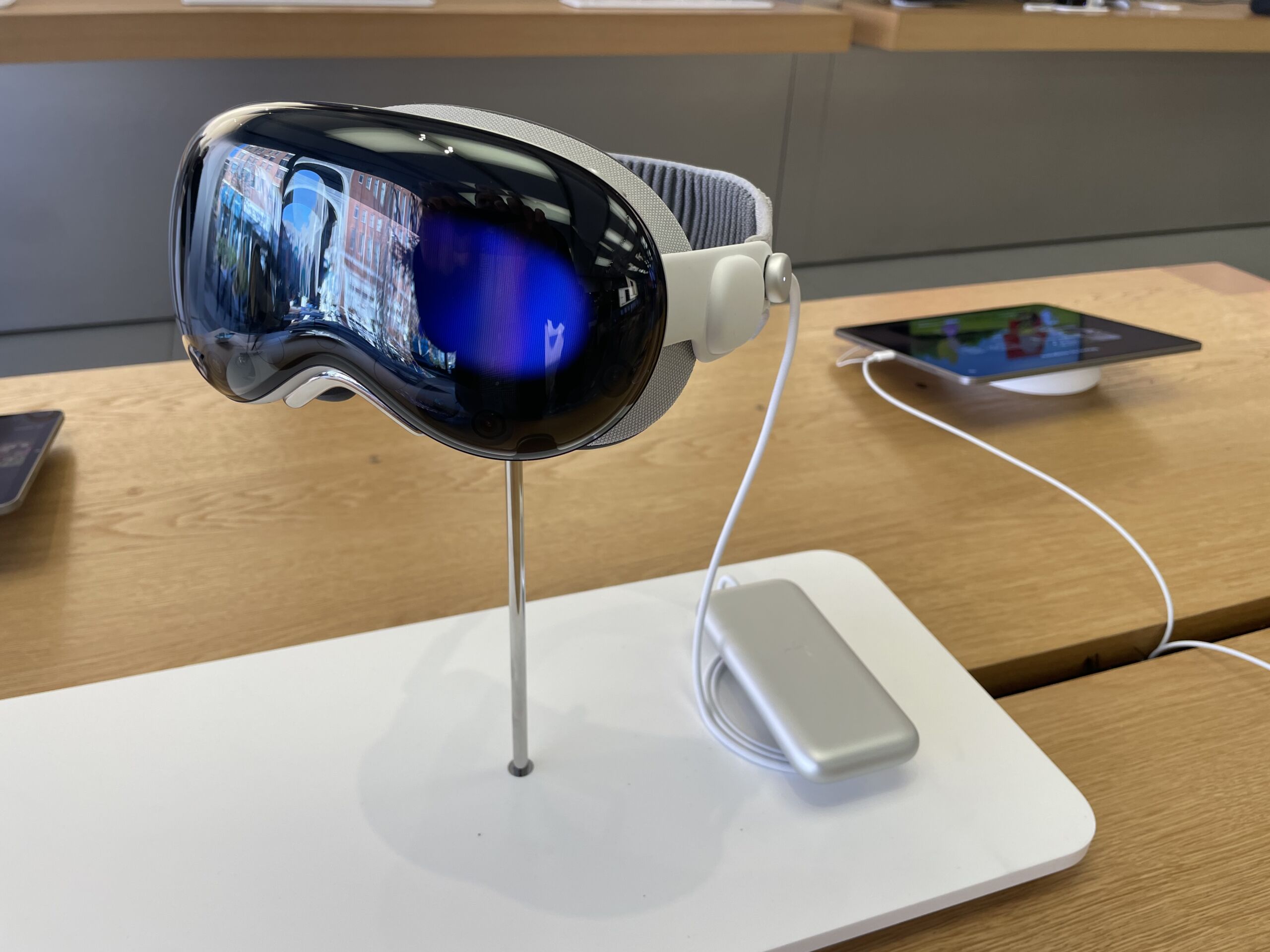
These mounted displays near the entrance let visitors touch, but not use, a Vision Pro.

Enlarge / These mounted displays near the entrance let visitors touch, but not use, a Vision Pro.

Kyle Orland

For decades now, potential Apple customers have been able to wander in to any Apple Store and get some instant eyes-on and hands-on experience with most of the company’s products. The Apple Vision Pro is an exception to this simple process; the “mixed-reality curious” need to book ahead for a guided, half-hour Vision Pro experience led by an Apple Store employee.

As a long-time veteran of both trade show and retail virtual-reality demos, I was interested to see how Apple would sell the concept of “spatial computing” to members of the public, many of whom have minimal experience with existing VR systems. And as someone who’s been following news and hands-on reports of the Vision Pro’s unique features for months now, I was eager to get a brief glimpse into what all the fuss was about without plunking down at least $3,499 for a unit of my own.

After going through the guided Vision Pro demo at a nearby Apple Store this week, I came away with mixed feelings about how Apple is positioning its new computer interface to the public. While the short demo contained some definite “oh, wow” moments, the device didn’t come with a cohesive story pitching it as Apple’s next big general-use computing platform.

Setup snafus

After arriving a few minutes early for my morning appointment in a sparsely attended Apple Store, I was told to wait by a display of Vision Pro units set on a table near the front. These headsets were secured tightly to their stands, meaning I couldn’t try a unit on or even hold it in my hands while I waited. But I could fondle the Vision Pro’s various buttons and straps while getting a closer look at the hardware (and at a few promotional videos running on nearby iPads).

  • Two Vision Pro headsets let you see it from multiple angles at once.

    Kyle Orland

  • Nearby iPads let you scroll through videos and information about the Vision Pro.

    Kyle Orland

  • The outward-facing display is very subtle in person.

    Kyle Orland

  • Without an appointment you can feel the headstrap with your hands but not with your skull.

    Kyle Orland

  • To Apple’s credit, it did not even try to hide the external battery in these store displays.

    Kyle Orland

After a few minutes, an Apple Store employee, who we’ll call Craig, walked over and said with genuine enthusiasm that he was “super excited” to show off the Vision Pro. He guided me to another table, where I sat in a low-backed swivel chair across from another customer who looked a little zoned out as he ran through his own Vision Pro demo.

Craig told me that the Vision Pro was the first time Apple Store employees like him had gotten early hands-on access to a new Apple device well before the public, in order to facilitate the training needed to guide these in-store demos. He said that interest had been steady for the first few days of demos and that, after some initial problems, the store now mostly managed to stay on schedule.

Unfortunately, some of those demo kinks were still present. First, Craig had trouble tracking down the dedicated iPhone used to scan my face and determine the precise Vision Pro light seal fit for my head. After consulting with a fellow employee, they decided to have me download the Apple Store app and use a QR code to reach the face-scanning tool on my own iPhone. (I was a bit surprised this fit scanning hadn’t been offered as part of the process when I signed up for my appointment days earlier.)

It took three full attempts, scanning my face from four angles, before the app managed to spit out the code that Craig needed to send my fit information to the back room. Craig told me that the store had 38 different light seals and 900 corrective lens options sitting back there, ready to be swapped in to ensure maximum comfort for each specific demo.

  • Sorry, I think I ordered the edamame…

    Kyle Orland

  • Shhh… the Vision Pro is napping.

After a short wait, another employee brought my demo unit out on a round wooden platter that made me feel like I was at a Japanese restaurant. The platter was artistically arranged, from the Solo Knit Band and fuzzy front cover to the gently coiled cord leading to the battery pack sitting in the center. (I never even touched or really noticed the battery pack for the rest of the demo.)

At this point, Craig told me that he would be able to see everything I saw in the Vision Pro, which would stream directly to his iPad. Unfortunately, getting that wireless connection to work took a good five minutes of tapping and tinkering, including removing the Vision Pro’s external battery cord several times.

Once everything was set, Craig gave me a brief primer on the glances and thumb/forefinger taps I would use to select, move, and zoom in on things in the VisionOS interface. “You’re gonna pretend like you’re pulling on a piece of string and then releasing,” he said by way of analogy. “The faster you go, the faster it will scroll, so be mindful of that. Nice and gentle, nice and easy, and things will go smoothly for you.”

Fifteen minutes after my appointed start time, I was finally ready to don the Vision Pro.

A scripted experience

After putting the headset on, my first impression was how heavy and pinchy the Vision Pro was on the bridge of my nose. Thankfully, Craig quickly explained how to tighten the fit with a dial behind my right ear, which helped immediately and immensely. After that, it only took a minute or two to run through some quick calibration of the impressively snappy eye and hand tracking. (“Keep your head nice and still as you do this,” Craig warned me during the process.)

Imagine this but with an Apple Store in the background.

Enlarge / Imagine this but with an Apple Store in the background.

Kyle Orland

As we dove into the demo proper, it quickly became clear that Craig was reading from a prepared script on his iPhone. This was a bit disappointing, as the genuine enthusiasm he had shown in our earlier, informal chat gave way to a dry monotone when delivering obvious marketing lines. “With Apple Vision Pro, you can experience your entire photo library in a brand new way,” he droned. “Right here, we have some beautiful shots, right from iPhone.”

Craig soldiered through the script as I glanced at a few prepared photos and panoramas. “Here we have a beautiful panorama, but we’re going to experience it in a whole new way… as if you were in the exact spot in which it was taken,” Craig said. Then we switched to some spatial photos and videos of a happy family celebrating a birthday and blowing bubbles in the backyard. The actors in the video felt a little stilted, but the sense of three-dimensional “presence” in the high-fidelity video was impressive.

After that, Craig informed me that “with spatial computing, your apps can exist anywhere in your space.” He asked me to turn the digital crown to replace my view of the store around me with a virtual environment of mountains bathed in cool blue twilight. Craig’s script seemed tuned for newcomers who might be freaked out by not seeing the “real world” anymore. “Remember, you’re always in control,” Craig assured me. “You can change it at any time.”

From inside the environment, Craig’s disembodied voice guided me as I opened a few flat app windows, placing them around my space and resizing them as I liked. Rather than letting these sell themselves, though, Craig pointed out how webpages are “super beautiful [and] easy to navigate” on Vision Pro. “As you can also see… text is super sharp, super easy to read. The pictures on the website look stunning.” Craig also really wanted me to know that “over one million iPhone/iPad apps” will work like this on the Vision Pro on day one.

What I learned from the Apple Store’s 30-minute Vision Pro demo Read More »

everything-we-learned-today-about-vision-pro-configurations,-specs,-and-accessories

Everything we learned today about Vision Pro configurations, specs, and accessories

Spatial computing —

It’ll cost you $200 to double the storage of the base configuration.

Apple's Vision Pro headset.

Enlarge / Apple’s Vision Pro headset.

Samuel Axon

Apple’s Vision Pro went up for preorder this morning at 8 am ET. As expected, shipment dates for preorders quickly backed up to March as initial supply was accounted for. Regardless of whether you’re in for the start or taking a wait-and-see approach with Apple’s ultra-pricey new device, though, we have access to a little more information about the device than we did before thanks to updates to the Apple Store website.

The product page for Vision Pro reveals configurations and pricing, and a new specs page clarifies answers to some questions we’ve had for a while now.

You’ll find all the relevant new information below. We’ve also updated our “What to expect from Apple Vision Pro” roundup with new information from the specs page.

Hardware specifications

As previously rumored, the Vision Pro has a variant of the M2 chip with an 8-core CPU (4 performance cores and 4 efficiency), a 10-core GPU, and a 16-core NPU. It has 16GB of unified memory.

There’s also the new R1 chip, which Apple claims achieves “12‑millisecond photon‑to‑photon latency” and 256GB/s memory bandwidth.

As for the display, we didn’t learn too much new here. As Apple has stated before, the two displays push 23 million pixels combined. They support refresh rates of 90 Hz, 96 Hz, and 100 Hz, and support playback of 24 fps and 30 fps video. Apple claims 92 percent DCI-P3.

The specs page also reveals that Vision Pro supports AirPlay at up to 1080p on iPhones, Macs, Apple TVs, and AirPlay-capable smart TVs.

Storage comes in three configurations. The base 256GB model costs $3,499. Bumping up to 512GB adds $200, and going to 1TB adds another $200.

The device’s camera supports both spatial photo and video capture, and Apple lists the specs as an 18 mm, ƒ/2.00 aperture at 6.5 stereo megapixels.

Additionally, there are six world-facing tracking cameras, four eye-tracking cameras, a TrueDepth sensor, a lidar scanner, four inertial measurement units, a flicker sensor, and an ambient light sensor. The headset authenticates the user by looking at their iris.

On the audio front, we’re looking at a six-mic array for audio capture. Apple isn’t super specific on the specs page about the speakers, noting only that the device offers “spatial audio with dynamic head tracking” like AirPods Pro and “personalized Spatial Audio and audio ray tracing.” Vision Pro also supports low-latency, lossless audio with the second generation of AirPods Pro.

Connectivity options include Wi-Fi 6 and Bluetooth 5.3.

Apple promises two hours of battery life for “general use” and says video watching can be up to 2.5 hours. The specs page also clarifies that Vision Pro can be used while charging the battery, which is something Apple had previously stated but then confusingly removed from its online documentation. This page seems to settle that.

The headset weighs between 21.2 and 22.9 ounces (600–650 g) depending on the light seal and headband used. That doesn’t include the battery pack, which weighs 353 g. That means Apple made the headset substantially lighter by pushing the battery to a separate unit.

Accessories and additional purchase options

As with its other hardware products, Apple offers AppleCare+ for Vision Pro. It’s $499 for two years, or $24.99 per month for perpetual coverage.

That price might seem awfully steep, but Apple lists the repair fees for the device on its service page and repairs without AppleCare+ will be even pricier—up to $2,399, depending on what’s broken. Any damage to the front glass panel will cost $799 to fix.

  • Apple Vision Pro Travel Case.

    Apple

  • Apple Vision Pro battery.

    Apple

  • Apple Vision Pro Solo Knit Band.

    Apple

  • Apple Vision Pro Dual Loop Band.

    Apple

  • Apple Vision Pro Light Seal.

    Apple

  • Apple Vision Pro Light Cushion.

    Apple

  • ZEISS Optical Inserts.

    Apple

  • Belkin Battery Holder for Apple Vision Pro.

    Apple

There are also a few optional accessories or replacement components you can buy, including:

  • Apple Vision Pro Travel Case ($199) – A pill-shaped case that contains and protects the headset along with its attachments and battery.
  • Apple Vision Pro Battery ($199) – A replacement for the battery that comes with the headset. You could also buy one of these to double your capacity while traveling, like for a long flight.
  • Apple Vision Pro Light Seal ($199) – The soft part of the headset that conforms to your face when you put the device on your head. This includes two light seal cushions, each in a different size.
  • Apple Vision Pro Light Seal Cushion ($29) – This attaches to the end of the light seal, and is intended to be removed for cleaning. It’s available in four sizes: N, N+, W, and W+.
  • Apple Vision Pro Solo Knit Band ($99) – One of two variations of the band that keeps Vision Pro on your head. This is the version that simply wraps around the back of your head. It’s available in three sizes: small, medium, and large.
  • Apple Vision Pro Dual Loop Band ($99) – The version that wraps around both the back of your head and the top. This also comes in small, medium, and large.
  • ZEISS Optical Inserts ($99+) – Lens inserts for those who wear glasses, as glasses won’t fit inside the device. Available in prescription and reader variations. You don’t need these if you wear soft contact lenses.
  • Belkin Battery Holder for Apple Vision Pro ($49.95) – A third-party accessory for either attaching Vision Pro’s battery to your belt or pants, or securing it with a cross-body strap.

Everything we learned today about Vision Pro configurations, specs, and accessories Read More »

oculus-founder-explains-what-apple-got-right-&-wrong-on-vision-pro

Oculus Founder Explains What Apple Got Right & Wrong on Vision Pro

Apple Vision Pro is about to set a lot of expectations in the industry of what’s ‘right’ and ‘wrong’ about mixed reality, something the fruit company prefers to call spatial computing. Oculus founder Palmer Luckey weighed in on his thoughts, and coming from one of the main figures who kicked off the VR revolution of today, it means something.

Speaking to Peter Diamandis in a nearly two hour-long podcast, Luckey delved into many areas of his work over the years, touching on the role at his defense company Anduril, his role in kickstarting the modern era of VR, and basically everything under the Sun that the tech entrepreneur is doing, or thinks about when it comes to augmented and virtual reality.

Undoubtedly the hottest of hot button issues is whether Apple is doing mixed reality ‘right’ as a newcomer to the space. Luckey is mostly positive about Vision Pro, saying it’s patently Apple.

“I think there were things that I would do differently if I were Apple,” Luckey tells Diamandis. “They did basically everything right—they didn’t do anything terrible. I mean, I think Apple is going after the exact right segment of the market that Apple should be going after.”

Luckey maintains that if Apple went after the low end of the market, it would be “a mistake,” saying the Cupertino tech giant is taking “the exact approach that I had always wanted Apple to take, and really the approach that Oculus had been taking in the early years.”

Apple is admittedly going at XR with little regard for affordability, but that’s not the sticking point you might think it would be. To him, the $3,500 headset packs the best components for the premium segment, including “the highest possible resolution, the highest quality possible displays, the best possible ergonomics.”

In fact, Apple’s first-gen device shouldn’t be about affordability at this point, Luckey says. It’s about “inspiring lust in a much larger group of people, who, as I dreamed all those years ago, see VR as something they desperately want before it becomes something they can afford.”

Image courtesy Apple

In the world of component configurations, there’s very little that catches Luckey off guard, although Vision Pro’s tethered battery ‘puck’ was choice that surprised the Oculus founder a little bit. When it comes to offloading weight from the user’s head, Luckey says shipping a battery puck was the “right way to do things.”

“I was a big advocate of [external pucks] in Oculus, but unfortunately it was a battle that I lost in my waning years, and [Oculus] went all in on putting all batteries, all the processing in actual headset itself. And not just in the headset, but in the front of the headset itself, which hugely increases the weight of the front of the device, the asymmetric torque load… it’s not a good decision.”

One direction Apple has going that Luckey isn’t a fan of: controllers, or rather, the lack thereof. Vision Pro is set to ship without any sort of VR motion controller, which means developers will need to target hand and eye-tracking as the primary input methods.

“It’s no secret that I’m a big fan of VR input, and I think that’s probably one of the things I would have done differently than Apple. On the other hand, they have a plan for VR input that goes beyond just the finger [click] inputs. They’re taking a focused marketing approach, but I think they have a broader vision for the future than everything just being eyes and fingers.”

Luckey supports the company’s decision to split the headset into a puck and head-worn device not only for Vision Pro in the near term, but also for future iterations of the device, which will likely need more batteries, processing, and antennas. Setting those expectations now of a split configuration could help Apple move lighter and thinner on head-worn components, and never even deal with the problems of balancing the girth and weight seen in the all-in-one, standalone headsets of today.

In the end, whether the average person will wear such things in the future will ultimately come down to clever marketing, Luckey maintains, as it’s entirely possible to slim down to thinner form factors, but devices may not be nearly as functional at sizes smaller than “chunky sunglasses”. To Luckey, companies like Apple have their work cut out for them when it comes to normalizing these AR/VR headsets of the near future, and Apple will most definitely be seeding their devices on the heads of “the right celebrities, the right influencers” in the meantime.

You can check out the full 15-minute clip where Luckey talks about his thoughts on Apple Vision Pro below:

Oculus Founder Explains What Apple Got Right & Wrong on Vision Pro Read More »