Smart Home

home-assistant’s-voice-preview-edition-is-a-little-box-with-big-privacy-powers

Home Assistant’s Voice Preview Edition is a little box with big privacy powers


Home Assistant Voice Preview Edition

Home Assistant’s voice device is a $60 box that’s both focused and evolving.

Credit: Home Assistant Foundation

Home Assistant announced today the availability of the Voice Preview Edition, its own design of a living-room-friendly box to offer voice assistance with home automation. Having used it for a few weeks, it seems like a great start, at least for those comfortable with digging into the settings. That’s why Home Assistant is calling it a “Preview Edition.”

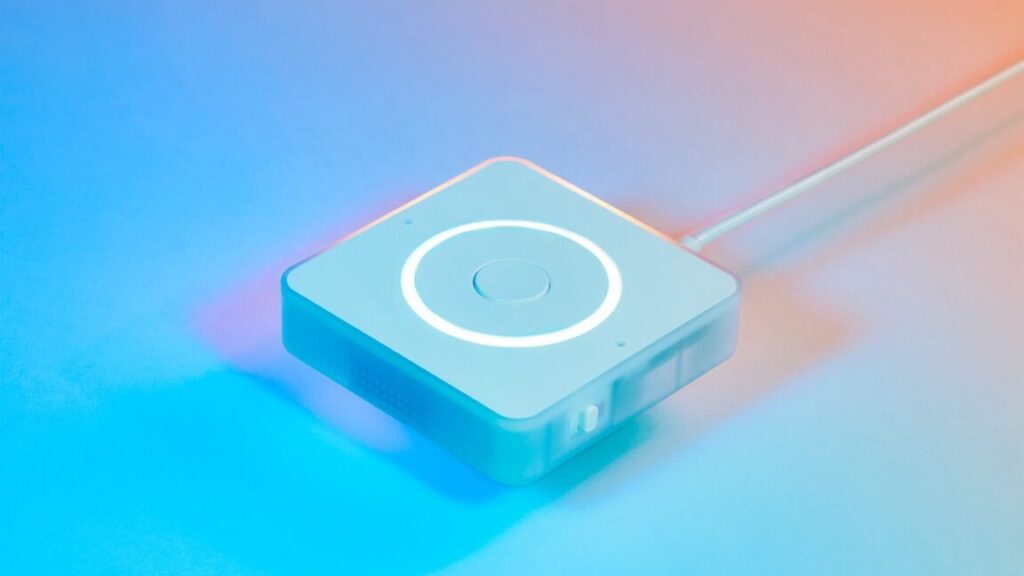
Using its privacy-minded Nabu Casa cloud—or your own capable computer—to handle the processing, the Voice Preview Edition (VPE) ($60/60 euros, available today) has the rough footprint of a modern Apple TV but is thinner. It works similarly to an Amazon Echo, Google Assistant, or Apple Siri device, but with a more focused goal. Start with a wake word—the default, and most well-trained version, is “Okay, Nabu,” but “Hey, Jarvis” and “Hey, Mycroft” are available. Follow that with a command, typically something that targets a smart home device: “Turn on living room lights,” “Set thermostat to 68,” “Activate TV time.” And then, that thing usually happens.

Home Assistant’s Voice Preview Edition, doing what it does best. I had to set a weather service to an alias of “the weather outside” to get that response worked out.

“That thing” is primarily controlling devices, scenes, and automations around your home, set up in Home Assistant. That means you have to have assigned them a name or alias that you can remember. Coming up with naming schemes is something you end up doing in big-tech smart home systems, too, but it’s a bit more important with the VPE.

You won’t need to start over with all your gear if you’ve got a Google Home, Alexa, or Apple Home ecosystem, at least. Home Assistant has good “bridge” options built into it for connecting all the devices you’ve set up and named inside those ecosystems.

It’s important to have a decently organized smart home set up with a VPE box, because it doesn’t really do much else, for better or worse. Unless you hook it up to an AI model.

The voice device that is intentionally not very chatty

The VPE box can run timers (with neat LED ring progress indicators), and with a little bit of settings tweaking, you can connect it to Home Assistant’s built-in shopping lists and task lists or most any other plug-in or extension of your system. If you’re willing to mess with LLMs—like ChatGPT or Google’s Gemini—locally or through cloud subscriptions, you could trigger prompts with your voice, though performance will vary.

Home Assistant’s Voice Preview Edition, not quite sure what to do with non-home-related questions.

What else does Home Assistant’s hardware do? Nothing, at least by default. It listens for its prompt, it passes them onto a Home Assistant server, and that’s it. You can’t ask it how tall Buffalo Bills quarterback Josh Allen is or how many consecutive Super Bowls the Bills lost. It won’t do simple math calculations or metric conversions. It cannot tell you whether you should pack an umbrella tomorrow or a good substitute if you’re out of eggs.

For some people either hesitant to bring a voice device into their home or fatigued by the failures of supposedly “smart” assistants that can seem quite dumb, this might be perfect. When the Home Assistant VPE hears me clearly (more on that in a moment), it almost always understands what I’m saying, so long as I remember what I named everything.

There were times during the month-long period when I muted Google Assistant and stuck with Home Assistant that I missed the ability to ask questions I would normally just look up on a search engine. The upside is that I didn’t have to sit through 15 seconds of Google explaining at length something I didn’t ask for.

If you want the VPE to automatically fall back to AI for answering non-home-specific questions, you can set that up. And that’s something we’ll likely dig into for a future post.

The hardware

Home Assistant’s Voice Preview Edition device, with Apple TV (4K, 2022) for scale. Kevin Purdy

As a product you want to keep somewhere it can hear you, the Home Assistant VPE blends in, is reasonably small, and has more useful buttons and switches than the competition. It looks entirely innocuous sitting on a bookshelf, entertainment center, kitchen counter, or wall mount. It’s quite nice to pay for a functional device that has absolutely no branding visible.

There are four neat things on top. First is two microphone inputs, which are pretty important. There’s an LED ring that shows you the VPE is listening by spinning, then spinning the other way to show that it’s “thinking” and reversing again when responding. A button in the middle can activate the device without speech or cancel a response.

Best of all, there is a physically rotating dial wheel around the button. It feels great to spin, even if it’s not something you’ll need to do very often.

Around the sides is clear plastic, with speaker holes on three sides. The speakers are built specifically for voice clarity, according to Home Assistant, and I agree. I can always hear what the VPE is trying to tell me, at any distance in my living room.

There’s a hardware mute switch on one side, with USB-C inputs (power and connection) and a stereo headphone/speaker jack. On the bottom is a grove port for deeper development.

Hearing is still the challenge

The last quasi-official way to get a smart speaker experience with Home Assistant was the ESP32 S3 Box 3, which was okay or decent in a very quiet room or at dining room table distance. The VPE is a notable improvement over that device in both input and output. If I make a small effort to speak clearly and enunciate, it catches me pretty much everywhere in my open-plan living room/dining room/kitchen. It’s not too bad at working around music or TV sound, either, so long as that speaker is not between me and the VPE box. It is best with its default wake phrase, “Okay, Nabu,” because that’s the most trained and sampled by the Open Wake Word community.

And yet, every smart speaker I’ve had in my home at some point—a Google Home/Nest Mini, Amazon Echo (full-size or Dot), Apple HomePod (original), the microphones on Sonos speakers—has seemed better at catching its wake word, given similar placement as the VPE. After all, Home Assistant, a not-for-profit foundation, cannot subsidize powerful microphone arrays with advertising, Prime memberships, or profitable computer hardware ecosystems. I don’t have lab tests to prove this, just my own experiences—with my particular voice, accent, phrasing, room shape, and noise levels.

I’ve been using this device with pre-release firmware and software, and it’s under active development, so it will almost certainly get better. But as a device you can buy and set up right now, it’s very close—but not quite—to the level of the big ecosystems. It is notably better than the hodgepodge of other devices you can technically use with Home Assistant voice prompts.

Is it better for my privacy that the VPE is not great at being triggered by ambient speech in the room? Maybe. At the same time, I’m more likely to switch away from said big-tech voice devices only if I don’t feel like I have to say everything twice or three times.

It’s fun to craft your own voice system

I’ve been able to use the VPE on a bookshelf in my living room for weeks, asking it to turn on lights, adjust thermostats, set scenes with blinds and speakers, and other automations, and the successes are far more common than failures. I still want to test some different placements and try out local hardware processing (requiring an Intel N100 or better for common languages), since I’ve only tested it with Home Assistant’s cloud servers, the generally faster solution.

The best things about the VPE are not the things you’ll notice by looking at or speaking to it. It’s a smart speaker that seems a lot more reasonable for private places, especially if you’re running on local hardware. It’s not a smart speaker that is going to read you an entire Wikipedia page when it misunderstands what you want. And it doesn’t demand you to use an app tied into an ecosystem to use, other than the web app running off your Home Assistant server.

Paulus Schoutsen said on the VPE’s launch stream that the VPE might not be the best choice for someone switching over from an established Google/Amazon/Apple ecosystem. That might be true, but I think the VPE also works as a single-user device at a desk, or for anyone who’s been waiting to step into voice but concerned about privacy, ecosystem lock-in, or their kids’ demands to play Taylor Swift songs on repeat.

This post was update at 5 p.m. to note the author’s wake word experience may relate to his voice and room characteristics.

Photo of Kevin Purdy

Kevin is a senior technology reporter at Ars Technica, covering open-source software, PC gaming, home automation, repairability, e-bikes, and tech history. He has previously worked at Lifehacker, Wirecutter, iFixit, and Carbon Switch.

Home Assistant’s Voice Preview Edition is a little box with big privacy powers Read More »
z-wave-long-range-and-its-mile-long-capabilities-will-arrive-next-year

Z-Wave Long Range and its mile-long capabilities will arrive next year

Z-Wave can be a very robust automation network, free from the complications and fragility of Wi-Fi and Bluetooth. Just how robust, you ask? More than a mile long, under the right circumstances, as hardware soon to hit the market promises.

All claims of radio distances should be taken with amounts of salt unhealthy for consumption. What can be accomplished across an empty field is not the same as what can be done through buildings, interference, and scatter. But Z-Wave Long Range (or Z-Wave LR), operating “in long range mode at full power,” can hit 1.5 miles, according to the Z-Wave Alliance, presuming you’ve got the right star-shaped hub network.

By using a star network topology instead of a more traditional mesh, Z-Wave LR reduces the need for hubs and repeaters, relying instead on a central hub. It can be more reliable for larger commercial spaces, security setups, and bigger homes, and also more power efficient. Devices automatically adjust their signal strength while on Z-Wave networks, extending the battery life of a single coin cell up to 10 years—again, under best-case circumstances. If you’re really a glutton for punishment, you can fit up to 4,000 devices on a network running Z-Wave LR, because LR can co-exist on the same network as standard Z-Wave meshes.

Z-Wave Long Range and its mile-long capabilities will arrive next year Read More »

startup-will-brick-$800-emotional-support-robot-for-kids-without-refunds

Startup will brick $800 emotional support robot for kids without refunds

In addition to the robot being bricked, Embodied noted that warranties, repair services, the corresponding parent app and guides, and support staff will no longer be accessible.

“Unable to offer refunds”

Embodied said it is “unable” to offer most Moxie owners refunds due to its “financial situation and impending dissolution.” The potential exception is for people who bought a Moxie within 30 days. For those customers, Embodied said that “if the company or its assets are sold, we will do our best to prioritize refunds for purchases,” but it emphasized that this is not a guarantee.

Embodied also acknowledged complications for those who acquired the expensive robot through a third-party lender. Embodied advised such customers to contact their lender, but it’s possible that some will end up paying interest on a toy that no longer works.

Embodied said it’s looking for another company to buy Moxie. Should that happen, the new company will receive Embodied customer data and determine how it may use it, according to Embodied’s Terms of Service. Otherwise, Embodied said it “securely” erases user data “in accordance with our privacy policy and applicable law,” which includes deleting personally identifiable information from Embodied systems.

Another smart gadget bites the dust

Currently, there’s some hope that Moxies can be resurrected. Things look grim for Moxie owners, but we’ve seen failed smart device companies, like Insteon, be resurrected before. It’s also possible that someone will release of an open-source version of the product, like the one made for Spotify Car Thing, which Spotify officially bricked today.

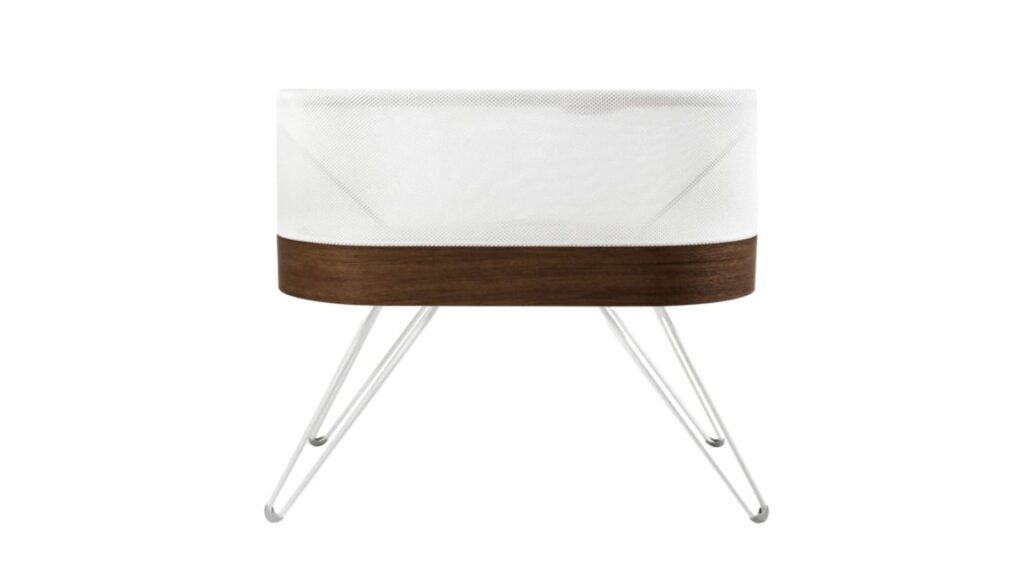
But the short-lived, expensive nature of Moxie is exactly why some groups, like right-to-repair activists, are pushing the FTC to more strongly regulate smart devices, particularly when it comes to disclosure and commitments around software support. With smart gadget makers trying to determine how to navigate challenging economic landscapes, the owners of various types of smart devices—from AeroGarden indoor gardening systems to Snoo bassinets —have had to deal with the consequences, including broken devices and paywalled features. Last month, the FTC noted that smart device manufacturers that don’t commit to software support may be breaking the law.

For Moxie owners, disappointment doesn’t just come from wasted money and e-waste creation but also from the pain of giving a child a tech “companion” to grow with and then have it suddenly taken away.

Startup will brick $800 emotional support robot for kids without refunds Read More »

smart-gadgets’-failure-to-commit-to-software-support-could-be-illegal,-ftc-warns

Smart gadgets’ failure to commit to software support could be illegal, FTC warns

Makers of smart devices that fail to disclose how long they will support their products with software updates may be breaking the Magnuson Moss Warranty Act, the Federal Trade Commission (FTC) warned this week.

The FTC released its statement after examining 184 smart products across 64 product categories, including soundbars, video doorbells, breast pumps, smartphones, home appliances, and garage door opener controllers. Among devices researched, the majority—or 163 to be precise—”did not disclose the connected device support duration or end date” on their product webpage, per the FTC’s report [PDF]. Contrastingly, 11.4 percent of devices examined shared a software support duration or end date on their product page.

Elusive information

In addition to manufacturers often neglecting to commit to software support for a specified amount of time, it seems that even when they share this information, it’s elusive.

For example, the FTC reported that some manufacturers made software support dates available but not on the related product’s webpage. Instead, this information is sometimes buried in specs, support, FAQ pages, or footnotes.

The FTC report added:

… some used ambiguous language that only imply the level of support provided, including phrases like, “lifetime technical support,” “as long as your device is fully operational,” and “continuous software updates,” for example. Notably, staff also had difficulty finding on the product webpages the device’s release date …

At times, the FTC found glaring inconsistencies. For example, one device’s product page said that the device featured “lifetime” support, “but the search result pointing to the manufacturer’s support page indicated that, while other updates may still be active, the security updates for the device had stopped in 2021,” per the FTC.

Those relying on Google’s AI Overviews may also be misled. In one case, AI Overviews pointed to a smart gadget getting “software support and updates for 3–6 months.” But through the link that AI Overviews provided, the FTC found that the three to six months figure that Google scraped actually referred to the device’s battery life. The next day, AI Overviews said that it couldn’t determine the duration of software support or updates for the gadget, the FTC noted.

Smart gadgets’ failure to commit to software support could be illegal, FTC warns Read More »

the-good,-the-bad,-and-the-ugly-behind-the-push-for-more-smart-displays

The good, the bad, and the ugly behind the push for more smart displays

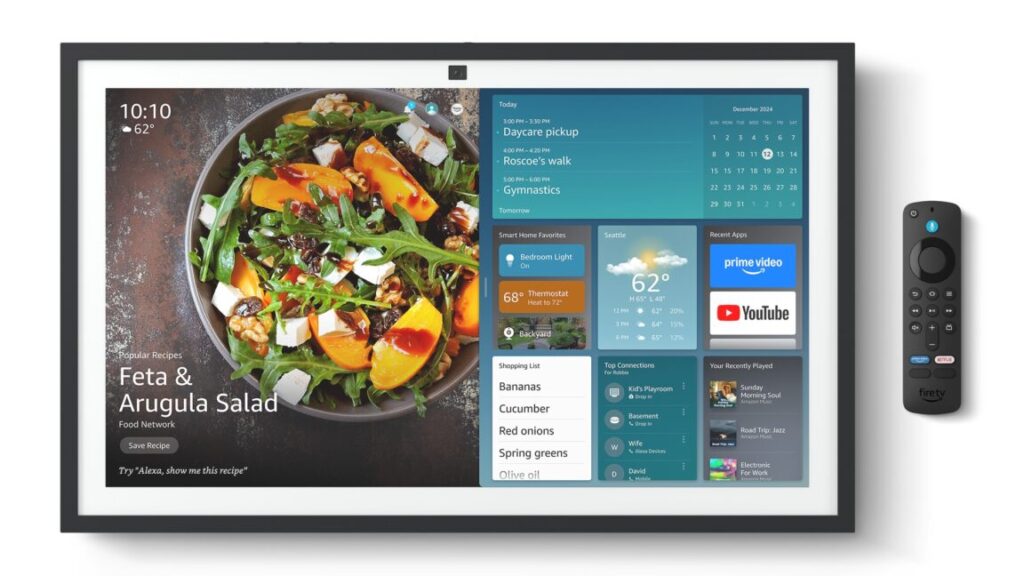
After a couple of years without much happening, smart displays are in the news again. Aside from smart TVs, consumer screens that connect to the Internet have never reached a mainstream audience. However, there seems to be a resurgence to make smart displays more popular. The approaches that some companies are taking are better than those of others, revealing a good, bad, and ugly side behind the push.

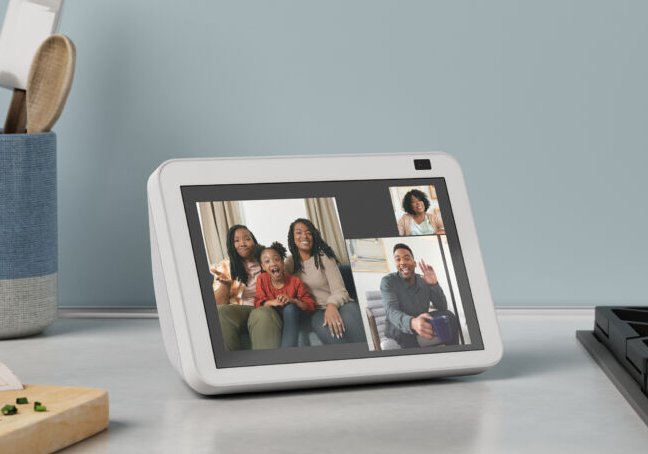
Note that for this article, we’ll exclude smart TVs when discussing smart displays. Unlike the majority of smart displays, smart TVs are mainstream tech. So for this piece, we’ll mostly focus on devices like the Google Next Hub Max or Amazon Echo Show (as pictured above).

The good

When it comes to emerging technology, a great gauge for whether innovation is happening is by measuring how much a product solves a real user problem. Products seeking a problem to solve or that are glorified vehicles for ads and tracking don’t qualify.

If reports that Apple is working on its first smart display are true, there may be potential for it to solve the problem of managing multiple smart home devices from different companies.

Apple has declined to comment on reports from Bloomberg’s Mark Gurman of an Apple smart display under development. But Gurman recently claimed that the display will be able to be mounted on walls and “use AI to navigate apps.” Gurman said that it would incorporate Apple’s smart home framework HomeKit, which supports “hundreds of accessories” and can control third-party devices, like smart security cameras, thermostats, and lights. Per the November 12 report:

The product will be marketed as a way to control home appliances, chat with Siri, and hold intercom sessions via Apple’s FaceTime software. It will also be loaded with Apple apps, including ones for web browsing, listening to news updates and playing music. Users will be able to access their notes and calendar information, and the device can turn into a slideshow display for their photos.

If released, the device—said to be shaped like a 6-inch iPhone—would compete with the Nest Hub and Echo Show. Apple entering the smart display business could bring a heightened focus on privacy and push other companies to make privacy a bigger focus, too. Apple has already given us a peek at how it might handle smart home privacy with the HomePod. “All communication between HomePod and Apple servers is encrypted, and anonymous IDs protect your identity,” Apple’s HomePod privacy policy states.

The good, the bad, and the ugly behind the push for more smart displays Read More »

i,-too,-installed-an-open-source-garage-door-opener,-and-i’m-loving-it

I, too, installed an open source garage door opener, and I’m loving it


Open source closed garage

OpenGarage restored my home automations and gave me a whole bunch of new ideas.

Hark! The top portion of a garage door has entered my view, and I shall alert my owner to it. Credit: Kevin Purdy

Like Ars Senior Technology Editor Lee Hutchinson, I have a garage. The door on that garage is opened and closed by a device made by a company that, as with Lee’s, offers you a way to open and close it with a smartphone app. But that app doesn’t work with my preferred home automation system, Home Assistant, and also looks and works like an app made by a garage door company.

I had looked into the ratgdo Lee installed, and raved about, but hooking it up to my particular Genie/Aladdin system would have required installing limit switches. So I instead installed an OpenGarage unit ($50 plus shipping). My garage opener now works with Home Assistant (and thereby pretty much anything else), it’s not subject to the whims of API access, and I’ve got a few ideas how to make it even better. Allow me to walk you through what I did, why I did it, and what I might do next.

Thanks, I’ll take it from here, Genie

Genie, maker of my Wi-Fi-capable garage door opener (sold as an “Aladdin Connect” system), is not in the same boat as the Chamberlain/myQ setup that inspired Lee’s project. There was a working Aladdin Connect integration in Home Assistant, until the company changed its API in January 2024. Genie said it would release its own official Home Assistant integration in June, and it did, but then it was quickly pulled back, seemingly for licensing issues. Since then, no updates on the matter. (I have emailed Genie for comment and will update this post if I receive reply.)

This is not egregious behavior, at least on the scale of garage door opener firms. And Aladdin’s app works with Google Home and Amazon Alexa, but not with Home Assistant or my secondary/lazy option, HomeKit/Apple Home. It also logs me out “for security” more often than I’d like and tells me this only after an iPhone shortcut refuses to fire. It has some decent features, but without deeper integrations, I can’t do things like have the brighter ceiling lights turn on when the door opens or flash indoor lights if the garage door stays open too long. At least not without Google or Amazon.

I’ve seen OpenGarage passed around the Home Assistant forums and subreddits over the years. It is, as the name implies, fully open source: hardware design, firmware, and app code, API, everything. It is a tiny ESP board that has an ultrasonic distance sensor and circuit relay attached. You can control and monitor it from a web browser, mobile or desktop, from IFTTT, MQTT, and with the latest firmware, you can get email alerts. I decided to pull out the 6-foot ladder and give it a go.

Prototypes of the OpenGarage unit. To me, they look like little USB-powered owls, just with very stubby wings. Credit: OpenGarage

Installing the little watching owl

You generally mount the OpenGarage unit to the roof of your garage, so the distance sensor can detect if your garage door has rolled up in front of it. There are options for mounting with magnetic contact sensors or a side view of a roll-up door, or you can figure out some other way in which two different sensor depth distances would indicate an open or closed door. If you’ve got a Security+ 2.0 door (the kind with the yellow antenna, generally), you’ll need an adapter, too.

The toughest part of an overhead install is finding a spot that gives the unit a view of your garage door, not too close to rails or other obstructing objects, but then close enough for the contact wires and USB micro cable to reach. Ideally, too, it has a view of your car when the door is closed and the car is inside, so it can report its presence. I’ve yet to find the right thing to do with the “car is inside or not” data, but the seed is planted.

OpenGarage’s introduction and explanation video.

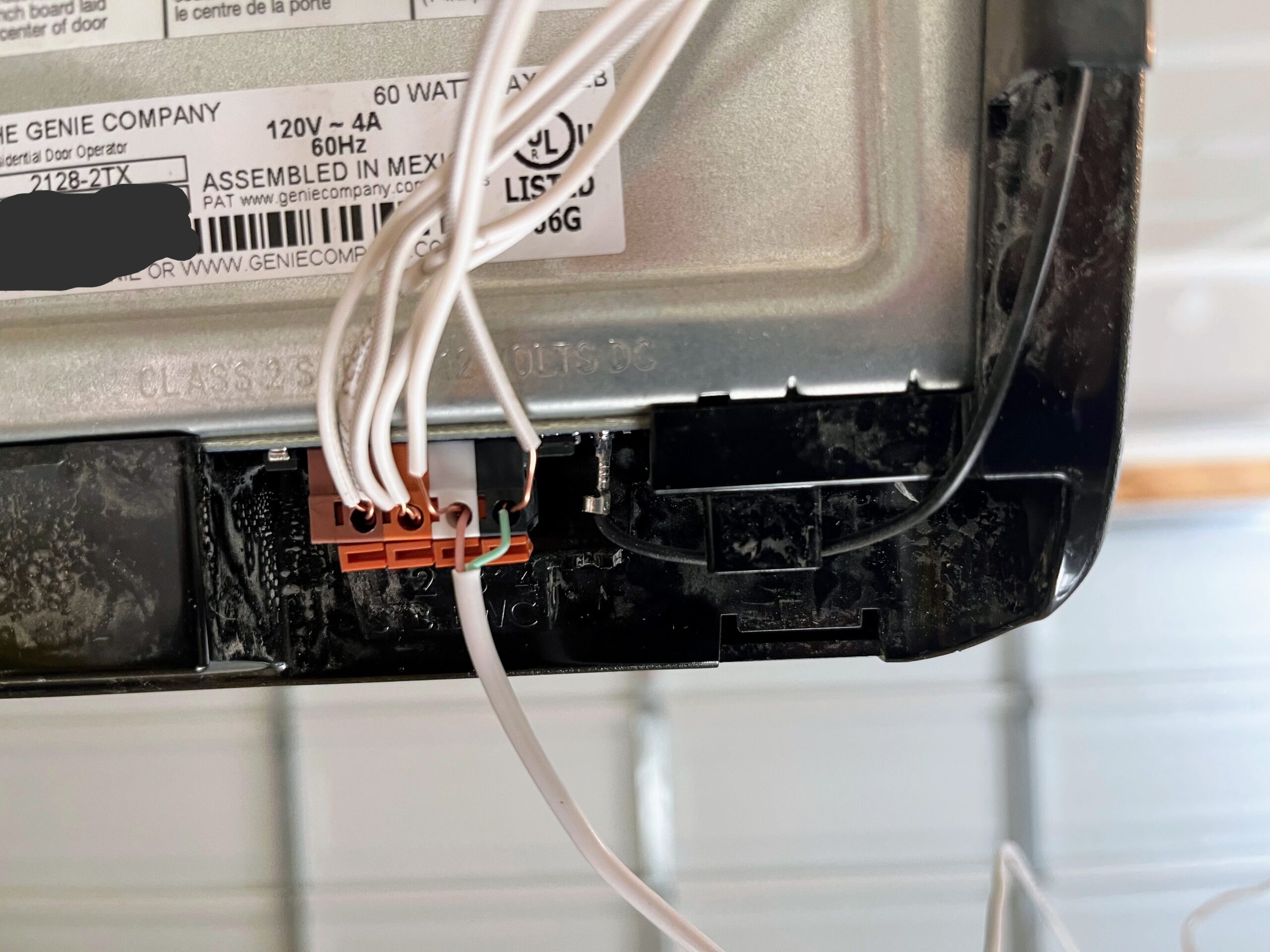
My garage setup, like most of them, is pretty simple. There’s a big red glowing button on the wall near the door, and there are two very thin wires running from it to the opener. On the opener, there are four ports that you can open up with a screwdriver press. Most of the wires are headed to the safety sensor at the door bottom, while two come in from the opener button. After stripping a bit of wire to expose more cable, I pressed the contact wires from the OpenGarage into those same opener ports.

Wires running from terminal points in the back of a garage door opener, with one set of wires coming in from the bottom and pressed into the same press-fit holes.

The wire terminal on my Genie garage opener. The green and pink wires lead to the OpenGarage unit. Credit: Kevin Purdy

After that, I connected the wires to the OpenGarage unit’s screw terminals, then did some pencil work on the garage ceiling to figure out how far I could run the contact and micro-USB power cable, getting the proper door view while maintaining some right-angle sense of order up there. When I had reached a decent compromise between cable tension and placement, I screwed the sensor into an overhead stud and used a staple gun to secure the wires. It doesn’t look like a pro installed it, but it’s not half bad.

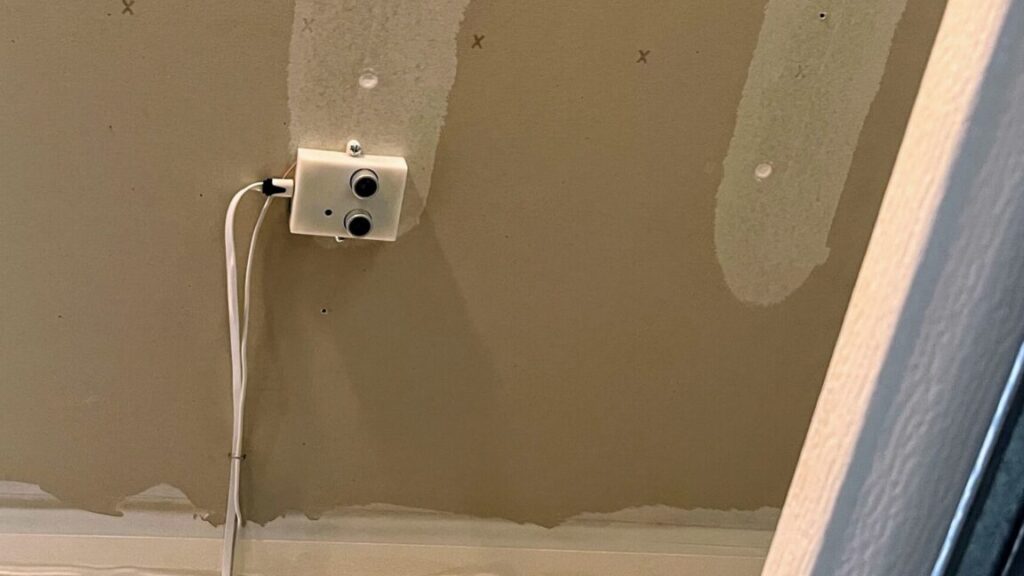
A garage ceiling, with drywall stud paint running across, a small device with wires running at right angles to the opener, and an opener rail beneath.

Where I ended up installing my OpenGarage unit. Key points: Above the garage door when open, view of the car below, not too close to rails, able to reach power and opener contact. Credit: Kevin Purdy

A very versatile board

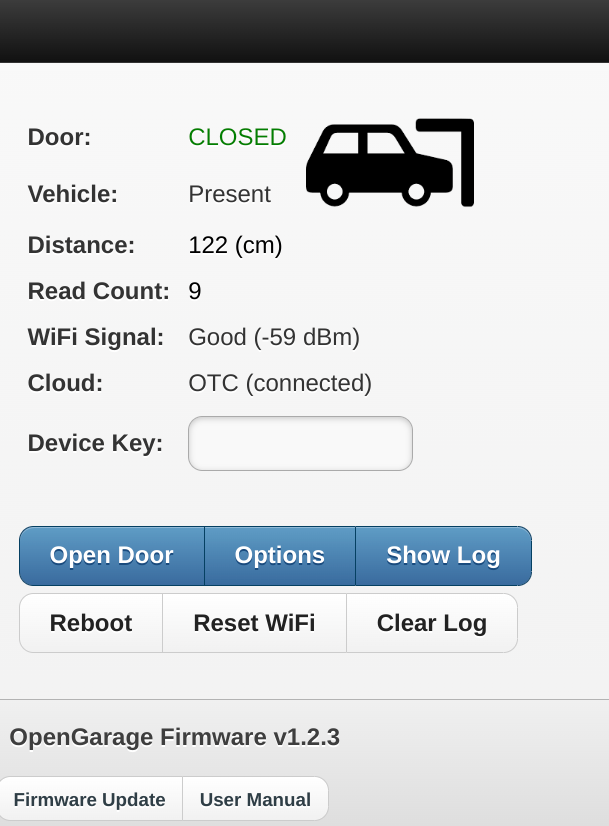
If you’ve got everything placed and wired up correctly, opening the OpenGarage access point or IP address should give you an interface that shows you the status of your garage, your car (optional), and its Wi-Fi and external connections.

Image of OpenGarage web interface, showing a

The landing screen for the OpenGarage. You can only open the door or change settings if you know the device key (which you should change immediately). Credit: Kevin Purdy

It’s a handy webpage and a basic opener (provided you know the secret device key you set), but OpenGarage is more powerful in how it uses that data. OpenGarage’s device can keep a cloud connection open to Blynk or the maker’s own OpenThings.io cloud server. You can hook it up to MQTT or an IFTTT channel. It can send you alerts when your garage has been open a certain amount of time or if it’s open after a certain time of day.

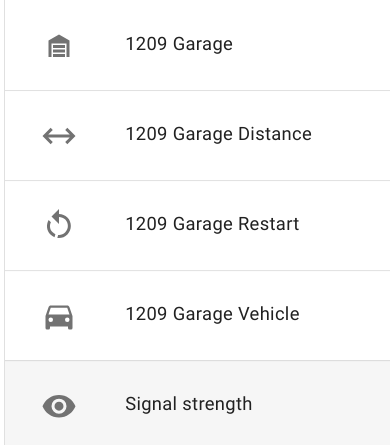
Screenshot showing 5 sensors: garage, distance, restart, vehicle, and signal strength.

You’re telling me you can just… see the state of these things, at all times, on your own network? Credit: Kevin Purdy

You really don’t need a corporate garage coder

For me, the greatest benefit is in hooking OpenGarage up to Home Assistant. I’ve added an opener button to my standard dashboard (one that requires a long-press or two actions to open). I’ve restored the automation that turns on the overhead bulbs for five minutes when the garage door opens. And I can dig in if I want, like alerting me that it’s Monday night at 10 pm and I’ve yet to open the garage door, indicating I forgot to put the trash out. Or maybe some kind of NFC tag to allow for easy opening while on a bike, if that’s not a security nightmare (it might be).

Not for nothing, but OpenGarage is also a deeply likable bit of indie kit. It’s a two-person operation, with Ray Wang building on his work with the open and handy OpenSprinkler project, trading Arduino for ESP8266, and doing some 3D printing to fit the sensors and switches, and Samer Albahra providing mobile app, documentation, and other help. Their enthusiasm for DIY home control has likely brought out the same in others and certainly in me.

Photo of Kevin Purdy

Kevin is a senior technology reporter at Ars Technica, covering open-source software, PC gaming, home automation, repairability, e-bikes, and tech history. He has previously worked at Lifehacker, Wirecutter, iFixit, and Carbon Switch.

I, too, installed an open source garage door opener, and I’m loving it Read More »

matter-1.4-has-some-solid-ideas-for-the-future-home—now-let’s-see-the-support

Matter 1.4 has some solid ideas for the future home—now let’s see the support

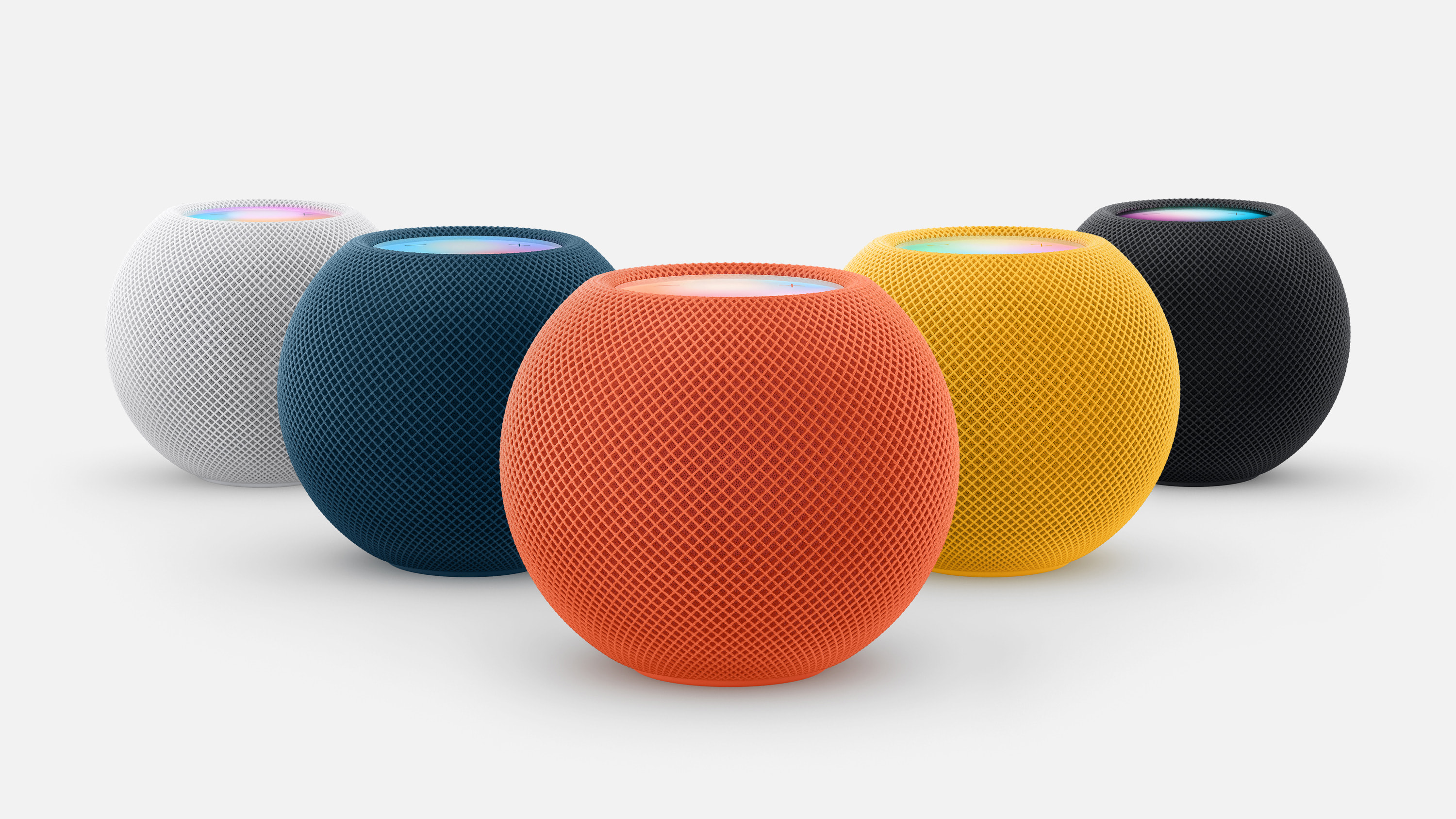
With Matter 1.4 and improved Thread support, you shouldn’t need to blanket your home in HomePod Minis to have adequate Thread coverage. Then again, they do brighten up the place. Credit: Apple

Routers are joining the Thread/Matter melee

A whole bunch of networking gear, known as Home Routers and Access Points (HRAP), can now support Matter, while also extending Thread networks with Matter 1.4.

“Matter-certified HRAP devices provide the foundational infrastructure of smart homes by combining both a Wi-Fi access point and a Thread Border Router, ensuring these ubiquitous devices have the necessary infrastructure for Matter products using either of these technologies,” the CSA writes in its announcement.

Prior to wireless networking gear officially getting in on the game, the devices that have served as Thread Border Routers, accepting and re-transmitting traffic for endpoint devices, has been a hodgepodge of gear. Maybe you had HomePod Minis, newer Nest Hub or Echo devices from Google or Amazon, or Nanoleaf lights around your home, but probably not. Routers, and particularly mesh networking gear, should already be set up to reach most corners of your home with wireless signal, so it makes a lot more sense to have that gear do Matter authentication and Thread broadcasting.

Freeing home energy gear from vendor lock-in

Matter 1.4 adds some big, expensive gear to its list of device types and control powers, and not a moment too soon. Solar inverters and arrays, battery storage systems, heat pumps, and water heaters join the list. Thermostats and Electric Vehicle Supply Equipment (EVSE), i.e. EV charging devices, also get some enhancements. For that last category, it’s not a moment too soon, as chargers that support Matter can keep up their scheduled charging without cloud support from manufacturers.

More broadly, Matter 1.4 bakes a lot of timing, energy cost, and other automation triggers into the spec, which—again, when supported by device manufacturers, at some future date—should allow for better home energy savings and customization, without tying it all to one particular app or platform.

CSA says that, with “nearly two years of real-world deployment in millions of households,” the companies and trade groups and developers tending to Matter are “refining software development kits, streamlining certification processes, and optimizing individual device implementations.” Everything they’ve got lined up seems neat, but it has to end up inside more boxes to be truly impressive.

Matter 1.4 has some solid ideas for the future home—now let’s see the support Read More »

smart-gardening-firm’s-shutdown-a-reminder-of-internet-of-things’-fickle-nature

Smart gardening firm’s shutdown a reminder of Internet of Things’ fickle nature

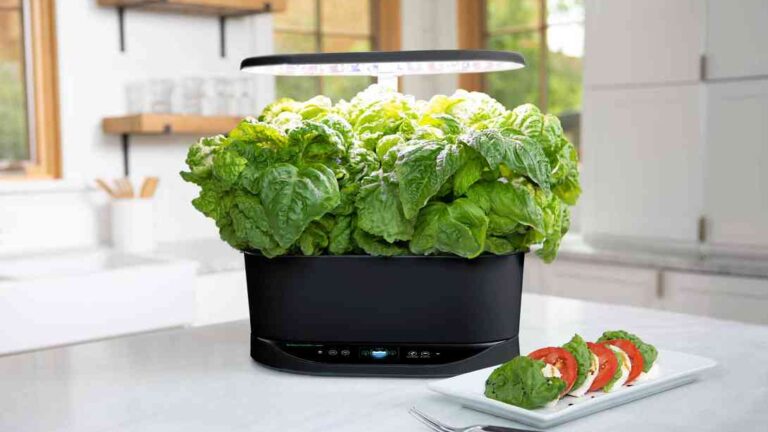
AeroGarden, which sells Wi-Fi-connected indoor gardening systems, is going out of business on January 1. While Scotts Miracle-Gro has continued selling AeroGarden products after announcing the impending shutdown, the future of the devices’ companion app is uncertain.

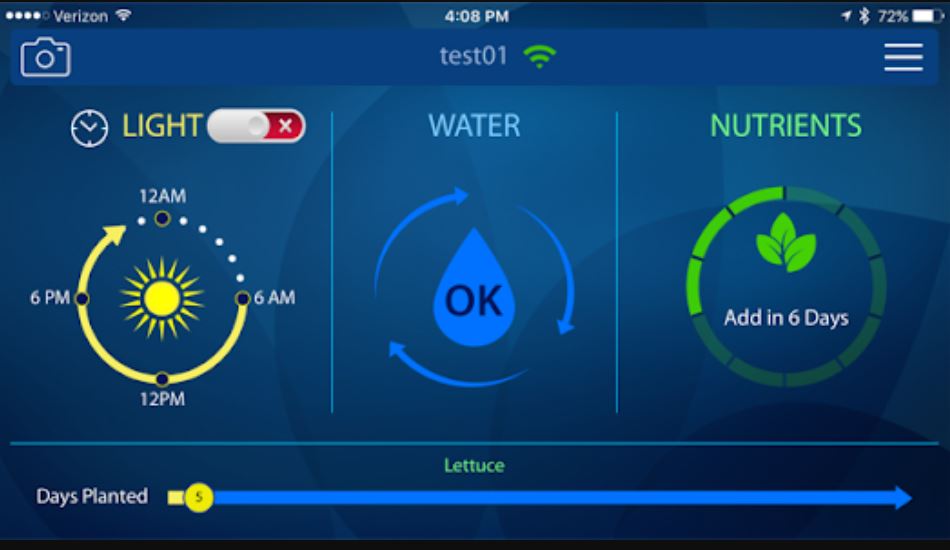
AeroGarden systems use hydroponics and LED lights to grow indoor gardens without requiring sunlight or soil. The smart gardening system arrived in 2006, and Scotts Miracle-Gro took over complete ownership in 2020. Some AeroGardens work with the iOS and Android apps that connect to the gardens via Wi-Fi and tell users when their plants need water or nutrients. AeroGarden also marketed the app as a way for users to easily monitor multiple AeroGardens and control the amount of light, water, and nutrients they should receive. The app offers gardening tips and can access AeroGarden customer service representatives and AeroGarden communities on Facebook and other social media outlets.

Regarding the reasoning for the company’s closure, AeroGarden’s FAQ page only states:

This was a difficult decision, but one that became necessary due to a number of challenges with this business.

It’s possible that AeroGarden struggled to compete with rivals, which include cheaper options for gardens and seed pods that are sold on Amazon and other retailers or made through DIY efforts.

AeroGarden’s closure is somewhat more surprising considering that it updated its app in June. But now it’s unknown how long the app will be available. In an announcement last week, AeroGarden said that its app “will be available for an extended period of time” and that it’ll inform customers about the app’s “longer-term status as we work through the transition period.”

A screenshot from the AeroGarden app.

A screenshot from the AeroGarden app.

Credit: AeroGarden

A screenshot from the AeroGarden app. Credit: AeroGarden

However, that doesn’t provide much clarity to people who may have invested in AeroGarden’s Wi-Fi-enabled Bounty and Farm models. The company refreshed both lines in 2020, with the Farm line starting at $595 at the time. The gardens also marketed compatibility with Amazon Alexa. The gardens will still work without the app, but remote control features most likely won’t whenever the app ultimately shuts down.

Smart gardening firm’s shutdown a reminder of Internet of Things’ fickle nature Read More »

sunrise-alarm-clock-didn’t-make-waking-up-easier—but-made-sleeping-more-peaceful

Sunrise alarm clock didn’t make waking up easier—but made sleeping more peaceful

  • The Hatch Restore 2 with one of its lighting options on.

    Scharon Harding

  • The time is visible here, but you can disable that.

    Scharon Harding

  • Here’s the clock with a light on in the dark.

    Scharon Harding

  • A closer look.

    Scharon Harding

  • The clock’s backside.

    Scharon Harding

To say “I’m not a morning person” would be an understatement. Not only is it hard for me to be useful in the first hour (or so) of being awake, but it’s hard for me to wake up. I mean, really hard.

I’ve tried various recommendations and tricks: I’ve set multiple alarms and had coffee ready and waiting, and I’ve put my alarm clock far from my bed and kept my blinds open so the sun could wake me. But I’m still prone to sleeping through my alarm or hitting snooze until the last minute.

The Hatch Restore 2, a smart alarm clock with lighting that mimics sunrises and sunsets, seemed like a technologically savvy approach to realizing my dreams of becoming a morning person.

After about three weeks, though, I’m still no early bird. But the smart alarm clock is still earning a spot on my nightstand.

How it works

Hatch refers to the Restore 2 as a “smart sleep clock.” That’s marketing speak, but to be fair, the Restore 2 does help me sleep. A product page describes the clock as targeting users’ “natural circadian rhythm, so you can get your best sleep.” There’s some reasoning here. Circadian rhythms are “the physical, mental, and behavioral changes an organism experiences over a 24-hour cycle,” per the National Institute of General Medical Sciences (NIGMS). Circadian rhythms affect our sleep patterns (as well as other biological aspects, like appetite), NIGMS says.

The Restore 2’s pitch is a clock programmed to emit soothing lighting, which you can make change gradually as it approaches bedtime (like get darker), partnered with an alarm clock that simulates a sunrise with brightening lighting that can help you wake up more naturally. You can set the clock to play various soothing sounds while you’re winding down, sleeping, and/or as your alarm sound.

The clock needs a Wi-Fi connection and its app to set up the device. The free app has plenty of options, including sounds, colors, and tips for restful sleep (there’s a subscription for extra features and sounds for $5 per month, but thankfully, it’s optional).

Out like a light

This is, by far, the most customizable alarm clock I’ve ever used. The app was a little overwhelming at first, but once I got used to it, it was comforting to be able to set Routines or different lighting/sounds for different days. For example, I set mine to play two hours of “Calming Singing Bowls” with a slowly dimming sunset effect when I press the “Rest” button. Once I press the button again, the clock plays ocean sounds until my alarm goes off.

  • Routines in the Restore 2 app.

    Scharon Harding/Hatch

  • Setting a sunrise alarm part one.

    Scharon Harding/Hatch

  • Setting a sunrise alarm part two. (Part three would show a volume slider).

    Scharon Harding/Hatch

I didn’t think I needed a sleeping aid—I’m really good at sleeping. But I was surprised at how the Restore 2 helped me fall asleep more easily by blocking unpleasant noises. In my room, the biggest culprit is an aging air conditioner that’s loud while on, and it gets even more uproarious when automatically turning itself on and off (a feature that has become a bug I can’t disable).

As I’ve slept these past weeks, the clock has served as a handy, adjustable colored light to have on in the evening or as a cozy nightlight. The ocean noises have been blending in with the AC’s sounds, clearing my mind. I’d sleepily ponder if certain sounds I heard were coming from the clock or my AC. That’s the dull, fruitless thinking that quickly gets me snoozing.

Playing sounds to fall asleep is obviously not new (some of my earlier memories are falling asleep to a Lady and the Tramp cassette). Today, many would prefer using an app or playing a long video over getting a $170 alarm clock for the experience. Still, the convenience of setting repeating Routines on a device dedicated to being a clock turned out to be an asset. It’s also nice to be able to start a Routine by pressing an on-device button rather than having to use my phone to play sleeping sounds.

But the idea of the clock’s lighting and sounds helping me wind down in the hours before bed would only succeed if I was by the clock when winding down. I’m usually spending my last waking moments in my living room. So unless I’m willing to change my habits, or get a Restore 2 for the living room, this feature is lost on me.

Sunrise alarm clock didn’t make waking up easier—but made sleeping more peaceful Read More »

amazon-is-bricking-primary-feature-on-$160-echo-device-after-1-year

Amazon is bricking primary feature on $160 Echo device after 1 year

Echo Show 8 Photos Edition —

Smart display will soon default to showing ads after three hours.

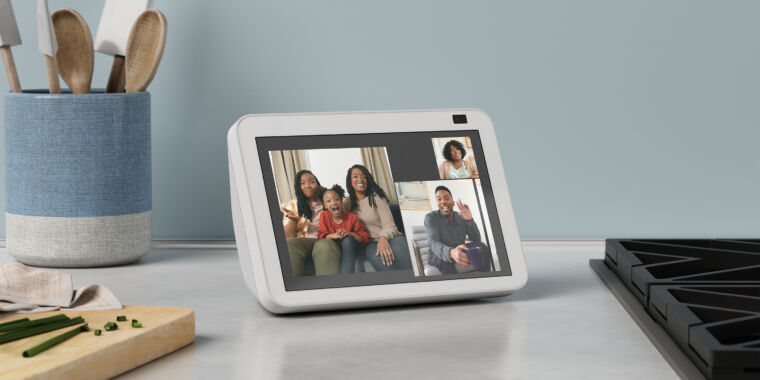
echo show 8 video call

In September of 2023, Amazon announced the Echo Show 8 Photos Edition. It looked just like the regular Echo Show 8 smart display/speaker but cost $10 more. Why? Because of its ability to show photos on the home screen for as long as you want—if you signed up for a $2 monthly subscription to Amazon’s PhotosPlus. Now, about a year after releasing the Echo Show 8 Photos Edition, Amazon is announcing that it’s discontinuing PhotosPlus. That means Echo Show 8 Photos Edition users will be forced to see ads instead of their beloved pics.

As per The Verge yesterday, Amazon started sending PhotosPlus subscribers emails saying that it will automatically cancel all PhotosPlus subscriptions on September 12 and will stop supporting PhotosPlus as of September 23. PhotosPlus, per Amazon’s message, “makes photos the primary home screen content you see on your Echo Show 8 and includes 25 GB of storage with Amazon Photos,” Amazon’s online photo storage offering. Users can continue using the 25GB of Amazon Photos storage after September.

However, users will no longer be able to make photos the indefinite home screen on the Alexa gadget. After September, their devices will no longer have the “photo-forward mode” that Amazon advertised for the Echo Show 8 Photos Edition. The photo-forward mode, per Amazon, let people make “selected personal photos the primary rotating content on the ambient screen” (photos rotated every 30 seconds). Now, Echo Show 8 Photo Editions will work like a regular Echo Show 8 and default to showing ads and promotions after three hours.

“The end of my Echo Show 8”

Amazon never explained why owners of the standard Echo Show 8 couldn’t use PhotosPlus or the photo-forward mode. The devices looked identical. It’s possible that the Photos Edition used extra hardware, but it’s likely that the Photos Edition’s $10 premium was meant to offset the lost ad revenue.

But now people who bought into the Photos Edition could feel like the victims of a bait-and-switch. After paying $10 extra to get a device capable of displaying photos indefinitely instead of ads, they’ll be forced into the same user experience as the cheaper Echo Show 8.

“I really have zero interest in keeping it if it’s going to show ads all day,” Reddit user Misschiff0 said in response to the news. “Sadly, this is the end of my Echo Show 8.”

Other apparent customers have discussed abandoning the Echo line entirely in response to the changes. As Reddit user Raybreezer wrote:

I’m dying for a replacement smart home speaker with a screen that’s not Google. Every day I hate the echo [sic] line more and more.

PhotosPlus was always a tough sell

Amazon may make more money selling ads than it has selling PhotosPlus subscriptions and relevant hardware. It was always somewhat peculiar that PhotosPlus only applied to one Amazon device. Amazon might have been considering extending PhotosPlus to other devices but didn’t get enough interest or money from the venture. Getting people to pay monthly for a feature that some would argue the gadget should already support out of the box seems difficult.

Amazon spokesperson Courtney Ramirez told The Verge that Amazon discontinued the Echo Show 8 Photos Edition in March, noting that Amazon regularly evaluates “products and services based on customer feedback” and that users can still get their Echo Show 8 Photos Editions to show photos.

But it’s hard to overlook Amazon discontinuing a product after about only six months and then bricking the device’s exclusive feature only a year after release. The short-lived Echo Show 8 Photos Edition and PhotosPlus service are joining Amazon’s graveyard of gadgets, which include the discontinued Astro business robot, Just Walk OutAmazon GlowFire PhoneDash buttons, and the Amazon Smart Oven.

Amazon’s quick discontinuation of the smart display and PhotosPlus is emblematic of its struggles to find a lucrative purpose and significant revenue source for Alexa-powered devices. Reports have claimed that Alexa went without a profit timeline for years and has cost Amazon tens of billions of dollars.

Amazon is banking on the upcoming generative AI version of Alexa being so good that people will pay a subscription fee to use it. But with tough competition, generative AI implementations varying in accuracy and relevance, and some consumers already turned off by consumer gadgets’ AI marketing hype, it’ll be hard for Amazon to turn things around. A premium-priced Alexa device losing its main feature after a year doesn’t instill confidence in future Amazon products either.

Amazon is bricking primary feature on $160 Echo device after 1 year Read More »

“ai-toothbrushes”-are-coming-for-your-teeth—and-your-data

“AI toothbrushes” are coming for your teeth—and your data

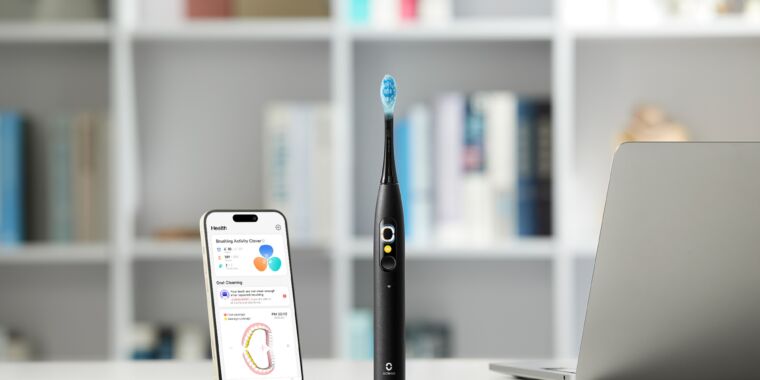
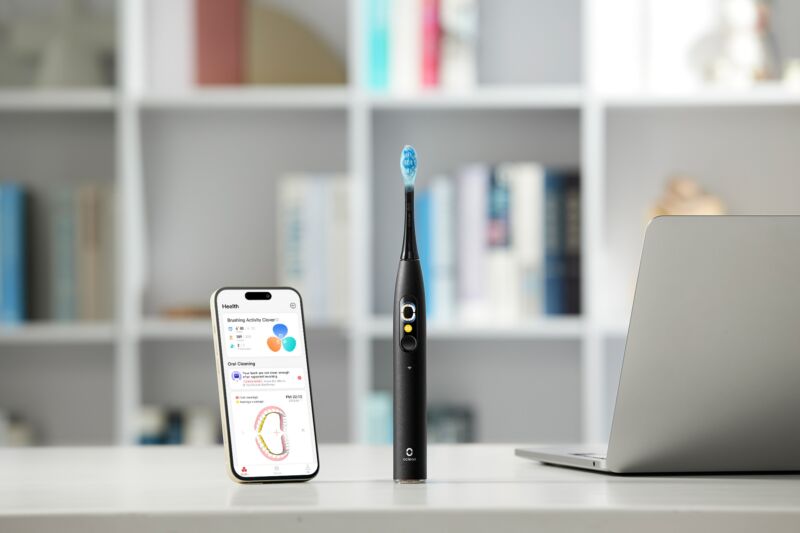
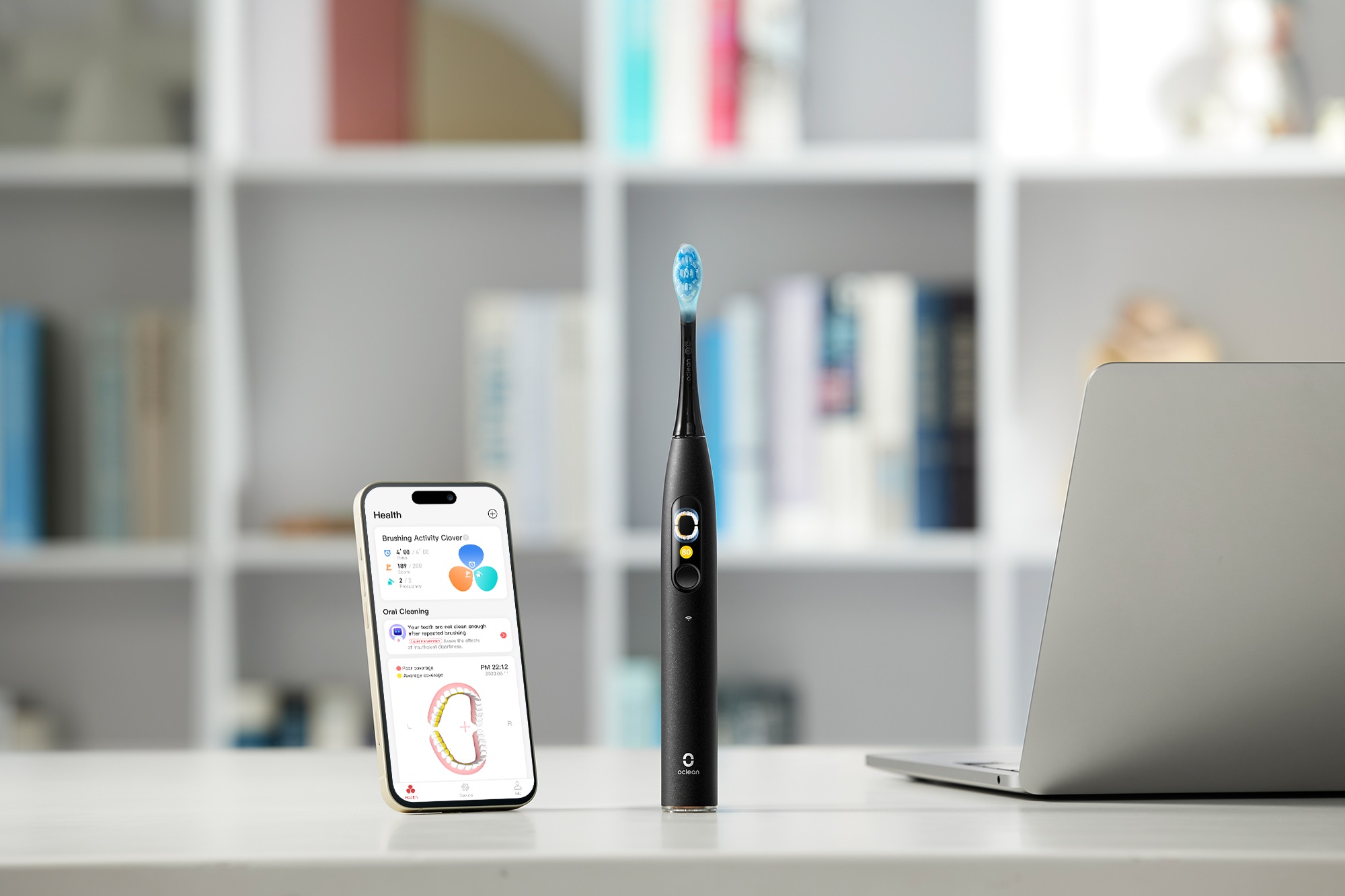
Oclean's X Ultra, released in July, has optional Wi-Fi connectivity.

Enlarge / Oclean’s X Ultra, released in July, has optional Wi-Fi connectivity.

Oclean

One of the most unlikely passengers on the AI gadgets hype train is the toothbrush. With claims of using advanced algorithms and companion apps to help you brush your teeth better, toothbrushes have become a tech product for some brands.

So-called “AI toothbrushes” have become more common since debuting in 2017. Numerous brands now market AI capabilities for toothbrushes with three-figure price tags. But there’s limited scientific evidence that AI algorithms help oral health, and companies are becoming more interested in using tech-laden toothbrushes to source user data.

AI toothbrushes

Kolibree was the first company to announce a “toothbrush with artificial intelligence.” The French company debuted its Ara brush at CES 2017, with founder and CEO Thomas Serval saying, “Patented deep learning algorithms are embedded directly inside the toothbrush on a low-power processor. Raw data from the sensors runs through the processor, enabling the system to learn your habits and refine accuracy the more it’s used.”

That’s pretty much how other AI toothbrush companies describe their products: There’s a vague algorithm working with an unnamed (likely cheap) processor and sensors to gather information, including how hard, fast, or frequently you brush your teeth. Typically, Bluetooth connectivity enables syncing this data with an app, purportedly letting users see interpretations of their brushing habits and how they could improve.

Kolibree now licenses its technology to Colgate-branded AI toothbrushes. The associated app, Colgate Connect, allows users to order Colgate products, sometimes at a discount. Other companies selling “AI toothbrushes” with connected e-commerce apps are Procter & Gamble’s (P&G’s) Oral-B, Philips, and Oclean, which announced a new tech-equipped toothbrush in July. Unlike many other toothbrushes, Oclean’s X Ultra can work with Wi-Fi.

An Oclean spokesperson told Ars Technica via email:

The toothbrush’s chip and accelerometer collect user behavior data. The embedded algorithm processes this data, and the brushing data is uploaded to the cloud in real time (no need to open the app once Wi-Fi is connected). Data processed on the toothbrush is displayed on the screen with limited dimensions, while cloud-processed results are shown on the mobile app with more dimensions and AI suggestions (based on recent or long-term brushing habits).

Assuming you could find an AI toothbrush that delivers on its claims by helpfully pointing out that you tend to miss your top-right molar, there’s reason to be skeptical about the necessity of such technology and the underlying motivations a brand may have in releasing an app-connected toothbrush.

AI toothbrushes help companies sell, develop products

Outside of toothbrushes, personal care brands have been seeking new ways to make money beyond selling units. As Stéphane Bérubé, CMO at beauty brand L’Oréal, put it, the industry can get value from selling services instead of just products. “I believe that the company that just sells products will not be successful,” she said at a 2018 marketing conference.

AI toothbrushes follow a similar approach. Toothbrushing tips act as a service, while the connected apps offer ways to potentially diversify a company’s business, make more revenue through product sales, and get an intimate understanding of how people use a product. The Oral-B toothbrush app, for example, can provide users information about their toothbrushing habits and recommend P&G products to buy while providing purchase links.

P&G has also discussed using AI in general as a way to get information that could help shape product development. As explained by P&G CIO Vittorio Cretella in a 2022 blog post, “algorithms can be defined to process consumer feedback on product changes and flag R&D engineers in real time, along with recommending adjustments accordingly.” As P&G’s R&D team has pointed out, traditional methods for collecting data on consumers, like surveys and focus groups, rely on self-reporting that can be inaccurate. Using tech to gather information about the way people use products is a way for corporations to address that flaw.

“AI toothbrushes” are coming for your teeth—and your data Read More »

how-i-upgraded-my-water-heater-and-discovered-how-bad-smart-home-security-can-be

How I upgraded my water heater and discovered how bad smart home security can be

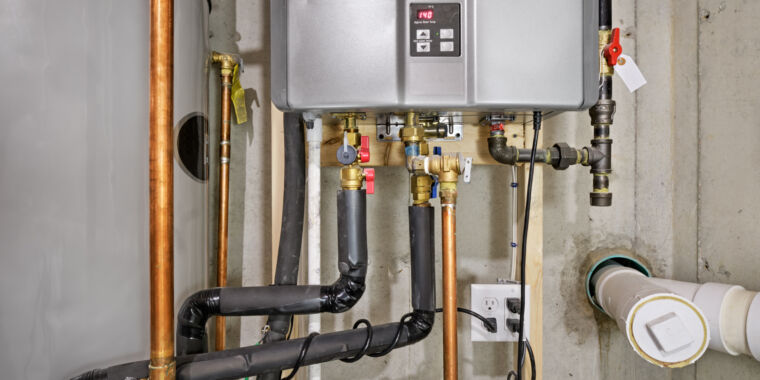
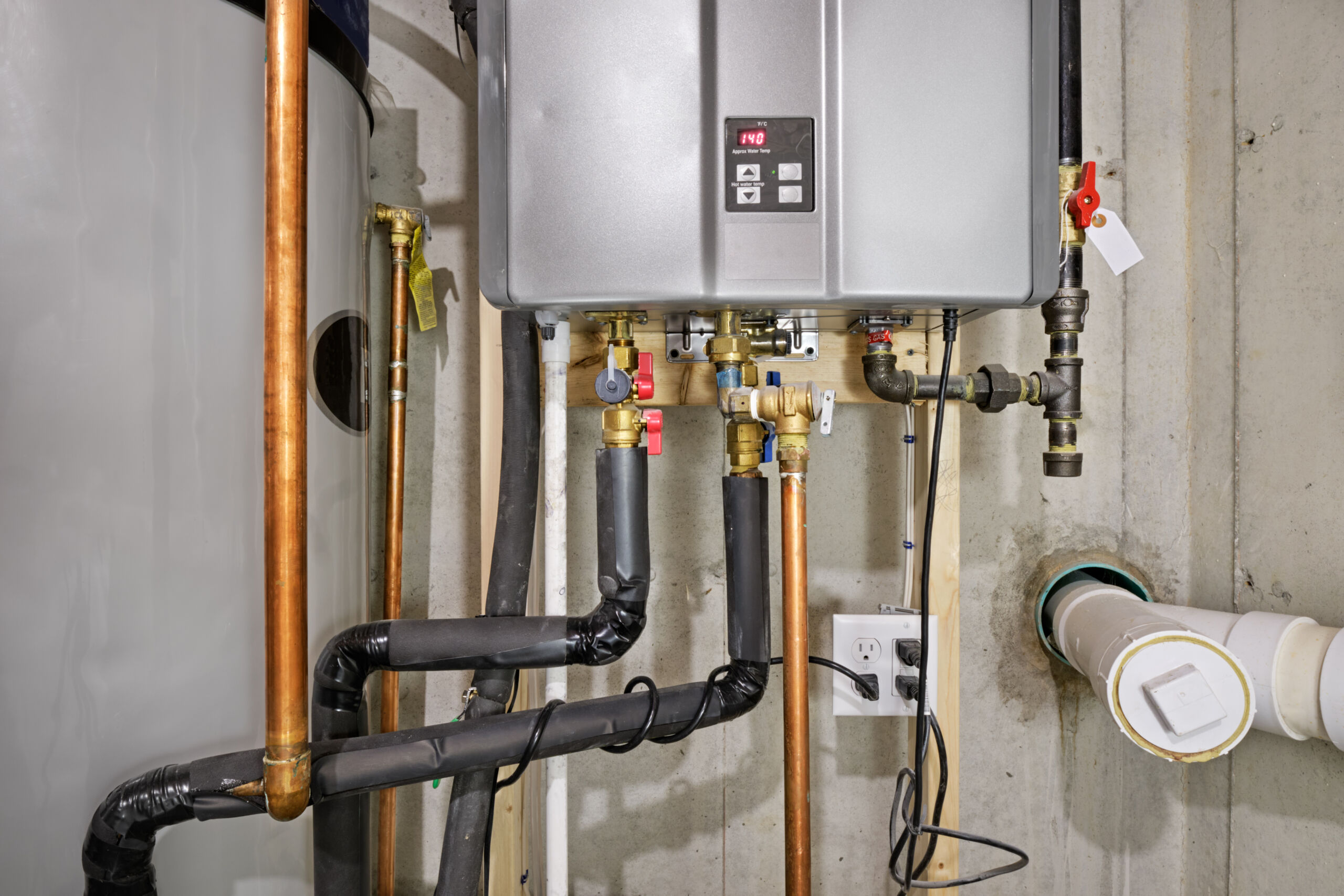
The bottom half of a tankless water heater, with lots of pipes connected, in a tight space

Enlarge / This is essentially the kind of water heater the author has hooked up, minus the Wi-Fi module that led him down a rabbit hole. Also, not 140-degrees F—yikes.

Getty Images

The hot water took too long to come out of the tap. That is what I was trying to solve. I did not intend to discover that, for a while there, water heaters like mine may have been open to anybody. That, with some API tinkering and an email address, a bad actor could possibly set its temperature or make it run constantly. That’s just how it happened.

Let’s take a step back. My wife and I moved into a new home last year. It had a Rinnai tankless water heater tucked into a utility closet in the garage. The builder and home inspector didn’t say much about it, just to run a yearly cleaning cycle on it.

Because it doesn’t keep a big tank of water heated and ready to be delivered to any house tap, tankless water heaters save energy—up to 34 percent, according to the Department of Energy. But they’re also, by default, slower. Opening a tap triggers the exchanger, heats up the water (with natural gas, in my case), and the device has to push it through the line to where it’s needed.

That led to me routinely holding my hand under cold water in the sink or shower, waiting longer than felt right for reasonably warm water to appear. I understood the water-for-energy trade-off I was making. But the setup wasted time, in addition to potable water, however plentiful and relatively cheap it was. It just irked me.

Little did I know the solution was just around the corner.

Hot water hotspot

  • Attention!

    Kevin Purdy

  • Nothing’ll happen. Just touch it. It’s what you wanna do. It’s there for you to touch.

    Kevin Purdy

  • The Rinnai Central app. It does this “Control failed” bit quite often.

    Rinnai

I mean that literally. When I went into the utility closet to shut off the hose bibbs for winter, I noticed a plastic bag magnetically stuck to the back side of the water heater. “Attention! The Control-R Wi-Fi Module must be installed for recirculation to operate,” read the intense yellow warning label. The water heater would not “recirculate” without it, it noted.

The Rinnai Control-R module, out of bag.

Enlarge / The Rinnai Control-R module, out of bag.

Rinnai

Recirculation means that the heater would start pulling water and heating it on demand, rather than waiting for enough negative pressure from the pipes. To trigger this, Rinnai offered smartphone apps that could connect through its servers to the module.

I found the manual, unplugged the water heater, and opened it up. The tone of the language inside (“DO NOT TOUCH,” unless you are “a properly trained technician”) did not match that of the can-do manual (“get the most from your new module”). But, having read the manual and slotted little beige nubs before, I felt trained and technical. I installed the device, went through the typical “Connect your phone to this weirdly named hotspot” process, and—it worked.

I now had an app that could start recirculation. I could get my shower hot while still in bed, or get started on the dinner dishes from the couch. And yet pulling out my phone whenever I wanted hot water felt like trading one inconvenience for another.

How I upgraded my water heater and discovered how bad smart home security can be Read More »