microsoft

windows-11’s-most-important-new-feature-is-post-quantum-cryptography-here’s-why.

Windows 11’s most important new feature is post-quantum cryptography. Here’s why.

Microsoft is updating Windows 11 with a set of new encryption algorithms that can withstand future attacks from quantum computers in a move aimed at jump-starting what’s likely to be the most formidable and important technology transition in modern history.

Computers that are based on the physics of quantum mechanics don’t yet exist outside of sophisticated labs, but it’s well-established science that they eventually will. Instead of processing data in the binary state of zeros and ones, quantum computers run on qubits, which encompass myriad states all at once. This new capability promises to bring about new discoveries of unprecedented scale in a host of fields, including metallurgy, chemistry, drug discovery, and financial modeling.

Averting the cryptopocalypse

One of the most disruptive changes quantum computing will bring is the breaking of some of the most common forms of encryption, specifically, the RSA cryptosystem and those based on elliptic curves. These systems are the workhorses that banks, governments, and online services around the world have relied on for more than four decades to keep their most sensitive data confidential. RSA and elliptic curve encryption keys securing web connections would require millions of years to be cracked using today’s computers. A quantum computer could crack the same keys in a matter of hours or minutes.

At Microsoft’s BUILD 2025 conference on Monday, the company announced the availability of quantum-resistant algorithms to SymCrypt, the core cryptographic code library in Windows. The updated library is available in Build 27852 and higher versions of Windows 11. Additionally, Microsoft has updated SymCrypt-OpenSSL, its open source project that allows the widely used OpenSSL library to use SymCrypt for cryptographic operations.

Windows 11’s most important new feature is post-quantum cryptography. Here’s why. Read More »

microsoft’s-surface-lineup-reportedly-losing-another-of-its-most-interesting-designs

Microsoft’s Surface lineup reportedly losing another of its most interesting designs

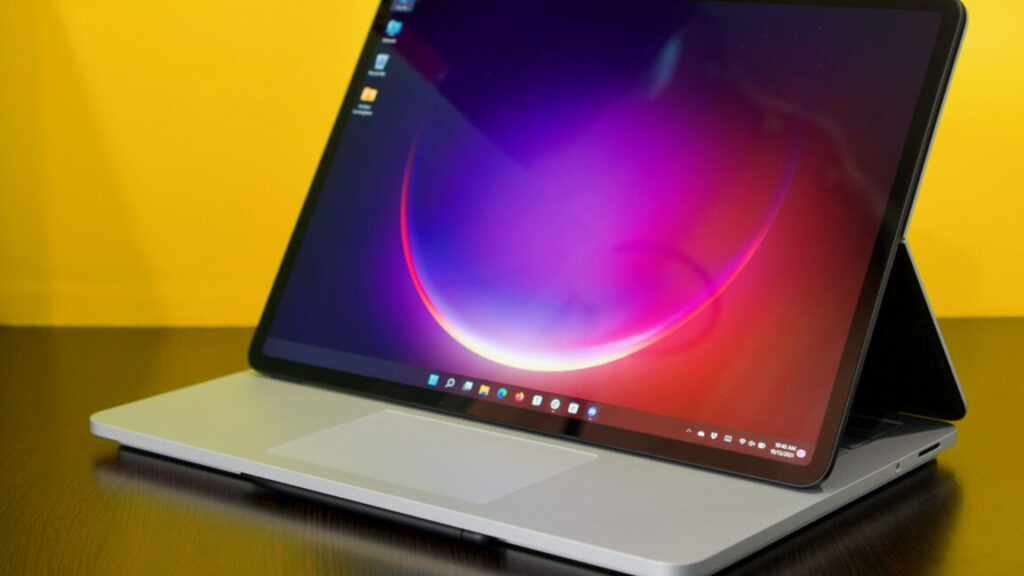
Like the Surface Studio desktop, the Laptop Studio’s odd and innovative exterior was rendered less exciting by a high price and relatively underpowered interior. Before discounts, the Laptop Studio 2 starts at around $2,400 for a basic configuration with a 13th-generation Core i7 processor, 16GB of RAM, and 512GB of storage—integrated graphics and a fully loaded version with 64GB of RAM, a 2TB SSD, and a GeForce RTX 4060 GPU would normally run you over $4,300.

Though experimental Surface designs like the Book and Studio rarely delivered great value for the money, they were at least unique attempts at new kinds of PCs with extra features for designers, artists, and anyone else who could benefit from a big stylus-compatible touchscreen. Microsoft’s most influential PC design remains the Surface Pro itself, one of the few tablet PC design templates to outlast the Windows 8 era. It makes sense for Microsoft (or any PC company) to play it safe with established designs, but it does make the PC industry just a little less interesting.

Microsoft’s Surface lineup reportedly losing another of its most interesting designs Read More »

office-apps-on-windows-10-are-no-longer-tied-to-its-october-2025-end-of-support-date

Office apps on Windows 10 are no longer tied to its October 2025 end-of-support date

For most users, Windows 10 will stop receiving security updates and other official support from Microsoft on October 14, 2025, about five months from today. Until recently, Microsoft had also said that users running the Microsoft Office apps on Windows 10 would also lose support on that date, whether they were using the continually updated Microsoft 365 versions of those apps or the buy-once-own-forever versions included in Office 2021 or Office 2024.

Microsoft has recently tweaked this policy, however (as seen by The Verge). Now, Windows 10 users of the Microsoft 365 apps will still be eligible to receive software updates and support through October of 2028, “in the interest of maintaining your security while you upgrade to Windows 11.” Microsoft is taking a similar approach to Windows Defender malware definitions, which will be offered to Windows 10 users “through at least October 2028.”

The policy is a change from a few months ago, when Microsoft insisted that Office apps running on Windows 10 would become officially unsupported on October 14. The perpetually licensed versions of Office will be supported in accordance with Microsoft’s “Fixed Lifecycle Policy,” which guarantees support and security updates for a fixed number of years after a software product’s initial release. For Office 2021, this means Windows 10 users will get support through October of 2026; for Office 2024, this should extend to October of 2029.

Office apps on Windows 10 are no longer tied to its October 2025 end-of-support date Read More »

microsoft-effectively-raises-high-end-surface-prices-by-discontinuing-base-models

Microsoft effectively raises high-end Surface prices by discontinuing base models

While the Surface Pro and Laptop get price hikes that aren’t technically price hikes, some Surface accessories have had their prices directly increased. The Surface USB-C Travel Hub is now $120 instead of $100; the Surface Arc Mouse is now $90 instead of $80, and a handful of replacement parts are more expensive now than they were, according to recent Internet Wayback Machine snapshots. Generally, Surface Pen accessories and Surface Pro keyboard covers are the same price as they were before.

Microsoft also raised prices on its Xbox consoles earlier this month while warning customers that game prices could go up to $80 for some releases later this year.

If you’re quick, you can still find the 256GB Surface devices in stock at third-party retailers. For example, Best Buy will sell you a Surface Laptop 7 with a 256GB SSD for $799, $100 less than the price of the 13-inch Surface Laptop that Microsoft just announced. We’d expect these retail listings to vanish over the next few days or weeks, and we wouldn’t expect them to come back in stock once they’re gone.

Increased import tariffs imposed by the Trump administration could explain at least some of these price increases. Though PCs and smartphones are currently exempted from the worst of them (at least for now), global supply chains and shipping costs are complex enough that they could still be increasing Microsoft’s costs indirectly. For the Surface Pro and Surface Laptop, the decision to discontinue the old 256GB models also seems driven by a desire to make the new 12-inch Pro and 13-inch Laptop look like better deals than they did earlier this week. Raising the base price does help clarify the lineup; it just does so at the expense of the consumer.

Microsoft effectively raises high-end Surface prices by discontinuing base models Read More »

openai-scraps-controversial-plan-to-become-for-profit-after-mounting-pressure

OpenAI scraps controversial plan to become for-profit after mounting pressure

The restructuring would have also allowed OpenAI to remove the cap on returns for investors, potentially making the firm more appealing to venture capitalists, with the nonprofit arm continuing to exist but only as a minority stakeholder rather than maintaining governance control. This plan emerged as the company sought a funding round that would value it at $150 billion, which later expanded to the $40 billion round at a $300 billion valuation.

However, the new change in course follows months of mounting pressure from outside the company. In April, a group of legal scholars, AI researchers, and tech industry watchdogs openly opposed OpenAI’s plans to restructure, sending a letter to the attorneys general of California and Delaware.

Former OpenAI employees, Nobel laureates, and law professors also sent letters to state officials requesting that they halt the restructuring efforts out of safety concerns about which part of the company would be in control of hypothetical superintelligent future AI products.

“OpenAI was founded as a nonprofit, is today a nonprofit that oversees and controls the for-profit, and going forward will remain a nonprofit that oversees and controls the for-profit,” he added. “That will not change.”

Uncertainty ahead

While abandoning the restructuring that would have ended nonprofit control, OpenAI still plans to make significant changes to its corporate structure. “The for-profit LLC under the nonprofit will transition to a Public Benefit Corporation (PBC) with the same mission,” Altman explained. “Instead of our current complex capped-profit structure—which made sense when it looked like there might be one dominant AGI effort but doesn’t in a world of many great AGI companies—we are moving to a normal capital structure where everyone has stock. This is not a sale, but a change of structure to something simpler.”

But the plan may cause some uncertainty for OpenAI’s financial future. When OpenAI secured a massive $40 billion funding round in March, it came with strings attached: Japanese conglomerate SoftBank, which committed $30 billion, stipulated that it would reduce its contribution to $20 billion if OpenAI failed to restructure into a fully for-profit entity by the end of 2025.

Despite the challenges ahead, Altman expressed confidence in the path forward: “We believe this sets us up to continue to make rapid, safe progress and to put great AI in the hands of everyone.”

OpenAI scraps controversial plan to become for-profit after mounting pressure Read More »

rip-skype-(2003–2025),-survived-by-multiple-versions-of-microsoft-teams

RIP Skype (2003–2025), survived by multiple versions of Microsoft Teams

Though not the first software to allow video communication over the Internet, Skype was one of the first recognizably modern peer-to-peer video chatting apps. Created by some of the same developers behind the Kazaa peer-to-peer file-sharing software, Skype was originally released in 2003, at around the same time when increasing broadband Internet availability and better video compression codecs were solving the bandwidth problem.

But as detailed by Wired, Skype lost momentum after the Microsoft purchase, partly due to a redesign that people didn’t like and partly because upstarts like Zoom were offering new features and better call quality. When the COVID-19 pandemic hit in 2020 and all kinds of office jobs shifted to remote work, it was Zoom and not Skype that was in a better position to become the video-chatting app everyone was trapped in.

Skype has been merging into or being replaced by Teams for years, starting with the end of Skype for Business in 2017, a few months after formally releasing the first version of Teams. Microsoft has pushed Teams aggressively, including it alongside its flagship Office apps and Microsoft 365 service for years. Some regulators believed this was, in fact, too aggressive, and Microsoft decoupled Teams from the other Office apps in 2023 (for the European Union) and 2024 (for everyone else).

RIP Skype (2003–2025), survived by multiple versions of Microsoft Teams Read More »

ai-isn’t-ready-to-replace-human-coders-for-debugging,-researchers-say

AI isn’t ready to replace human coders for debugging, researchers say

A graph showing agents with tools nearly doubling the success rates of those without, but still achieving a success score under 50 percent

Agents using debugging tools drastically outperformed those that didn’t, but their success rate still wasn’t high enough. Credit: Microsoft Research

This approach is much more successful than relying on the models as they’re usually used, but when your best case is a 48.4 percent success rate, you’re not ready for primetime. The limitations are likely because the models don’t fully understand how to best use the tools, and because their current training data is not tailored to this use case.

“We believe this is due to the scarcity of data representing sequential decision-making behavior (e.g., debugging traces) in the current LLM training corpus,” the blog post says. “However, the significant performance improvement… validates that this is a promising research direction.”

This initial report is just the start of the efforts, the post claims.  The next step is to “fine-tune an info-seeking model specialized in gathering the necessary information to resolve bugs.” If the model is large, the best move to save inference costs may be to “build a smaller info-seeking model that can provide relevant information to the larger one.”

This isn’t the first time we’ve seen outcomes that suggest some of the ambitious ideas about AI agents directly replacing developers are pretty far from reality. There have been numerous studies already showing that even though an AI tool can sometimes create an application that seems acceptable to the user for a narrow task, the models tend to produce code laden with bugs and security vulnerabilities, and they aren’t generally capable of fixing those problems.

This is an early step on the path to AI coding agents, but most researchers agree it remains likely that the best outcome is an agent that saves a human developer a substantial amount of time, not one that can do everything they can do.

AI isn’t ready to replace human coders for debugging, researchers say Read More »

that-groan-you-hear-is-users’-reaction-to-recall-going-back-into-windows

That groan you hear is users’ reaction to Recall going back into Windows

Security and privacy advocates are girding themselves for another uphill battle against Recall, the AI tool rolling out in Windows 11 that will screenshot, index, and store everything a user does every three seconds.

When Recall was first introduced in May 2024, security practitioners roundly castigated it for creating a gold mine for malicious insiders, criminals, or nation-state spies if they managed to gain even brief administrative access to a Windows device. Privacy advocates warned that Recall was ripe for abuse in intimate partner violence settings. They also noted that there was nothing stopping Recall from preserving sensitive disappearing content sent through privacy-protecting messengers such as Signal.

Enshittification at a new scale

Following months of backlash, Microsoft later suspended Recall. On Thursday, the company said it was reintroducing Recall. It currently is available only to insiders with access to the Windows 11 Build 26100.3902 preview version. Over time, the feature will be rolled out more broadly. Microsoft officials wrote:

Recall (preview)saves you time by offering an entirely new way to search for things you’ve seen or done on your PC securely. With the AI capabilities of Copilot+ PCs, it’s now possible to quickly find and get back to any app, website, image, or document just by describing its content. To use Recall, you will need to opt-in to saving snapshots, which are images of your activity, and enroll in Windows Hello to confirm your presence so only you can access your snapshots. You are always in control of what snapshots are saved and can pause saving snapshots at any time. As you use your Copilot+ PC throughout the day working on documents or presentations, taking video calls, and context switching across activities, Recall will take regular snapshots and help you find things faster and easier. When you need to find or get back to something you’ve done previously, open Recall and authenticate with Windows Hello. When you’ve found what you were looking for, you can reopen the application, website, or document, or use Click to Do to act on any image or text in the snapshot you found.

Microsoft is hoping that the concessions requiring opt-in and the ability to pause Recall will help quell the collective revolt that broke out last year. It likely won’t for various reasons.

That groan you hear is users’ reaction to Recall going back into Windows Read More »

windows-11’s-copilot-vision-wants-to-help-you-learn-to-use-complicated-apps

Windows 11’s Copilot Vision wants to help you learn to use complicated apps

Some elements of Microsoft’s Copilot assistant in Windows 11 have felt like a solution in search of a problem—and it hasn’t helped that Microsoft has frequently changed Copilot’s capabilities, turning it from a native Windows app into a web app and back again.

But I find myself intrigued by a new addition to Copilot Vision that Microsoft began rolling out this week to testers in its Windows Insider program. Copilot Vision launched late last year as a feature that could look at pages in the Microsoft Edge browser and answer questions based on those pages’ contents. The new Vision update extends that capability to any app window, allowing you to ask Copilot not just about the contents of a document but also about the user interface of the app itself.

Microsoft’s Copilot Vision update can see the contents of any app window you share with it. Credit: Microsoft

Provided the app works as intended—not a given for any software, but especially for AI features—Copilot Vision could replace “frantic Googling” as a way to learn how to use a new app or how to do something new or obscure in complex PC apps like Word, Excel, or Photoshop. I recently switched from Photoshop to Affinity Photo, for example, and I’m still finding myself tripped up by small differences in workflows and UI between the two apps. Copilot Vision could, in theory, ease that sort of transition.

Windows 11’s Copilot Vision wants to help you learn to use complicated apps Read More »

carmack-defends-ai-tools-after-quake-fan-calls-microsoft-ai-demo-“disgusting”

Carmack defends AI tools after Quake fan calls Microsoft AI demo “disgusting”

The current generative Quake II demo represents a slight advancement from Microsoft’s previous generative AI gaming model (confusingly titled “WHAM” with only one “M”) we covered in February. That earlier model, while showing progress in generating interactive gameplay footage, operated at 300×180 resolution at 10 frames per second—far below practical modern gaming standards. The new WHAMM demonstration doubles the resolution to 640×360. However, both remain well below what gamers expect from a functional video game in almost every conceivable way. It truly is an AI tech demo.

A Microsoft diagram of the WHAMM system.

A Microsoft diagram of the WHAM system. Credit: Microsoft

For example, the technology faces substantial challenges beyond just performance metrics. Microsoft acknowledges several limitations, including poor enemy interactions, a short context length of just 0.9 seconds (meaning the system forgets objects outside its view), and unreliable numerical tracking for game elements like health values.

Which brings us to another point: A significant gap persists between the technology’s marketing portrayal and its practical applications. While industry veterans like Carmack and Sweeney view AI as another tool in the development arsenal, demonstrations like the Quake II instance may create inflated expectations about AI’s current capabilities for complete game generation.

The most realistic near-term application of generative AI technology remains as coding assistants and perhaps rapid prototyping tools for developers, rather than a drop-in replacement for traditional game development pipelines. The technology’s current limitations suggest that human developers will remain essential for creating compelling, polished game experiences for now. But given the general pace of progress, that might be small comfort for those who worry about losing jobs to AI in the near-term.

Ultimately, Sweeney says not to worry: “There’s always a fear that automation will lead companies to make the same old products while employing fewer people to do it,” Sweeney wrote in a follow-up post on X. “But competition will ultimately lead to companies producing the best work they’re capable of given the new tools, and that tends to mean more jobs.”

And Carmack closed with this: “Will there be more or less game developer jobs? That is an open question. It could go the way of farming, where labor-saving technology allow a tiny fraction of the previous workforce to satisfy everyone, or it could be like social media, where creative entrepreneurship has flourished at many different scales. Regardless, “don’t use power tools because they take people’s jobs” is not a winning strategy.”

Carmack defends AI tools after Quake fan calls Microsoft AI demo “disgusting” Read More »

microsoft-turns-50-today,-and-it-made-me-think-about-ms-dos-5.0

Microsoft turns 50 today, and it made me think about MS-DOS 5.0

On this day in 1975, Bill Gates and Paul Allen founded a company called Micro-Soft in Albuquerque, New Mexico.

The two men had worked together before, as members of the Lakeside Programming group in the early 70s and as co-founders of a road traffic analysis company called Traf-O-Data. But Micro-Soft, later renamed to drop the hyphen and relocated to its current headquarters in Redmond, Washington, would be the company that would transform personal computing over the next five decades.

I’m not here to do a history of Microsoft, because Wikipedia already exists and because the company has already put together a gauzy 50th-anniversary retrospective site with some retro-themed wallpapers. But the anniversary did make me try to remember which Microsoft product I consciously used for the first time, the one that made me aware of the company and the work it was doing.

To get the answer, just put a decimal point in the number “50”—my first Microsoft product was MS-DOS 5.0.

Riding with DOS in the Windows era

I remember this version of MS-DOS so vividly because it was the version that we ran on our first computer. I couldn’t actually tell you what computer it was, though, not because I don’t remember it but because it was a generic yellowed hand-me-down that was prodigiously out of date, given to us by well-meaning people from our church who didn’t know enough to know how obsolete the system was.

It was a clone of the original IBM PC 5150, initially released in 1981; I believe we took ownership of it sometime in 1995 or 1996. It had an Intel 8088, two 5.25-inch floppy drives, and 500-something KB of RAM (also, if memory serves, a sac of spider eggs). But it had no hard drive inside, meaning that anything I wanted to run on or save from this computer needed to use a pile of moldering black plastic diskettes, more than a few of which were already going bad.

Microsoft turns 50 today, and it made me think about MS-DOS 5.0 Read More »

ai-search-engines-cite-incorrect-sources-at-an-alarming-60%-rate,-study-says

AI search engines cite incorrect sources at an alarming 60% rate, study says

A new study from Columbia Journalism Review’s Tow Center for Digital Journalism finds serious accuracy issues with generative AI models used for news searches. The research tested eight AI-driven search tools equipped with live search functionality and discovered that the AI models incorrectly answered more than 60 percent of queries about news sources.

Researchers Klaudia Jaźwińska and Aisvarya Chandrasekar noted in their report that roughly 1 in 4 Americans now uses AI models as alternatives to traditional search engines. This raises serious concerns about reliability, given the substantial error rate uncovered in the study.

Error rates varied notably among the tested platforms. Perplexity provided incorrect information in 37 percent of the queries tested, whereas ChatGPT Search incorrectly identified 67 percent (134 out of 200) of articles queried. Grok 3 demonstrated the highest error rate, at 94 percent.

A graph from CJR shows

A graph from CJR shows “confidently wrong” search results. Credit: CJR

For the tests, researchers fed direct excerpts from actual news articles to the AI models, then asked each model to identify the article’s headline, original publisher, publication date, and URL. They ran 1,600 queries across the eight different generative search tools.

The study highlighted a common trend among these AI models: rather than declining to respond when they lacked reliable information, the models frequently provided confabulations—plausible-sounding incorrect or speculative answers. The researchers emphasized that this behavior was consistent across all tested models, not limited to just one tool.

Surprisingly, premium paid versions of these AI search tools fared even worse in certain respects. Perplexity Pro ($20/month) and Grok 3’s premium service ($40/month) confidently delivered incorrect responses more often than their free counterparts. Though these premium models correctly answered a higher number of prompts, their reluctance to decline uncertain responses drove higher overall error rates.

Issues with citations and publisher control

The CJR researchers also uncovered evidence suggesting some AI tools ignored Robot Exclusion Protocol settings, which publishers use to prevent unauthorized access. For example, Perplexity’s free version correctly identified all 10 excerpts from paywalled National Geographic content, despite National Geographic explicitly disallowing Perplexity’s web crawlers.

AI search engines cite incorrect sources at an alarming 60% rate, study says Read More »