Tech

usb-hubs,-printers,-java,-and-more-seemingly-broken-by-macos-14.4-update

USB hubs, printers, Java, and more seemingly broken by macOS 14.4 update

pobody’s nerfect —

Issues seem to be related to security fixes made in Apple’s latest OS.

USB hubs, printers, Java, and more seemingly broken by macOS 14.4 update

A couple of weeks ago, Apple released macOS Sonoma 14.4 with the usual list of bug fixes, security patches, and a couple of minor new features. Since then, users and companies have been complaining of a long list of incompatibilities, mostly concerning broken external accessories like USB hubs and printers but also extending to software like Java.

MacRumors has a good rundown of the list of issues, which has been steadily getting longer as people have run into more problems. It started with reports of malfunctioning USB hubs, sourced from users on Reddit, the Apple Support Communities forums, and elsewhere—USB hubs built into various displays stopped functioning for Mac users after the 14.4 update.

Other issues surfaced in the days after people started reporting problems with their USB hubs, including some instances of broken printer drivers, unexpected app crashes for some Java users, and problems launching apps that rely on the PACE anti-piracy software (and iLok hardware dongles) to authenticate.

At least some of the problems seem localized to Apple Silicon Macs. In fact, iLok recommends running digital audio software in Rosetta mode as a temporary stopgap while Apple works on a fix. According to iLok, Apple has acknowledged this particular bug and is working on an update, but “[has] not indicated a timeline.”

The USB hub issue may be related to the USB security prompts that Apple introduced in macOS 13 Ventura, asking users to confirm whether they wanted to connect to USB-C accessories that they were connecting to their Mac for the first time. Some users have been able to get their USB hubs working again after the 14.4 update by making macOS request permission to connect to the accessory every time the accessory is plugged in; the default behavior is supposed to recognize USB devices that you’ve already connected to once.

Scanning Apple’s release notes or security update disclosures for the update doesn’t reveal any smoking guns, but many of the security bugs were addressed with “improved checks” and “improved access permissions,” and it’s certainly possible that some legitimate accessories and software were broken by one or more of these changes. The Oracle blog post about the Java problems refers to memory access issues that seem to be causing the crashes, though that may or may not explain the problems people are having with external accessories. The blog post also indicates that these bugs weren’t present in the public developer betas of macOS 14.4.

My desktop M2 Mac Studio setup, which is connected to a 4K Gigabyte M28U with a built-in USB hub, hasn’t exhibited any unusual behavior since the update, so it’s also possible that these issues aren’t affecting every user of every Mac. If you haven’t updated yet, it may be worth waiting until Apple releases fixes for some or all of these issues, even if you don’t think you’ll be affected.

USB hubs, printers, Java, and more seemingly broken by macOS 14.4 update Read More »
qualcomm’s-“snapdragon-8s-gen-3”-cuts-down-the-company’s-flagship-soc

Qualcomm’s “Snapdragon 8s Gen 3” cuts down the company’s flagship SoC

The name just keeps getting longer —

The “s” moniker doesn’t make it better than the old 8 Gen 3 chip.

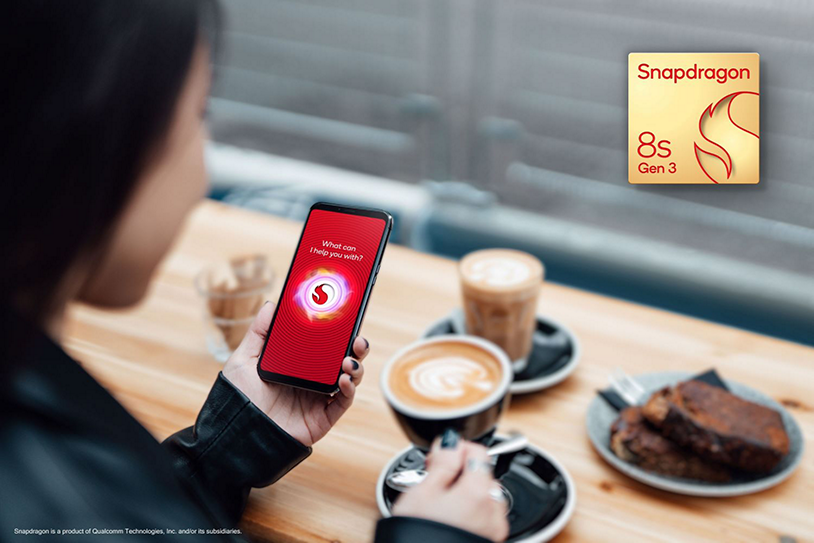
The promo image for Qualcomm's Snapdragon 8s Gen 3 chip.

Enlarge / The promo image for Qualcomm’s Snapdragon 8s Gen 3 chip.

Qualcomm

Qualcomm’s newest smartphone SoC is the Snapdragon 8s Gen 3. Years of iPhone “S” upgrades might lead you to assume this was a mid-cycle refresh to the Snapdragon 8 Gen 3, but Qualcomm says the Snapdragon 8s Gen 3 is a “specially curated” version of the Snapdragon 8 Gen 3. That means it’s a slightly slower, cheaper chip than the Snapdragon 8 Gen 3, which is still Qualcomm’s best smartphone chip.

The older, better Snapdragon 8 Gen 3 has a core layout of one 3.3 GHz “Prime” Arm Cortex X4 core, five “medium” A720 cores (three at 3.2 GHz, two at 2.0 GHz), and two “small” 2.3 GHz A520 cores for background processing. This new “S” chip swaps a medium core for a small one, for a 1+4+3 configuration instead of 1+5+2. Everything is clocked lower, too: 3 GHz for the Prime core, 2.8 GHz for all the medium cores, and 2 GHz for the small cores.

The modem is downgraded to an X70 instead of the X75 in the 8 Gen 3 chip. That theoretically means a lower max download speed (5Gbps instead of 10) but since you would actually need to be granted those speeds by your carrier, It’s not clear anyone would ever notice this. It also sounds like the X70 is more power-hungry, since it only has “Qualcomm 5G PowerSave Gen 3” instead of “Qualcomm 5G PowerSave Gen 4” on the flagship chip. We don’t think Qualcomm has ever given a technical explanation of what this means, though. The SoC is still 4nm, just like the 8 Gen 3. Video maxes out at 4K now instead of 8K.

Qualcomm says “Snapdragon 8s Gen 3 will be adopted by major OEMs including Honor, iQOO, realme, Redmi and Xiaomi, with commercial devices expected to be announced in the coming months.” That should tell you where this chip is headed: the “budget flagship” phones that are popular with Chinese OEMs.

Qualcomm’s “Snapdragon 8s Gen 3” cuts down the company’s flagship SoC Read More »
google-says-chrome’s-new-real-time-url-scanner-won’t-invade-your-privacy

Google says Chrome’s new real-time URL scanner won’t invade your privacy

We don’t need another way to track you —

Google says URL hashes and a third-party relay server will keep it out of your history.

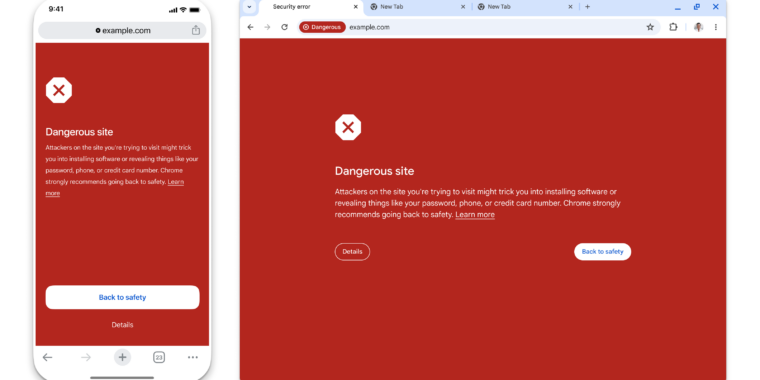
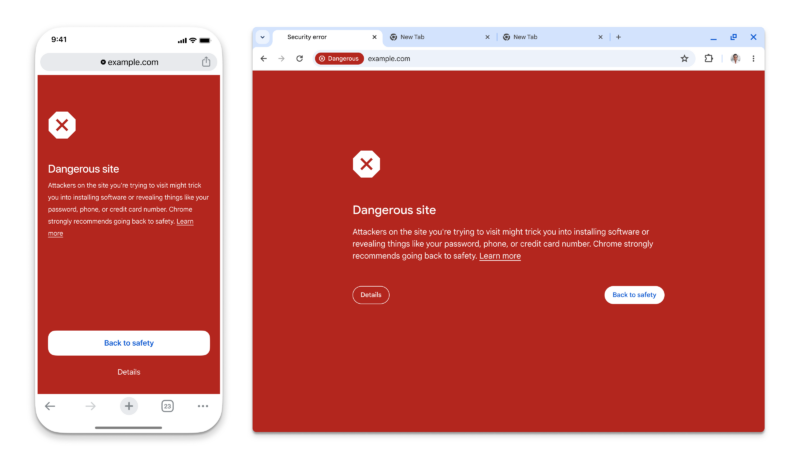
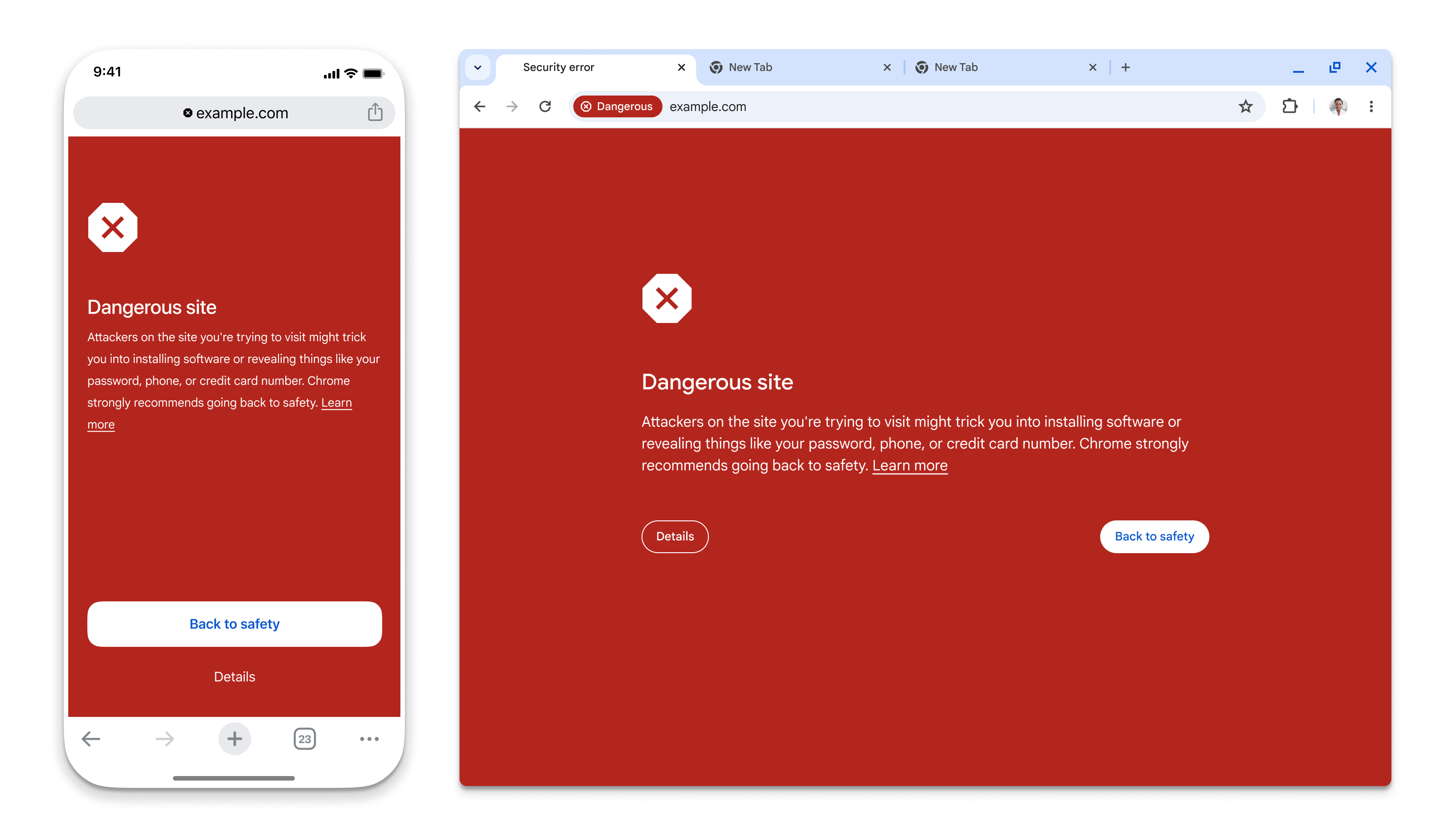
Google's safe browsing warning is not subtle.

Enlarge / Google’s safe browsing warning is not subtle.

Google

Google Chrome’s “Safe Browsing” feature—the thing that pops up a giant red screen when you try to visit a malicious website—is getting real-time updates for all users. Google announced the change on the Google Security Blog. Real-time protection naturally means sending URL data to some far-off server, but Google says it will use “privacy-preserving URL protection” so it won’t get a list of your entire browsing history. (Not that Chrome doesn’t already have features that log your history or track you.)

Safe Browsing basically boils down to checking your current website against a list of known bad sites. Google’s old implementation happened locally, which had the benefit of not sending your entire browsing history to Google, but that meant downloading the list of bad sites at 30- to 60-minute intervals. There are a few problems with local downloads. First, Google says the majority of bad sites exist for “less than 10 minutes,” so a 30-minute update time isn’t going to catch them. Second, the list of all bad websites on the entire Internet is going to be very large and constantly growing, and Google already says that “not all devices have the resources necessary to maintain this growing list.”

If you really want to shut down malicious sites, what you want is real-time checking against a remote server. There are a lot of bad ways you could do this. One way would be to just send every URL to the remote server, and you’d basically double Internet website traffic for all of Chrome’s 5 billion users. To cut down on those server requests, Chrome is instead going to download a list of known good sites, and that will cover the vast majority of web traffic. Only the small, unheard-of sites will be subject to a server check, and even then, Chrome will keep a cache of your recent small site checks, so you’ll only check against the server the first time.

When you’re not on the known-safe-site list or recent cache, info about your web URL will be headed to some remote server, but Google says it won’t be able to see your web history. Google does all of its URL checking against hashes, rather than the plain-text URL. Previously, Google offered an opt-in “enhanced protection” mode for safe browsing, which offered more up-to-date malicious site blocking in exchange for “sharing more security-related data” with Google, but the company thinks this new real-time mode is privacy-preserving enough to roll out to everyone by default. The “Enhanced” mode is still sticking around since that allows for “deep scans for suspicious files and extra protection from suspicious Chrome extensions.”

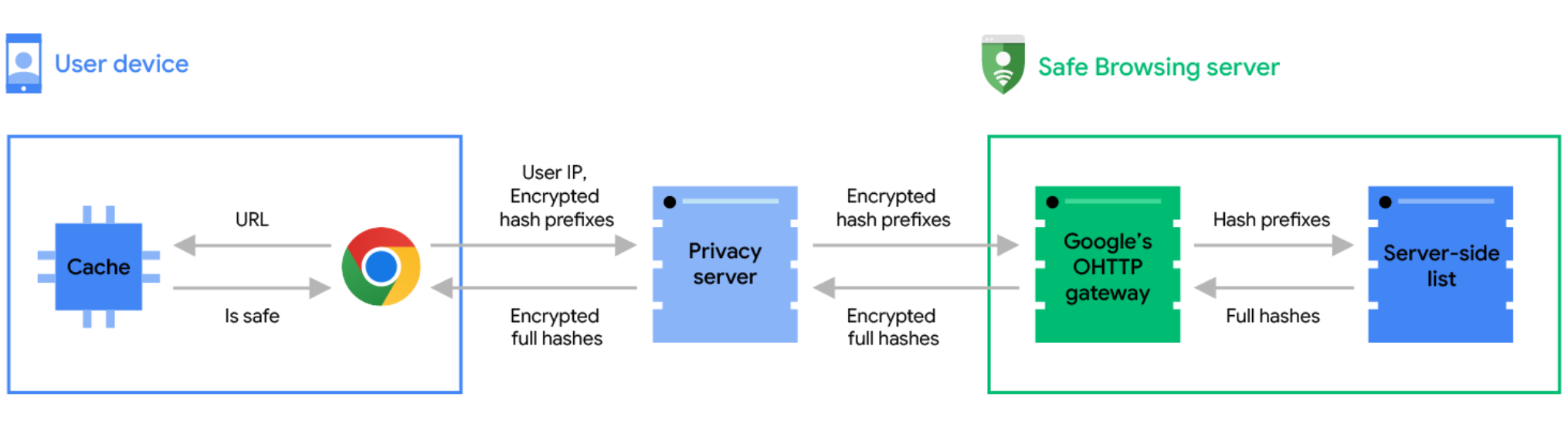
Google's diagram of how the whole process works.

Enlarge / Google’s diagram of how the whole process works.

Google

Interestingly, the privacy scheme involves a relay server that will be run by a third party. Google says, “In order to preserve user privacy, we have partnered with Fastly, an edge cloud platform that provides content delivery, edge compute, security, and observability services, to operate an Oblivious HTTP (OHTTP) privacy server between Chrome and Safe Browsing.”

For now, Google’s remote checks, when they happen, will mean some latency while your safety check completes, but Google says it’s “in the process of introducing an asynchronous mechanism, which will allow the site to load while the real-time check is in progress. This will improve the user experience, as the real-time check won’t block page load.”

The feature should be live in the latest Chrome release for desktop, Android, and iOS. If you don’t want it, you can turn it off in the “Privacy and security” section of the Chrome settings.

Listing image by Getty Images

Google says Chrome’s new real-time URL scanner won’t invade your privacy Read More »
the-asus-zenfone-11-ultra-abandons-the-small-phone-market

The Asus Zenfone 11 Ultra abandons the small-phone market

RIP small phones —

The Zenfone 10 was a unique 5.9-inch phone; this year’s Zenfone is more generic.

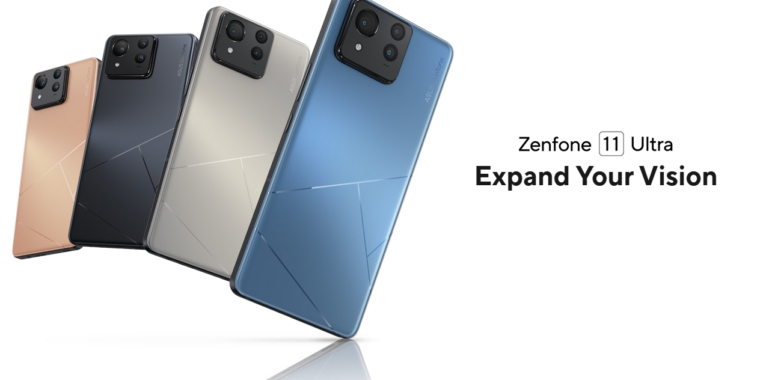
  • The Asus Zenfone 11 Ultra.

    Asus

  • The front and back of the phone.

    Asus

  • The camera bump has some height to it.

    Asus

  • I don’t think you’d ever notice this on your own, but the website makes clear the lines on the back are supposed to represent an “A.”

    Asus

Asus’ latest flagship is the Zenfone 11 Ultra. For lovers of small phones, this represents one of the stalwart small-phone manufacturers abandoning you. I’m sorry. The Zenfone 10 was a unique little 5.9-inch powerhouse, but the Zenfone 11 is just another big Android phone with the same 6.78-inch display as everyone else. Big displays are expensive, so of course, the price is bigger, too: $899 instead of the $699 price of the smaller phone.

The whole phone looks a lot more generic than last year. Instead of the two big camera circles of the Zenfone 10, the back now has a square camera block that looks like every other phone. The front screen is flat, the sides are a flat metal band, and the only real identifying features are a few decorative lines on the rear panel.

That big 6.78-inch display is a 2400×1080 OLED. Normally, it runs at 120 Hz, but Asus says it’s capable of 144 Hz “for gaming only.” It has a Snapdragon 8 Gen 3 SoC, 12GB or 16GB of RAM, and 256GB or 512GB of UFS4.0 storage. The 5500 mAh battery is a bit bigger than most phones, so that’s something to cling to. The phone has 65 W wired charging and 15 W wireless charging, IP68 dust and water-resistance, and an in-screen fingerprint reader. There’s a 3.5 mm headphone jack on the bottom of the phone.

The main camera is a 50MP Sony IMX890, which iss not particularly impressive since it’s a secondary camera on some other phones. Camera No. 2 is a 13 MP Ultrawide. Camera No. 3 is a 32 MP sensor with a 3x optical zoom.

The Android market is packed with phones, and the hard thing to accomplish for any manufacturer is standing out from the crowd. The Zenfone line used to do that by being one of the only options for a small high-end phone, while the gamer-focused ROG line handled the 6.7-inch market. Now, the Zenfone is just another generic big phone. The phone ships in April and will work on AT&T and T-Mobile.

Listing image by Asus

The Asus Zenfone 11 Ultra abandons the small-phone market Read More »
unreleased-preview-of-microsoft’s-os/2-2.0-is-a-glimpse-down-a-road-not-taken

Unreleased preview of Microsoft’s OS/2 2.0 is a glimpse down a road not taken

OS/2 the future —

Microsoft’s involvement in IBM’s OS/2 project ended before v2.0 was released.

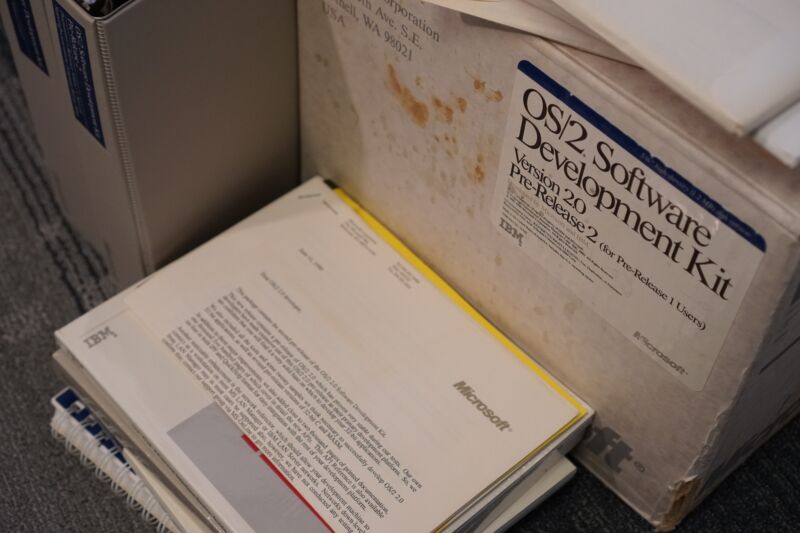
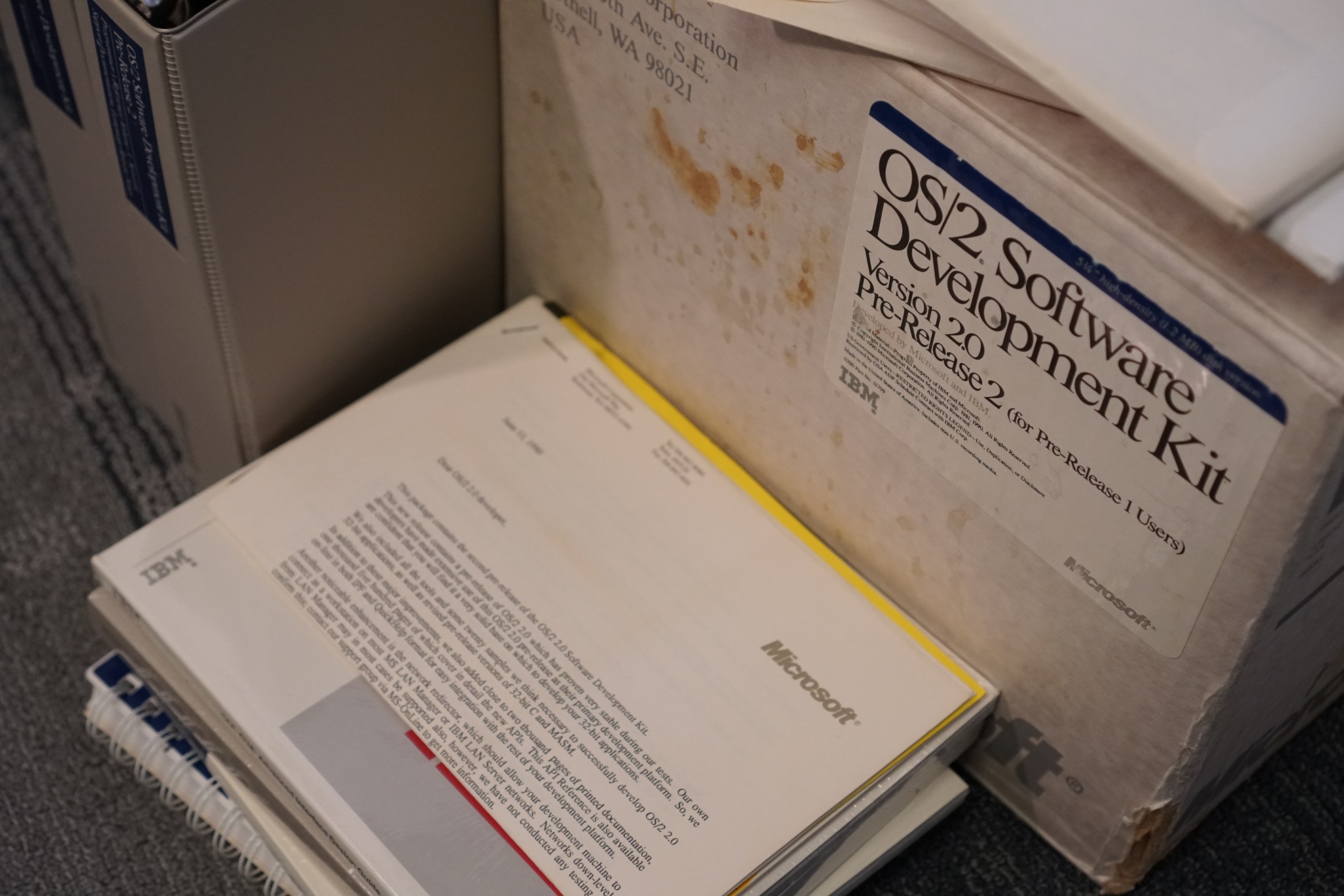
This big, weathered box contains an oddball piece of PC history: one of the last builds of IBM's OS/2 that Microsoft worked on before pivoting all of its attention to Windows.

Enlarge / This big, weathered box contains an oddball piece of PC history: one of the last builds of IBM’s OS/2 that Microsoft worked on before pivoting all of its attention to Windows.

In the annals of PC history, IBM’s OS/2 represents a road not taken. Developed in the waning days of IBM’s partnership with Microsoft—the same partnership that had given us a decade or so of MS-DOS and PC-DOS—OS/2 was meant to improve on areas where DOS was falling short on modern systems. Better memory management, multitasking capabilities, and a usable GUI were all among the features introduced in version 1.x.

But Microsoft was frustrated with some of IBM’s goals and demands, and the company continued to develop an operating system called Windows on its own. Where IBM wanted OS/2 to be used mainly to boost IBM-made PCs and designed it around the limitations of Intel’s 80286 CPU, Windows was being created with the booming market for PC-compatible clones in mind. Windows 1.x and 2.x failed to make much of a dent, but 1990’s Windows 3.0 was a hit, and it came preinstalled on many consumer PCs; Microsoft and IBM broke off their partnership shortly afterward, making OS/2 version 1.2 the last one publicly released and sold with Microsoft’s involvement.

But Microsoft had done a lot of work on version 2.0 of OS/2 at the same time as it was developing Windows. It was far enough along that preview screenshots appeared in PC Magazine, and early builds were shipped to developers who could pay for them, but it was never formally released to the public.

But software archaeologist Neozeed recently published a stable internal preview of Microsoft’s OS/2 2.0 to the Internet Archive, along with working virtual machine disk images for VMware and 86Box. The preview, bought by Brian Ledbetter on eBay for $650 plus $15.26 in shipping, dates to July 1990 and would have cost developers who wanted it a whopping $2,600. A lot to pay for a version of an operating system that would never see the light of day!

The Microsoft-developed build of OS/2 2.0 bears only a passing resemblance to the 32-bit version of OS/2 2.0 that IBM finally shipped on its own in April 1992. Neozeed has published a more thorough exploration of Microsoft’s version, digging around in its guts and getting some early Windows software running (the ability to run DOS and Windows apps was simultaneously a selling point of OS/2 and a reason for developers not to create OS/2-specific apps, one of the things that helped to doom OS/2 in the end). It’s a fascinating detail from a turning point in the history of the PC as we know it today, but as a usable desktop operating system, it leaves something to be desired.

All 26 disks of the OS/2 2.0 preview, plus hefty documentation manuals. There are some things about the '90s I don't miss.

Enlarge / All 26 disks of the OS/2 2.0 preview, plus hefty documentation manuals. There are some things about the ’90s I don’t miss.

This unreleased Microsoft-developed OS/2 build isn’t the first piece of Microsoft-related software history that has been excavated in the last few months. In January, an Internet Archive user discovered and uploaded an early build of 86-DOS, the software that Microsoft bought and turned into MS-DOS/PC-DOS for the original IBM PC 5150. Funnily enough, these unreleased previews serve as bookends for IBM and Microsoft’s often-contentious partnership.

As part of the “divorce settlement” between Microsoft and IBM, IBM would take over the development and maintenance of OS/2 1.x and 2.x while Microsoft continued to work on a more advanced far-future version 3.0 of OS/2. This operating system was never released as OS/2, but it would eventually become Windows NT, Microsoft’s more stable business-centric version of Windows. Windows NT merged with the consumer versions of Windows in the early 2000s with Windows 2000 and Windows XP, and those versions gradually evolved into Windows as we know it today.

It has been 18 years since IBM formally discontinued its last release of OS/2, but as so often happens in computing, the software has found a way to live on. ArcaOS is a semi-modernized, intermittently updated branch of OS/2 updated to run on modern hardware while still supporting the ability to run MS-DOS and 16-bit Windows apps.

Unreleased preview of Microsoft’s OS/2 2.0 is a glimpse down a road not taken Read More »

google’s-gemini-ai-now-refuses-to-answer-election-questions

Google’s Gemini AI now refuses to answer election questions

I also refuse to answer political questions —

Gemini is opting out of election-related responses entirely for 2024.

The Google Gemini logo.

Enlarge / The Google Gemini logo.

Google

Like many of us, Google Gemini is tired of politics. Reuters reports that Google has restricted the chatbot from answering questions about the upcoming US election, and instead, it will direct users to Google Search.

Google had planned to do this back when the Gemini chatbot was still called “Bard.” In December, the company said, “Beginning early next year, in preparation for the 2024 elections and out of an abundance of caution on such an important topic, we’ll restrict the types of election-related queries for which Bard and [Google Search’s Bard integration] will return responses.” Tuesday, Google confirmed to Reuters that those restrictions have kicked in. Election queries now tend to come back with the refusal: “I’m still learning how to answer this question. In the meantime, try Google Search.”

Google’s original plan in December was likely to disable election info so Gemini could avoid any political firestorms. Boy, did that not work out! When asked to generate images of people, Gemini quietly tacked diversity requirements onto the image request; this practice led to offensive and historically inaccurate images along with a general refusal to generate images of white people. Last month that earned Google wall-to-wall coverage in conservative news spheres along the lines of “Google’s woke AI hates white people!” Google CEO Sundar Pichai called the AI’s “biased” responses “completely unacceptable,” and for now, creating images of people is disabled while Google works on it.

The start of the first round of US elections in the AI era has already led to new forms of disinformation, and Google presumably wants to opt out of all of it.

Google’s Gemini AI now refuses to answer election questions Read More »

raspberry-pi-powered-ai-bike-light-detects-cars,-alerts-bikers-to-bad-drivers

Raspberry Pi-powered AI bike light detects cars, alerts bikers to bad drivers

Group ride —

Data from multiple Copilot devices could be used for road safety improvements.

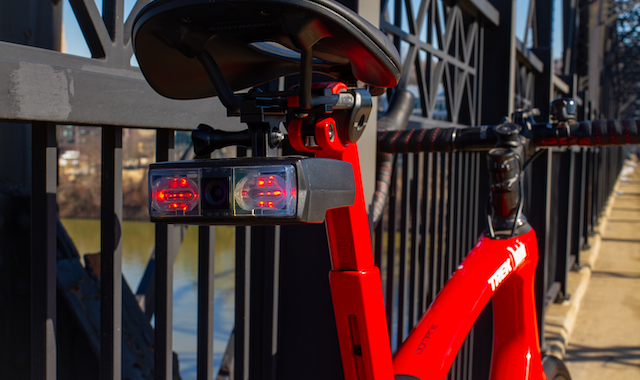
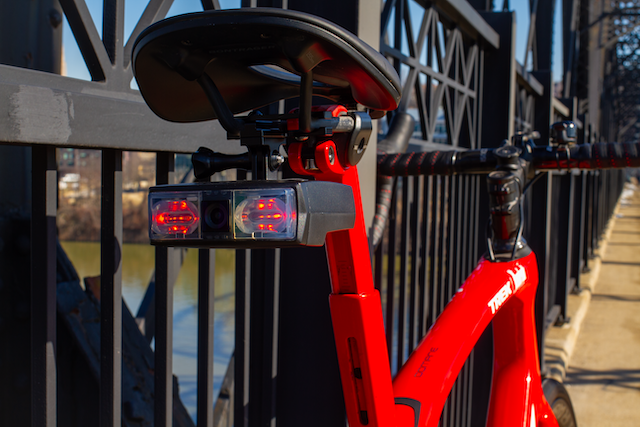
Copilot mounted to the rear of a road bike

Velo AI

Whether or not autonomous vehicles ever work out, the effort put into using small cameras and machine-learning algorithms to detect cars could pay off big for an unexpected group: cyclists.

Velo AI is a firm cofounded by Clark Haynes and Micol Marchetti-Bowick, both PhDs with backgrounds in robotics, movement prediction, and Uber’s (since sold-off) autonomous vehicle work. Copilot, which started as a “pandemic passion project” for Haynes, is essentially car-focused artificial intelligence and machine learning stuffed into a Raspberry Pi Compute Module 4 and boxed up in a bike-friendly size and shape.

A look into the computer vision of the Copilot.

While car-detecting devices exist for bikes, including the Garmin Varia, they’re largely radar-based. That means they can’t distinguish between vehicles of different sizes and only know that something is approaching you, not, for example, how much space it will allow when passing.

Copilot purports to do a lot more:

  • Identify cars, bikes, and pedestrians
  • Alert riders audibly about cars “Following,” “Approaching,” and “Overtaking”
  • Issue visual warning to drivers who are approaching too close or too fast
  • Send visual notifications and a simplified rear road view to an optional paired smartphone
  • Record 1080p video and tag “close calls” and “incidents” from your phone

At 330 grams, with five hours of optimal battery life (and USB-C recharging), it’s not for the aero-obsessed rider or super-long-distance rider. And at $400, it might not speak to the most casual and infrequent cyclist. But it’s an intriguing piece of kit, especially for those who already have, or considered, a Garmin or similar action camera for watching their back. What if a camera could do more than just show you the car after you’re already endangered by it?

Copilot's computer vision can alert riders to cars that are

Copilot’s computer vision can alert riders to cars that are “Following,” “Approaching,” and “Overtaking.”

Velo AI

The Velo team detailed some of their building process for the official Raspberry Pi blog. The Compute Module 4 powers the core system and lights, while a custom Hailo AI co-processor helps with the neural networks and computer vision. An Arducam camera provides the vision and recording.

Beyond individual safety, the Velo AI team hopes that data from Copilots can feed into larger-scale road safety improvements. The team told the Pi blog that they’re starting a partnership with Pittsburgh, seeding Copilots to regular bike commuters and analyzing the aggregate data for potential infrastructure upgrades.

The Copilot is available for sale now and shipping, according to Velo AI. A December 2023 pre-order sold out.

Raspberry Pi-powered AI bike light detects cars, alerts bikers to bad drivers Read More »
apple’s-airpods-pro-could-be-getting-a-“hearing-aid-mode”-later-this-year

Apple’s AirPods Pro could be getting a “hearing aid mode” later this year

Cheaper hearing aids —

In development for some time, AirPods could finally get the FDA label this fall.

AirPods arranged at an Apple Store

Enlarge / Apple AirPods on display at the company’s Fifth Avenue store in New York in Feb. 2024.

Bing Guan/Bloomberg via Getty Images

Apple’s AirPods Pro are getting closer to becoming fully fledged hearing aids and marketed as such, according to Bloomberg’s Mark Gurman. The move could have a large impact on the hearing aid market, which has already been recently shaken up by over-the-counter models.

Gurman writes that AirPods Pro are due to receive a hearing-aid function in iOS 18, arriving this fall and likely to be announced and outlined at a Worldwide Developers Conference in June. The Wall Street Journal reported in the fall of 2021 that Apple was working toward a future AirPods Pro model that functioned as a hearing aid and would also be able to monitor body posture and even body temperature.

It was not clear from Gurman or the Journal’s reporting whether the hearing aid function would be available only in a new model of AirPods Pro or offered as a software update on prior models. Since the Journal’s report, Apple has released both a second-generation model of AirPods Pro and a refresh of that model with a USB-C port.

“Hearing aid” may also not be technically accurate, depending on Apple’s aims. The US Food and Drug Administration in 2022 provided for a new category of “Personal sound amplification products,” or PSAPs, that do not need to meet the stricter requirements for an FDA-approved hearing aid. This new category offered huge cost savings to people with mild to moderate hearing loss and kicked off a generation of hearing aids that connected to a smartphone over Bluetooth for setup, tuning, and monitoring. These are distinct from over-the-counter hearing aids, which, while still notably cheaper than “professional fit” hearing aids, are still regulated by the FDA.

A study in late 2022 found that first-generation AirPods Pro, with their “Live Listen” feature activated, could meet four of the five PSAP standards and just barely missed a sound-pressure threshold. Notably, the AirPods Pro, tested in relatively quiet environments, helped people hear about as well as hearing aid models that cost up to $10,000, within the PSAP standards.

The next version of Apple’s mobile operating system, iOS 18, is rumored to contain a multitude of features beyond AirPods updates. MacRumors (leaning on Gurman’s subscriber-only newsletter reporting) suggests that generative AI features, RCS support for text messages, and revamps to many core Apple apps are due.

Apple’s AirPods Pro could be getting a “hearing aid mode” later this year Read More »

google’s-self-designed-office-swallows-wi-fi-“like-the-bermuda-triangle”

Google’s self-designed office swallows Wi-Fi “like the Bermuda Triangle”

Please return to the office. You’ll be more productive! —

Bad radio propagation means Googlers are making do with Ethernet cables, phone hotspots.

Google's Bay View campus was designed with the world's strangest roof line.

Enlarge / Google’s Bay View campus was designed with the world’s strangest roof line.

Google

Google’s swanky new “Bay View” campus apparently has a major problem: bad Wi-Fi. Reuters reports that Google’s first self-designed office building has “been plagued for months by inoperable or, at best, spotty Wi-Fi, according to six people familiar with the matter.” A Google spokesperson confirmed the problems and said the company is working on fixing them.

Bay View opened in May 2022. At launch, Google’s VP of Real Estate & Workplace Services, David Radcliffe, said the site “marks the first time we developed one of our own major campuses, and the process gave us the chance to rethink the very idea of an office.” The result is a wild tent-like structure with a striking roofline made up of swooping square sections. Of course, it’s all made of metal and glass, but the roof shape looks like squares of cloth held up by poles—each square section has high points on the four corners and sags down in the middle. The roof is covered in solar cells and collects rainwater while also letting in natural light, and Google calls it the “Gradient Canopy.”

We'll guess the roofline's multiple parabolic sections are great at scattering the Wi-Fi signal.

Enlarge / We’ll guess the roofline’s multiple parabolic sections are great at scattering the Wi-Fi signal.

Google

All those peaks and parabolic ceiling sections apparently aren’t great for Wi-Fi propagation, with the Reuters report saying that the roof “swallows broadband like the Bermuda Triangle.” Googlers assigned to the building are making do with Ethernet cables, using phones as hotspots, or working outside, where the Wi-Fi is stronger. One anonymous employee told Reuters, “You’d think the world’s leading Internet company would have worked this out.”

Having an office with barely working Wi-Fi sure is awkward for a company pushing a “return to office” plan that includes at least three days a week at Google’s Wi-Fi desert. A Google spokesperson told Reuters the company has already made several improvements and hopes to have a fix in the coming weeks.

Google’s self-designed office swallows Wi-Fi “like the Bermuda Triangle” Read More »
m3-macbook-air-refresh-boosts-storage-speeds-for-256gb-models

M3 MacBook Air refresh boosts storage speeds for 256GB models

in a flash —

For the M2 Air, getting better storage speeds required a 512GB (or larger) SSD.

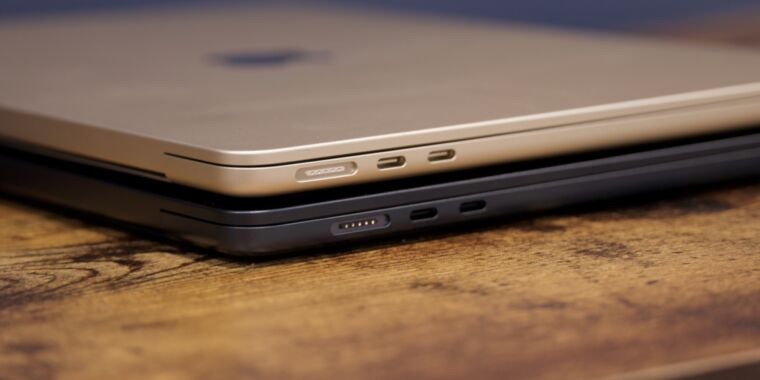
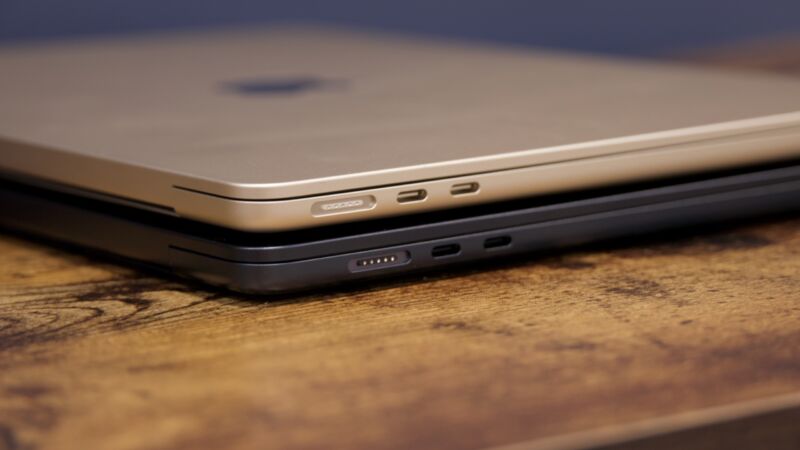
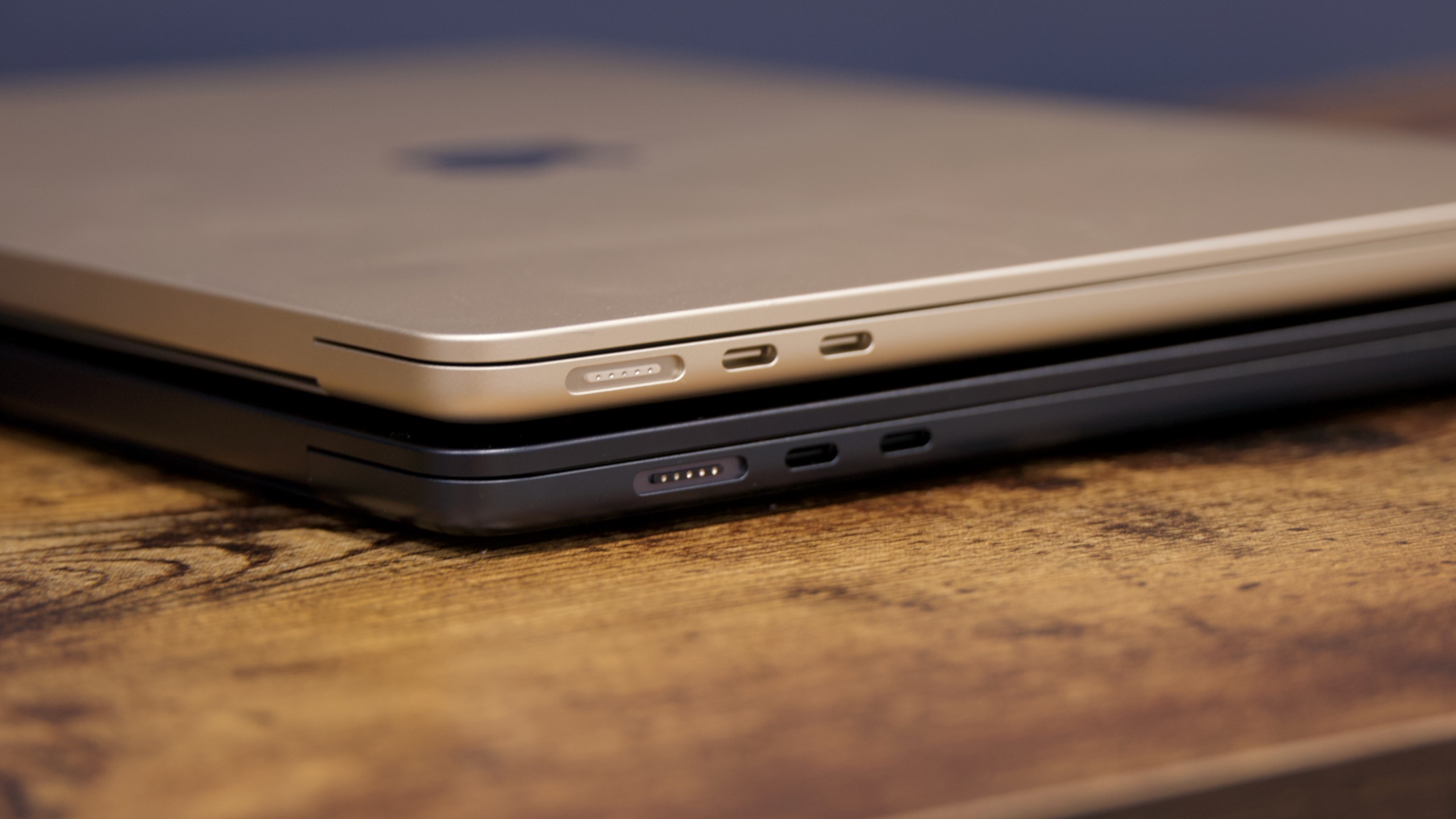
The 13- and 15-inch M3 MacBook Air.

Enlarge / The 13- and 15-inch M3 MacBook Air.

Andrew Cunningham

When Apple upgraded its Macs with the M2 chip, some users noticed that storage speeds were actually quite a bit lower than they were in the M1 versions. Both the 256GB M2 MacBook Air and the 512GB M2 MacBook Pro had their storage speeds roughly halved compared to M1 Macs with the same storage capacities.

Teardowns revealed that this was because Apple was using fewer physical flash memory chips to provide the same amount of storage. Modern SSDs achieve their high speeds partly by reading from and writing to multiple NAND flash chips simultaneously, a process called “interleaving.” When there’s only one flash chip to access, speeds go down.

Early teardowns of the M3 MacBook Air suggest that Apple may have reversed course here, at least for some Airs. The Max Tech YouTube channel took a 256GB M3 Air apart, showing a pair of 128GB NAND flash chips rather than the single 256GB chip that the M2 Air used. BlackMagic Disk Speed Test performance increases accordingly; read and write speeds for the 256GB M2 Air come in at around 1,600 MB/s, while the M3 Air has read speeds of roughly 2,900 MB/s and write speeds of about 2,100 MB/s. That’s roughly in line with the M1 Air’s performance.

For the other M3 MacBook Airs, storage speed should be mostly comparable to the M2 versions. Apple sent us the 512GB configuration of the 13- and 15-inch M3 Airs, and storage speeds in the BlackMagic Disk Speed Test were roughly the same as for the 512GB M2 Airs—roughly 3,000 MB/s for both reading and writing.

Though this appears to be good news for M3 Air buyers, it doesn’t guarantee that any given 256GB MacBook Air will come configured this way. Apple uses multiple suppliers for many of the components in its devices, and the company could ship a mix of 128GB and 256GB chips in different 256GB MacBook Airs based on which components are cheaper or more readily available at any given time. (The Max Tech channel speculates that a single 128GB NAND chip costs Apple more than a single 256GB NAND chip, though Max Tech doesn’t cite a source for this, and we just don’t know what prices Apple negotiates with its suppliers for these components.)

Though it’s nice that the M3 Air’s baseline storage speeds are increasing, it’s too bad that a new Air is still offering the same storage speed as the M1 Airs released over three years ago. It’s frustrating that Apple can’t improve storage speeds along with CPU and GPU performance, especially when the standard M.2 SSDs in PCs are getting faster and cost less money than what Apple sells in its Mac lineup.

M3 MacBook Air refresh boosts storage speeds for 256GB models Read More »

apple-and-tesla-feel-the-pain-as-china-opts-for-homegrown-products

Apple and Tesla feel the pain as China opts for homegrown products

Domestically made smartphones were much in evidence at the National People’s Congress in Beijing

Enlarge / Domestically made smartphones were much in evidence at the National People’s Congress in Beijing

Wang Zhao/AFP/Getty Images

Apple and Tesla cracked China, but now the two largest US consumer companies in the country are experiencing cracks in their own strategies as domestic rivals gain ground and patriotic buying often trumps their allure.

Falling market share and sales figures reported this month indicate the two groups face rising competition and the whiplash of US-China geopolitical tensions. Both have turned to discounting to try to maintain their appeal.

A shift away from Apple, in particular, has been sharp, spurred on by a top-down campaign to reduce iPhone usage among state employees and the triumphant return of Chinese national champion Huawei, which last year overcame US sanctions to roll out a homegrown smartphone capable of near 5G speeds.

Apple’s troubles were on full display at China’s annual Communist Party bash in Beijing this month, where a dozen participants told the Financial Times they were using phones from Chinese brands.

“For people coming here, they encourage us to use domestic phones, because phones like Apple are not safe,” said Zhan Wenlong, a nuclear physicist and party delegate. “[Apple phones] are made in China, but we don’t know if the chips have back doors.”

Wang Chunru, a member of China’s top political advisory body, the Chinese People’s Political Consultative Conference, said he was using a Huawei device. “We all know Apple has eavesdropping capabilities,” he said.

Delegate Li Yanfeng from Guangxi said her phone was manufactured by Huawei. “I trust domestic brands, using them was a uniform request.”

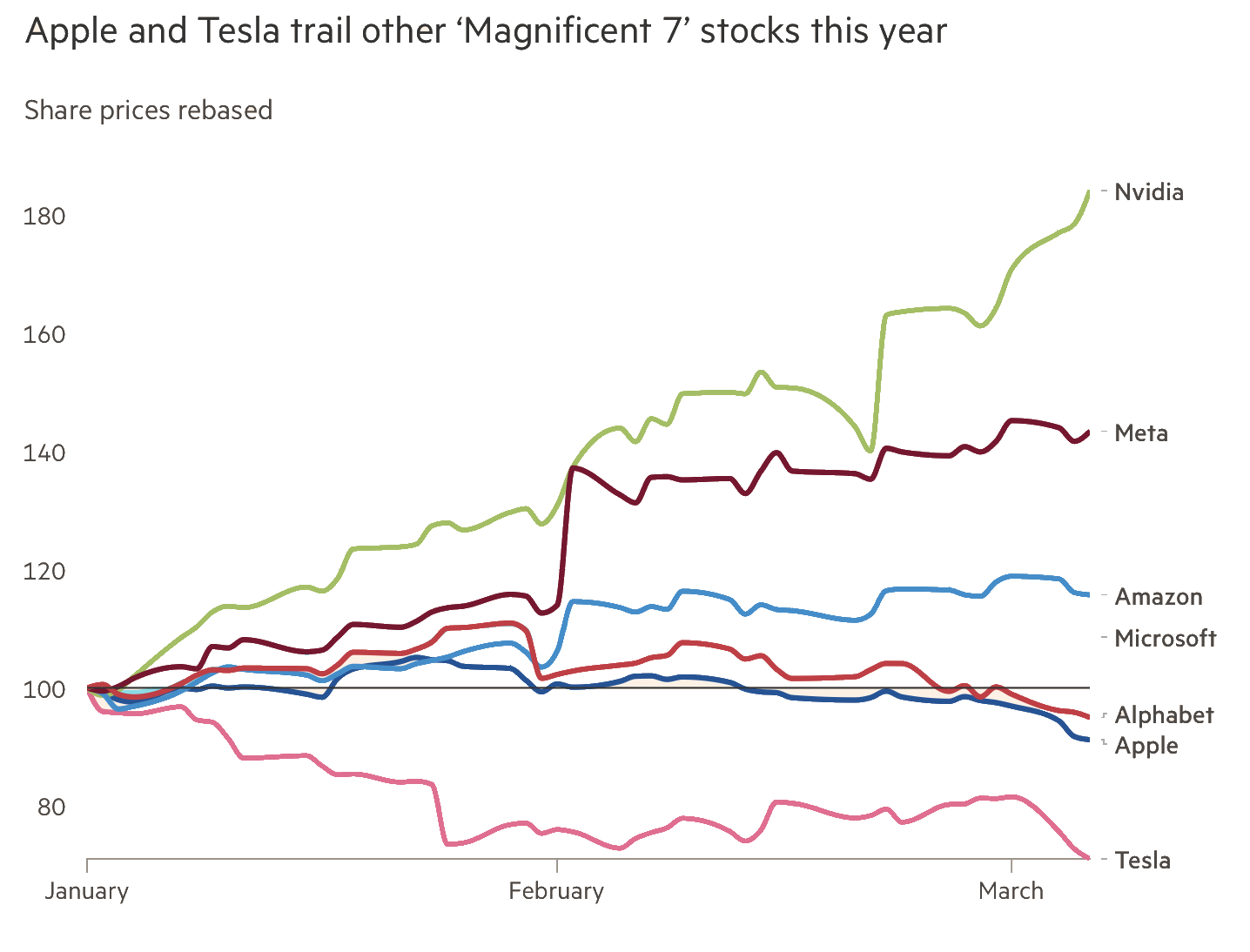
Financial Times using Bloomberg data

Outside of the US, China is both Apple and Tesla’s single-largest market, respectively contributing 19 percent and 22 percent of total revenues during their most recent fiscal years. Their mounting challenges in the country have caught Wall Street’s attention, contributing to Apple’s 9 percent share price slide this year and Tesla’s 28 percent fall, making them the poorest performers among the so-called Magnificent Seven tech stocks.

Apple and Tesla are the latest foreign companies to feel the pain of China’s shift toward local brands. Sales of Nike and Adidas clothing have yet to return to their 2021 peak. A recent McKinsey report showed a growing preference among Chinese consumers for local brands.

Apple and Tesla feel the pain as China opts for homegrown products Read More »

amd-stops-certifying-monitors,-tvs-under-144-hz-for-freesync

AMD stops certifying monitors, TVs under 144 Hz for FreeSync

60 Hz is so 2015 —

120 Hz is good enough for consoles, but not for FreeSync.

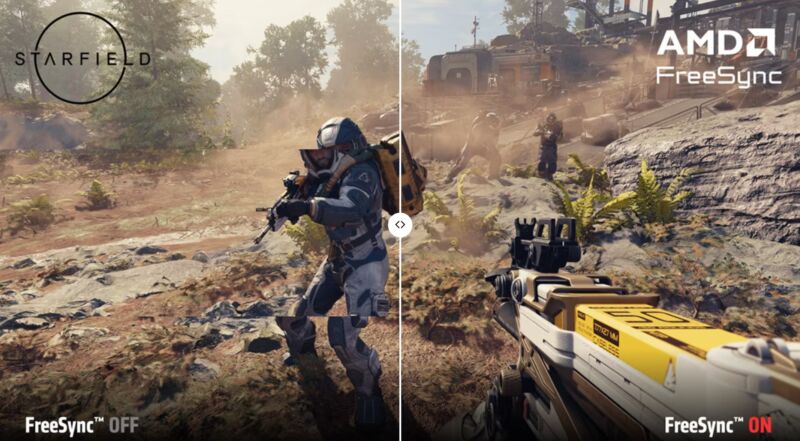
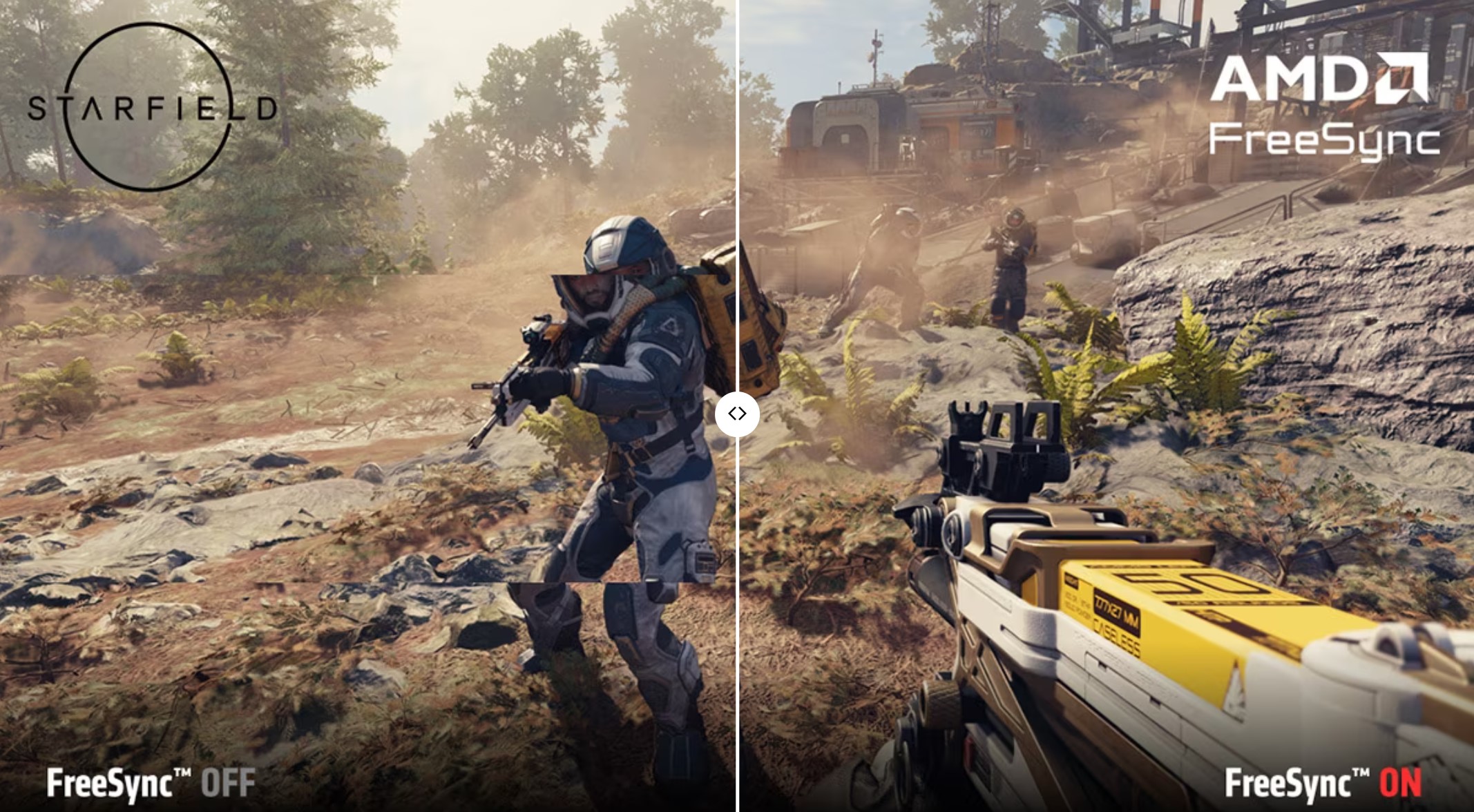
AMD's depiction of a game playing without FreeSync (left) and with FreeSync (right).

Enlarge / AMD’s depiction of a game playing without FreeSync (left) and with FreeSync (right).

AMD announced this week that it has ceased FreeSync certification for monitors or TVs whose maximum refresh rates are under 144 Hz. Previously, FreeSync monitors and TVs could have refresh rates as low as 60 Hz, allowing for screens with lower price tags and ones not targeted at serious gaming to carry the variable refresh-rate technology.

AMD also boosted the refresh-rate requirements for its higher AdaptiveSync tiers, FreeSync Premium and FreeSync Premium Pro, from 120 Hz to 200 Hz.

Here are the new minimum refresh-rate requirements for FreeSync, which haven’t changed for laptops.

Laptops Monitors and TVs
FreeSync Max refresh rate: 40-60 Hz < 3440 Horizontal resolution:

Max refresh rate: ≥ 144 Hz
FreeSync Premium Max refresh rate: ≥ 120 Hz < 3440 Horizontal resolution:

Max refresh rate: ≥ 200 Hz≥ 3440 Horizontal resolution:

Max refresh rate: ≥ 120 Hz
FreeSync Premium Pro FreeSync Premium requirements, plus FreeSync support with HDR FreeSync Premium requirements, plus FreeSync support with HDR

AMD will continue supporting already-certified FreeSync displays even if they don’t meet the above requirements.

Interestingly, AMD’s minimum refresh-rate requirements for TVs go beyond 120 Hz, which many premium TVs currently max out at, due to the current-generation Xbox and PlayStation supporting max refresh rates of 120 frames per second (FPS).

Announcing the changes this week in a blog post, Oguzhan Andic, AMD FreeSync and Radeon product marketing manager, claimed that the changes were necessary, noting that 60 Hz is no longer “considered great for gaming.” Andic wrote that the majority of gaming monitors are 144 Hz or higher, compared to in 2015, when FreeSync debuted, and even 120 Hz was “a rarity.”

Since 2015, refresh rates have climbed ever higher, with the latest sports targeting competitive players hitting 500 Hz, with display stakeholders showing no signs of ending the push for more speed. Meanwhile, FreeSync cemented itself as the more accessible flavor of Adaptive Sync than Nvidia’s G-Sync, which for a long time required specific hardware to run, elevating the costs of supporting products.

AMD’s announcement didn’t address requirements for refresh-rate ranges. Hopefully, OEMs will continue making FreeSync displays, especially monitors, that can still fight screen tears when framerates drop to the double digits.

The changes should also elevate the future price of entry for a monitor or TV with FreeSync TV. Sometimes the inclusion of FreeSync served as a differentiator for people seeking an affordable display and who occasionally do some light gaming or enjoy other media with fast-paced video playback. FreeSync committing itself to 144 Hz and faster screens could help the certification be aligned more with serious gaming.

Meanwhile, there is still hope for future, slower screens to get certification for variable refresh rates. In 2022, the Video Electronics Standards Association (VESA) released its MediaSync Display for video playback and AdaptiveSync for gaming, certifications that have minimum refresh-rate requirements of 60 Hz. VESA developed the lengthy detailed certifications with its dozens of members, including AMD (a display could be MediaSync/AdaptiveSync and/or FreeSync and/or G-Sync certified). In addition to trying to appeal to core gamers, it’s possible that AMD also sees the VESA certifications as more appropriate for slower displays.

AMD stops certifying monitors, TVs under 144 Hz for FreeSync Read More »