Tech

having-recovery-and/or-ssd-problems-after-recent-windows-updates?-you’re-not-alone.

Having recovery and/or SSD problems after recent Windows updates? You’re not alone.

The other issue some users have been experiencing is potentially more serious, but also harder to track down. Tom’s Hardware has a summary of the problem: At some point after installing update KB5063878 on Windows 11 24H2, some users began noticing issues with large file transfers on some SSDs. When installing a large update for Cyberpunk 2077, a large game that requires dozens of gigabytes of storage, Windows abruptly stopped seeing the SSD that the game was installed on.

The issues are apparently more pronounced on disks that are more than 60 percent full, when transferring at least 50GB of data. Most of the SSDs were visible again after a system reboot, though one—a 2TB Western Digital SA510 drive—didn’t come back after a reboot.

These issues could be specific to this user’s configuration, and the culprit may not be the Windows update. Microsoft has yet to add the SSD problem to its list of known issues with Windows, but the company confirmed to Ars that it was studying the complaints.

“We’re aware of these reports and are investigating with our partners,” a Microsoft spokesperson told Ars.

SSD controller manufacturer Phison told Tom’s Hardware that it was also looking into the problem.

Having recovery and/or SSD problems after recent Windows updates? You’re not alone. Read More »

sony-makes-the-“difficult-decision”-to-raise-playstation-5-prices-in-the-us

Sony makes the “difficult decision” to raise PlayStation 5 prices in the US

Sony will join Microsoft and Nintendo in raising US prices across its entire game console lineup, the company announced today. Pricing for all current versions of the PlayStation 5 console will increase by $50 starting tomorrow.

The price of the PS5 Digital Edition will increase from $450 to $500; the standard PS5 will increase from $500 to $550; and the PS5 Pro will increase from $700 to $750. If you’ve been on the fence about buying any of these, retailers like Target and Best Buy are still using the old prices as of this writing—for other console price hikes, retailers have sometimes bumped the prices up before the date announced by the manufacturer.

“Similar to many global businesses, we continue to navigate a challenging economic environment,” wrote Sony Global Marketing VP Isabelle Tomatis. “As a result, we’ve made the difficult decision to increase the recommended retail price for PlayStation 5 consoles in the U.S. starting on August 21.”

Sony says it’s not increasing prices for games or accessories and that this round of price increases only affects consoles sold in the US.

Sony was the last of the big three console makers to raise prices this year. Microsoft raised the prices for the Xbox Series S and X consoles in March. And Nintendo has gone through two rounds of price increases—one for Switch and Switch 2 accessories in April and another for more accessories and Switch 1 consoles earlier this month.

Sony makes the “difficult decision” to raise PlayStation 5 prices in the US Read More »
google-unveils-pixel-10-series-with-improved-tensor-g5-chip-and-a-boatload-of-ai

Google unveils Pixel 10 series with improved Tensor G5 chip and a boatload of AI


The Pixel 10 series arrives with a power upgrade but no SIM card slot.

Google has shifted its product timeline in 2025. Android 16 dropped in May, an earlier release aimed at better lining up with smartphone launches. Google’s annual hardware refresh is also happening a bit ahead of the traditional October window. The company has unveiled its thoroughly leaked 2025 Pixel phones and watches, and you can preorder most of them today.

The new Pixel 10 phones don’t look much different from last year, but there’s an assortment of notable internal changes, and you might not like all of them. They have a new, more powerful Tensor chip (good), a lot more AI features (debatable), and no SIM card slot (bad). But at least the new Pixel Watch 4 won’t become e-waste if you break it.

Same on the outside, new on the inside

If you liked Google’s big Pixel redesign last year, there’s good news: Nothing has changed in 2025. The Pixel 10 series looks the same, right down to the almost identical physical dimensions. Aside from the new colors, the only substantial design change is the larger camera window on the Pixel 10 to accommodate the addition of a third sensor.

From left to right: Pixel 10, Pixel 10 Pro, Pixel 10 Pro Fold.

Credit: Google

From left to right: Pixel 10, Pixel 10 Pro, Pixel 10 Pro Fold. Credit: Google

You won’t find a titanium frame or ceramic coatings present in Samsung and Apple lineups. The Pixel 10 phones have a 100 percent recycled aluminum frame, featuring a matte finish on the Pixel 10 and glossy finishes on the Pro phones. All models have Gorilla Glass Victus 2 panels on the front and back, and they’re IP68 rated for water- and dust-resistance.

The design remains consistent across all three flat phones. The base model and 10 Pro have 6.3-inch OLED screens, but the Pro gets a higher-resolution LTPO panel, which supports lower refresh rates to save power. The 10 Pro XL is LTPO, too, but jumps to 6.8 inches. These phones will be among the first Android phones with full support for the Qi 2 wireless charging standard, which is branded as “Pixelsnap” for the Pixel 10. They’ll work with Qi 2 magnetic accessories, as well as Google’s Pixelsnap chargers. They can charge the Pixel 10 and 10 Pro at 15W, but only the 10 Pro XL supports 25W.

Specs at a glance: Google Pixel 10 series
Pixel 10 ($799) Pixel 10 Pro ($999) Pixel 10 Pro XL ($1,199) Pixel 10 Pro Fold ($1,799)
SoC Google Tensor G5  Google Tensor G5  Google Tensor G5  Google Tensor G5
Memory 12GB 16GB 16GB 16GB
Storage 128GB / 256GB 128GB / 256GB / 512GB 128GB / 256GB / 512GB / 1TB 256GB / 512GB / 1TB
Display 6.3-inch 1080×2424 OLED, 60-120Hz, 3,000 nits 6.3-inch 1280×2856 LTPO OLED, 1-120Hz, 3,300 nits 6.3-inch 1344×2992 LTPO OLED, 1-120Hz, 3,300 nits External: 6.8-inch 1080×2364 OLED, 60-120Hz, 2000 nits; Internal: 8-inch 2076×2152 LTPO OLED, 1-120Hz, 3,000 nits
Cameras 48 MP wide with Macro

Focus, F/1.7, 1/2-inch sensor; 13 MP ultrawide, f/2.2, 1/3.1-inch sensor;

10.8 MP 5x telephoto, f/3.1, 1/3.2-inch sensor; 10.5 MP selfie, f/2.2
50 MP wide with Macro

Focus, F/1.68, 1/1.3-inch sensor; 48 MP ultrawide, f/1.7, 1/2.55-inch sensor;

48 MP 5x telephoto, f/2.8, 1/2.55-inch sensor; 42 MP selfie, f/2.2
50 MP wide with Macro

Focus, F/1.68, 1/1.3-inch sensor; 48 MP ultrawide, f/1.7, 1/2.55-inch sensor;

48 MP 5x telephoto, f/2.8, 1/2.55-inch sensor; 42 MP selfie, f/2.2
48 MP wide, F/1.7, 1/2-inch sensor; 10.5 MP ultrawide with Macro Focus, f/2.2, 1/3.4-inch sensor;

10.8 MP 5x telephoto, f/3.1, 1/3.2-inch sensor; 10.5 MP selfie, f/2.2 (outer and inner)
Software Android 16 Android 16 Android 16 Android 16
Battery 4,970mAh,  up to 30 W wired charging, 15 W wireless charging (Pixelsnap) 4,870 mAh, up to 30 W wired charging, 15 W wireless charging (Pixelsnap) 5,200 mAh, up to 45 W wired charging, 25 W wireless charging (Pixelsnap) 5,015 mAh, up to 30 W wired charging, 15 W wireless charging (Pixelsnap)
Connectivity Wi-Fi 6e, NFC, Bluetooth 6.0, sub-6 GHz and mmWave 5G, USB-C 2.0 Wi-Fi 7, NFC, Bluetooth 6.0, sub-6 GHz and mmWave 5G, UWB, USB-C 2.0 Wi-Fi 7, NFC, Bluetooth 6.0, sub-6 GHz and mmWave 5G, UWB, USB-C 2.0 Wi-Fi 7, NFC, Bluetooth 6.0, sub-6 GHz and mmWave 5G, UWB, USB-C 2.0
Measurements 152.8 height×72.0 width×8.6 depth (mm), 204g 152.8 height×72.0 width×8.6 depth (mm), 207g 162.8 height×76.6 width×8.5 depth (mm), 232g Folded: 154.9 height×76.2 width×10.1 depth (mm); Unfolded: 154.9 height×149.8 width×5.1 depth (mm); 258g
Colors Indigo

Frost

Lemongrass

Obsidian
Moonstone

Jade

Porcelain

Obsidian
Moonstone

Jade

Porcelain

Obsidian
Moonstone

Jade

You may notice some minor changes to the bottom edge of the phones, which now feature large grilles for the speaker and microphone—and no SIM card slot. Is it on the side? The top? Nope and nope. There is no physical SIM slot on Google’s new phones in the US, adopting the eSIM-only approach Apple “pioneered” on the iPhone 14. It has become standard practice that as soon as Apple removes something from its phones, like the headphone jack or the top bit of screen, everyone else will follow suit in a year or two.

Google has refused to offer a clear rationale for this change, saying only that the new SIM-less design is its “cleanest yet.” So RIP to the physical SIM card. While eSIM can be convenient in some cases, it’s not as reliable as moving a physical piece of plastic between phones and may force you to interact with your carrier’s support agents more often. Google has a SIM transfer tool built into Android these days, so most of those headaches are over.

Pixel 10 Pro

Credit: Google

The Pixel 10, 10 Pro, and 10 Pro XL all have the pronounced camera bar running the full width of the back, giving the phones perfect stability when placed on a table. The base model Pixel 9 had the same wide and ultrawide sensors as the Pro phones, but the Pixel 10 steps down to a lesser 48 MP primary and 13 MP ultrawide. You get the new 10.8 MP 5x telephoto this year. However, that won’t be as capable as the 48 MP telephoto camera on the Pro phones.

The Pixel 10 Pro Fold also keeps the same design as last year’s phone, featuring an offset camera bump. However, when you drill down, you’ll find a few hardware changes. Google says the hinge has been redesigned to be “gearless,” allowing for the display to get a bit closer to that edge. The result is a small 0.1-inch boost in external display size (6.4 inches). The inner screen is still 8 inches, making it the largest screen on a foldable. Google also claims the hinge is more durable and notes this is the first foldable with IP68 water and dust resistance.

Pixel 10 Pro Fold

Strangely, this phone still has a physical SIM card slot, even in the US. It has moved from the bottom to the top edge, which Google says helped to optimize the internal components. As a result, the third-gen Google foldable will see a significant battery life boost to 5,000 mAh versus 4,650 mAh in the 9 Pro Fold.

The Pixel 10 Pro Fold gets a camera array most similar to the base model Pixel 10, with a 48 MP primary, a 10.5 MP ultrawide, and a 10.8 MP 5x telephoto. The camera sensors are also relegated to an off-center block in the corner of the back panel, so you lose the tabletop stability from the flat models.

A Tensor from TSMC

Google released its first custom Arm chip in the Pixel 6 and has made iterative improvements in each subsequent generation. The Tensor G5 in the Pixel 10 line is the biggest upgrade yet, according to Google. As rumored, this chip is manufactured by TSMC instead of Samsung, using the latest 3 nm process node. It’s an 8-core chip with support for UFS 4 storage and LPDDR5x memory. Google has shied away from detailing the specific CPU cores. All we know right now is that there are eight cores, one of which is a “prime” core, five are mid-level, and two are efficiency cores. Similarly, the GPU performance is unclear. This is one place that Google’s Tensor chips have noticeably trailed the competition, and the company only says its internal testing shows games running “very well” on the Tensor G5.

Tensor G5 in the Pixel 10 will reportedly deliver a 34 percent boost in CPU performance, which is significant. However, even giving Google the benefit of the doubt, a 34 percent improvement would still leave the Tensor G5 trailing Qualcomm’s Snapdragon 8 Elite in raw speed. Google is much more interested in the new TPU, which is 60 percent faster for AI workloads than last year’s. Tensor will also power new AI-enhanced image processing, which means some photos straight out of the camera will have C2PA labeling indicating they are AI-edited. That’s an interesting change that will require hands-on testing to understand the implications.

The more powerful TPU runs the largest version of Gemini Nano yet, clocking in at 4 billion parameters. This model, designed in partnership with the team at DeepMind, is twice as efficient and 2.6 times faster than Gemini Nano models running on the Tensor G4. The context window (a measure of how much data you can put into the model) now sits at 32,000 tokens, almost three times more than last year.

Every new smartphone is loaded with AI features these days, but they can often feel cobbled together. Google is laser-focused on using the Tensor chip for on-device AI experiences, which it says number more than 20 on the Pixel 10 series. For instance, the new Magic Cue feature will surface contextual information in phone calls and messages when you need it, and the Journal is a place where you can use AI to explore your thoughts and personal notes. Tensor G5 also enables real-time Voice Translation on calls, which transforms the speaker’s own voice instead of inserting a robot voice. All these features run entirely on the phone without sending any data to the cloud.

Finally, a repairable Pixel Watch

Since Google finally released its own in-house smartwatch, there has been one glaring issue: zero repairability. The Pixel Watch line has been comfortable enough to wear all day and night, but that just makes it easier to damage. So much as a scratch, and you’re out of luck, with no parts or service available.

Google says the fourth-generation watch addresses this shortcoming. The Pixel Watch 4 comes in the same 41 mm and 45 mm sizes as last year’s watch, but the design has been tweaked to make it repairable at last. The company says the watch’s internals are laid out in a way that makes it easier to disassemble, and there’s a new charging system that won’t interfere with repairs. However, that means another new watch charging standard, Google’s third in four generations.

Credit: Google

The new charger is a small dock that attaches to the side, holding the watch up so it’s visible on your desk. It can show upcoming alarms, battery percentage, or the time (duh, it’s a watch). It’s about 25 percent faster to charge compared to last year’s model, too. The smaller watch has a 325 mAh battery, and the larger one is 455 mAh. In both cases, these are marginally larger than the Pixel Watch 3. Google says the 41 mm will run 30 hours on a charge, and the 45 mm manages 40 hours.

The OLED panel under the glass now conforms to the Pixel Watch 4’s curvy aesthetic. Rather than being a flat panel under curved glass, the OLED now follows the domed shape. Google says the “Actua 360” display features 3,000 nits of brightness, a 50 percent improvement over last year’s wearable. The bezel around the screen is also 16 percent slimmer than last year. It runs a Snapdragon W5 Gen 2, which is apparently 25 percent faster and uses half the power of the Gen 1 chip used in the Watch 3.

Naturally, Google has also integrated Gemini into its new watch. It has “raise-to-talk” functionality, so you can just lift your wrist to begin talking to the AI (if you want that). The Pixel Watch 4 also boasts an improved speaker and haptics, which come into play when interacting with Gemini.

Pricing and availability

If you have a Pixel 9, there isn’t much reason to run out and buy a Pixel 10. That said, you can preorder Google’s new flat phones today. Pricing remains the same as last year, starting at $799 for the Pixel 10. The Pixel 10 Pro keeps the same size, adding a better camera setup and screen for $999. The largest Pixel 10 Pro XL retails for $1,199. The phones will ship on August 28.

If foldables are more your speed, you’ll have to wait a bit longer. The Pixel 10 Pro Fold won’t arrive until October 9, but it won’t see a price hike, either. The $1,799 price tag is still quite steep, even if Samsung’s new foldable is $200 more.

The Pixel Watch 4 is also available for preorder today, with availability on August 28 as well. The 41 mm will stay at $349, and the 45 mm is $399. If you want the LTE versions, you’ll add $100 to those prices.

Photo of Ryan Whitwam

Ryan Whitwam is a senior technology reporter at Ars Technica, covering the ways Google, AI, and mobile technology continue to change the world. Over his 20-year career, he’s written for Android Police, ExtremeTech, Wirecutter, NY Times, and more. He has reviewed more phones than most people will ever own. You can follow him on Bluesky, where you will see photos of his dozens of mechanical keyboards.

Google unveils Pixel 10 series with improved Tensor G5 chip and a boatload of AI Read More »

microsoft-and-asus’-answers-to-steamos-and-the-steam-deck-launch-on-october-16

Microsoft and Asus’ answers to SteamOS and the Steam Deck launch on October 16

Asus and Microsoft will be launching their ROG Xbox Ally series of handheld gaming PCs starting October 16, according to an Asus announcement that went out today.

An Xbox-branded extension of Asus’ existing ROG Ally handheld line, the basic ROG Xbox Ally and more powerful ROG Xbox Ally X, both run a version of Windows 11 Home that’s been redesigned with a controller-first Xbox-style user interface. The idea is to preserve the wide game compatibility of Windows—and the wide compatibility with multiple storefronts, including Microsoft’s own, Valve’s Steam, the Epic Games Store, and more—while turning off all of the extra Windows desktop stuff and saving system resources. (This also means that, despite the Xbox branding, these handhelds play Windows PC games and not the Xbox versions.)

Microsoft and Asus initially announced the handhelds in June. Microsoft still isn’t sharing pricing information for either console, so it’s hard to say how their specs and features will stack up against the Steam Deck (starting at $399 for the LCD version, $549 for OLED), Nintendo’s Switch 2 ($450), or past Asus handhelds like the ROG Ally X ($800).

Both consoles share a 7-inch, 1080p IPS display with a 120 Hz refresh rate, Wi-Fi 6E, and Bluetooth 5.4 support, but their internals are quite a bit different. The lower-end Xbox Ally uses an AMD Ryzen Z2 A chip with a 4-core Zen 2-based CPU, an eight-core RDNA2-based GPU, 512GB of storage, and 16GB of LPDDR5X-6400—specs nearly identical to Valve’s 3-year-old Steam Deck. The Xbox Ally X includes a more interesting Ryzen AI Z2 Extreme with an 8-core Zen 5 CPU, a 16-core RDNA3.5 GPU, 1TB of storage, 24GB of LPDDR5X-8000, and a built-in neural processing unit (NPU).

The beefier hardware comes with a bigger battery—80 WHr in the Ally X, compared to 60 WHr in the regular Ally—and that also makes the Ally X around a tenth of a pound (or 45 grams) heavier than the Ally.

Microsoft and Asus’ answers to SteamOS and the Steam Deck launch on October 16 Read More »

raspberry-pi-intros-new-5-inch-$40-touchscreen-for-your-next-weird-project

Raspberry Pi intros new 5-inch $40 touchscreen for your next weird project

The folks at Raspberry Pi have announced a new touchscreen component for people using boards to create miniature touchscreen appliances: The 5-inch Raspberry Pi Touch Display 2 is a 720p IPS multi-touch screen that’s natively supported by the Raspberry Pi OS and includes mounting holes on the back to make it easy to build integrated all-in-one devices.

The new screen will cost $40 and is available starting today from Pi resellers like CanaKit, Vilros, and PiShop (though some of those retailers already list it slightly above the MSRP).

“Its capacitive touch screen works out of the box with full Linux driver support—no manual calibration required, no hunting through device trees, and no wrestling with incompatible touch controllers,” writes Raspberry Pi software CTO Gordon Hollingworth in the company’s blog post.

The 5-inch touchscreen is a smaller counterpart to the $60 7-inch Pi Touch Display 2 that the company launched late last year. The two screens have the same 720p resolution, but the 7-inch model has slightly wider viewing angles (85 degrees, compared to 80 degrees for the 5-inch screen). Both are compatible with all Pi boards from 2014’s Raspberry Pi 1 B+ onward—with the exception of the Raspberry Pi Zero—and they use power from the board’s GPIO header and a display signal delivered via a ribbon cable connected to the boards’ DSI port.

Raspberry Pi intros new 5-inch $40 touchscreen for your next weird project Read More »

ars-technica-system-guide:-five-sample-pc-builds,-from-$500-to-$5,000

Ars Technica System Guide: Five sample PC builds, from $500 to $5,000


Despite everything, it’s still possible to build decent PCs for decent prices.

You can buy a great 4K gaming PC for less than it costs to buy a GeForce RTX 5090. Let us show you some examples. Credit: Andrew Cunningham

You can buy a great 4K gaming PC for less than it costs to buy a GeForce RTX 5090. Let us show you some examples. Credit: Andrew Cunningham

Sometimes I go longer than I intend without writing an updated version of our PC building guide. And while I could just claim to be too busy to spend hours on Newegg or Amazon or other sites digging through dozens of near-identical parts, the lack of updates usually correlates with “times when building a desktop PC is actually a pain in the ass.”

Through most of 2025, fluctuating and inflated graphics card pricing and limited availability have once again conspired to make a normally fun hobby an annoying slog—and honestly kind of a bad way to spend your money, relative to just buying a Steam Deck or something and ignoring your desktop for a while.

But three things have brought me back for another round. First, GPU pricing and availability have improved a little since early 2025. Second, as unreasonable as pricing is for PC parts, pre-built PCs with worse specs and other design compromises are unreasonably priced, too, and people should have some sense of what their options are. And third, I just have the itch—it’s been a while since I built (or helped someone else build) a PC, and I need to get it out of my system.

So here we are! Five different suggestions for builds for a few different budgets and needs, from basic browsing to 4K gaming. And yes, there is a ridiculous “God Box,” despite the fact that the baseline ridiculousness of PC building is higher than it was a few years ago.

Notes on component selection

Part of the fun of building a PC is making it look the way you want. We’ve selected cases that will physically fit the motherboards and other parts we’re recommending and which we think will be good stylistic fits for each system. But there are many cases out there, and our picks aren’t the only options available.

It’s also worth trying to build something that’s a little future-proof—one of the advantages of the PC as a platform is the ability to swap out individual components without needing to throw out the entire system. It’s worth spending a little extra money on something you know will be supported for a while. Right this minute, that gives an advantage to AMD’s socket AM5 ecosystem over slightly cheaper but fading or dead-end platforms like AMD’s socket AM4 and Intel’s LGA 1700 or (according to rumors) LGA 1851.

As for power supplies, we’re looking for 80 Plus certified power supplies from established brands with positive user reviews on retail sites (or positive professional reviews, though these can be somewhat hard to come by for any given PSU these days). If you have a preferred brand, by all means, go with what works for you. The same goes for RAM—we’ll recommend capacities and speeds, and we’ll link to kits from brands that have worked well for us in the past, but that doesn’t mean they’re better than the many other RAM kits with equivalent specs.

For SSDs, we mostly stick to drives from known brands like Samsung, Crucial, Western Digital, and SK hynix. Our builds also include built-in Bluetooth and Wi-Fi, so you don’t need to worry about running Ethernet wires and can easily connect to Bluetooth gamepads, keyboards, mice, headsets, and other accessories.

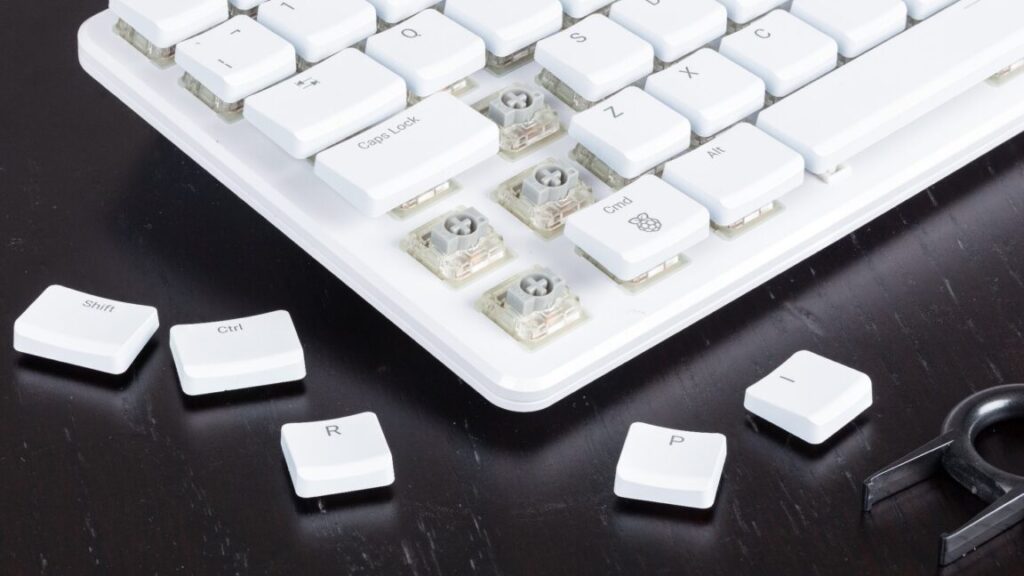
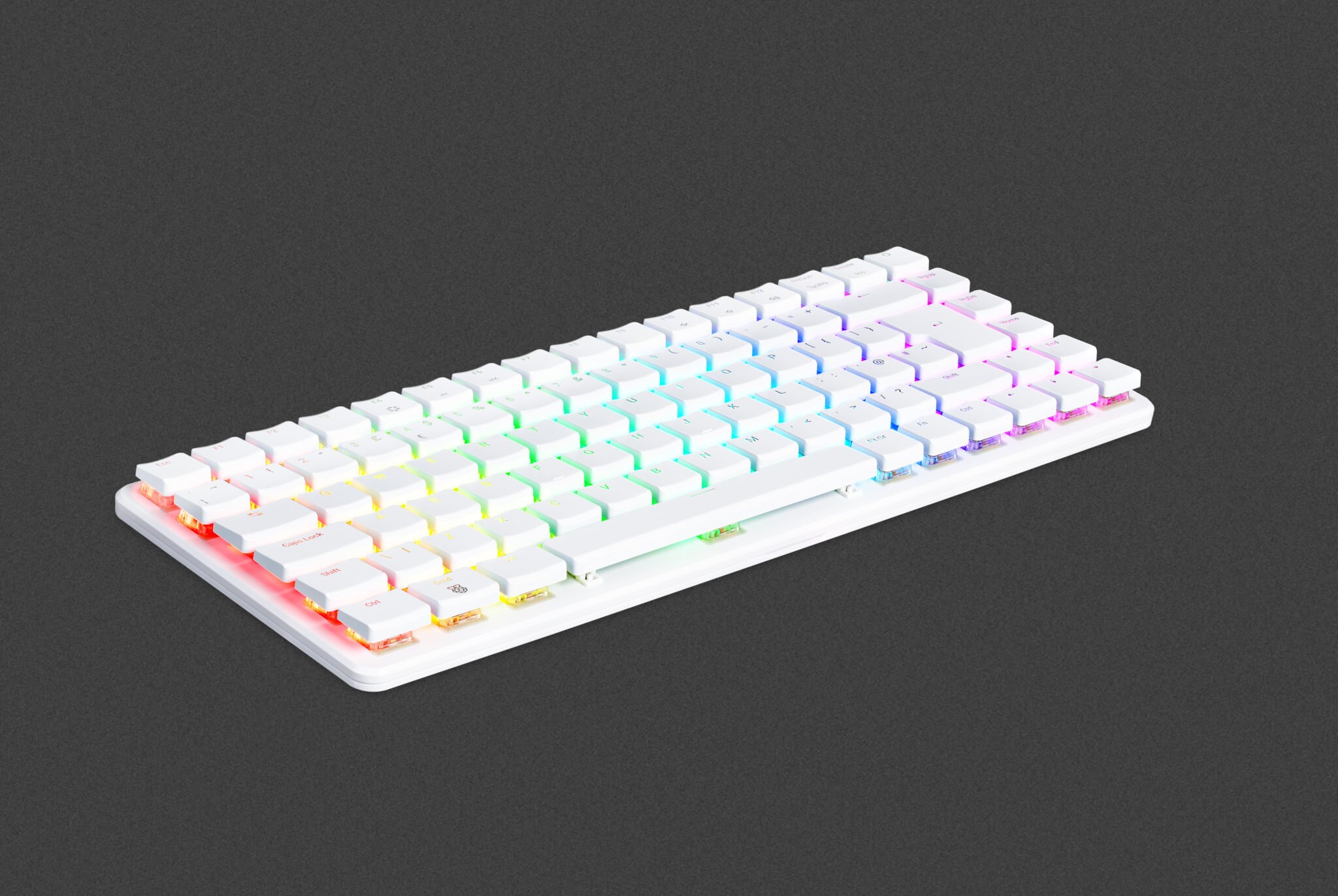
We also haven’t priced in peripherals like webcams, monitors, keyboards, or mice, as we’re assuming most people will reuse what they already have or buy those components separately. If you’re feeling adventurous, you could even make your own DIY keyboard! If you need more guidance, Kimber Streams’ Wirecutter keyboard guides are exhaustive and educational, and Wirecutter has some monitor-buying advice, too.

Finally, we won’t be including the cost of a Windows license in our cost estimates. You can pay many different prices for Windows—$139 for an official retail license from Microsoft, $120 for an “OEM” license for system builders, or anywhere between $15 and $40 for a product key from shady gray market product key resale sites. Windows 10 keys will also work to activate Windows 11, though Microsoft stopped letting old Windows 7 and Windows 8 keys activate new Windows 10 and 11 installs a couple of years ago. You could even install Linux, given recent advancements in game compatibility layers! But if you plan to go that route, know that AMD’s graphics cards tend to be better-supported than Nvidia’s.

The budget all-rounder

What it’s good for: Browsing, schoolwork or regular work, amateur photo or video editing, and very light casual gaming. A low-cost, low-complexity introduction to PC building.

What it sucks at: You’ll need to use low settings at best for modern games, and it’s hard to keep costs down without making big sacrifices.

Cost as of this writing: $479 to $504, depending on your case

The entry point for a basic desktop PC from Dell, HP, and Lenovo is somewhere between $400 and $500 as of this writing. You can beat that pricing with a self-built one if you cut your build to the bone, and you can find tons of cheap used and refurbished stuff and serviceable mini PCs for well under that price, too. But if you’re chasing the thrill of the build, we can definitely match the big OEMs’ pricing while doing better on specs and future-proofing.

The AMD Ryzen 5 8500G should give you all the processing power you need for everyday computing and less-demanding games, despite most of its CPU cores using the lower-performing Zen 4c variant of AMD’s last-gen CPU architecture. The Radeon 740M GPU should do a decent job with many games at lower settings; it’s not a gaming GPU, but it will handle kid-friendly games like Roblox or Minecraft or undemanding battle royale or MOBA games like Fortnite and DOTA 2.

The Gigabyte B650M Gaming Plus WiFi board includes Wi-Fi, Bluetooth, and extra RAM and storage slots for future expandability. Most companies that make AM5 motherboards are pretty good about releasing new BIOS updates that patch vulnerabilities and add support for new CPUs, so you shouldn’t have a problem popping in a new processor a few years down the road if this one is no longer meeting your needs.

An AMD Ryzen 7 8700G. The 8500G is a lower-end relative of this chip, with good-enough CPU and GPU performance for light work. Credit: Andrew Cunningham

This system is spec’d for general usage and exceptionally light gaming, and 16GB of RAM and a 500 GB SSD should be plenty for that kind of thing. You can get the 1TB version of the same SSD for just $20 more, though—not a bad deal if you think light gaming is in the cards. The 600 W power supply is overkill, but it’s just $5 more than the 500 W version of the same PSU, and 600 W is enough headroom to add a GeForce RTX 4060 or 5060-series card or a Radeon RX 9600 XT to the build later on without having to worry.

The biggest challenge when looking for a decent, cheap PC case is finding one without a big, tacky acrylic window. Our standby choice for the last couple of years has been the Thermaltake Versa H17, an understated and reasonably well-reviewed option that doesn’t waste internal space on legacy features like external 3.5 and 5.25-inch drive bays or internal cages for spinning hard drives. But stock seems to be low as of this writing, suggesting it could be unavailable soon.

We looked for some alternatives that wouldn’t be a step down in quality or utility and which wouldn’t drive the system’s total price above $500. YouTubers and users generally seem to like the $70 Phanteks XT Pro, which is a lot bigger than this motherboard needs but is praised for its airflow and flexibility (it has a tempered glass side window in its cheapest configuration, and a solid “silent” variant will run you $88). The Fractal Design Focus 2 is available with both glass and solid side panels for $75.

The budget gaming PC

What it’s good for: Solid all-round performance, plus good 1080p (and sometimes 1440p) gaming performance.

What it sucks at: Future proofing, top-tier CPU performance.

Cost as of this writing: $793 to $828, depending on components

Budget gaming PCs are tough right now, but my broad advice would be the same as it’s always been: Go with the bare minimum everywhere you can so you have more money to spend on the GPU. I went into this totally unsure if I could recommend a PC I’d be happy with for the $700 to $800 we normally hit, and getting close to that number meant making some hard decisions.

I talked myself into a socket AM5 build for our non-gaming budget PC because of its future proof-ness and its decent integrated GPU, but I went with an Intel-based build for this one because we didn’t need the integrated GPU for it and because AMD still mostly uses old socket AM4 chips to cover the $150-and-below part of the market.

Given the choice between aging AMD CPUs and aging Intel CPUs, I have to give Intel the edge, thanks to the Core i5-13400F’s four E-cores. And if a 13th-gen Core chip lacks cutting-edge performance, it’s plenty fast for a midrange GPU. The $109 Core i5-12400F would also be OK and save a little more money, but we think the extra cores and small clock speed boost are worth the $20-ish premium.

For a budget build, we think your best strategy is to save money everywhere you can so you can squeeze a 16GB AMD Radeon RX 9060 XT into the budget. Credit: Andrew Cunningham

Going with a DDR4 motherboard and RAM saves us a tiny bit, and we’ve also stayed at 16GB of RAM instead of stepping up (some games, sometimes can benefit from 32GB, especially if you want to keep a bunch of other stuff running in the background, but it still usually won’t be a huge bottleneck). We upgraded to a 1TB SSD; huge AAA games will eat that up relatively quickly, but there is another M.2 slot you can use to put in another drive later. The power supply and case selections are the same as in our budget pick.

All of that cost-cutting was done in service of stretching the budget to include the 16GB version of AMD’s Radeon RX 9060 XT graphics card.

You could go with the 8GB version of the 9060 XT or Nvidia’s GeForce RTX 5060 and get solid 1080p gaming performance for almost $100 less. But we’re at a point where having 8GB of RAM in your graphics card can be a bottleneck, and that’s a problem that will only get worse over time. The 9060 XT has a consistent edge over the RTX 5060 in our testing, even in games with ray-tracing effects enabled, and at 1440p, the extra memory can easily be the difference between a game that runs and a game that doesn’t.

A more future-proofed budget gaming PC

What it’s good for: Good all-round performance with plenty of memory and storage, plus room for future upgrades.

What it sucks at: Getting you higher frame rates than our budget-budget build.

Cost as of this writing: $1,070 to $1,110, depending on components

As I found myself making cut after cut to maximize the fps-per-dollar we could get from our budget gaming PC, I decided I wanted to spec out a system with the same GPU but with other components that would make it better for non-gaming use and easier to upgrade in the future, with more generous allotments of memory and storage.

This build shifts back to many of the AMD AM5 components we used in our basic budget build, but with an 8-core Ryzen 7 7700X CPU at its heart. Its Zen 4 architecture isn’t the latest and greatest, but Zen 5 is a modest upgrade, and you’ll still get better single- and multi-core processor performance than you do with the Core i5 in our other build. It’s not worth spending more than $50 to step up to a Ryzen 7 9700X, and it’s overkill to spend $330 on a 12-core Ryzen 9 7900X or $380 on a Ryzen 7 7800X3D.

This chip doesn’t come with its own fan, so we’ve included an inexpensive air cooler we like that will give you plenty of thermal headroom.

A 32GB kit of RAM and 2TB of storage will give you ample room for games and enough RAM that you won’t have to worry about the small handful of outliers that benefit from more than 16GB of system RAM, while a marginally beefier power supply gives you a bit more headroom for future upgrades while still keeping costs relatively low.

This build won’t benefit your frame rates much since we’re sticking with the same 16GB RX 9060 XT. But the rest of it is specced generously enough that you could add a GeForce RTX 5070 (currently around $550) or a non-XT Radeon RX 9070 card (around $600) without needing to change any of the other components.

A comfortable 4K gaming rig

What it’s good for: Just about anything! But it’s built to play games at higher resolutions than our budget builds.

What it sucks at: Getting you top-of-the-line bragging rights.

Cost as of this writing: $1,829 to $1,934, depending on components.

Our budget builds cover 1080p-to-1440p gaming, and with an RTX 5070 or an RX 9070, they could realistically stretch to 4K in some games. But for more comfortable 4K gaming or super-high-frame-rate 1440p performance, you’ll thank yourself for spending a bit more.

You’ll note that the quality of the component selections here has been bumped up a bit all around. X670 or X870-series boards don’t just get you better I/O; they’ll also get you full PCI Express 5.0 support in the GPU slot and components better-suited to handling faster and more power-hungry components. We’ve swapped to a modular ATX 3.x-compliant power supply to simplify cable management and get a 12V-2×6 power connector. And we picked out a slightly higher-end SSD, too. But we’ve tried not to spend unnecessary money on things that won’t meaningfully improve performance—no 1,000+ watt power supplies, PCIe 5.0 SSDs, or 64GB RAM kits here.

A Ryzen 7 7800X3D might arguably be overkill for this build—especially at 4K, where the GPU will still be the main bottleneck—but it will be useful for getting higher frame rates at lower resolutions and just generally making sure performance stays consistent and smooth. Ryzen 7900X, 7950X, or 9900X chips are all good alternatives if you want more multi-core CPU performance—if you plan to stream as you play, for instance. A 9700X or even a 7700X would probably hold up fine if you won’t be doing that kind of thing and want to save a little.

You could cool any of these with a closed-loop AIO cooler, but a solid air cooler like the Thermalright model will keep it running cool for less money, and with a less-complicated install process.

A GeForce RTX 5070 Ti is the best 4K performance you can get for less than $1,000, but that doesn’t make it cheap. Credit: Andrew Cunningham

Based on current pricing and availability, I think the RTX 5070 Ti makes the most sense for a non-absurd 4K-capable build. Its prices are still elevated slightly above its advertised $749 MSRP, but it’s giving you RTX 4080/4080 Super-level performance for between $200 and $400 less than those cards launched for. Nvidia’s next step up, the RTX 5080, will run you at least $1,200 or $1,300—and usually more. AMD’s best option, the RX 9070 XT, is a respectable contender, and it’s probably the better choice if you plan on using Linux instead of Windows. But for a Windows-based gaming box, Nvidia still has an edge in games with ray-tracing effects enabled, plus DLSS upscaling and frame generation.

Is it silly that the GPU costs as much as our entire budget gaming PC? Of course! But it is what it is.

Even more than the budget-focused builds, the case here is a matter of personal preference, and $100 or $150 is enough to buy you any one of several dozen competent cases that will fit our chosen components. We’ve highlighted a few from case makers with good reputations to give you a place to start. Some of these also come in multiple colors, with different side panel options and both RGB and non-RGB options to suit your tastes.

If you like something a little more statement-y, the Fractal Design North ($155) and Lian Li Lancool 217 ($120) both include the wood accents that some case makers have been pushing lately. The Fractal Design case comes with both mesh and tempered glass side panel options, depending on how into RGB you are, while the Lancool case includes a whopping five case fans for keeping your system cool.

The “God Box”

What it’s good for: Anything and everything.

What it sucks at: Being affordable.

Cost as of this writing: $4,891 to $5,146

We’re avoiding Xeon and Threadripper territory here—frankly, I’ve never even tried to do a build centered on those chips and wouldn’t trust myself to make recommendations—but this system is as fast as consumer-grade hardware gets.

An Nvidia GeForce RTX 5090 guarantees the fastest GPU performance you can buy and continues the trend of “paying as much for a GPU as you could for an entire fully functional PC.” And while we have specced this build with a single GPU, the motherboard we’ve chosen has a second full-speed PCIe 5.0 x16 slot that you could use for a dual-GPU build.

A Ryzen 9950X3D chip gets you top-tier gaming performance and tons of CPU cores. We’re cooling this powerful chip with a 360 mm Arctic Liquid Freezer III Pro cooler, which has generally earned good reviews from Gamers Nexus and other outlets for its value, cooling performance, and quiet performance. A white option is also available if you’re going for a light-mode color scheme instead of our predominantly dark-mode build.

Other components have been pumped up similarly gratuitously. A 1,000 W power supply is the minimum for an RTX 5090, but to give us some headroom, why not use a 1,200 W model with lights on it? Is PCIe 5.0 storage strictly necessary for anything? No! But let’s grab a 4 TB PCIe 5.0 SSD anyway. And populating all four of our RAM slots with a 32GB stick of DDR5 avoids any unsightly blank spots inside our case.

We’ve selected a couple of largish case options to house our big builds, though as usual, there are tons of other options to fit all design sensibilities and tastes. Just make sure, if you’re selecting a big Extended ATX motherboard like the X870E Taichi, that your case will fit a board that’s slightly wider than a regular ATX or micro ATX board (the Taichi is 267 mm wide, which should be fine in either of our case selections).

Photo of Andrew Cunningham

Andrew is a Senior Technology Reporter at Ars Technica, with a focus on consumer tech including computer hardware and in-depth reviews of operating systems like Windows and macOS. Andrew lives in Philadelphia and co-hosts a weekly book podcast called Overdue.

Ars Technica System Guide: Five sample PC builds, from $500 to $5,000 Read More »

tiny,-removable-“mini-ssd”-could-eventually-be-a-big-deal-for-gaming-handhelds

Tiny, removable “mini SSD” could eventually be a big deal for gaming handhelds

The Mini SSD card isn’t and may never be a formally ratified standard, but it does aim to solve a real problem for portable gaming systems—the need for fast storage that can load games at speeds approaching those of an internal SSD, without requiring users to take their own systems apart to perform upgrades.

Why are games getting so dang big, anyway?

Big storage, small size. Credit: Biwin

A 2023 analysis from TechSpot suggested that game size had increased at an average rate of roughly 6.3GB per year between 2012 and 2023—games that come in over 100GB aren’t the norm, but they aren’t hard to find. Some of that increase comes from improved graphics and the higher-resolution textures needed to make games look good on 4K monitors and TVs. But TechSpot also noted that the storage requirements for narrative-heavy, cinematic-heavy games like The Last of Us Part 1 were being driven just as much by audio files and support for multiple languages.

“In total, nearly 17 GB of storage is needed for [The Last of Us] data unrelated to graphics,” wrote author Nick Evanson. “That’s larger than any entire game from our 2010 sample! This pattern was consistent across nearly all the ‘Godzilla-sized’ games we examined—those featuring numerous cinematics, extensive speech, and considerable localization were typically much larger than the rest of the sample in a given year.”

For another prominent recent example, consider the install sizes for the Mac version of Cyberpunk 2077. The version of the game on Steam, the Epic Games Store, and GOG runs about 92GB. However, the version available for download from Apple’s App Store is a whopping 159GB, solely because it includes all of the game’s voiceovers in all of the languages it supports. (This is because of App Store rules that require apps to have all possible files included when they’re submitted for review.)

It’s clear that there’s a need for fast storage upgrades that don’t require you to disassemble your console or PC completely. Whether it’s this new “mini SSD,” a faster iteration of microSD Express, or some other as-yet-unknown storage format remains to be seen.

Tiny, removable “mini SSD” could eventually be a big deal for gaming handhelds Read More »

apple-watch-gets-reformulated,-non-patent-infringing-blood-oxygen-monitoring

Apple Watch gets reformulated, non-patent-infringing blood oxygen monitoring

The redesigned version of the feature will be available on the Apple Watch Series 9, Series 10, and Ultra 2 after users install the watchOS 11.6.1 update on their watches and the iOS 18.6.1 update on their paired iPhones.

Apple says that watches outside the US won’t be affected by the update, since they were never subject to the US import ban in the first place. It also won’t affect Apple Watches purchased in the US before the import ban went into effect—Apple never removed the feature from watches it had already sold, so if you bought a Series 9 or Ultra 2 watch in the fall of 2023 or if you’re still using an older watch with the blood oxygen monitoring feature, the updates won’t change anything for you.

Masimo originally sued Apple over the blood oxygen monitoring feature in January of 2020. According to Masimo, Masimo and Apple had initially met in 2013 to talk about a potential partnership or acquisition, but Apple instead poached Masimo’s engineers to implement the feature on its own without Masimo’s involvement.

Apple Watch gets reformulated, non-patent-infringing blood oxygen monitoring Read More »

report:-apple’s-smart-home-ambitions-include-“tabletop-robot,”-cameras,-and-more

Report: Apple’s smart home ambitions include “tabletop robot,” cameras, and more

Rumors about a touchscreen-equipped smart home device from Apple have been circulating for years, periodically bolstered by leaked references in Apple’s software updates. But a report from Bloomberg’s Mark Gurman indicates that Apple’s ambitions might extend beyond HomePods with screens attached.

Gurman claims that Apple is working on a “tabletop robot” that “resembles an iPad mounted on a movable limb that can swivel and reposition itself to follow users in a room.” The device will also turn toward people who are addressing it or toward people whose attention it’s trying to get. Prototypes have used a 7-inch display similar in size to an iPad mini, with a built-in camera for FaceTime calls.

Apple is reportedly targeting a 2027 launch for some version of this robot, although, as with any unannounced Apple product, it could come out earlier, later, or not at all. Gurman reported in January that a different smart home device—essentially a HomePod with a screen, without the moving robot parts—was being planned for 2025, but has said more recently that Apple has bumped it to 2026. The robot could be a follow-up to or a fancier, more expensive version of that device, and it sounds like both will run the same software.

Report: Apple’s smart home ambitions include “tabletop robot,” cameras, and more Read More »

perplexity-offers-more-than-twice-its-total-valuation-to-buy-chrome-from-google

Perplexity offers more than twice its total valuation to buy Chrome from Google

Google has strenuously objected to the government’s proposed Chrome divestment, which it calls “a radical interventionist agenda.” Chrome isn’t just a browser—it’s an open source project known as Chromium, which powers numerous non-Google browsers, including Microsoft’s Edge. Perplexity’s offer includes $3 billion to run Chromium over two years, and it allegedly vows to keep the project fully open source. Perplexity promises it also won’t enforce changes to the browser’s default search engine.

An unsolicited offer

We’re currently waiting on United States District Court Judge Amit Mehta to rule on remedies in the case. That could happen as soon as this month. Perplexity’s offer, therefore, is somewhat timely, but there could still be a long road ahead.

This is an unsolicited offer, and there’s no indication that Google will jump at the chance to sell Chrome as soon as the ruling drops. Even if the court decides that Google should sell, it can probably get much, much more than Perplexity is offering. During the trial, DuckDuckGo’s CEO suggested a price of around $50 billion, but other estimates have ranged into the hundreds of billions. However, the data that flows to Chrome’s owner could be vital in building new AI technologies—any sale price is likely to be a net loss for Google.

If Mehta decides to force a sale, there will undoubtedly be legal challenges that could take months or years to resolve. Should these maneuvers fail, there’s likely to be opposition to any potential buyer. There will be many users who don’t like the idea of an AI startup or an unholy alliance of venture capital firms owning Chrome. Google has been hoovering up user data with Chrome for years—but that’s the devil we know.

Perplexity offers more than twice its total valuation to buy Chrome from Google Read More »

aol-announces-september-shutdown-for-dial-up-internet-access

AOL announces September shutdown for dial-up Internet access

A screenshot of America Online's version 2.5 client in 1995.

A screenshot of America Online’s version 2.5 client in 1995.

The company’s cultural impact extended far beyond mere connectivity. AOL Instant Messenger introduced many users to real-time digital communication. Chat rooms created some of the Internet’s first social networks. The famous “You’ve Got Mail” notification became so iconic that it was a title for a 1998 romantic comedy. For better or worse, AOL keywords trained a generation to navigate the web through corporate-curated portals rather than open searching.

Over the years, Ars Technica documented numerous dial-up developments and disasters that plagued AOL users. In 2015, 83-year-old Ron Dorff received phone bills totaling $24,298.93 after his AOL modem started dialing a long-distance number instead of a local access point—a problem that had plagued users since at least 2002, when New York’s attorney general received more than 50 complaints about similar billing disasters.

The financial risks weren’t limited to technical mishaps: AOL itself contributed to user frustration by repeatedly adjusting its pricing strategy. In 2006, the company raised dial-up rates to $25.90 per month—the same price as broadband—in an attempt to push users toward faster connections. This followed years of subscriber losses that saw AOL’s user base fall over time as the company struggled with conflicting strategies that included launching a $9.95 Netscape-branded service in 2003 while maintaining premium pricing for its main offering.

The infrastructure that remains

AOL’s shutdown doesn’t mean dial-up is completely dead. Several niche providers like NetZero, Juno, and Dialup 4 Less continue to offer dial-up services, particularly in areas where it remains the only option. In the past, some maintained dial-up connections as a backup connection for emergencies, though many still use it for specific tasks that don’t require high bandwidth, like processing credit card payments.

The Public Switched Telephone Network that carries dial-up signals still exists, though telephone companies increasingly route calls through modern packet-switched networks rather than traditional circuit-switched systems. As long as traditional phone service exists, dial-up remains technically possible—just increasingly impractical as the web grows more demanding.

For AOL, maintaining dial-up service likely became more about serving a dwindling but dependent user base than generating meaningful revenue. The infrastructure requirements, customer support needs, and technical maintenance for such a legacy system eventually outweigh the benefits.

The September 30 shutdown date gives remaining dial-up users just over one month now to find alternative Internet access—a challenge for those in areas where alternatives don’t exist. Some may switch to satellite or cellular services despite higher costs. Others may lose Internet access entirely, further widening the digital divide that dial-up, for all its limitations, helped bridge for three decades.

This article was updated on August 12, 2025 at 10: 45 AM Eastern to add details about when AOL began offering true Internet access.

AOL announces September shutdown for dial-up Internet access Read More »

github-will-be-folded-into-microsoft-proper-as-ceo-steps-down

GitHub will be folded into Microsoft proper as CEO steps down

Putting GitHub more directly under its AI umbrella makes some degree of sense for Microsoft, given how hard it has pushed tools like GitHub Copilot, an AI-assisted coding tool. Microsoft has continually iterated on GitHub Copilot since introducing it in late 2021, adding support for multiple language models and “agents” that attempt to accomplish plain-language requests in the background as you work on other things.

However, there have been problems, too. Copilot inadvertently exposed the private code repositories of a few major companies earlier this year. And a recent Stack Overflow survey showed that trust in AI-assisted coding tools’ accuracy may be declining even as usage has increased, citing the extra troubleshooting and debugging work caused by “solutions that are almost right, but not quite.”

It’s unclear whether Dohmke’s departure and the elimination of the CEO position will change much in terms of the way GitHub operates or the products it creates and maintains. As GitHub’s CEO, Dohmke was already reporting to Julia Liuson, president of the company’s developer division, and Liuson reported to Core AI group leader Jay Parikh. The CoreAI group itself is only a few months old—it was announced by Microsoft CEO Satya Nadella in January, and “build[ing] out GitHub Copilot” was already one of the group’s responsibilities.

“Ultimately, we must remember that our internal organizational boundaries are meaningless to both our customers and to our competitors,” wrote Nadella when he announced the formation of the CoreAI group.

GitHub will be folded into Microsoft proper as CEO steps down Read More »