Synology caves, walks back some drive restrictions on upcoming NAS models
Policy change affects at least 2025 model Plus, Value, and J-series DiskStations.
Credit: SOPA Images / Getty
If you were considering the purchase of a Synology NAS but were leery of the unreasonably high cost of populating it with special Synology-branded hard disk drives, you can breathe a little easier today. In a press release dated October 8, Synology noted that with the release of its latest Disk Station Manager (DSM) update, some of its 2025 model-year products—specifically, the Plus, Value, and J-series DiskStation NAS devices—would “support the installation and storage pool creation of non-validated third-party drives.”
This unexpected move comes just a few months after Synology aggressively expanded its “verified drive” policy down-market to the entire Plus line of DiskStations. Prior to today, the network-attached storage vendor had shown no signs of swerving from the decision, painting it as a pro-consumer move intended to enhance reliability. “Extensive internal testing has shown that drives that follow a rigorous validation process when paired with Synology systems are at less risk of drive failure and ongoing compatibility issues,” Synology previously claimed in an email to Ars.
What is a “verified” or “validated” drive?
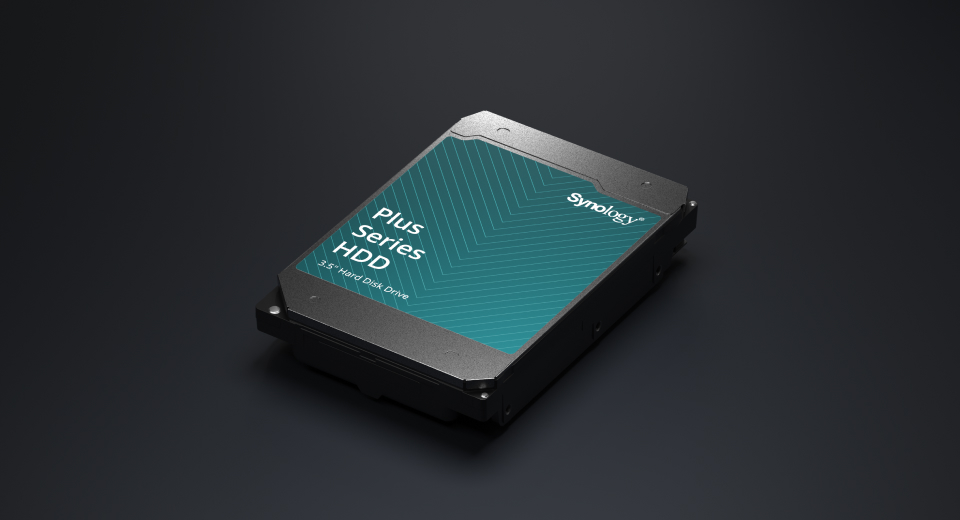
Synology first released its own brand of hard disk drives back in 2021 and began requiring their use in a small but soon-to-increase number of its higher-end NAS products. Although the drives were rebadged offerings from other manufacturers—there are very few hard disk drive OEMs, and Synology isn’t one of them—the company claimed that its branded disks underwent significant additional validation and testing that, when coupled with customized firmware, yielded reliability and performance improvements over off-the-shelf components.
However, those drives came with what was in some cases a substantial price increase over commodity hardware. Although I couldn’t find an actual published MSRP list, some spot checking on several web stores shows that the Synology HAT5310 enterprise SATA drive (a drive with the same warranty and expected service life as a Seagate Exos or Western Digital Gold) is available in 8TB at $299, 12TB at $493, and 20TB at an eye-watering $605. (For comparison, identically sized Seagate Exos disks are $220 at 8TB, $345 at 12TB, and $399 at 20TB.) Other Synology drive models tell similar pricing stories.
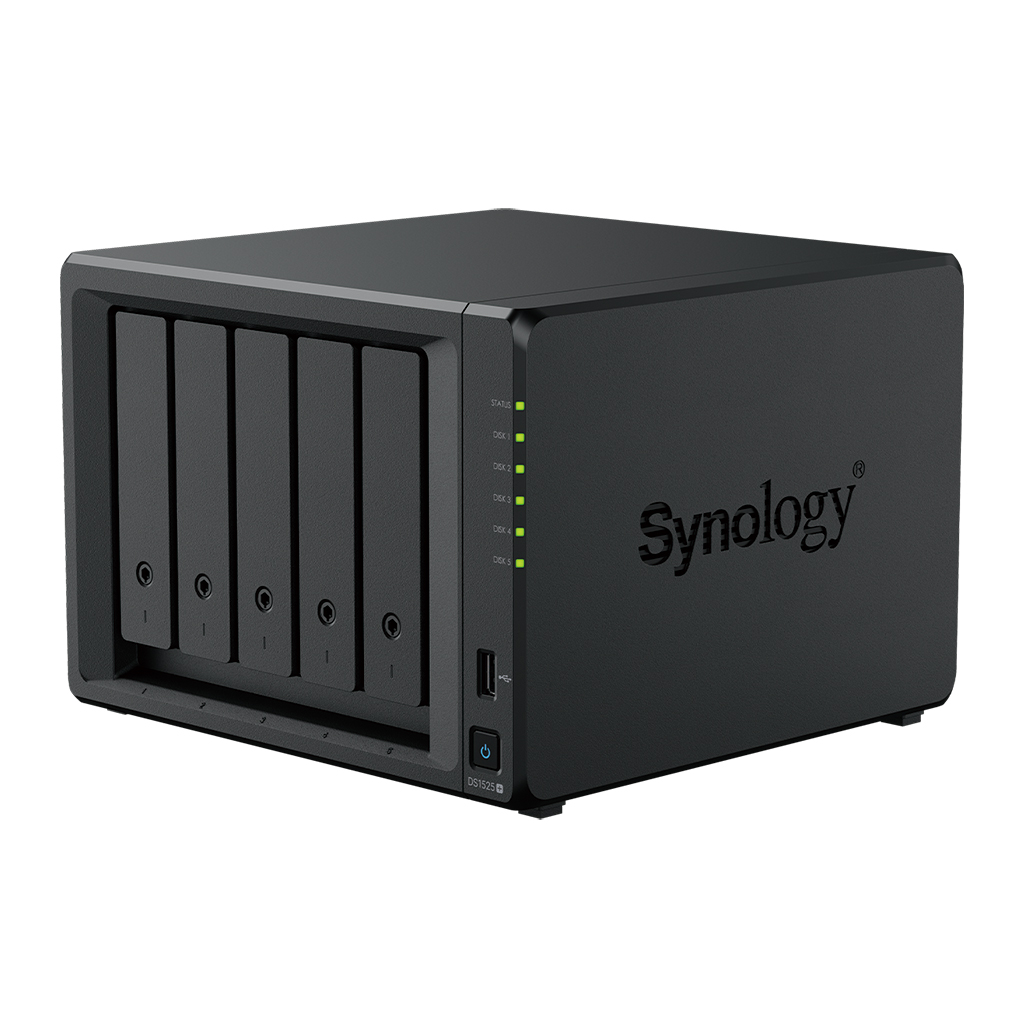
A Synology DS1525+ NAS, which up until today would scream at you unless you filled it with special Synology-branded disks.
Credit: Synology
A Synology DS1525+ NAS, which up until today would scream at you unless you filled it with special Synology-branded disks. Credit: Synology
If you put non-verified drives in a Synology NAS that required verified drives, certain functionality would be reduced or potentially removed, depending on the specific model disks you were introducing. Additionally, the Synology DSM interface would spam you with large “DANGER” warnings that your data might not be safe. Synology also at first refused to display S.M.A.R.T. diagnostic information from unverified drives, though this particular restriction was eventually lifted.
Savvy sysadmins could disable the verified drive requirements altogether by using one of several different workarounds, though that kind of thing opens one up to a different kind of danger—the danger of depending on an unsupported configuration tweak to keep a production system fully online and functional. It’s not a big deal for home users, but for business users relying on a Synology system at work with people’s livelihoods involved, the should-I-or-shouldn’t-I calculus of using such a workaround gets murkier. Synology is likely banking on the fact that if your business is of a certain size and you’re spending someone else’s money, a few hundred bucks more on each disk drive for peace of mind and a smoothly functioning NAS might seem like less of a speed bump than it would to a homelab admin spending money out of their own pocket.
While Synology’s claims about its validated drives having undergone extensive testing and yielding some performance benefit do hold water (at least under the specific benchmark circumstances called out on Synology drive page), it’s very difficult for me to see Synology’s actions here as anything other than an attempt to squeeze additional revenue out of what the company thought to be an exploitable market segment.
Enterprise storage companies like Dell-EMC enjoy vast margins on high-end storage gear—margins that don’t exist down in the consumer and SMB space where Synology is usually found. So the company decided to be the change it wanted to see in the world and created a way to extract those margins by making expensive custom hard disk drives mandatory (at least in a “nice data you got there, it’d be a shame if something happened to it—better use our disks” kind of way) for more and more products.
Unfortunately for Synology, today is not 2021, and the prosumer/SMB NAS market is getting downright crowded. In addition to long-time players like QNAP that continue to pump out new products, up-and-comer UGREEN is taking market share from Synology in the consumer areas where Synology has traditionally been most successful, and even Ubiquiti is making a run at the mid-market with its own line of Unifi-integrated NAS devices. Synology’s verified drive rent-seeking has made the brand practically impossible to recommend over competitors’ offerings for any use case without significant caveats. At least, up until today’s backpedaling.
When asked about the reasoning behind the change, a Synology representative gave the following statement via email: “First and foremost, our goal is to create reliable and secure solutions for user’s data, which is what drives our decisions as a company, including this original one. We are continuing with our validation program, working with third-party vendors to test their drives under the same rigorous testing we put our branded drives through, so we will still uphold those standards that we have set for ourselves. However, based on user feedback and to provide more flexibility in drive choices since testing third party drives has taken a while, we’re opening up the drive policy to include non-verified drives.”
As part of the same exchange, I asked Synology if they’re aware that—at least anecdotally, from what I see among the IT-savvy Ars audience—that this change has caused reputational damage among a significant number of existing and potential Synology customers. “While our original goal was to improve system reliability by focusing on a smaller set of validated configurations,” the company representative replied, “our valued community has shared feedback that flexibility is equally important. We are committed to our user’s experience and we understand that this decision didn’t align with their expectations of us. We value their input and will utilize it as we move forward.”
The about-face
As of the October 8 release of DSM 7.3, the input has been utilized. Here’s the full section from the company’s DSM 7.3 announcement:
As a part of its mission statement, Synology is committed to delivering reliable, high-performance storage systems. This commitment has led to a standardized process of rigorous testing and validation for both hardware and software components, and has been an integral part of Synology’s development approach for many years. Both Synology storage drives and components validated through the third-party program undergo uniform testing processes to ensure they are able to provide the highest levels of reliability with DSM.
Synology is currently collaborating closely with third-party drive manufacturers to accelerate the testing and verification of additional storage drives, and will announce more updates as soon as possible. In the meantime, 25 model year DiskStation Plus, Value, and J series running DSM 7.3 will support the installation and storage pool creation of non-validated third-party drives. This provides users greater flexibility while Synology continues to expand the lineup of officially verified drives that meet long-term reliability standards.
The upshot is that the validated drive requirements are being removed from 2025 model-year Plus, Value, and J-series NAS devices. (Well, mostly removed—the press release indicates that pool and cache creation on M.2 disks “still requires drives on the HCL [hardware compatibility list].”)
We asked Synology whether the requirements will also be lifted from previous-generation Synology products—and the answer to that question appears to be a “no.”
“This change only affects the ’25 series models: DS725+, DS225+, DS425+, DS925+, DS1525+, DS1825+. Models in the xs+ line, like the DS3622xs+, are considered a business/enterprise model and will remain under the current HCL policy for our business lines,” Synology explained.
Updated with comments from Synology.

Lee is the Senior Technology Editor, and oversees story development for the gadget, culture, IT, and video sections of Ars Technica. A long-time member of the Ars OpenForum with an extensive background in enterprise storage and security, he lives in Houston.
Synology caves, walks back some drive restrictions on upcoming NAS models Read More »