Claude Code

anthropic-introduces-cheaper,-more-powerful,-more-efficienct-opus-4.5-model

Anthropic introduces cheaper, more powerful, more efficienct Opus 4.5 model

Anthropic today released Opus 4.5, its flagship frontier model, and it brings improvements in coding performance, as well as some user experience improvements that make it more generally competitive with OpenAI’s latest frontier models.

Perhaps the most prominent change for most users is that in the consumer app experiences (web, mobile, and desktop), Claude will be less prone to abruptly hard-stopping conversations because they have run too long. The improvement to memory within a single conversation applies not just to Opus 4.5, but to any current Claude models in the apps.

Users who experienced abrupt endings (despite having room left in their session and weekly usage budgets) were hitting a hard context window (200,000 tokens). Whereas some large language model implementations simply start trimming earlier messages from the context when a conversation runs past the maximum in the window, Claude simply ended the conversation rather than allow the user to experience an increasingly incoherent conversation where the model would start forgetting things based on how old they are.

Now, Claude will instead go through a behind-the-scenes process of summarizing the key points from the earlier parts of the conversation, attempting to discard what it deems extraneous while keeping what’s important.

Developers who call Anthropic’s API can leverage the same principles through context management and context compaction.

Opus 4.5 performance

Opus 4.5 is the first model to surpass an accuracy score of 80 percent—specifically, 80.9 percent in the SWE-Bench Verified benchmark, narrowly beating OpenAI’s recently released GPT-5.1-Codex-Max (77.9 percent) and Google’s Gemini 3 Pro (76.2 percent). The model performs particularly well in agentic coding and agentic tool use benchmarks, but still lags behind GPT-5.1 in visual reasoning (MMMU).

Anthropic introduces cheaper, more powerful, more efficienct Opus 4.5 model Read More »

claude-code-gets-a-web-version—but-it’s-the-new-sandboxing-that-really-matters

Claude Code gets a web version—but it’s the new sandboxing that really matters

Now, it can instead be given permissions for specific file system folders and network servers. That means fewer approval steps, but it’s also more secure overall against prompt injection and other risks.

Anthropic’s demo video for Claude Code on the web.

According to Anthropic’s engineering blog, the new network isolation approach only allows Internet access “through a unix domain socket connected to a proxy server running outside the sandbox. … This proxy server enforces restrictions on the domains that a process can connect to, and handles user confirmation for newly requested domains.” Additionally, users can customize the proxy to set their own rules for outgoing traffic.

This way, the coding agent can do things like fetch npm packages from approved sources, but without carte blanche for communicating with the outside world, and without badgering the user with constant approvals.

For many developers, these additions are more significant than the availability of web or mobile interfaces. They allow Claude Code agents to operate more independently without as many detailed, line-by-line approvals.

That’s more convenient, but it’s a double-edged sword, as it will also make code review even more important. One of the strengths of the too-many-approvals approach was that it made sure developers were still looking closely at every little change. Now it might be a little bit easier to miss Claude Code making a bad call.

The new features are available in beta now as a research preview, and they are available to Claude users with Pro or Max subscriptions.

Claude Code gets a web version—but it’s the new sandboxing that really matters Read More »

developers-joke-about-“coding-like-cavemen”-as-ai-service-suffers-major-outage

Developers joke about “coding like cavemen” as AI service suffers major outage

Growing dependency on AI coding tools

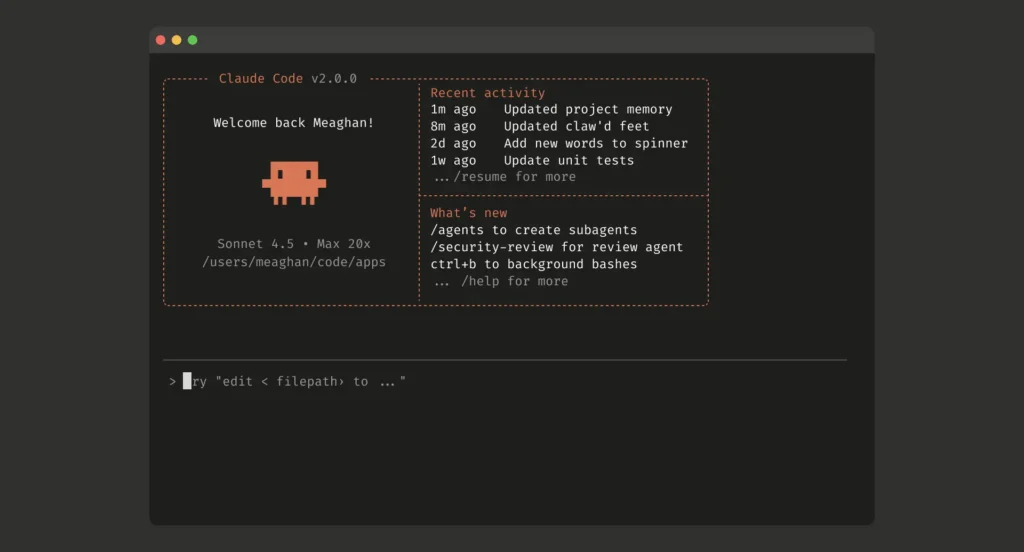
The speed at which news of the outage spread shows how deeply embedded AI coding assistants have already become in modern software development. Claude Code, announced in February and widely launched in May, is Anthropic’s terminal-based coding agent that can perform multi-step coding tasks across an existing code base.

The tool competes with OpenAI’s Codex feature, a coding agent that generates production-ready code in isolated containers, Google’s Gemini CLI, Microsoft’s GitHub Copilot, which itself can use Claude models for code, and Cursor, a popular AI-powered IDE built on VS Code that also integrates multiple AI models, including Claude.

During today’s outage, some developers turned to alternative solutions. “Z.AI works fine. Qwen works fine. Glad I switched,” posted one user on Hacker News. Others joked about reverting to older methods, with one suggesting the “pseudo-LLM experience” could be achieved with a Python package that imports code directly from Stack Overflow.

While AI coding assistants have accelerated development for some users, they’ve also caused problems for others who rely on them too heavily. The emerging practice of so-called “vibe coding“—using natural language to generate and execute code through AI models without fully understanding the underlying operations—has led to catastrophic failures.

In recent incidents, Google’s Gemini CLI destroyed user files while attempting to reorganize them, and Replit’s AI coding service deleted a production database despite explicit instructions not to modify code. These failures occurred when the AI models confabulated successful operations and built subsequent actions on false premises, highlighting the risks of depending on AI assistants that can misinterpret file structures or fabricate data to hide their errors.

Wednesday’s outage served as a reminder that as dependency on AI grows, even minor service disruptions can become major events that affect an entire profession. But perhaps that could be a good thing if it’s an excuse to take a break from a stressful workload. As one commenter joked, it might be “time to go outside and touch some grass again.”

Developers joke about “coding like cavemen” as AI service suffers major outage Read More »