Apple

apple-removes-iceblock,-won’t-allow-apps-that-report-locations-of-ice-agents

Apple removes ICEBlock, won’t allow apps that report locations of ICE agents

Acting on a demand from the Trump administration, Apple has removed apps that let iPhone users report the locations of Immigration and Customs Enforcement (ICE) officers.

“We reached out to Apple today demanding they remove the ICEBlock app from their App Store—and Apple did so,” Attorney General Pam Bondi said in a statement to Fox News yesterday. “ICEBlock is designed to put ICE agents at risk just for doing their jobs, and violence against law enforcement is an intolerable red line that cannot be crossed.”

Apple confirmed it removed multiple apps after hearing from law enforcement. “We created the App Store to be a safe and trusted place to discover apps,” an Apple statement to news organizations said. “Based on information we’ve received from law enforcement about the safety risks associated with ICEBlock, we have removed it and similar apps from the App Store.”

The app removals follow a September 24 shooting at a Dallas ICE facility that resulted in the deaths of two immigrants in federal custody and the shooter. The shooter, identified as Joshua Jahn, “searched apps that tracked the presence of ICE agents,” according to FBI Director Kash Patel.

ICEBlock creator Joshua Aaron disputed claims that his app could have contributed to the shooting. He pointed out that an app isn’t needed to find the locations of ICE facilities.

“You don’t need to use an app to tell you where an ICE agent is when you’re aiming at an ICE detention facility,” Aaron told the BBC. “Everybody knows that’s where ICE agents are.”

Apple cited “objectionable content”

Aaron said he was disappointed by Apple’s decision to remove the app. “ICEBlock is no different from crowd-sourcing speed traps, which every notable mapping application including Apple’s own Maps app [does],” he was quoted as saying. “This is protected speech under the First Amendment of the United States Constitution.”

Apple removes ICEBlock, won’t allow apps that report locations of ICE agents Read More »
apple-iphone-17-pro-review:-come-for-the-camera,-stay-for-the-battery

Apple iPhone 17 Pro review: Come for the camera, stay for the battery


a weird-looking phone for taking pretty pictures

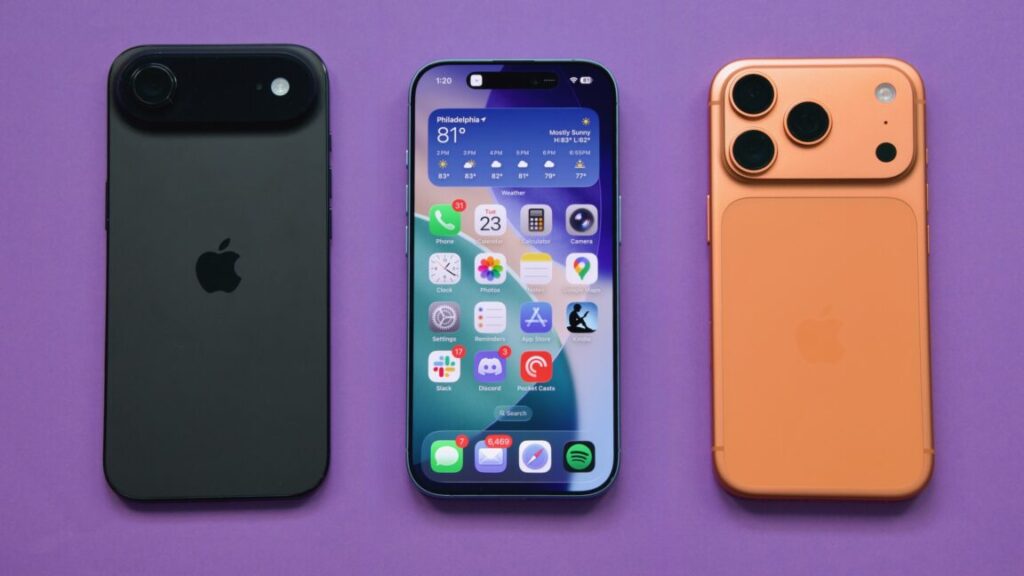
If your iPhone is your main or only camera, the iPhone 17 Pro is for you.

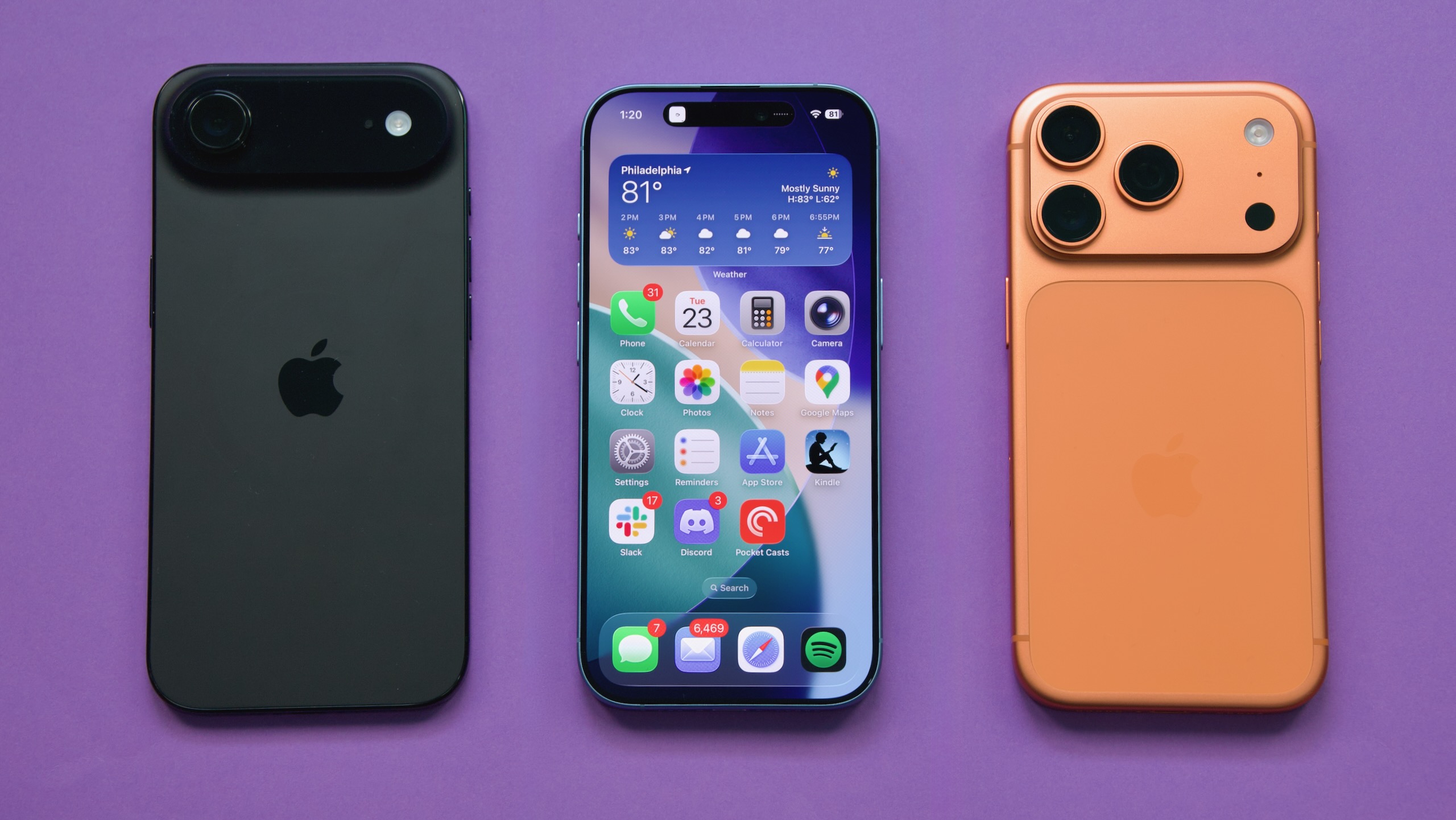
The iPhone 17 Pro’s excellent camera is the best reason to buy it instead of the regular iPhone 17. Credit: Andrew Cunningham

The iPhone 17 Pro’s excellent camera is the best reason to buy it instead of the regular iPhone 17. Credit: Andrew Cunningham

Apple’s “Pro” iPhones usually look and feel a lot like the regular ones, just with some added features stacked on top. They’ve historically had better screens and more flexible cameras, and there has always been a Max option for people who really wanted to blur the lines between a big phone and a small tablet (Apple’s commitment to the cheaper “iPhone Plus” idea has been less steadfast). But the qualitative experience of holding and using one wasn’t all that different compared to the basic aluminum iPhone.

This year’s iPhone 17 Pro looks and feels like more of a departure from the basic iPhone, thanks to a new design that prioritizes function over form. It’s as though Apple anticipated the main complaints about the iPhone Air—why would I want a phone with worse battery and fewer cameras, why don’t they just make the phone thicker so they can fit in more things—and made a version of the iPhone that they could point to and say, “We already make that phone—it’s that one over there.”

Because the regular iPhone 17 is so good, and because it uses the same 6.3-inch OLED ProMotion screen, I think the iPhone 17 Pro is playing to a narrower audience than usual this year. But Apple’s changes and additions are also tailor-made to serve that audience. In other words, fewer people even need to consider the iPhone Pro this time around, but there’s a lot to like here for actual “pros” and people who demand a lot from their phones.

Design

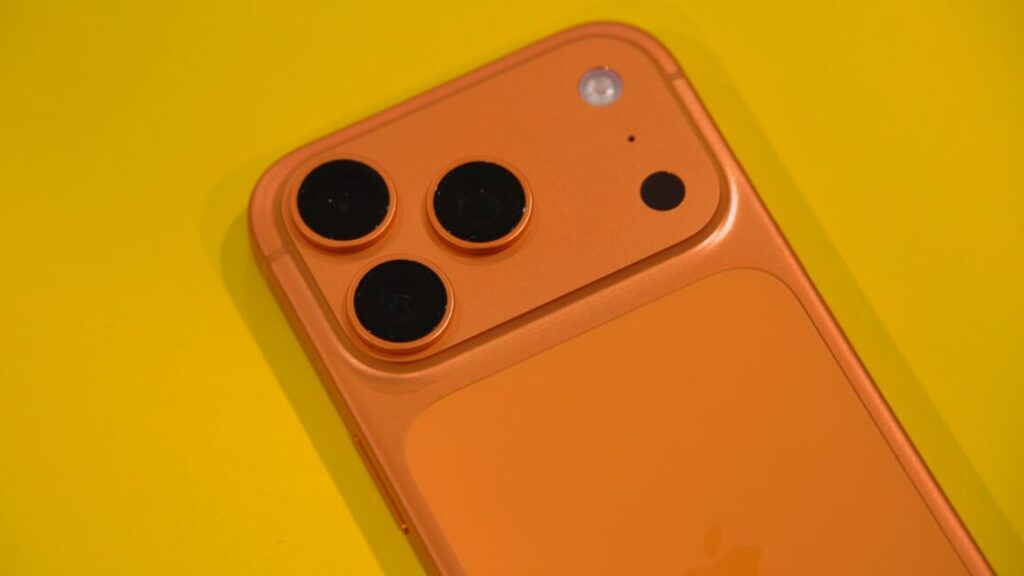
The iPhone 17 drops the titanium frame of the iPhone 15 and 16 Pro in favor of a return to aluminum. But it’s no longer the aluminum-framed glass-sandwich design that the iPhone 17 still uses; it’s a reformulated “aluminum unibody” design that also protects a substantial portion of the phone’s back. It’s the most metal we’ve seen on the back of the iPhone since 2016’s iPhone 7.

But remember that part of the reason the 2017 iPhone 8 and iPhone X switched to the glass sandwich design was wireless charging. The aluminum iPhones always featured some kind of cutouts or gaps in the aluminum to allow Wi-Fi, Bluetooth, and cellular signals through. But the addition of wireless charging to the iPhone meant that a substantial portion of the phone’s back now needed to be permeable by wireless signals, and the solution to that problem was simply to embrace it with a full sheet of glass.

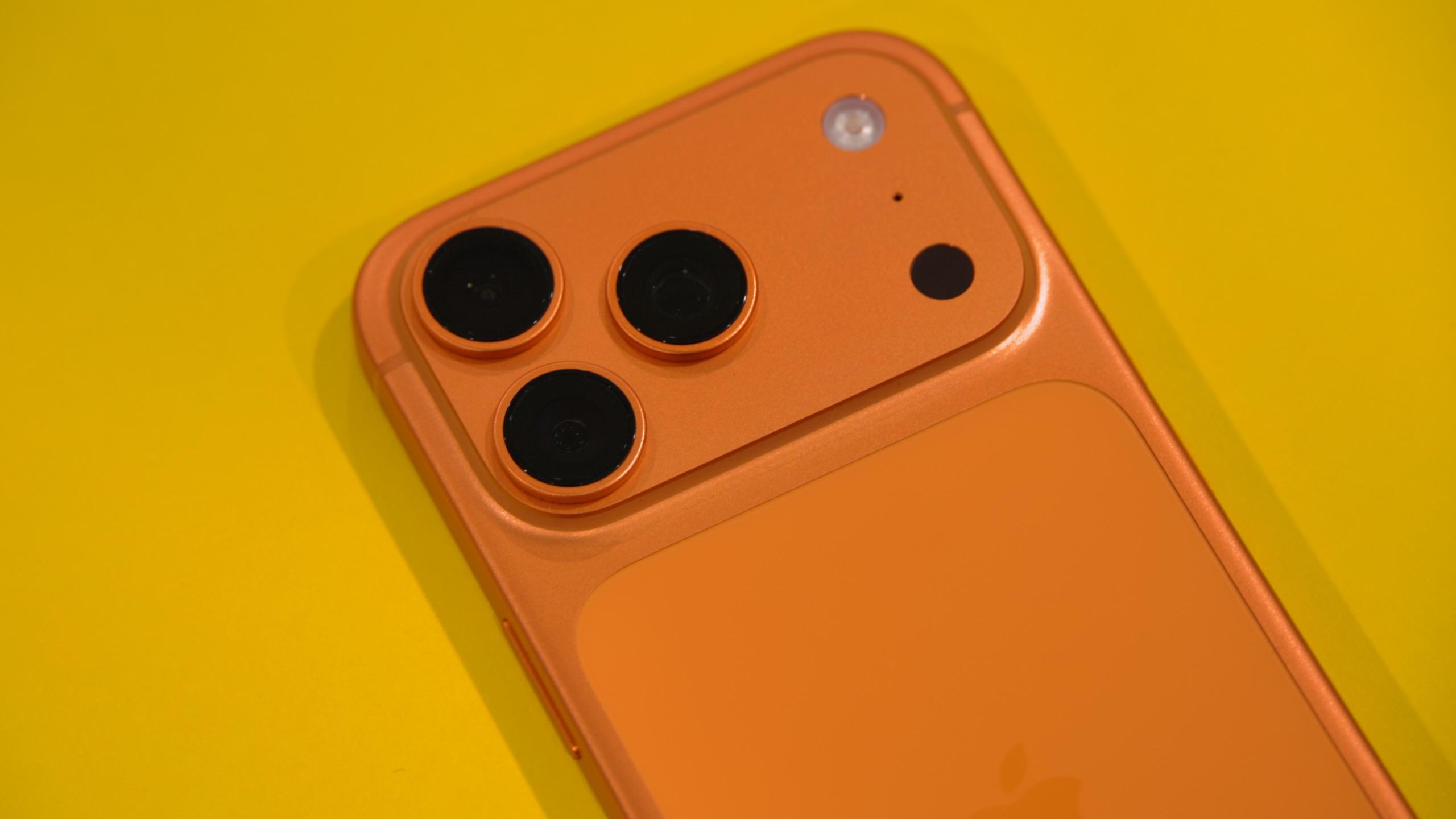
The iPhone 17 Pro returns to the cutout approach, and while it might be functional, it leaves me pretty cold, aesthetically. Small stripes on the sides of the phone and running all the way around the “camera plateau” provide gaps between the metal parts so that you can’t mess with your cellular reception by holding the phone wrong; on US versions of the phone with support for mmWave 5G, there’s another long ovular cutout on the top of the phone to allow those signals to pass through.

But the largest and most obvious is the sheet of glass on the back that Apple needed to add to make wireless charging work. The aluminum, the cell signal cutouts, and this sheet of glass are all different shades of the phone’s base color (it’s least noticeable on the Deep Blue phone and most noticeable on the orange one).

The result is something that looks sort of unfinished and prototype-y. There are definitely people who will like or even prefer this aesthetic, which makes it clearer that this piece of technology is a piece of technology rather than trying to hide it—the enduring popularity of clear plastic electronics is a testament to this. But it does feel like a collection of design decisions that Apple was forced into by physics rather than choices it wanted to make.

That also extends to the camera plateau area, a reimagining of the old iPhone camera bump that extends all the way across the top of the phone. It’s a bit less slick-looking than the one on the iPhone Air because of the multiple lenses. And because the camera bumps are still additional protrusions on top of the plateau, the phone wobbles when it’s resting flat on a table instead of resting on the plateau in a way that stabilizes the phone.

Finally, there’s the weight of the phone, which isn’t breaking records but is a step back from a substantial weight reduction that Apple was using as a first-sentence-of-the-press-release selling point just two years ago. The iPhone 17 Pro weighs the same amount as the iPhone 14 Pro, and it has a noticeable heft to it that the iPhone Air (say) does not have. You’ll definitely notice if (like me) your current phone is an iPhone 15 Pro.

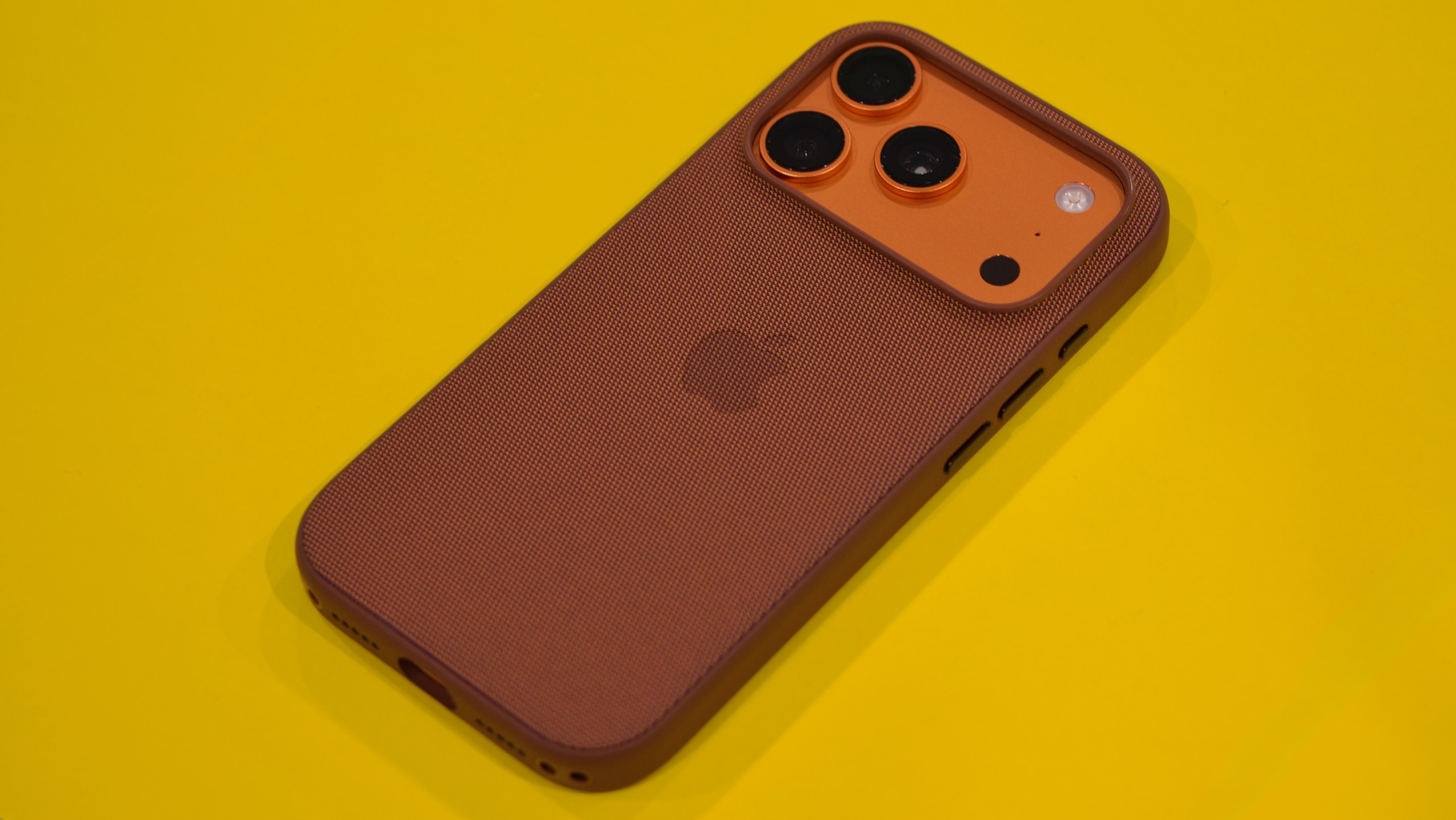
Apple sent me one of its $59 “TechWoven” cases with the iPhone 17 Pro, and it solved a lot of what I didn’t like about the design—the inconsistent materials and colors everywhere, and the bump-on-a-bump camera. There’s still a bump on the top, but at least the aperture of a case evens it out so that your phone isn’t tilted by the plateau and wobbling because of the bump.

I liked Apple’s TechWoven case for the iPhone Pro, partly because it papered over some of the things I don’t love about the design. Credit: Andrew Cunningham

The original FineWoven cases were (rightly) panned for how quickly and easily they scratched, but the TechWoven case might be my favorite Apple-designed phone case of the ones I’ve used. It doesn’t have the weird soft lint-magnet feel of some of the silicone cases, FineWoven’s worst problems seem solved, and the texture on the sides of the case provides a reassuring grippiness. My main issue is that the opening for the USB-C port on the bottom is relatively narrow. Apple’s cables will fit fine, but I had a few older or thicker USB-C connectors that didn’t.

This isn’t a case review, but I bring it up mainly to say that I stand by my initial assessment of the Pro’s function-over-form design: I am happy I put it in a case, and I think you will be, too, whichever case you choose (when buying for myself or family members, I have defaulted to Smartish cases for years, but your mileage may vary).

On “Scratchgate”

Early reports from Apple’s retail stores indicated that the iPhone 17 Pro’s design was more susceptible to scratches than past iPhones and that some seemed to be showing marks from as simple and routine an activity as connecting and disconnecting a MagSafe charging pad.

Apple says the marks left by its in-store MagSafe chargers weren’t permanent scratches and could be cleaned off. But independent testing from the likes of iFixit has found that the anodization process Apple uses to add color to the iPhone’s aluminum frame is more susceptible to scratching and flaking on non-flat surfaces like the edges of the camera bump.

Like “antennagate” and “bendgate” before it, many factors will determine whether “scratchgate” is actually something you’ll notice. Independent testing shows there is something to the complaints, but it doesn’t show how often this kind of damage will appear in actual day-to-day use over the course of months or years. Do keep it in mind when deciding which iPhone and accessories you want—it’s just one more reason to keep the iPhone 17 Pro in a case, if you ask me—but I wouldn’t say it should keep you from buying this phone if you like everything else about it.

Camera

I have front-loaded my complaints about the iPhone 17 Pro to get them out of the way, but the fun thing about an iPhone in which function follows form is that you get a lot of function.

When I made the jump from the regular iPhone to the Pro (I went from an 11 to a 13 Pro and then to a 15 Pro), I did it mainly for the telephoto lens in the camera. For both kid photos and casual product photography, it was game-changing to be able to access the functional equivalent of optical zoom on my phone.

The iPhone 17 Pro’s telephoto lens in 4x mode. Andrew Cunningham

The iPhone 16 Pro changed the telephoto lens’ zoom level from 3x to 5x, which was useful if you want maximum zoom but which did leave a gap between it and the Fusion Camera-enabled 2x mode. The 17 Pro switches to a 4x zoom by default, closing that gap, and it further maximizes the zooming capabilities by switching to a 48 MP sensor.

Like the main and ultrawide cameras, which had already switched to 48 MP sensors in previous models, the telephoto camera saves 24 MP images when shooting in 4x mode. But it can also crop a 12 MP image out of the center of that sensor to provide a native-resolution 12 MP image at an 8x zoom level, albeit without the image quality improvements from the “pixel binning” process that 4x images get.

You can debate how accurate it is to market this as “optical-quality zoom” as Apple does, but it’s hard to argue with the results. The level of detail you can capture from a distance in 8x mode is consistently impressive, and Apple’s hardware and software image stabilization help keep these details reasonably free of the shake and blur you might see if you were shooting at this zoom level with an actual hardware lens.

It’s my favorite feature of the iPhone 17 Pro, and it’s the thing about the phone that comes closest to being worth the $300 premium over the regular iPhone 17.

The iPhone 17 Pro, main lens, 1x mode. Andrew Cunningham

Apple continues to gate several other camera-related features to the Pro iPhones. All phones can shoot RAW photos in third-party camera apps that support it, but only the Pro iPhones can shoot Apple’s ProRAW format in the first-party camera app (ProRAW performs Apple’s typical image processing for RAW images but retains all the extra information needed for more flexible post-processing).

I don’t spend as much time shooting video on my phone as I do photos, but for the content creator and influencer set (and the “we used phones and also professional lighting and sound equipment to shoot this movie” set) Apple still reserves several video features for the Pro iPhones. That list includes 120 fps 4K Dolby Vision video recording and a four-mic array (both also supported by the iPhone 16 Pro), plus ProRes RAW recording and Genlock support for synchronizing video from multiple sources (both new to the 17 Pro).

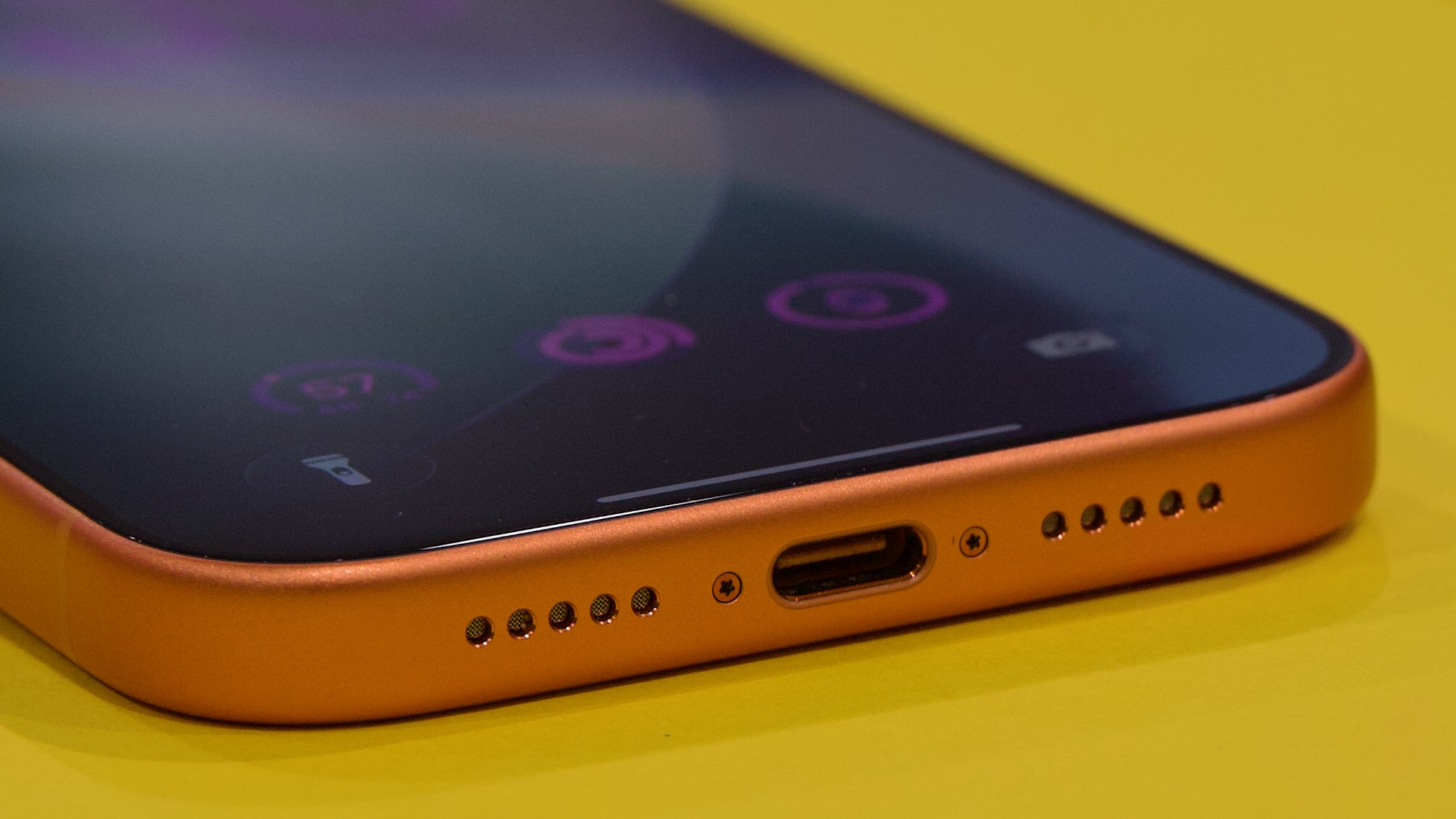
The iPhone Pro also remains the only iPhone to support 10 Gbps USB transfer speeds over the USB-C port, making it faster to transfer large video files from the phone to an external drive or a PC or Mac for additional processing and editing. It’s likely that Apple built this capability into the A19 Pro’s USB controller, but both the iPhone Air and the regular iPhone 17 are restricted to the same old 25-year-old 480 Mbps USB 2.0 data transfer speeds.

The iPhone 17 Pro gets the same front camera treatment as the iPhone 17 and the Air: a new square “Center Stage” sensor that crops a 24 MP square image into an 18 MP image, allowing users to capture approximately the same aspect ratios and fields-of-view with the front camera regardless of whether they’re holding the phone in portrait or landscape mode. It’s definitely an image-quality improvement, but it’s the same as what you get with the other new iPhones.

Specs, speeds, and battery

You still need to buy a Pro phone to get a USB-C port with 10 Gbps USB 3 transfer speeds instead of 480 Mbps USB 2.0 speeds. Credit: Andrew Cunningham

The iPhone 17 Pro uses, by a slim margin, the fastest and most capable version of the A19 Pro chip, partly because it has all of the A19 Pro’s features fully enabled and partly because its thermal management is better than the iPhone Air’s.

The A19 Pro in the iPhone 17 Pro uses two high-performance CPU cores and four smaller high-efficiency CPU cores, plus a fully enabled six-core GPU. Like the iPhone Air, the iPhone Pro also includes 12GB of RAM, up from 8GB in the iPhone 16 Pro and the regular iPhone 17. Apple has added a vapor chamber to the iPhone 17 Pro to help keep it cool rather than relying on metal to conduct heat away from the chips—an infinitesimal amount of water inside a small metal pocket continually boils, evaporates, and condenses inside the closed copper-lined chamber. This spreads the heat evenly over a large area, compared to just using metal to conduct the heat; having the heat spread out over a larger area then allows that heat to be dissipated more quickly.

All phones were tested with Adaptive Power turned off.

We saw in our iPhone 17 review how that phone’s superior thermals helped it outrun the iPhone Air’s version of the A19 Pro in many of our graphics tests; the iPhone Pro’s A19 Pro beats both by a decent margin, thanks to both thermals and the extra hardware.

The performance line graph that 3DMark generates when you run its benchmarks actually gives us a pretty clear look at the difference between how the iPhones act. The graphs for the iPhone 15 Pro, the iPhone 17, and the iPhone 17 Pro all look pretty similar, suggesting that they’re cooled well enough to let the benchmark run for a couple of minutes without significant throttling. The iPhone Air follows a similar performance curve for the first half of the test or so but then drops noticeably lower for the second half—the ups and downs of the line actually look pretty similar to the other phones, but the performance is just a bit lower because the A19 Pro in the iPhone Air is already slowing down to keep itself cool.

The CPU performance of the iPhone 17 Pro is also marginally better than this year’s other phones, but not by enough that it will be user-noticeable.

As for battery, Apple’s own product pages say it lasts for about 10 percent longer than the regular iPhone 17 and between 22 and 36 percent longer than the iPhone Air, depending on what you’re doing.

I found the iPhone Air’s battery life to be tolerable with a little bit of babying and well-timed use of the Low Power Mode feature, and the iPhone 17’s battery was good enough that I didn’t worry about making it through an 18-hour day. But the iPhone 17 Pro’s battery really is a noticeable step up.

One day, I forgot to plug it in overnight and awoke to a phone that still had a 30 percent charge, enough that I could make it through the morning school drop-off routine and plug it in when I got back home. Not only did I not have to think about the iPhone 17 Pro’s battery, but it’s good enough that even a battery with 85-ish percent capacity (where most of my iPhone batteries end up after two years of regular use) should still feel pretty comfortable. After the telephoto camera lens, it’s definitely the second-best thing about the iPhone 17 Pro, and the Pro Max should last for even longer.

Pros only

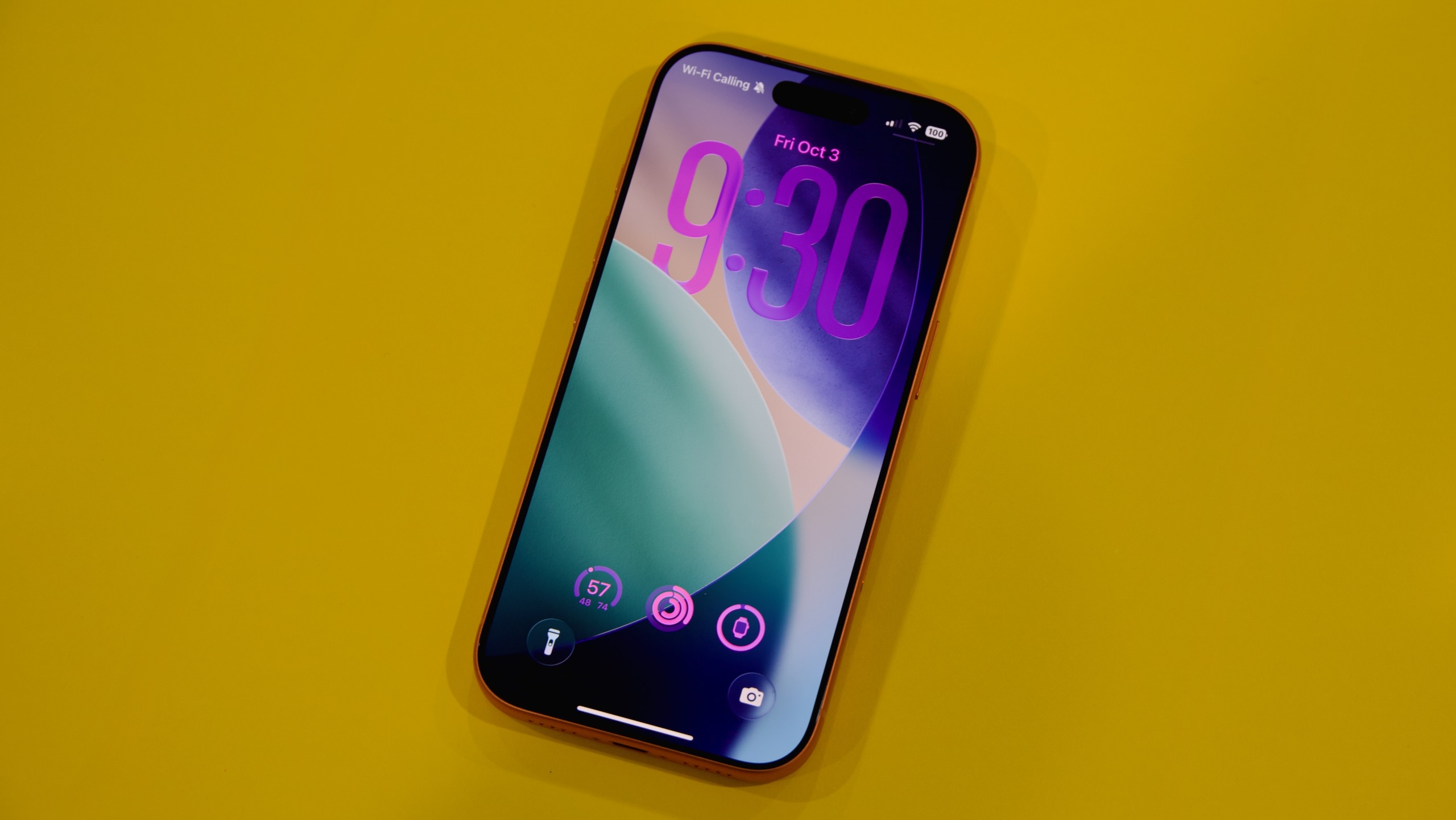
Apple’s iPhone 17 Pro. Credit: Andrew Cunningham

I’m taken with a lot of things about the iPhone 17 Pro, but the conclusion of our iPhone 17 review still holds: If you’re not tempted by the lightness of the iPhone Air, then the iPhone 17 is the one most people should get.

Even more than most Pro iPhones, the iPhone 17 Pro and Pro Max will make the most sense for people who actually use their phones professionally, whether that’s for product or event photography, content creation, or some other camera-centric field where extra flexibility and added shooting modes can make a real difference. The same goes for people who want a bigger screen, since there’s no iPhone 17 Plus.

Sure, the 17 Pro also performs a little better than the regular 17, and the battery lasts longer. But the screen was always the most immediately noticeable upgrade for regular people, and the exact same display panel is now available in a phone that costs $300 less.

The benefit of the iPhone Pro becoming a bit more niche is that it’s easier to describe who each of these iPhones is for. The Air is the most pleasant to hold and use, and it’s the one you’ll probably buy if you want people to ask you, “Oh, is that one of the new iPhones?” The Pro is for people whose phones are their most important camera (or for people who want the biggest phone they can get). And the iPhone 17 is for people who just want a good phone but don’t want to think about it all that much.

The good

  • Excellent performance and great battery life
  • It has the most flexible camera in any iPhone, and the telephoto lens in particular is a noticeable step up from a 2-year-old iPhone 15 Pro
  • 12GB of RAM provides extra future-proofing compared to the standard iPhone
  • Not counting the old iPhone 16, it’s Apple’s only iPhone to be available in two screen sizes
  • Extra photography and video features for people who use those features in their everyday lives or even professionally

The bad

  • Clunky, unfinished-looking design
  • More limited color options compared to the regular iPhone
  • Expensive
  • Landscape layouts for apps only work on the Max model

The ugly

  • Increased weight compared to previous models, which actually used their lighter weight as a selling point

Photo of Andrew Cunningham

Andrew is a Senior Technology Reporter at Ars Technica, with a focus on consumer tech including computer hardware and in-depth reviews of operating systems like Windows and macOS. Andrew lives in Philadelphia and co-hosts a weekly book podcast called Overdue.

Apple iPhone 17 Pro review: Come for the camera, stay for the battery Read More »

uk-once-again-demands-backdoor-to-apple’s-encrypted-cloud-storage

UK once again demands backdoor to Apple’s encrypted cloud storage

Caroline Wilson Palow, legal director of the campaign group Privacy International, said the new order might be “just as big a threat to worldwide security and privacy” as the old one.

She said: “If Apple breaks end-to-end encryption for the UK, it breaks it for everyone. The resulting vulnerability can be exploited by hostile states, criminals, and other bad actors the world over.”

Apple made a complaint to the Investigatory Powers Tribunal over the original demand, backed by a parallel legal challenge from Privacy International and Liberty, another campaign group. That case was due to be heard early next year, but the new order may restart the legal process.

TCNs are issued under the UK Investigatory Powers Act, which the government maintains is needed by law enforcement to investigate terrorism and child sexual abuse.

Key figures in Donald Trump’s administration, including vice-president JD Vance and director of national intelligence Tulsi Gabbard, had pressured the UK to retract the January TCN. President Donald Trump has likened the UK’s request to Chinese state surveillance.

In August, Gabbard told the Financial Times that the UK had “agreed to drop” its demand that Apple enable access to “the protected encrypted data of American citizens.”

A person close to the Trump administration said at the time that the request for Apple to break its encryption would have to be dropped altogether to be faithful to the agreement between the two countries. Any back door would weaken protections for US citizens, the person said.

UK Prime Minister Sir Keir Starmer last month hosted Trump for a state visit, during which the two world leaders announced that US tech companies would invest billions of dollars to build artificial intelligence infrastructure in Britain.

Members of the US delegation raised the issue of the request to Apple around the time of Trump’s visit, according to two people briefed on the matter. However, two senior British government figures said the US administration was no longer leaning on the UK government to rescind the order.

© 2025 The Financial Times Ltd. All rights reserved. Not to be redistributed, copied, or modified in any way.

UK once again demands backdoor to Apple’s encrypted cloud storage Read More »

youtuber-unboxes-what-seems-to-be-a-pre-release-version-of-an-m5-ipad-pro

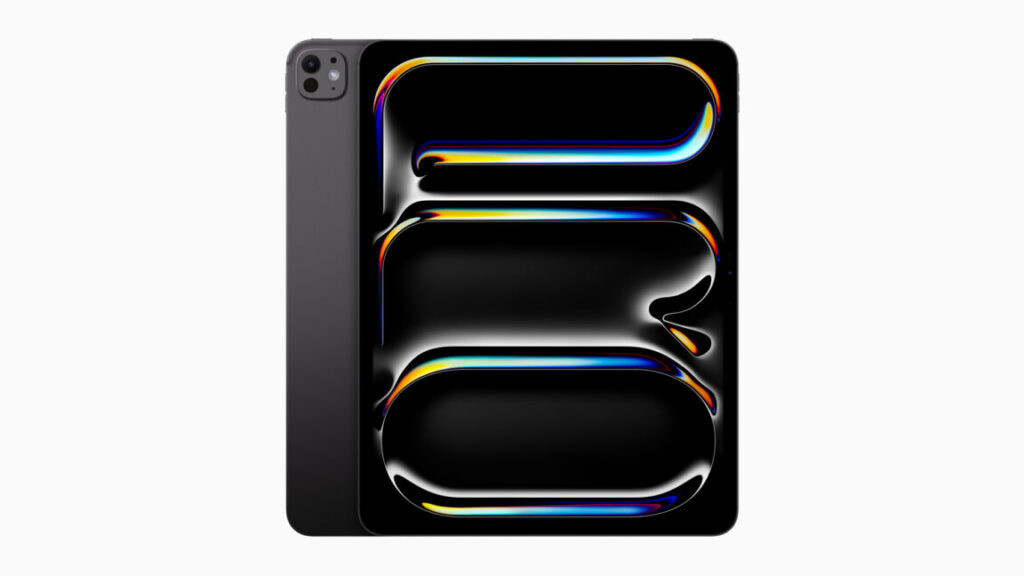
YouTuber unboxes what seems to be a pre-release version of an M5 iPad Pro

Apple’s biggest product event of the year happens in September, when the company puts out a new batch of iPhones and Apple Watches and other odds and ends. But in most years, Apple either has another smaller event or just a handful of additional product announcements later in the fall in October or November—usually the focus is on the Mac, the iPad, or both.

It seems like a new iPad Pro could be one of the announcements on tap. Russian YouTube channel Wylsacom has posted an unboxing video and early tour of what appears to be a retail boxed version of a new 256GB 13-inch iPad Pro, as well as an M5 processor that we haven’t seen in any other Apple product yet. This would be the first new iPad Pro since May of 2024, when Apple introduced the current M4 version.

The same channel also got ahold of the M4 MacBook Pro early, so it seems likely that this is genuine. And while the video is mostly dedicated to complaining about packaging, the wattage of the included power adapter, and how boring it is that Apple doesn’t introduce dramatic design changes every generation, it does also give us some early performance numbers for the new M5.

While we don’t have details on the chip’s manufacturing process or other changes, quick Geekbench 6 runs show the M5 in this iPad Pro improving CPU performance by roughly 10 to 15 percent and GPU performance by about 34 percent, compared to the M4 in the old iPad Pro.

This M5 includes three high-performance CPU cores and six high-efficiency CPU cores, the same core count as the 256GB and 512GB versions of the M4 iPad Pro (the 1TB and 2TB iPads and the M4 Macs all get one additional performance core, for a total of four, and we’d bet it’s the same way for the M5). We don’t know how many GPU cores the M5 has, though given the larger performance improvements it’s at least theoretically possible that Apple has added additional graphics cores on top of the 10 that the M4 includes. Higher clock speeds, faster RAM, architectural improvements, or a mix of all three could also explain the jump.

YouTuber unboxes what seems to be a pre-release version of an M5 iPad Pro Read More »

ios-2601,-macos-260.1-updates-fix-install-bugs,-new-phone-problems,-and-more

iOS 26.0.1, macOS 26.0.1 updates fix install bugs, new phone problems, and more

Now that iOS 26, macOS 26 Tahoe, and Apple’s other big software updates for the year are out in public, Apple’s efforts for the next few months will shift to fixing bugs and adding individual new features. The first of those bug fix updates has arrived this week in the form of iOS 26.0.1, macOS 26.0.1, iPadOS 26.0.1, and equivalent updates for most of the devices across Apple’s ecosystem.

The release notes for most of the updates focus on device- and platform-specific early adopter problems, particularly for buyers of the new iPhone 17, iPhone 17 Pro, and iPhone Air.

The iOS 26.0.1 update fixes a bug that could prevent phones from connecting to cellular networks, a bug that could cause app icons to appear blank, and the VoiceOver feature becoming disabled on devices that have it on. Camera, Wi-Fi, and Bluetooth bugs with the new iPhones have also been patched. The iPadOS update also fixes a bug that was causing the floating software keyboard to move around.

iOS 26.0.1, macOS 26.0.1 updates fix install bugs, new phone problems, and more Read More »

amazon-blamed-ai-for-layoffs,-then-hired-cheap-h1-b-workers,-senators-allege

Amazon blamed AI for layoffs, then hired cheap H1-B workers, senators allege


Tech firms pressed to explain if H-1B workers are paid less than US workers.

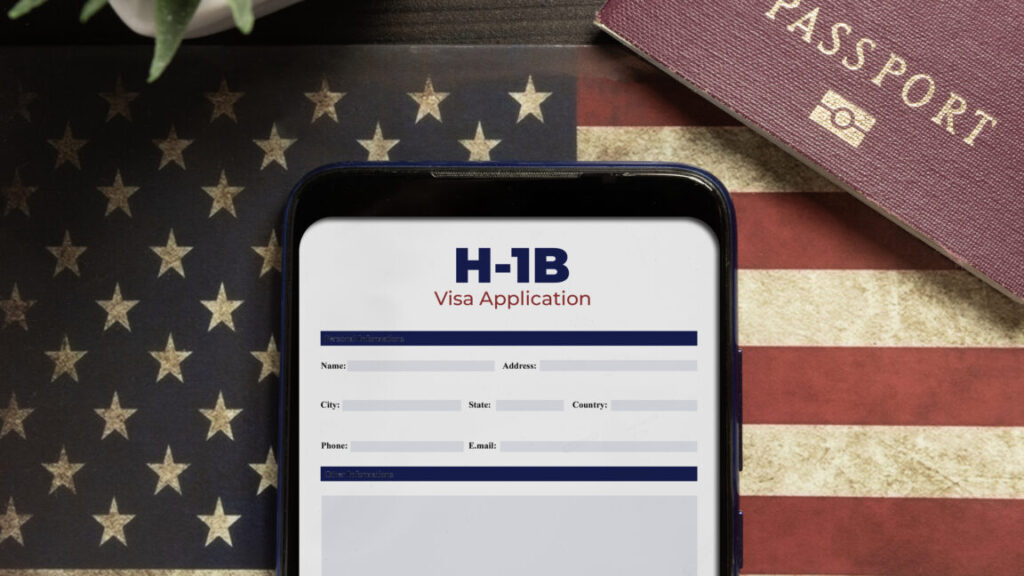
Senators are demanding answers from Big Tech companies accused of “filing thousands of H-1B skilled labor visa petitions after conducting mass layoffs of American employees.”

In letters sent to Amazon, Meta, Apple, Google, and Microsoft—among some of the largest sponsors of H-1B visas—Senators Chuck Grassley (R-Iowa) and Dick Durbin (D-Ill.) requested “information and data from each company regarding their recruitment and hiring practices, as well as any variation in salary and benefits between H-1B visa holders and American employees.”

The letters came shortly after Grassley sent a letter to Department of Homeland Security Secretary Kristi Noem requesting that DHS stop “issuing work authorizations to student visa holders.” According to Grassley, “foreign student work authorizations put America at risk of technological and corporate espionage,” in addition to allegedly “contributing to rising unemployment rates among college-educated Americans.”

If DHS refuses to stop authorizing the visas, Grassley requested a “detailed explanation of what legal authority DHS is relying on to issue these authorizations.” He suggested that the authorization violates a law intended to ensure that only highly skilled workers and top talents that can’t be found in the US are granted visas.

In the letters to tech firms, senators emphasized that the unemployment rate in America’s tech sector is “well above” the overall jobless rate.

Amazon perhaps faces the most scrutiny. US Citizenship and Immigration Services data showed that Amazon sponsored the most H-1B visas in 2024 at 14,000, compared to other criticized firms like Microsoft and Meta, which each sponsored 5,000, The Wall Street Journal reported. Senators alleged that Amazon blamed layoffs of “tens of thousands” on the “adoption of generative AI tools,” then hired more than 10,000 foreign H-1B employees in 2025.

The letter similarly called out Meta for its “year of efficiency,” laying off “a quarter of its workforce” between 2022 and 2023. Meta followed that with more layoffs impacting 3,500 employees in 2025, Senators noted, while receiving approval to hire more than 5,000 H-1B employees.

Senators also pushed Google to explain why it “laid off tens-of-thousands of employees in recent years” despite “enjoying record profits.”

“With all of the homegrown American talent relegated to the sidelines, we find it hard to believe that [you] cannot find qualified American tech workers to fill these positions,” senators scolded tech firms, demanding responses by October 10.

That’s the same deadline that Grassley gave Noem to respond about stopping student visa authorizations. If Noem agrees, that would likely also include cutting off “a pathway for students to work in the US for around 12 to 36 months immediately after completing their degree,” Hindustan Times reported, noting that students from India were likely to be most harmed by the proposed change.

Asked for comment on whether Noem would meet the deadline, DHS told Ars that “Congressional correspondence will be handled through official channels.”

Ars reached out to tech firms, but only Microsoft immediately responded, declining to comment.

Trump’s $100,000 H-1B visa fee spooks startups

On X, Grassley noted that the recent pressure campaign revives an effort to change H-1B visa approval processes that he and Durbin have worked to oppose since 2023.

Back then, the senators introduced the H-1B and L-1 Visa Reform Act, alleging that “for years” companies have “used legal loopholes to displace qualified American workers and replace them with foreign workers who are paid subpar wages and put in exploitative working conditions.”

That legislation sought to “put an end” to “abuses” by placing new wage requirements on employers and new education requirements, only approving visas for specialty occupations that required “a bachelor’s degree or higher.” If passed, employers risked fines for violating wage requirements.

But despite having bipartisan support and a stamp of approval from Sen. Bernie Sanders (I-Vt.)—who has long argued H-1B visas “replace American” workers “with cheaper international workers,” The Guardian noted—the bill died after being referred to the Committee on the Judiciary.

Now the White House is forcing changes after Donald Trump issued an executive order last week requiring all companies sponsoring new H-1B employees to pay a $100,000 fee to bring them into the US, which started Sunday.

Trump claimed the fee was necessary to stop the H-1B nonimmigrant visa program from being “deliberately exploited to replace, rather than supplement, American workers with lower-paid, lower-skilled labor.”

To support this, the order cited data showing that the number of “foreign STEM workers in the United States has more than doubled between 2000 and 2019, increasing from 1.2 million to almost 2.5 million, while overall STEM employment has only increased 44.5 percent during that time.”

Attacking the tech sector in particular, the order also noted that “the share of IT workers in the H-1B program grew from 32 percent” in 2003 to “an average of over 65 percent” in the last five years. According to Trump, tech firms are incentivized to “close their IT divisions, fire their American staff, and outsource IT jobs to lower-paid foreign workers,” due to “artificially lower labor costs” the H-1B program supposedly creates.

“American IT workers have reported they were forced to train the foreign workers who were taking their jobs and to sign nondisclosure agreements about this indignity as a condition of receiving any form of severance,” Trump’s order said. “This suggests H-1B visas are not being used to fill occupational shortages or obtain highly skilled workers who are unavailable in the United States.”

By imposing the $100,000 fee, Trump claims that companies will be forced to use the H-1B program the way “it was intended”—motivated to pay more for certain foreign workers in order “to fill jobs for which highly skilled and educated American workers are unavailable.” Speaking last Friday, Trump suggested that money collected from the fees would be used to “reduce taxes” and “reduce debt,” The Guardian reported.

The order also proposed a new weighted lottery system, where applications for visas for jobs with the highest wages would be more likely to be approved than lower-wage jobs. For some firms, changes to the system may feel personal, as The Guardian noted that Alphabet chief executive Sundar Pichai and Microsoft chief executive Satya Nadella “were at one point H-1B visa holders.”

Most tech companies haven’t commented directly on the order, with Netflix founder Reed Hastings standing out among the few voicing support for the change, while other firms internally warned workers to limit travel until companies understood how the process could impact existing H-1B employees. Since then, the White House has confirmed that only new applicants will be impacted by the changes.

Previously, tech firms only had to pay somewhere between $1,700 to $4,500, “depending on whether the visa was expedited,” The Guardian reported. Now facing a much larger fee to hire foreign talent, smaller tech firms have complained that Trump’s policy advantages Big Tech firms with deeper pockets, The New York Times reported. The fee may also deter companies from coming into the US, the Times reported.

Some believe that Trump’s policy is short-sighted, with startups particularly panicked. While Big Tech firms can afford to pay the fees, the US risks falling behind in innovation and tech leadership, critics told the Times, as “Silicon Valley relies on a steady stream of start-ups to advance new ideas and technologies.”

Photo of Ashley Belanger

Ashley is a senior policy reporter for Ars Technica, dedicated to tracking social impacts of emerging policies and new technologies. She is a Chicago-based journalist with 20 years of experience.

Amazon blamed AI for layoffs, then hired cheap H1-B workers, senators allege Read More »

apple-iphone-17-review:-sometimes-boring-is-best

Apple iPhone 17 review: Sometimes boring is best


let’s not confuse “more interesting” with “better”

The least exciting iPhone this year is also the best value for the money.

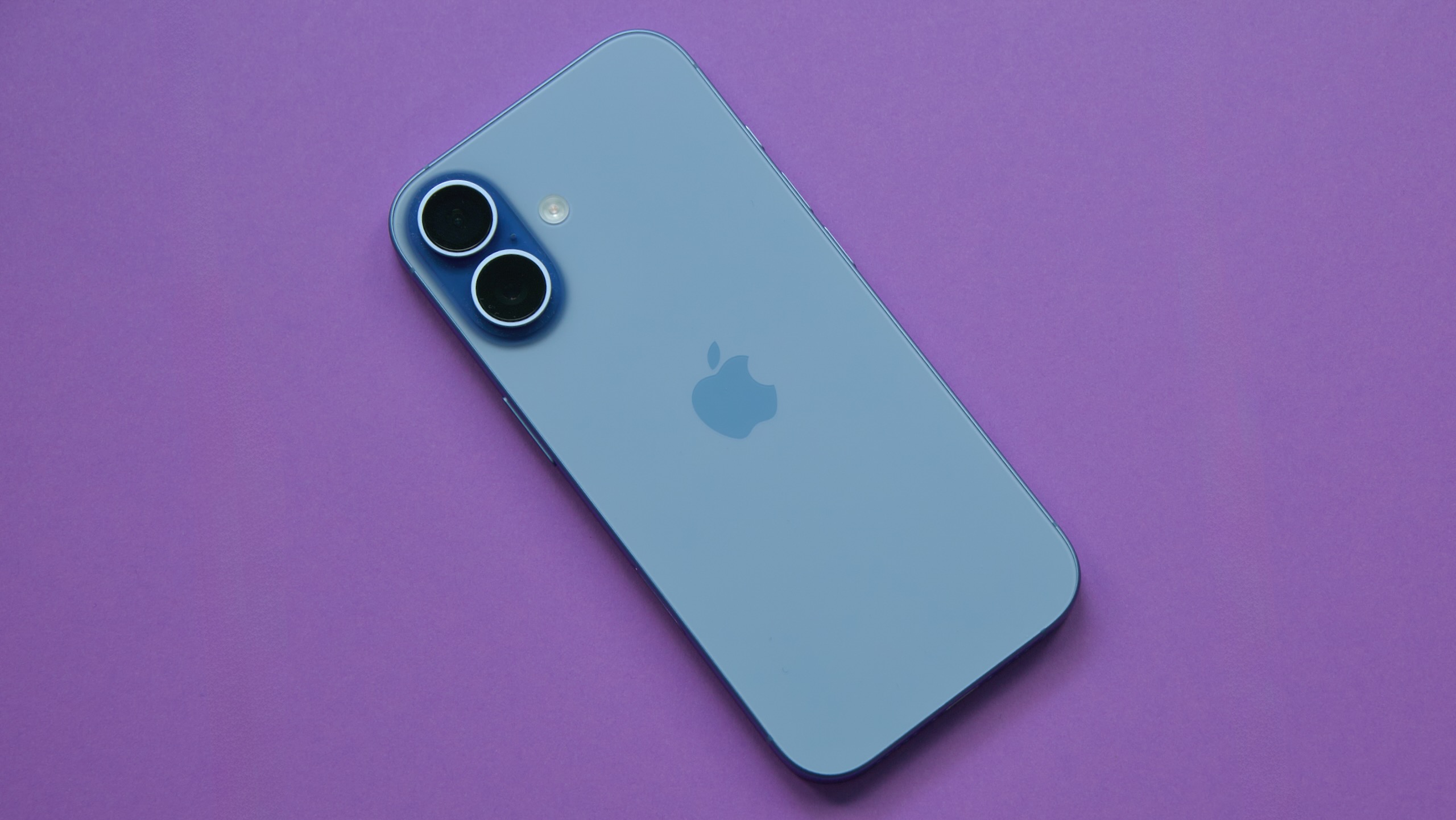
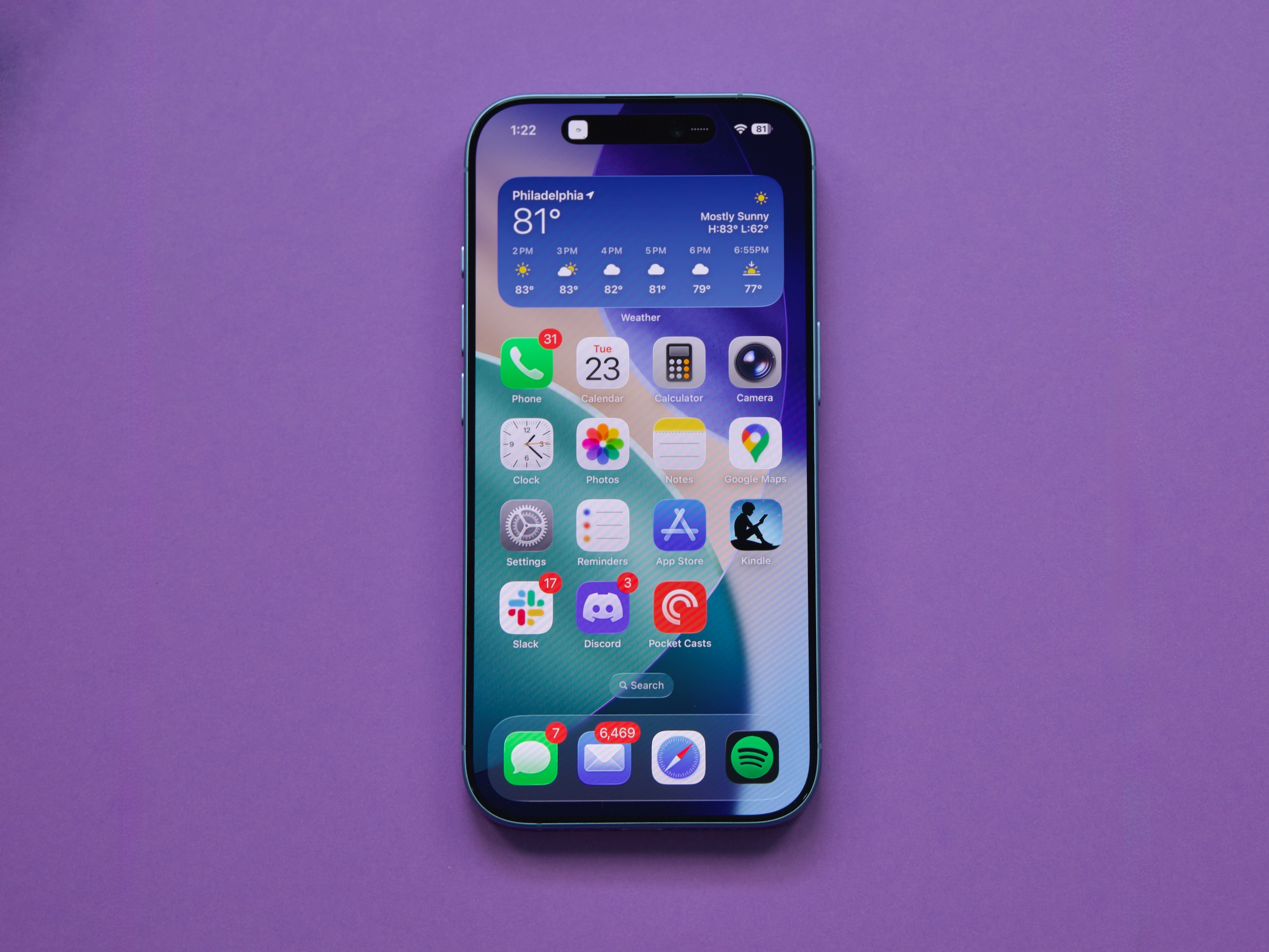
The iPhone 17 Pro isn’t flashy but it’s probably the best of this year’s upgrades. Credit: Andrew Cunningham

The iPhone 17 Pro isn’t flashy but it’s probably the best of this year’s upgrades. Credit: Andrew Cunningham

Apple seems determined to leave a persistent gap between the cameras of its Pro iPhones and the regular ones, but most other features—the edge-to-edge-screen design with FaceID, the Dynamic Island, OLED display panels, Apple Intelligence compatibility—eventually trickle down to the regular-old iPhone after a generation or two of timed exclusivity.

One feature that Apple has been particularly slow to move down the chain is ProMotion, the branding the company uses to refer to a screen that can refresh up to 120 times per second rather than the more typical 60 times per second. ProMotion isn’t a necessary feature, but since Apple added it to the iPhone 13 Pro in 2021, the extra fluidity and smoothness, plus the always-on display feature, have been big selling points for the Pro phones.

This year, ProMotion finally comes to the regular-old iPhone 17, years after midrange and even lower-end Android phones made the swap to 90 or 120 Hz display panels. And it sounds like a small thing, but the screen upgrade—together with a doubling of base storage from 128GB to 256GB—makes the gap between this year’s iPhone and iPhone Pro feel narrower than it’s been in a long time. If you jumped on the Pro train a few years back and don’t want to spend that much again, this might be a good year to switch back. If you’ve ever been tempted by the Pro but never made the upgrade, you can continue not doing that and miss out on relatively little.

The iPhone 17 has very little that we haven’t seen in an iPhone before, compared to the redesigned Pro or the all-new Air. But it’s this year’s best upgrade, and it’s not particularly close.

You’ve seen this one before

Externally, the iPhone 17 is near-identical to the iPhone 16, which itself used the same basic design Apple had been using since the iPhone 12. The most significant update in that five-year span was probably the iPhone 15, which switched from the display notch to the Dynamic Island and from the Lightning port to USB-C.

The iPhone 12 generation was also probably the last time the regular iPhone and the Pro were this similar. Those phones used the same basic design, the same basic chip, and the same basic screen, leaving mostly camera-related improvements and the Max model as the main points of differentiation. That’s all broadly true of the split between the iPhone 17 and the 17 Pro, as well.

The iPhone Air and Pro both depart from the last half-decade of iPhone designs in different ways, but the iPhone 17 sticks with the tried-and-true. Credit: Andrew Cunningham

The iPhone 17’s design has changed just enough since last year that you’ll need to find a new iPhone 17-compatible case and screen protector for your phone rather than buying something that fits a previous-generation model (it’s imperceptibly taller than the iPhone 16). The screen size has been increased from 6.1 inches to 6.3, the same as the iPhone Pro. But the aluminum-framed-glass-sandwich design is much less of a departure from recent precedent than either the iPhone Air or the Pro.

The screen is the real star of the show in the iPhone 17, bringing 120 Hz ProMotion technology and the Pro’s always-on display feature to the regular iPhone for the first time. According to Apple’s spec sheets (and my eyes, admittedly not a scientific measurement), the 17 and the Pro appear to be using identical display panels, with the same functionally infinite contrast, resolution (2622 x 1206), and brightness specs (1,000 nits typical, 1,600 nits for HDR, 3,000 nits peak in outdoor light).

It’s easy to think of the basic iPhone as “the cheap one” because it is the least expensive of the four new phones Apple puts out every year, but $799 is still well into premium-phone range, and even middle-of-the-road phones from the likes of Google and Samsung have been shipping high-refresh-rate OLED panels in cheaper phones than this for a few years now. By that metric, it’s faintly ridiculous that Apple isn’t shipping something like this in its $600 iPhone 16e, but in Apple’s ecosystem, we’ll take it as a win that the iPhone 17 doesn’t cost more than the 16 did last year.

Holding an iPhone 17 feels like holding any other regular-sized iPhone made within the last five years, with the exceptions of the new iPhone Air and some of the heavier iPhone Pros. It doesn’t have the exceptionally good screen-size-to-weight ratio or the slim profile of the Air, and it doesn’t have the added bulk or huge camera plateau of the iPhone 17 Pro. It feels about like it looks: unremarkable.

Camera

iPhone 15 Pro, main lens, 1x mode, outdoor light. If you’re just shooting with the main lens, the Air and iPhone 17 win out in color and detail thanks to a newer sensor and ISP. Andrew Cunningham

The iPhone Air’s single camera has the same specs and uses the same sensor as the iPhone 17’s main camera, so we’ve already written a bit about how well it does relative to the iPhone Pro and to an iPhone 15 Pro from a couple of years ago.

Like the last few iPhone generations, the iPhone 17’s main camera uses a 48 MP sensor that saves 24 MP images, using a process called “pixel binning” to decide which pixels are saved and which are discarded when shrinking the images down. To enable an “optical quality” 2x telephoto mode, Apple crops a 12 MP image out of the center of that sensor without doing any resizing or pixel binning. The results are a small step down in quality from the regular 1x mode, but they’re still native resolution images with no digital zoom, and the 2x mode on the iPhone Air or iPhone 17 can actually capture fine detail better than an older iPhone Pro in situations where you’re shooting an object that’s close by and the actual telephoto lens isn’t used.

The iPhone 15 Pro. When you shoot a nearby subject in 2x or even 3x mode, the Pro phones give you a crop of the main sensor rather than switching to the telephoto lens. You need to be farther from your subject for the phone to engage the telephoto lens. Andrew Cunningham

One improvement to the iPhone 17’s camera sensor this year is that the ultrawide camera is also upgraded to a 48 MP sensor so that it can benefit from the same shrinking-and-pixel-binning strategy Apple uses for the main camera. In the iPhone 16, this secondary sensor was still just 12 MP.

Compared to the iPhone 15 Pro and iPhone 16 we have here, wide shots on the iPhone 17 benefit mainly from the added detail you capture in higher-resolution 24- or 48-MP images. The difference is slightly more noticeable with details in the background of an image than with details in the foreground, as visible in the Lego castle surrounding Lego Mario.

The older the phone you’re using is, the more you’ll benefit from sensor and image signal processing improvements. Bits of dust and battle damage on Mario are most distinct on the iPhone 17 than the iPhone 15 Pro, for example, but aside from the resolution, I don’t notice much of a difference between the iPhone 16 and 17.

A true telephoto lens is probably the biggest feature the iPhone 17 Pro has going for it relative to the basic iPhone 17, and Apple has amped it up with its own 48 MP sensor this year. We’ll reuse the 4x and 8x photos from our iPhone Air review to show you what you’re missing—the telephoto camera captures considerably more fine detail on faraway objects, but even as someone who uses the telephoto on the iPhone 15 Pro constantly, I would have to think pretty hard about whether that camera is worth $300, even once you add in the larger battery, ProRAW support, and other things Apple still holds back for the Pro phones.

Specs and speeds and battery

Our iPhone Air review showed that the main difference between the iPhone 17’s Apple A19 chip and the A19 Pro used in the iPhone Air and iPhone Pro is RAM. The iPhone 17 sticks with 8GB of memory, whereas both Air and Pro are bumped up to 12GB.

There are other things that the A19 Pro can enable, including ProRes video support and 10Gbps USB 3 file transfer speeds. But many of those iPhone Pro features, including the sixth GPU core, are mostly switched off for the iPhone Air, suggesting that we could actually be looking at the exact same silicon with a different amount of RAM packaged on top.

Regardless, 8GB of RAM is currently the floor for Apple Intelligence, so there’s no difference in features between the iPhone 17 and the Air or the 17 Pro. Browser tabs and apps may be ejected from memory slightly less frequently, and the 12GB phones may age better as the years wear on. But right now, 8GB of memory puts you above the amount that most iOS 26-compatible phones are using—Apple is still optimizing for plenty of phones with 6GB, 4GB, or even 3GB of memory. 8GB should be more than enough for the foreseeable future, and I noticed zero differences in day-to-day performance between the iPhone 17 and the iPhone Air.

All phones were tested with Adaptive Power turned off.

The iPhone 17 is often actually faster than the iPhone Air, despite both phones using five-core A19-class GPUs. Apple’s thinnest phone has less room to dissipate heat, which leads to more aggressive thermal throttling, especially for 3D apps like games. The iPhone 17 will often outperform Apple’s $999 phone, despite costing $200 less.

All of this also ignores one of the iPhone 17’s best internal upgrades: a bump from 128GB of storage to 256GB of storage at the same $799 starting price as the iPhone 16. Apple’s obnoxious $100-or-$200-per-tier upgrade pricing for storage and RAM is usually the worst part about any of its products, so any upgrade that eliminates that upcharge for anyone is worth calling out.

On the battery front, we didn’t run specific tests, but the iPhone 17 did reliably make it from my typical 7: 30 or 7: 45 am wakeup to my typical 1: 00 or 1: 30 am bedtime with 15 or 20 percent left over. Even a day with Personal Hotspot use and a few dips into Pokémon Go didn’t push the battery hard enough to require a midday top-up. (Like the other new iPhones this year, the iPhone 17 ships with Adaptive Power enabled, which can selectively reduce performance or dim the screen and automatically enables Low Power Mode at 20 percent, all in the name of stretching the battery out a bit and preventing rapid drops.)

Better battery life out of the box is already a good thing, but it also means more wiggle room for the battery to lose capacity over time without seriously inconveniencing you. This is a line that the iPhone Air can’t quite cross, and it will become more and more relevant as your phone approaches two or three years in service.

The one to beat

Apple’s iPhone 17. Credit: Andrew Cunningham

The screen is one of the iPhone Pro’s best features, and the iPhone 17 gets it this year. That plus the 256GB storage bump is pretty much all you need to know; this will be a more noticeable upgrade for anyone with, say, the iPhones 12-to-14 than the iPhone 15 or 16 was. And for $799—$200 more than the 128GB version of the iPhone 16e and $100 more than the 128GB version of the iPhone 16—it’s by far the iPhone lineup’s best value for money right now.

This is also happening at the same time as the iPhone Pro is getting a much chonkier new design, one I don’t particularly love the look of, even though I appreciate the functional camera and battery upgrades it enables. This year’s Pro feels like a phone targeted toward people who are actually using it in a professional photography or videography context, where in other years, it’s felt more like “the regular iPhone plus a bunch of nice, broadly appealing quality-of-life stuff that may or may not trickle down to the regular iPhone over time.”

In this year’s lineup, you get the iPhone Air, which seems to be trying to do something new at the expense of basics like camera quality and battery life. You get the iPhone 17 Pro, which feels like it was specifically built for anyone who looks at the iPhone Air and thinks, “I just want a phone with a bigger battery and a better camera, and I don’t care what it looks like or how light it is” (hello, median Ars Technica readers and employees). And the iPhone 17 is there quietly undercutting them both, as if to say, “Would anyone just like a really good version of the regular iPhone?”

Next and last on our iPhone review list this year: the iPhone 17 Pro. Maybe spending a few days up close with it will help me appreciate the design more?

The good

  • The exact same screen as this year’s iPhone Pro for $300 less, including 120 Hz ProMotion, variable refresh rates, and an always-on screen.
  • Same good main camera as the iPhone Air, plus the added flexibility of an improved wide-angle camera.
  • Good battery life.
  • A19 is often faster than iPhone Air’s A19 Pro thanks to better heat dissipation.
  • Jumps from 128GB to 256GB of storage without increasing the starting price.

The bad

  • 8GB of RAM instead of 12GB. 8GB is fine, but more is also good!
  • I slightly prefer last year’s versions of most of these color options.
  • No two-column layout for apps in landscape mode.
  • The telephoto lens seems like it will be restricted to the iPhone Pro forever.

The ugly

  • People probably won’t be able to tell you have a new iPhone?

Photo of Andrew Cunningham

Andrew is a Senior Technology Reporter at Ars Technica, with a focus on consumer tech including computer hardware and in-depth reviews of operating systems like Windows and macOS. Andrew lives in Philadelphia and co-hosts a weekly book podcast called Overdue.

Apple iPhone 17 review: Sometimes boring is best Read More »

reviewing-ios-26-for-power-users:-reminders,-preview,-and-more

Reviewing iOS 26 for power users: Reminders, Preview, and more


These features try to turn iPhones into more powerful work and organization tools.

iOS 26 came out last week, bringing a new look and interface alongside some new capabilities and updates aimed squarely at iPhone power users.

We gave you our main iOS 26 review last week. This time around, we’re taking a look at some of the updates targeted at people who rely on their iPhones for much more than making phone calls and browsing the Internet. Many of these features rely on Apple Intelligence, meaning they’re only as reliable and helpful as Apple’s generative AI (and only available on newer iPhones, besides). Other adjustments are smaller but could make a big difference to people who use their phone to do work tasks.

Reminders attempt to get smarter

The Reminders app gets the Apple Intelligence treatment in iOS 26, with the AI primarily focused on making it easier to organize content within Reminders lists. Lines in Reminders lists are often short, quickly jotted-down blurbs rather than lengthy, detailed complex instructions. With this in mind, it’s easy to see how the AI can sometimes lack enough information in order to perform certain tasks, like logically grouping different errands into sensible sections.

But Apple also encourages applying the AI-based Reminders features to areas of life that could hold more weight, such as making a list of suggested reminders from emails. For serious or work-critical summaries, Reminders’ new Apple Intelligence capabilities aren’t reliable enough.

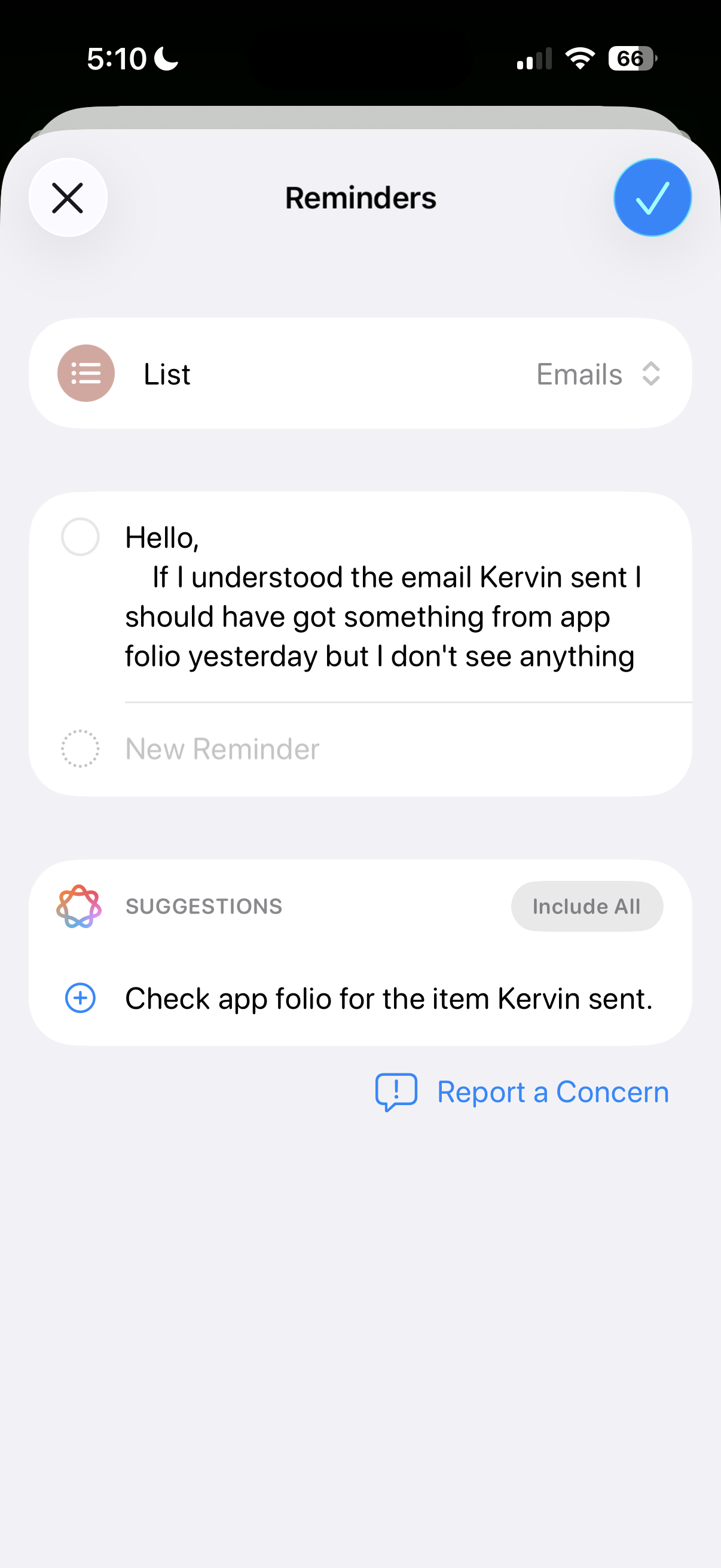
Suggested Reminders based on selected text

iOS 26 attempts to elevate Reminders from an app for making lists to an organization tool that helps you identify information or important tasks that you should accomplish. If you share content, such as emails, website text, or a note, with the app, it can create a list of what it thinks are the critical things to remember from the text. But if you’re trying to extract information any more advanced than an ingredients list from a recipe, Reminders misses the mark.

iOS 26 Suggested Reminders

Sometimes I tried sharing longer text with Reminders and didn’t get any suggestions.

Credit: Scharon Harding

Sometimes I tried sharing longer text with Reminders and didn’t get any suggestions. Credit: Scharon Harding

Sometimes, especially when reviewing longer text, Reminders was unable to think of suggested reminders. Other times, the reminders that it suggested, based on lengthy messages, were off-base.

For instance, I had the app pull suggested reminders from a long email with guidelines and instructions from an editor. Highlighting a lot of text can be tedious on a touchscreen, but I did it anyway because the message had lots of helpful information broken up into sections that each had their own bold subheadings. Additionally, most of those sections had their own lists (some using bullet points, some using numbers). I hoped Reminders would at least gather information from all of the email’s lists. But the suggested reminders ended up just being the same text from three—but not all—of the email’s bold subheadings.

When I tried getting suggested reminders from a smaller portion of the same email, I surprisingly got five bullet points that covered more than just the email’s subheadings but that still missed key points, including the email’s primary purpose.

Ultimately, the suggested Reminders feature mostly just boosts the app’s ability to serve as a modern shopping list. Suggested Reminders excels at pulling out ingredients from recipes, turning each ingredient into a suggestion that you can tap to add to a Reminders list. But being able to make a bulleted list out of a bulleted list is far from groundbreaking.

Auto-categorizing lines in Reminders lists

Since iOS 17, Reminders has been able to automatically sort items in grocery lists into distinct categories, like Produce and Proteins. iOS 26 tries taking things further by automatically grouping items in a list into non-culinary sections.

The way Reminders groups user-created tasks in lists is more sensible—and useful—than when it tries to create task suggestions based on shared text.

For example, I made a long list of various errands I needed to do, and Reminders grouped them into these categories: Administrative Tasks, Household Chores, Miscellaneous, Personal Tasks, Shopping, and Travel & Accommodation. The error rate here is respectable, but I would have tweaked some things. For one, I wouldn’t use the word “administrative” to refer to personal errands. The two tasks included under Administrative Tasks would have made more sense to me in Personal Tasks or Miscellaneous, even though those category names are almost too vague to have a distinct meaning.

Preview comes to iOS

With the iOS debut of Preview, Apple brings an app for viewing and editing PDFs and images to iPhones, which macOS users have had for years. As a result, many iPhone users will find the software easy and familiar to use.

But for iPhone owners who have long relied on Files for viewing, marking, and filling out PDFs and the like, Preview doesn’t bring many new capabilities. Anything that you can do in Preview, you could have done by viewing the same document in Files in an older version of iOS, save for a new crop tool and a dedicated button for showing information about the document.

That’s the point, though. When an iPhone has two discrete apps that can read and edit files, it’s far less frustrating to work with multiple documents. While you’re annotating a document in Preview, the Files app is still available, allowing you to have more than one document open at once. It’s a simple adjustment but one that vastly improves multitasking.

More Shortcuts options

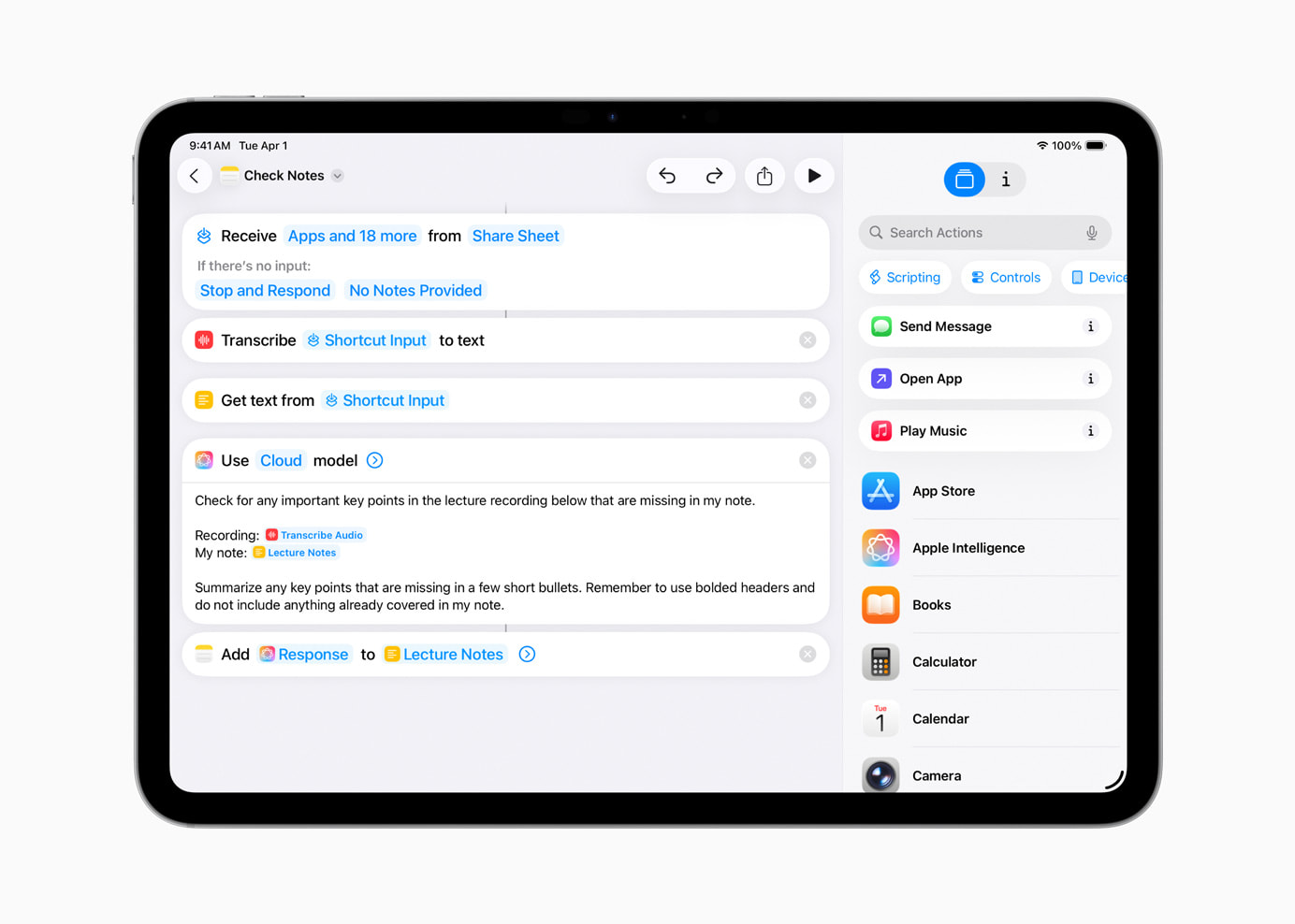
Shortcuts gets somewhat more capable in iOS 26. That’s assuming you’re interested in using ChatGPT or Apple Intelligence generative AI in your automated tasks. You can tag in generative AI to create a shortcut that includes summarizing text in bullet points and applying that bulleted list to the shortcut’s next task, for instance.

An example of a Shortcut that uses generative AI.

Credit: Apple

An example of a Shortcut that uses generative AI. Credit: Apple

There are inherent drawbacks here. For one, Apple Intelligence and ChatGPT, like many generative AI tools, are subject to inaccuracies and can frequently overlook and/or misinterpret critical information. iOS 26 makes it easier for power users to incorporate a rewrite of a long text that has a more professional tone into a Shortcut. But that doesn’t mean that AI will properly communicate the information, especially when used across different scenarios with varied text.

You have three options for building Shortcuts that include the use of AI models. Using ChatGPT or Apple Intelligence via Apple’s Private Cloud Compute, which runs the model on an Apple server, requires an Internet connection. Alternatively, you can use an on-device model without connecting to the web.

You can run more advanced models via Private Cloud Compute than you can with Apple Intelligence on-device. In Apple’s testing, models via Private Cloud Compute perform better on things like writing summaries and composition compared to on-device models.

Apple says personal user data sent to Private Cloud Compute “isn’t accessible to anyone other than the user—not even to Apple.” Apple has a strong, yet flawed, reputation for being better about user privacy than other Big Tech firms. But by offering three different models to use with Shortcuts, iOS 26 ensures greater functionality, options, and control.

Something for podcasters

It’s likely that more people rely on iPads (or Macs) than iPhones for podcasting. Nevertheless, a new local capture feature introduced to both iOS 26 and iPadOS 26 makes it a touch more feasible to use iPhones (and iPads especially) for recording interviews for podcasts.

Before the latest updates, iOS and iPadOS only allowed one app to access the device’s microphone at a time. So, if you were interviewing someone via a videoconferencing app, you couldn’t also use your iPhone or iPad to record the discussion, since the videoconferencing app is using your mic to share your voice with whoever is on the other end of the call. Local capture on iOS 26 doesn’t include audio input controls, but its inclusion gives podcasters a way to record interviews or conversations on iPhones without needing additional software or hardware. That capability could save the day in a pinch.

Photo of Scharon Harding

Scharon is a Senior Technology Reporter at Ars Technica writing news, reviews, and analysis on consumer gadgets and services. She’s been reporting on technology for over 10 years, with bylines at Tom’s Hardware, Channelnomics, and CRN UK.

Reviewing iOS 26 for power users: Reminders, Preview, and more Read More »

apple-demands-eu-repeal-the-digital-markets-act

Apple demands EU repeal the Digital Markets Act

In June, the company announced changes to its app store policy in an attempt to avoid being further penalized by Brussels.

Apple argues the bloc’s digital rules have made it harder to do business in Europe and worsened consumers’ experience.

In a post on Thursday, the company said the DMA was leaving European consumers with fewer choices and creating an unfair competitive landscape—contrary to the law’s own goals.

For example, Apple said it had had to delay certain features, such as live translation via its AirPods, to make sure they complied with the DMA’s requirement for “interoperability.” The EU rules specify that apps and devices made by one company need to work with those made by competitors.

“Despite our concerns with the DMA, teams across Apple are spending thousands of hours to bring new features to the European Union while meeting the law’s requirements. But it’s become clear that we can’t solve every problem the DMA creates,” the company said.

A European Commission spokesperson said it was normal that companies sometimes “need more time to make their products compliant” and that the commission was helping companies to do so.

The spokesperson also said that “DMA compliance is not optional, it’s an obligation.”

© 2025 The Financial Times Ltd. All rights reserved. Not to be redistributed, copied, or modified in any way.

Apple demands EU repeal the Digital Markets Act Read More »

eu-investigates-apple,-google,-and-microsoft-over-handling-of-online-scams

EU investigates Apple, Google, and Microsoft over handling of online scams

The EU is set to scrutinize if Apple, Google, and Microsoft are failing to adequately police financial fraud online, as it steps up efforts to police how Big Tech operates online.

The EU’s tech chief Henna Virkkunen told the Financial Times that on Tuesday, the bloc’s regulators would send formal requests for information to the three US Big Tech groups as well as global accommodation platform Booking Holdings, under powers granted under the Digital Services Act to tackle financial scams.

“We see that more and more criminal actions are taking place online,” Virkkunen said. “We have to make sure that online platforms really take all their efforts to detect and prevent that kind of illegal content.”

The move, which could later lead to a formal investigation and potential fines against the companies, comes amid transatlantic tensions over the EU’s digital rulebook. US President Donald Trump has threatened to punish countries that “discriminate” against US companies with higher tariffs.

Virkkunnen stressed the commission looked at the operations of individual companies, rather than where they were based. She will scrutinize how Apple and Google are handling fake applications in their app stores, such as fake banking apps.

She said regulators would also look at fake search results in the search engines of Google and Microsoft’s Bing. The bloc wants to have more information about the approach Booking Holdings, whose biggest subsidiary Booking.com is based in Amsterdam, is taking to fake accommodation listings. It is the only Europe-based company among the four set to be scrutinized.

EU investigates Apple, Google, and Microsoft over handling of online scams Read More »

here’s-how-potent-atomic-credential-stealer-is-finding-its-way-onto-macs

Here’s how potent Atomic credential stealer is finding its way onto Macs

Ads prominently displayed on search engines are impersonating a wide range of online services in a bid to infect Macs with a potent credential stealer, security companies have warned. The latest reported target is users of the LastPass password manager.

Late last week, LastPass said it detected a widespread campaign that used search engine optimization to display ads for LastPass macOS apps at the top of search results returned by search engines, including Google and Bing. The ads led to one of two fraudulent GitHub sites targeting LastPass, both of which have been taken down. The pages provided links promising to install LastPass on MacBooks. In fact, they installed a macOS credential stealer known as Atomic Stealer, or alternatively, Amos Stealer.

Dozens targeted

“We are writing this blog post to raise awareness of the campaign and protect our customers while we continue to actively pursue takedown and disruption efforts, and to also share indicators of compromise (IoCs) to help other security teams detect cyber threats,” LastPass said in the post.

LastPass is hardly alone in seeing its well-known brand exploited in such ads. The compromise indicators LastPass provided listed other software or services being impersonated as 1Password, Basecamp, Dropbox, Gemini, Hootsuite, Notion, Obsidian, Robinhood, Salesloft, SentinelOne, Shopify, Thunderbird, and TweetDeck. Typically, the ads offer the software in prominent fonts. When clicked, the ads lead to GitHub pages that install versions of Atomic that are disguised as the official software being falsely advertised.

Here’s how potent Atomic credential stealer is finding its way onto Macs Read More »

report:-apple-inches-closer-to-releasing-an-oled-touchscreen-macbook-pro

Report: Apple inches closer to releasing an OLED touchscreen MacBook Pro

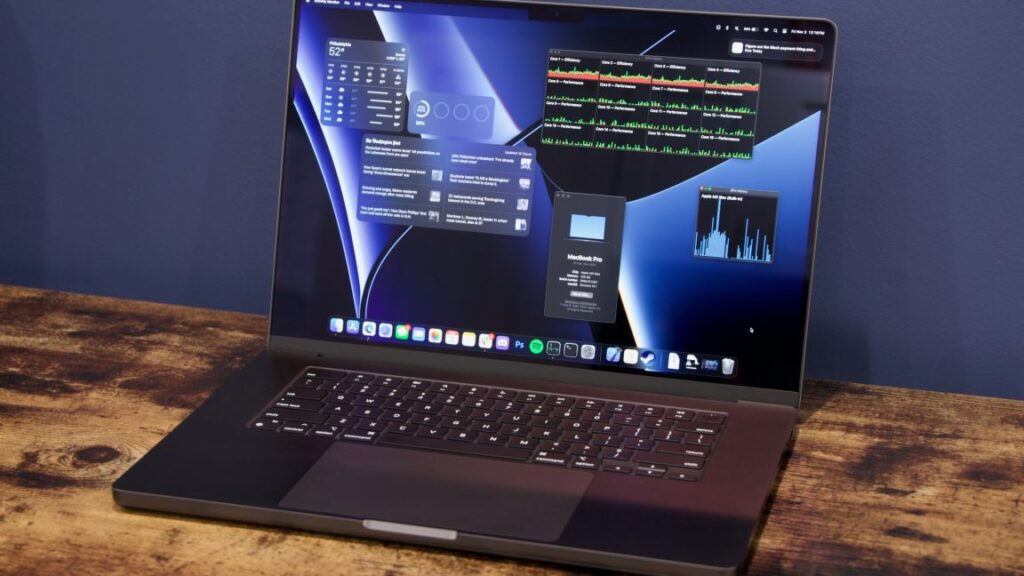
At multiple points over many years, Apple executives have taken great pains to point out that they think touchscreen Macs are a silly idea. But it remains one of those persistent Mac rumors that crops up over and over again every couple of years, from sources that are reliable enough that they shouldn’t be dismissed out of hand.

Today’s contribution comes from supply chain analyst Ming Chi-Kuo, who usually has some insight into what Apple is testing and manufacturing. Kuo says that touchscreen MacBook Pros are “expected to enter mass production by late 2026,” and that the devices will also shift to using OLED display panels instead of the Mini LED panels on current-generation MacBook Pros.

Kuo says that Apple’s interest in touchscreen Macs comes from “long-term observation of iPad user behavior.” Apple’s tablet hardware launches in the last few years have also included keyboard and touchpad accessories, and this year’s iPadOS 26 update in particular has helped to blur the line between the touch-first iPad and the keyboard-and-pointer-first Mac. In other words, Apple has already acknowledged that both kinds of input can be useful when combined in the same device; taking that same jump on the Mac feels like a natural continuation of work Apple is already doing.

Touchscreens became much more common on Windows PCs starting in 2012 when Windows 8 was released, itself a response to Apple’s introduction of the iPad a couple of years before. Microsoft backed off on almost all of Windows 8’s design decisions in the following years after the dramatic UI shift proved unpopular with traditional mouse-and-keyboard users, but touchscreen PCs like Microsoft’s Surface lineup have persisted even as the software has changed.

Report: Apple inches closer to releasing an OLED touchscreen MacBook Pro Read More »