intel

your-current-pc-probably-doesn’t-have-an-ai-processor,-but-your-next-one-might

Your current PC probably doesn’t have an AI processor, but your next one might
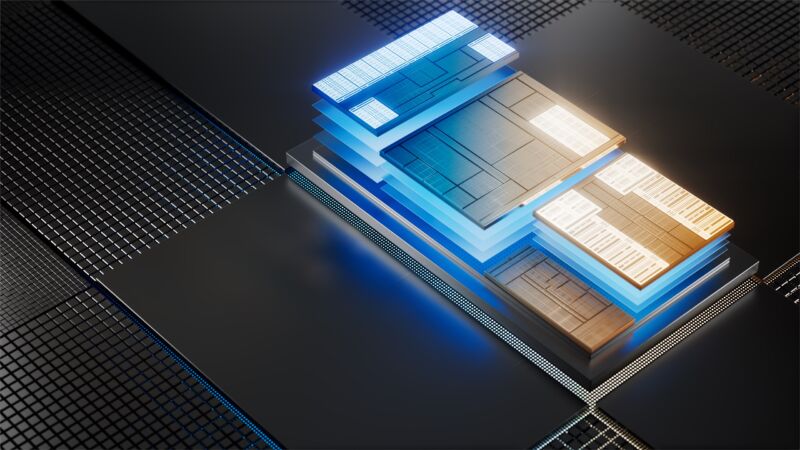
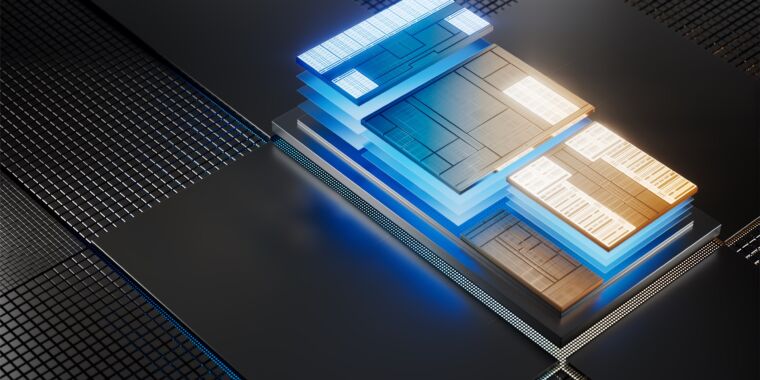
Intel's Core Ultra chips are some of the first x86 PC processors to include built-in NPUs. Software support will slowly follow.

Enlarge / Intel’s Core Ultra chips are some of the first x86 PC processors to include built-in NPUs. Software support will slowly follow.

Intel

When it announced the new Copilot key for PC keyboards last month, Microsoft declared 2024 “the year of the AI PC.” On one level, this is just an aspirational PR-friendly proclamation, meant to show investors that Microsoft intends to keep pushing the AI hype cycle that has put it in competition with Apple for the title of most valuable publicly traded company.

But on a technical level, it is true that PCs made and sold in 2024 and beyond will generally include AI and machine-learning processing capabilities that older PCs don’t. The main thing is the neural processing unit (NPU), a specialized block on recent high-end Intel and AMD CPUs that can accelerate some kinds of generative AI and machine-learning workloads more quickly (or while using less power) than the CPU or GPU could.

Qualcomm’s Windows PCs were some of the first to include an NPU, since the Arm processors used in most smartphones have included some kind of machine-learning acceleration for a few years now (Apple’s M-series chips for Macs all have them, too, going all the way back to 2020’s M1). But the Arm version of Windows is a insignificantly tiny sliver of the entire PC market; x86 PCs with Intel’s Core Ultra chips, AMD’s Ryzen 7040/8040-series laptop CPUs, or the Ryzen 8000G desktop CPUs will be many mainstream PC users’ first exposure to this kind of hardware.

Right now, even if your PC has an NPU in it, Windows can’t use it for much, aside from webcam background blurring and a handful of other video effects. But that’s slowly going to change, and part of that will be making it relatively easy for developers to create NPU-agnostic apps in the same way that PC game developers currently make GPU-agnostic games.

The gaming example is instructive, because that’s basically how Microsoft is approaching DirectML, its API for machine-learning operations. Though up until now it has mostly been used to run these AI workloads on GPUs, Microsoft announced last week that it was adding DirectML support for Intel’s Meteor Lake NPUs in a developer preview, starting in DirectML 1.13.1 and ONNX Runtime 1.17.

Though it will only run an unspecified “subset of machine learning models that have been targeted for support” and that some “may not run at all or may have high latency or low accuracy,” it opens the door to more third-party apps to start taking advantage of built-in NPUs. Intel says that Samsung is using Intel’s NPU and DirectML for facial recognition features in its photo gallery app, something that Apple also uses its Neural Engine for in macOS and iOS.

The benefits can be substantial, compared to running those workloads on a GPU or CPU.

“The NPU, at least in Intel land, will largely be used for power efficiency reasons,” Intel Senior Director of Technical Marketing Robert Hallock told Ars in an interview about Meteor Lake’s capabilities. “Camera segmentation, this whole background blurring thing… moving that to the NPU saves about 30 to 50 percent power versus running it elsewhere.”

Intel and Microsoft are both working toward a model where NPUs are treated pretty much like GPUs are today: developers generally target DirectX rather than a specific graphics card manufacturer or GPU architecture, and new features, one-off bug fixes, and performance improvements can all be addressed via GPU driver updates. Some GPUs run specific games better than others, and developers can choose to spend more time optimizing for Nvidia cards or AMD cards, but generally the model is hardware agnostic.

Similarly, Intel is already offering GPU-style driver updates for its NPUs. And Hallock says that Windows already essentially recognizes the NPU as “a graphics card with no rendering capability.”

Your current PC probably doesn’t have an AI processor, but your next one might Read More »
2023-was-the-year-that-gpus-stood-still

2023 was the year that GPUs stood still

2023 was the year that GPUs stood still

Andrew Cunningham

In many ways, 2023 was a long-awaited return to normalcy for people who build their own gaming and/or workstation PCs. For the entire year, most mainstream components have been available at or a little under their official retail prices, making it possible to build all kinds of PCs at relatively reasonable prices without worrying about restocks or waiting for discounts. It was a welcome continuation of some GPU trends that started in 2022. Nvidia, AMD, and Intel could release a new GPU, and you could consistently buy that GPU for roughly what it was supposed to cost.

That’s where we get into how frustrating 2023 was for GPU buyers, though. Cards like the GeForce RTX 4090 and Radeon RX 7900 series launched in late 2022 and boosted performance beyond what any last-generation cards could achieve. But 2023’s midrange GPU launches were less ambitious. Not only did they offer the performance of a last-generation GPU, but most of them did it for around the same price as the last-gen GPUs whose performance they matched.

The midrange runs in place

Not every midrange GPU launch will get us a GTX 1060—a card roughly 50 percent faster than its immediate predecessor and beat the previous-generation GTX 980 despite costing just a bit over half as much money. But even if your expectations were low, this year’s midrange GPU launches have been underwhelming.

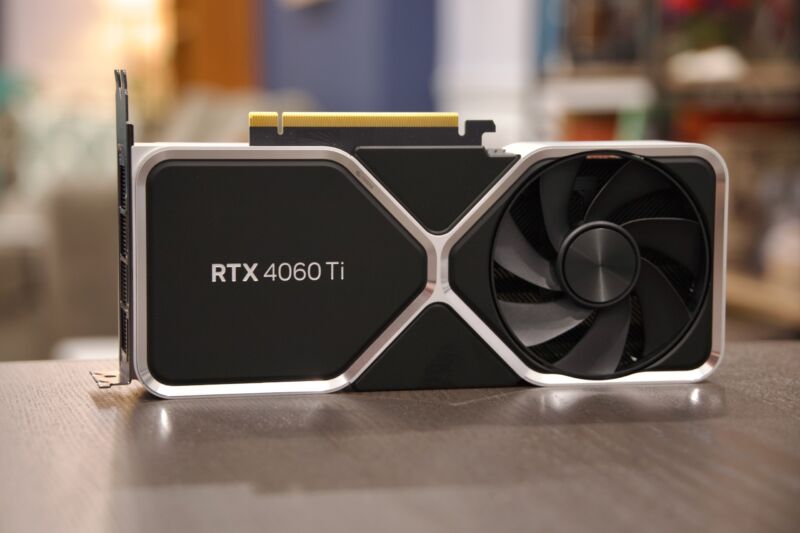
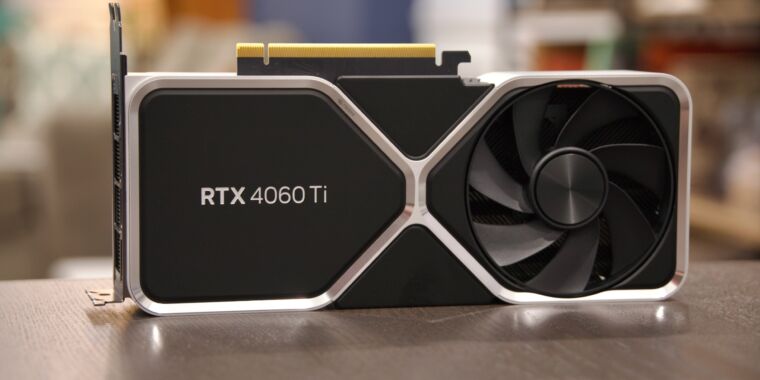
The worst was probably the GeForce RTX 4060 Ti, which sometimes struggled to beat the card it replaced at around the same price. The 16GB version of the card was particularly maligned since it was $100 more expensive but was only faster than the 8GB version in a handful of games.

The regular RTX 4060 was slightly better news, thanks partly to a $30 price drop from where the RTX 3060 started. The performance gains were small, and a drop from 12GB to 8GB of RAM isn’t the direction we prefer to see things move, but it was still a slightly faster and more efficient card at around the same price. AMD’s Radeon RX 7600, RX 7700 XT, and RX 7800 XT all belong in this same broad category—some improvements, but generally similar performance to previous-generation parts at similar or slightly lower prices. Not an exciting leap for people with aging GPUs who waited out the GPU shortage to get an upgrade.

The best midrange card of the generation—and at $600, we’re definitely stretching the definition of “midrange”—might be the GeForce RTX 4070, which can generally match or slightly beat the RTX 3080 while using much less power and costing $100 less than the RTX 3080’s suggested retail price. That seems like a solid deal once you consider that the RTX 3080 was essentially unavailable at its suggested retail price for most of its life span. But $600 is still a $100 increase from the 2070 and a $220 increase from the 1070, making it tougher to swallow.

In all, 2023 wasn’t the worst time to buy a $300 GPU; that dubious honor belongs to the depths of 2021, when you’d be lucky to snag a GTX 1650 for that price. But “consistently available, basically competent GPUs” are harder to be thankful for the further we get from the GPU shortage.

Marketing gets more misleading

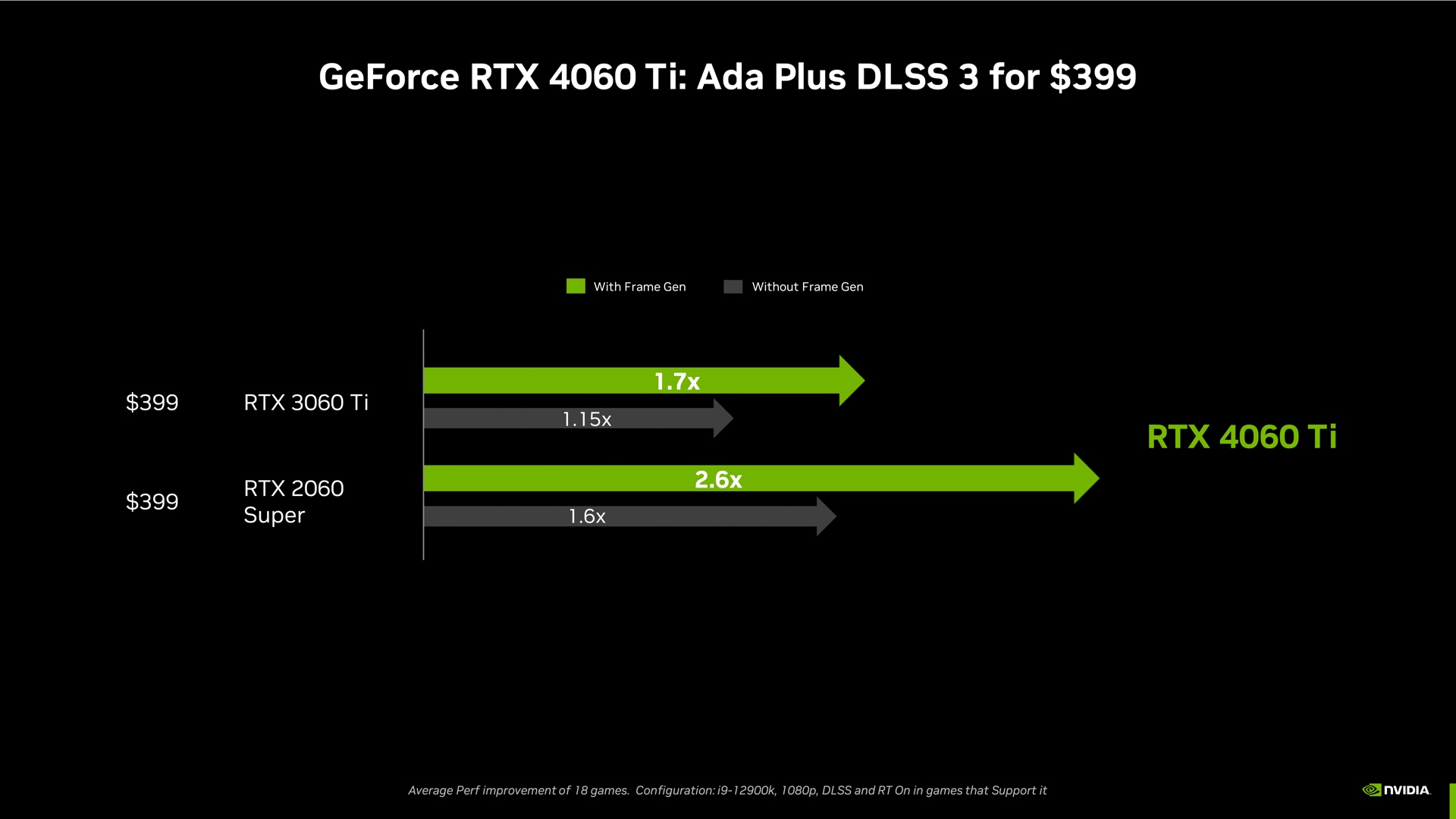
1.7 times faster than the last-gen GPU? Sure, under exactly the right conditions in specific games.

Enlarge / 1.7 times faster than the last-gen GPU? Sure, under exactly the right conditions in specific games.

Nvidia

If you just looked at Nvidia’s early performance claims for each of these GPUs, you might think that the RTX 40-series was an exciting jump forward.

But these numbers were only possible in games that supported these GPUs’ newest software gimmick, DLSS Frame Generation (FG). The original DLSS and DLSS 2 improve performance by upsampling the images generated by your GPU, generating interpolated pixels that make lower-res image into higher-res ones without the blurriness and loss of image quality you’d get from simple upscaling. DLSS FG generates entire frames in between the ones being rendered by your GPU, theoretically providing big frame rate boosts without requiring a powerful GPU.

The technology is impressive when it works, and it’s been successful enough to spawn hardware-agnostic imitators like the AMD-backed FSR 3 and an alternate implementation from Intel that’s still in early stages. But it has notable limitations—mainly, it needs a reasonably high base frame rate to have enough data to generate convincing extra frames, something that these midrange cards may struggle to do. Even when performance is good, it can introduce weird visual artifacts or lose fine detail. The technology isn’t available in all games. And DLSS FG also adds a bit of latency, though this can be offset with latency-reducing technologies like Nvidia Reflex.

As another tool in the performance-enhancing toolbox, DLSS FG is nice to have. But to put it front-and-center in comparisons with previous-generation graphics cards is, at best, painting an overly rosy picture of what upgraders can actually expect.

2023 was the year that GPUs stood still Read More »

intel-partners-with-meta-to-optimize-flagship-wi-fi-card-for-low-latency-pc-vr-gaming-on-quest-2

Intel Partners with Meta to Optimize Flagship Wi-Fi Card for Low Latency PC VR Gaming on Quest 2

Quest 2 users have a few choices when it comes to cutting the cable and playing PC VR games over Wi-Fi. You can opt for something like a dedicated dongle, or simply configure your network for the most optimal Wi-Fi setup, which usually means having your PC connected directly to the 2.4/5Ghz router with an Ethernet cable and maintaining line of sight with the router. If your PC has Intel’s latest Wi-Fi 6e AX1690 card though, that’s about to change.

Intel announced at CES 2023 that they’ve partnered with Meta to make better use of its flagship Wi-Fi card by optimizing it for use with Quest 2, which means reduced latency and no need for Ethernet cables connecting to your PC.

As reported by Wi-Fi Now, Intel says its Killer Wi-Fi 6e AX1690 card is now capable of using its Double Connect Technology (DCT) for VR headsets like Quest 2. Although the product of an Intel/Meta partnership, Intel’s it’s likely other standalone headsets will benefit too, including Pico 4 and the newly unveiled Vive XR Elite too.

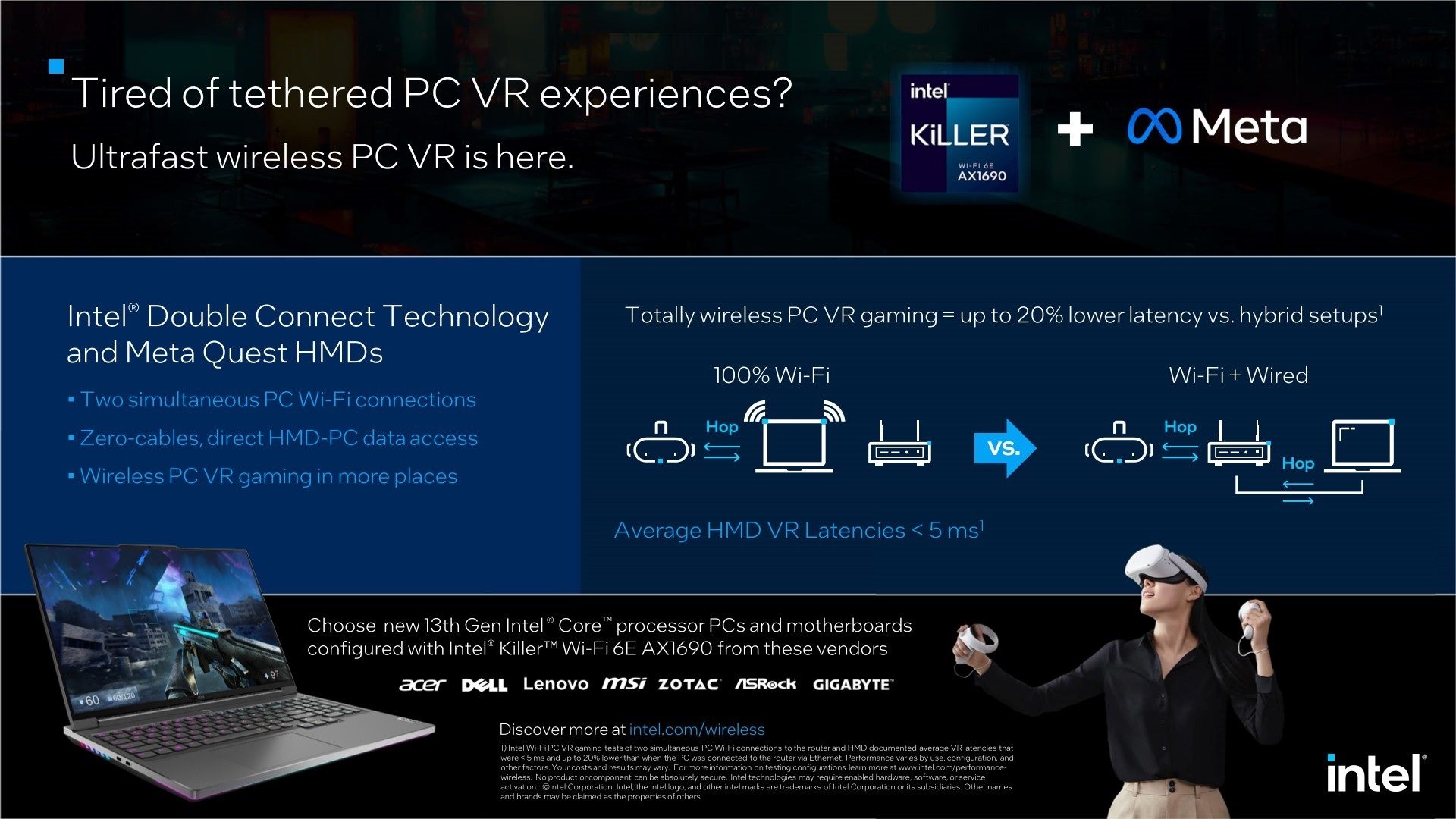
Intel says AX1690, which is compatible with the Intel’s 13th-gen Core HX platform, is capable of reducing overall wireless PC VR gaming latency from 30ms to just 5ms, essentially making it indistinguishable from conventional wired connections, such as Link. We haven’t seen it in action yet, so we’re reserving judgment for now, but it basically seems like having all the functionality of that slick $99 dongle from D-Link, albeit built into your PC gaming rig.

Image courtesy Intel

“I’m a firm believer that pushing the boundaries of wireless in VR and AR will only be possible if the whole industry work together,” said Meta Reality Labs Wireless Technology chief Bruno Cendon Martin. “I’m extremely happy to see the announce today by Intel Corporation Wireless CTO Carlos Cordeiro of the work we’ve been doing together to get Wireless PC VR to the next level with Meta Quest and Intel Killer.”

Intel also released a video to demonstrate the benefits of using two simultaneous Wi-Fi connections which enable VR headsets to wirelessly access data directly from a PC (1-hop) vs. through an access point (2-hops) for reduced latency and better PC VR gaming experiences throughout the home.

Intel Partners with Meta to Optimize Flagship Wi-Fi Card for Low Latency PC VR Gaming on Quest 2 Read More »