Some podcasts are self-recommending on the ‘yep, I’m going to be breaking this one down’ level. This was very clearly one of those. So here we go.
As usual for podcast posts, the baseline bullet points describe key points made, and then the nested statements are my commentary.
If I am quoting directly I use quote marks, otherwise assume paraphrases.
What are the main takeaways?
-
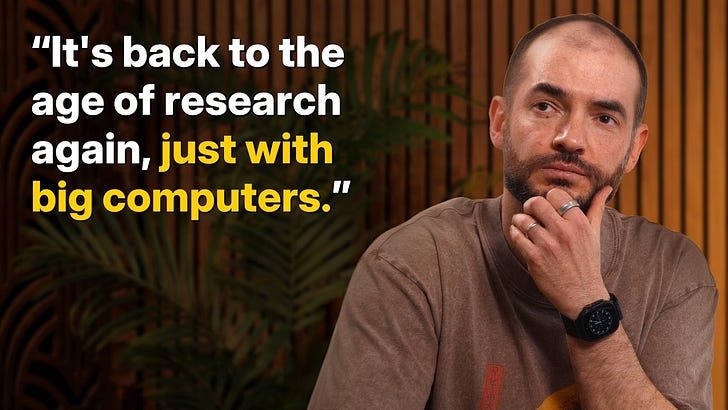
Ilya thinks training in its current form will peter out, that we are returning to an age of research where progress requires more substantially new ideas.
-
SSI is a research organization. It tries various things. Not having a product lets it punch well above its fundraising weight in compute and effective resources.
-
Ilya has 5-20 year timelines to a potentially superintelligent learning model.
-
SSI might release a product first after all, but probably not?
-
Ilya’s thinking about alignment still seems relatively shallow to me in key ways, but he grasps many important insights and understands he has a problem.
-
Ilya essentially despairs of having a substantive plan beyond ‘show everyone the thing as early and often as possible’ and hope for the best. He doesn’t know where to go or how to get there, but does realize he doesn’t know these things, so he’s well ahead of most others.
Afterwards, this post also covers Dwarkesh Patel’s post on the state of AI progress.
-
Explaining Model Jaggedness.
-
Emotions and value functions.
-
What are we scaling?
-
Why humans generalize better than models.
-
Straight-shooting superintelligence.
-
SSI’s model will learn from deployment.
-
Alignment.
-
“We are squarely an age of research company”.
-
Research taste.
-
Bonus Coverage: Dwarkesh Patel on AI Progress These Days.
-
Ilya opens by remarking how crazy it is all this (as in AI) is real, it’s all so sci-fi, and yet it’s not felt in other ways so far. Dwarkesh expects this to continue for average people into the singularity, Ilya says no, AI will diffuse and be felt in the economy. Dwarkesh says impact seems smaller than model intelligence implies.
-
Ilya is right here. Dwarkesh is right that direct impact so far has been smaller than model intelligence implies, but give it time.
-
Ilya says, the models are really good at evals but economic impact lags. The models are buggy, and choices for RL take inspiration from the evals, so the evals are misleading and the humans are essentially reward hacking the evals. And that given they got their scores by studying for tons of hours rather than via intuition, one should expect AIs to underperform their benchmarks.
-
AIs definitely underperform their benchmarks in terms of general usefulness, even for those companies that do minimal targeting of benchmarks. Overall capabilities lag behind, for various reasons. We still have an impact gap.
-
The super talented student? The one that hardly even needs to practice a specific task to be good? They’ve got ‘it.’ Models don’t have ‘it.’
-
If anything, models have ‘anti-it.’ They make it up on volume. Sure.
-
Humans train on much less data, but what they know they know ‘more deeply’ somehow, there are mistakes we wouldn’t make. Also evolution can be highly robust, for example the famous case where a guy lost all his emotions and in many ways things remained fine.
-
People put a lot of emphasis on the ‘I would never’ heuristic, as AIs will sometimes do things ‘a similarly smart person’ would never do, they lack a kind of common sense.
-
So what is the ‘ML analogy for emotions’? Ilya says some kind of value function thing, as in the thing that tells you if you’re doing well versus badly while doing something.
-
Emotions as value functions makes sense, but they are more information-dense than merely a scalar, and can often point you to things you missed. They do also serve as training reward signals.
-
I don’t think you ‘need’ emotions for anything other than signaling emotions, if you are otherwise sufficiently aware in context, and don’t need them to do gradient descent.
-
However in a human, if you knock out the emotions in places where you were otherwise relying on them for information or to resolve uncertainty, you’re going to have a big problem.
-
I notice an obvious thing to try but it isn’t obvious how to implement it?
-
Ilya has faith in deep learning. There’s nothing it can’t do!
-
Data? Parameters? Compute? What else? It’s easier and more reliable to scale up pretraining than to figure out what else to do. But we’ll run out of data soon even if Gemini 3 got more out of this, so now you need to do something else. If you had 100x more scale here would anything be that different? Ilya thinks no.
-
Sounds like a skill issue, on some level, but yes if you didn’t change anything else then I expect scaling up pretraining further won’t help enough to justify the increased costs in compute and time.
-
RL costs now exceed pretraining costs, because each RL run costs a lot. It’s time to get back to an age of research, trying interesting things and seeing what happens.
-
I notice I am skeptical of the level of skepticism, also I doubt the research mode ever stopped in the background. The progress will continue. It’s weird how every time someone says ‘we still need some new idea or breakthrough’ there is the implication that this likely never happens again.
-
Why do AIs require so much more data than humans to learn? Why don’t models easily pick up on all this stuff humans learn one-shot or in the background?
-
Humans have richer data than text so the ratio is not as bad as it looks, but primarily because our AI learning techniques are relatively primitive and data inefficient in various ways.
-
My full answer to how to fix it falls under ‘I don’t do $100m/year jobs for free.’
-
Also there are ways in which the LLMs learn way better than you realize, and a lot of the tasks humans easily learn are regularized in non-obvious ways.
-
Ilya believes humans being good at learning is mostly not part of some complicated prior, and people’s robustness is really staggering.
-
I would clarify, not part of a complicated specialized prior. There is also a complicated specialized prior in some key domains, but that is in addition to a very strong learning function.
-
People are not as robust as Ilya thinks, or most people think.
-
Ilya suggests perhaps human neurons use more compute than we think.
-
Scaling ‘sucked the air out of the room’ so no one did anything else. Now there are more companies than ideas. You need some compute to bring ideas to life, but not the largest amounts.
-
You can also think about some potential techniques as ‘this is not worth trying unless you have massive scale.’
-
SSI’s compute all goes into research, none into inference, and they don’t try to build a product, and if you’re doing something different you don’t have to use maximum scale, so their $3 billion that they’ve raised ‘goes a long way’ relative to the competition. Sure OpenAI spends ~$5 billion a year on experiments, but it’s what you do with it.
-
This is what Ilya has to say in this spot, but there’s merit in it. OpenAI’s experiments are largely about building products now. This transfers to the quest for superintelligence, but not super efficiently.
-
How will SSI make money? Focus on the research, the money will appear.
-
Matt Levine has answered this one, which is that you make money by being an AI company full of talented researchers, so people give you money.
-
SSI is considering making a product anyway, both to have the product exist and also because timelines might be long.
-
I mean I guess at some point the ‘we are AI researchers give us money’ strategy starts to look a little suspicious, but let’s not rush into anything.
-
Remember, Ilya, once you have a product and try to have revenue they’ll evaluate the product and your revenue. If you don’t have one, you’re safe.
-
Ilya says even if there is a straight shot to superintelligence deployment would be gradual, you have to ship something first, and that he agrees with Dwarkesh on the importance of continual learning, it would ‘go and be’ various things and learn, superintelligence is not a finished mind.
-
Learning takes many forms, including continual learning, it can be updating within the mind or otherwise, and so on. See previous podcast discussions.
-
Ilya expects ‘rapid’ economic growth, perhaps ‘very rapid.’ It will vary based on what rules are set in different places.
-
Rapid means different things to different people, it sounds like Ilya doesn’t have a fixed rate in mind. I interpret it as ‘more than these 2% jokers.’
-
This vision still seems to think the humans stay in charge. Why?
-
Dwarkesh reprises the standard point that if AIs are merely ‘as good at’ humans at learning, but they can ‘merge brains’ then crazy things happen. How do we make such a situation go well? What is SSI’s plan?
-
I mean, that’s the least of it, but hopefully yes that suffices to make the point?
-
Ilya emphasizes deploying incrementally and in advance. It’s hard to predict what this will be like in advance. “The problem is the power. When the power is really big, what’s going to happen? If it’s hard to imagine, what do you do? You’ve got to be showing the thing.”
-
This feels like defeatism, in terms of saying we can only respond to things once we can see and appreciate them. We can’t plan for being old until we know what that’s like. We can’t plan for AGI/ASI, or AI having a lot of power, until we can see that in action.
-
But obviously by then it is likely to be too late, and most of your ability to steer what happens has already been lost, perhaps all of it.
-
This is the strategy of ‘muddle through’ the same as we always muddle through, basically the plan of not having a plan other than incrementalism. I do not care for this plan. I am not happy to be a part of it. I do not think that is a case of Safe Superintelligence.
-
Ilya expects governments and labs to play big roles, and for labs to increasingly coordinate on safety, as Anthropic and OpenAI did in a recent first step. And we have to figure out what we should be building. He suggests making the AI care about sentient life in general will be ‘easier’ than making it care about humans, since the AI will be sentient.
-
If the AIs do not care about humans in particular, there is no reason to expect humans to stay in control or to long endure.
-
Ilya would like the most powerful superintelligence to ‘somehow’ be ‘capped’ to address these concerns. But he doesn’t know how to do that.
-
I don’t know how to do that either. It’s not clear the idea is coherent.
-
Dwarkesh asks how much ‘room is there at the top’ for superintelligence to be more super? Maybe it just learns fast or has a bigger pool of strategies or skills or knowledge? Ilya says very powerful, for sure.
-
Sigh. There is very obviously quite a lot of ‘room at the top’ and humans are not anything close to maximally intelligent, nor to getting most of what intelligence has to offer. At this point, the number of people who still don’t realize or accept this reinforces how much better a smarter entity could be.
-
Ilya expects these superintelligences to be very large, as in physically large, and for several to come into being at roughly the same time, and ideally they could “be restrained in some ways or if there was some kind of agreement or something.”
-
That agreement between AIs would then be unlikely to include us. Yes, functional restraints would be nice, but this is the level of thought that has gone into finding ways to do it.
-
There’s been a lot of things staying remarkably close, but a lot of that is because rather than an edge compounding and accelerating for now catching up has been easier.
-
Ilya: “What is the concern of superintelligence? What is one way to explain the concern? If you imagine a system that is sufficiently powerful, really sufficiently powerful—and you could say you need to do something sensible like care for sentient life in a very single-minded way—we might not like the results. That’s really what it is.”
-
Well, yes, standard Yudkowsky, no fixed goal we can name turns out well.
-
Ilya says maybe we don’t build an RL agent. Humans are semi-RL agents, our emotions make us alter our rewards and pursue different rewards after a while. If we keep doing what we are doing now it will soon peter out and never be “it.”
-
There’s a baked in level of finding innovations and improvements that should be in anyone’s ‘keep doing what we are doing’ prior, and I think it gets us pretty far and includes many individually low-probability-of-working innovations making substantial differences. There is some level on which we would ‘peter out’ without a surprise, but it’s not clear that this requires being surprised overall.
-
Is it possible things do peter out and we never see ‘it’? Yeah. It’s possible. I think it’s a large underdog to stay that way for long, but it’s possible. Still a long practical way to go even then.
-
Emotions, especially boredom and the fading of positive emotions on repetition, are indeed one of the ways we push ourselves towards exploration and variety. That’s one of many things they do, and yes if we didn’t have them then we would need something else to take their place.
-
In many cases I have indeed used logic to take the place of that, when emotion seems to not be sufficiently preventing mode collapse.
-
“One of the things that you could say about what causes alignment to be difficult is that your ability to learn human values is fragile. Then your ability to optimize them is fragile. You actually learn to optimize them. And can’t you say, “Are these not all instances of unreliable generalization?” Why is it that human beings appear to generalize so much better? What if generalization was much better? What would happen in this case? What would be the effect? But those questions are right now still unanswerable.”
-
It is cool to hear Ilya restate these Yudkowsky 101 things.
-
Humans do not actually generalize all that well.
-
How does one think about what AI going well looks like? Ilya goes back to ‘AI that cares for sentient life’ as a first step, but then asks the better question, what is the long run equilibrium? He notices he does not like his answer. Maybe each person has an AI that will do their bidding and that’s good, but the downside is then the AI does things like earn money or advocate or whatever, and the person says ‘keep it up’ but they’re not a participant. Precarious. People become part AI, Neurolink++. He doesn’t like this solution, but it is at least a solution.
-
Big points for acknowledging that there are no known great solutions.
-
Big points for pointing out one big flaw, that the people stop actually doing the things, because the AIs do the things better.
-
The equilibrium here is that increasingly more things are turned over to AIs, including both actions and decisions. Those who don’t do this fall behind.
-
The equilibrium here is that increasingly AIs are given more autonomy, more control, put in better positions, have increasing power and wealth shares, and so on, even if everything involved is fully voluntary and ‘nothing goes wrong.’
-
Neurolink++ does not meaningfully solve any of the problems here.
-
Solve for the equilibrium.
-
Is the long history of emotions an alignment success? As in, it allows the brain to move from ‘mate with somebody who’s more successful’ into flexibly defining success and generally adjusting to new situations.
-
It’s a highly mixed bag, wouldn’t you say?
-
There are ways in which those emotions have been flexible and adaptable and a success, and have succeeded in the alignment target (inclusive genetic fitness) and also ways in which emotions are very obviously failing people.
-
If ASIs are about as aligned as we are in this sense, we’re doomed.
-
Ilya says it’s mysterious how evolution encodes high-level desires, but it gives us all these social desires, and they evolved pretty recently. Dwarkesh points out it is desire you learned in your lifetime. Ilya notes the brain as regions and some things are hardcoded, but if you remove half the brain then the regions move, the social stuff is highly reliable.
-
I don’t pretend to understand the details here, although I could speculate.
-
SSI investigates ideas to see if they are promising. They do research.
-
On his cofounder leaving: “For this, I will simply remind a few facts that may have been forgotten. I think these facts which provide the context explain the situation. The context was that we were fundraising at a $32 billion valuation, and then Meta came in and offered to acquire us, and I said no. But my former cofounder in some sense said yes. As a result, he also was able to enjoy a lot of near-term liquidity, and he was the only person from SSI to join Meta.”
-
I love the way he put that. Yes.
-
“The main thing that distinguishes SSI is its technical approach. We have a different technical approach that I think is worthy and we are pursuing it. I maintain that in the end there will be a convergence of strategies. I think there will be a convergence of strategies where at some point, as AI becomes more powerful, it’s going to become more or less clearer to everyone what the strategy should be. It should be something like, you need to find some way to talk to each other and you want your first actual real superintelligent AI to be aligned and somehow care for sentient life, care for people, democratic, one of those, some combination thereof. I think this is the condition that everyone should strive for. That’s what SSI is striving for. I think that this time, if not already, all the other companies will realize that they’re striving towards the same thing. We’ll see. I think that the world will truly change as AI becomes more powerful. I think things will be really different and people will be acting really differently.”
-
This is a remarkably shallow, to me, vision of what the alignment part of the strategy looks like, but it does get an admirably large percentage of the overall strategic vision, as in most of it?
-
The idea that ‘oh as we move farther along people will get more responsible and cooperate more’ seems to not match what we have observed so far, alas.
-
Ilya later clarifies he specifically meant convergence on alignment strategies, although he also expects convergence on technical strategies.
-
The above statement is convergence on an alignment goal, but that doesn’t imply convergence on alignment strategy. Indeed it does not imply that an alignment strategy that is workable even exists.
-
Ilya’s timeline to the system that can learn and become superhuman? 5-20 years.
-
Ilya predicts that when someone releases the thing that will be information but it won’t teach others how to do the thing, although they will eventually learn.
-
What is the ‘good world’? We have powerful human-like learners and perhaps narrow ASIs, and companies make money, and there is competition through specialization, different niches. Accumulated learning and investment creates specialization.
-
This is so frustrating, in that it doesn’t explain why you would expect that to be how this plays out, or why this world turns out well, or anything really? Which would be fine if the answers were clear or at least those seemed likely, but I very much don’t think that.
-
This feels like a claim that humans are indeed near the upper limit of what intelligence can do and what can be learned except that we are hobbled in various ways and AIs can be unhobbled, but that still leaves them functioning in ways that seem recognizably human and that don’t crowd us out? Except again I don’t think we should expect this.
-
Dwarkesh points out current LLMs are similar, Ilya says perhaps the datasets are not as non-overlapping as they seem.
-
On the contrary, I was assuming they were mostly the same baseline data, and then they do different filtering and progressions from there? Not that there’s zero unique data but that most companies have ‘most of the data.’
-
Dwarkesh suggests, therefore AIs will have less diversity than human teams. How can we get ‘meaningful diversity’? Ilya says this is because of pretraining, that post training is different.
-
To the extent that such ‘diversity’ is useful it seems easy to get with effort. I suspect this is mostly another way to create human copium.
-
What about using self-play? Ilya notes it allows using only compute, which is very interesting, but it is only good for ‘developing a certain set of skills.’ Negotiation, conflict, certain social strategies, strategizing, that kind of stuff. Then Ilya self-corrects, notes other forms, like debate, prover-verifier or forms of LLM-as-a-judge, it’s a special case of agent competition.
-
I think there’s a lot of promising unexplored space here, decline to say more.
-
What is research taste? How does Ilya come up with many big ideas?
This is hard to excerpt and seems important, so quoting in full to close out:
I can comment on this for myself. I think different people do it differently. One thing that guides me personally is an aesthetic of how AI should be, by thinking about how people are, but thinking correctly. It’s very easy to think about how people are incorrectly, but what does it mean to think about people correctly?
I’ll give you some examples. The idea of the artificial neuron is directly inspired by the brain, and it’s a great idea. Why? Because you say the brain has all these different organs, it has the folds, but the folds probably don’t matter. Why do we think that the neurons matter? Because there are many of them. It kind of feels right, so you want the neuron. You want some local learning rule that will change the connections between the neurons. It feels plausible that the brain does it.
The idea of the distributed representation. The idea that the brain responds to experience therefore our neural net should learn from experience. The brain learns from experience, the neural net should learn from experience. You kind of ask yourself, is something fundamental or not fundamental? How things should be.
I think that’s been guiding me a fair bit, thinking from multiple angles and looking for almost beauty, beauty and simplicity. Ugliness, there’s no room for ugliness. It’s beauty, simplicity, elegance, correct inspiration from the brain. All of those things need to be present at the same time. The more they are present, the more confident you can be in a top-down belief.
The top-down belief is the thing that sustains you when the experiments contradict you. Because if you trust the data all the time, well sometimes you can be doing the correct thing but there’s a bug. But you don’t know that there is a bug. How can you tell that there is a bug? How do you know if you should keep debugging or you conclude it’s the wrong direction? It’s the top-down. You can say things have to be this way. Something like this has to work, therefore we’ve got to keep going. That’s the top-down, and it’s based on this multifaceted beauty and inspiration by the brain.
I need to think more about what causes my version of ‘research taste.’ It’s definitely substantially different.
That ends our podcast coverage, and enter the bonus section, which seems better here than in the weekly, as it covers many of the same themes.
Dwarkesh Patel offers his thoughts on AI progress these days, noticing that when we get the thing he calls ‘actual AGI’ things are going to get fucking crazy, but thinking that this is 10-20 years away from happening in full. Until then, he’s a bit skeptical of how many gains we can realize, but skepticism is highly relative here.
Dwarkesh Patel: I’m confused why some people have short timelines and at the same time are bullish on RLVR. If we’re actually close to a human-like learner, this whole approach is doomed.
… Either these models will soon learn on the job in a self directed way – making all this pre-baking pointless – or they won’t – which means AGI is not imminent. Humans don’t have to go through a special training phase where they need to rehearse every single piece of software they might ever use.
Wow, look at those goalposts move (in all the different directions). Dwarkesh notes that the bears keep shifting on the bulls, but says this is justified because current models fit the old goals but don’t score the points, as in they don’t automate workflows as much as you would expect.
In general, I worry about the expectation pattern having taken the form of ‘median 50 years → 20 → 10 → 5 → 7, and once I heard someone said 3, so oh nothing to see there you can stop worrying.’
In this case, look at the shift: An ‘actual’ (his term) AGI must now not only be capable of human-like performance of tasks, the AGI must also be a human-efficient learner.
That would mean AGI and ASI are the same thing, or at least arrive in rapid succession. An AI that was human-efficient at learning from data, combined with AI’s other advantages that include imbibing orders of magnitude more data, would be a superintelligence and would absolutely set off recursive self-improvement from there.
And yes, if that’s what you mean then AGI isn’t the best concept for thinking about timelines, and superintelligence is the better target to talk about. Sriram Krishnan is however opposed to using either of them.
Like all conceptual handles or fake frameworks, it is imprecise and overloaded, but people’s intuitions about it miss that the thing is possible or exists even when you outright say ‘superintelligence’ and I shudder to think how badly they will miss the concept if you don’t even say it. Which I think is a lot of the motivation behind not wanting to say it, so people can pretend that there won’t be things smarter than us in any meaningful sense and thus we can stop worrying about it or planning for it.
Indeed, this is exactly Sriram’s agenda if you look at his post here, to claim ‘we are not on the timeline’ that involves such things, to dismiss concerns as ‘sci-fi’ or philosophical, and talk instead of ‘what we are trying to build.’ What matters is what actually gets built, not what we intended, and no none of these concepts have been invalidated. We have ‘no proof of takeoff’ in the sense that we are not currently in a fast takeoff yet, but what would constitute this ‘proof’ other than already being in a takeoff, and thus it being too late to do anything about it?
Sriram Krishnan: …most importantly, it invokes fear—connected to historical usage in sci-fi and philosophy (think 2001, Her, anything invoking the singularity) that has nothing to do with the tech tree we’re actually on. Makes every AI discussion incredibly easy to anthropomorphize and detour into hypotheticals.
Joshua Achiam (OpenAI Head of Mission Alignment): I mostly disagree but I think this is a good contribution to the discourse. Where I disagree: I do think AGI and ASI both capture something real about where things are going. Where I agree: the lack of agreed-upon definitions has 100% created many needless challenges.
The idea that ‘hypotheticals,’ as in future capabilities and their logical consequences, are ‘detours,’ or that any such things are ‘sci-fi or philosophy’ is to deny the very idea of planning for future capabilities or thinking about the future in real ways. Sriram himself only thinks they are 10 years away, and then the difference is he doesn’t add Dwarkesh’s ‘and that’s fucking crazy’ and instead seems to effectively say ‘and that’s a problem for future people, ignore it.’
Seán Ó hÉigeartaigh: I keep noting this, but I do think a lot of the most heated policy debates we’re having are underpinned by a disagreement on scientific view: whether we (i) are on track in coming decade for something in the AGI/ASI space that can achieve scientific feats equivalent to discovering general relativity (Hassabis’ example), or (ii) should expect AI as a normal technology (Narayanan & Kapoor’s definition).
I honestly don’t know. But it feels premature to me to rule out (i) on the basis of (slightly) lengthening timelines from the believers, when progress is clearly continuing and a historically unprecedented level of resources are going into the pursuit of it. And premature to make policy on the strong expectation of (ii). (I also think it would be premature to make policy on the strong expectation of (i) ).
But we are coming into the time where policy centred around worldview (ii) will come into tension in various places with the policies worldview (i) advocates would enact if given a free hand. Over the coming decade I hope we can find a way to navigate a path between, rather than swing dramatically based on which worldview is in the ascendancy at a given time.
Sriram Krishnan: There is truth to this.
This paints it as two views, and I would say you need at least three:
-
Something in the AGI/ASI space is likely in less than 10 years.
-
Something in the AGI/ASI space is unlikely in less than about 10 years, but highly plausible in 10-20 years, until then AI is a normal technology.
-
AI is a normal technology and we know it will remain so indefinitely. We can regulate and plan as if AGI/ASI style technologies will never happen.
I think #1 and #2 are both highly reasonable positions, only #3 is unreasonable, while noting that if you believe #2 you still need to put some non-trivial weight on #1. As in, if you think it probably takes ~10 years then you can perhaps all but rule out AGI 2027, and you think 2031 is unlikely, but you cannot claim 2031 is a Can’t Happen.
The conflation to watch out for is #2 and #3. These are very different positions. Yet many in the AI industry, and its political advocates, make exactly this conflation. They assert ‘#1 is incorrect therefore #3,’ when challenged for details articulate claim #2, then go back to trying to claim #3 and act on the basis of #3.
What’s craziest is that the list of things to rule out, chosen by Sriram, includes the movie Her. Her made many very good predictions. Her was a key inspiration for ChatGPT and its voice mode, so much so that there was a threatened lawsuit because they all but copied Scarlett Johansson’s voice. She’s happening. Best be believing in sci-fi stores, because you’re living in one, and all that.
Nothing about current technology is a reason to think 2001-style things or a singularity will not happen, or to think we should anthropomorphize AI relatively less (the correct amount for current AIs, and for future AIs, are both importantly not zero, and importantly not 100%, and both mistakes are frequently made). Indeed, Dwarkesh is de facto predicting a takeoff and a singularity in this post that Sriram praised, except Dwarkesh has it on a 10-20 year timescale to get started.
Now, back to Dwarkesh.
This process of ‘teach the AI the specific tasks people most want’ is the central instance of models being what Teortaxes calls usemaxxed. A lot of effort is going to specific improvements rather than to advancing general intelligence. And yes, this is evidence against extremely short timelines. It is also, as Dwarkesh notes, evidence in favor of large amounts of mundane utility soon, including ability to accelerate R&D. What else would justify such massive ‘side’ efforts?
There’s also, as he notes, the efficiency argument. Skills many people want should be baked into the core model. Dwarkesh fires back that there are a lot of skills that are instance-specific and require on-the-job or continual learning, which he’s been emphasizing a lot for a while. I continue to not see a contradiction, or why it would be that hard to store and make available that knowledge as needed even if it’s hard for the LLM to permanently learn it.
I strongly disagree with his claim that ‘economic diffusion lag is cope for missing capabilities.’ I agree that many highly valuable capabilities are missing. Some of them are missing due to lack of proper scaffolding or diffusion or context, and are fundamentally Skill Issues by the humans. Others are foundational shortcomings. But the idea that the AIs aren’t up to vastly more tasks than they’re currently asked to do seems obviously wrong?
He quotes Steven Byrnes:
Steven Byrnes: New technologies take a long time to integrate into the economy? Well ask yourself: how do highly-skilled, experienced, and entrepreneurial immigrant humans manage to integrate into the economy immediately? Once you’ve answered that question, note that AGI will be able to do those things too.
Again, this is saying that AGI will be as strong as humans in the exact place it is currently weakest, and will not require adjustments for us to take advantage. No, it is saying more than that, it is also saying we won’t put various regulatory and legal and cultural barriers in its way, either, not in any way that counts.
If the AGI Dwarkesh is thinking about were to exist, again, it would be an ASI, and it would be all over for the humans very quickly.
I also strongly disagree with human labor not being ‘shleppy to train’ (bonus points, however, for excellent use of ‘shleppy’). I have trained humans and been a human being trained, and it is totally shleppy. I agree, not as schleppy as current AIs can be when something is out of their wheelhouse, but rather obnoxiously schleppy everywhere except their own very narrow wheelhouse.
Here’s another example of ‘oh my lord check out those goalposts’:
Dwarkesh Patel: It revealed a key crux between me and the people who expect transformative economic impacts in the next few years.
Transformative economic impacts in the next few years would be a hell of a thing.
It’s not net-productive to build a custom training pipeline to identify what macrophages look like given the way this particular lab prepares slides, then another for the next lab-specific micro-task, and so on. What you actually need is an AI that can learn from semantic feedback on the job and immediately generalize, the way a human does.
Well, no, it probably isn’t now, but also Claude Code is getting rather excellent at creating training pipelines, and the whole thing is rather standard in that sense, so I’m not convinced we are that far away from doing exactly that. This is an example of how sufficient ‘AI R&D’ automation, even on a small non-recursive scale, can transform use cases.
Every day, you have to do a hundred things that require judgment, situational awareness, and skills & context learned on the job. These tasks differ not just across different people, but from one day to the next even for the same person. It is not possible to automate even a single job by just baking in some predefined set of skills, let alone all the jobs.
Well, I mean of course it is, for a sufficiently broad set of skills at a sufficiently high level, especially if this includes meta-skills and you can access additional context. Why wouldn’t it be? It certainly can quickly automate large portions of many jobs, and yes I have started to automate portions of my job indirectly (as in Claude writes me the mostly non-AI tools to do it, and adjusts them every time they do something wrong).
Give it a few more years, though, and Dwarkesh is on the same page as I am:
In fact, I think people are really underestimating how big a deal actual AGI will be because they’re just imagining more of this current regime. They’re not thinking about billions of human-like intelligences on a server which can copy and merge all their learnings. And to be clear, I expect this (aka actual AGI) in the next decade or two. That’s fucking crazy!
Exactly. This ‘actual AGI’ is fucking crazy, and his timeline for getting there of 10-20 years is also fucking crazy. More people need to add ‘and that’s fucking crazy’ at the end of such statements.
Dwarkesh then talks more about continual learning. His position here hasn’t changed, and neither has my reaction that this isn’t needed, we can get the benefits other ways. He says that the gradual progress on continual learning means it won’t be ‘game set match’ to the first mover, but if this is the final piece of the puzzle then why wouldn’t it be?