calculator

the-mac-calculator’s-original-design-came-from-letting-steve-jobs-play-with-menus-for-ten-minutes

The Mac calculator’s original design came from letting Steve Jobs play with menus for ten minutes

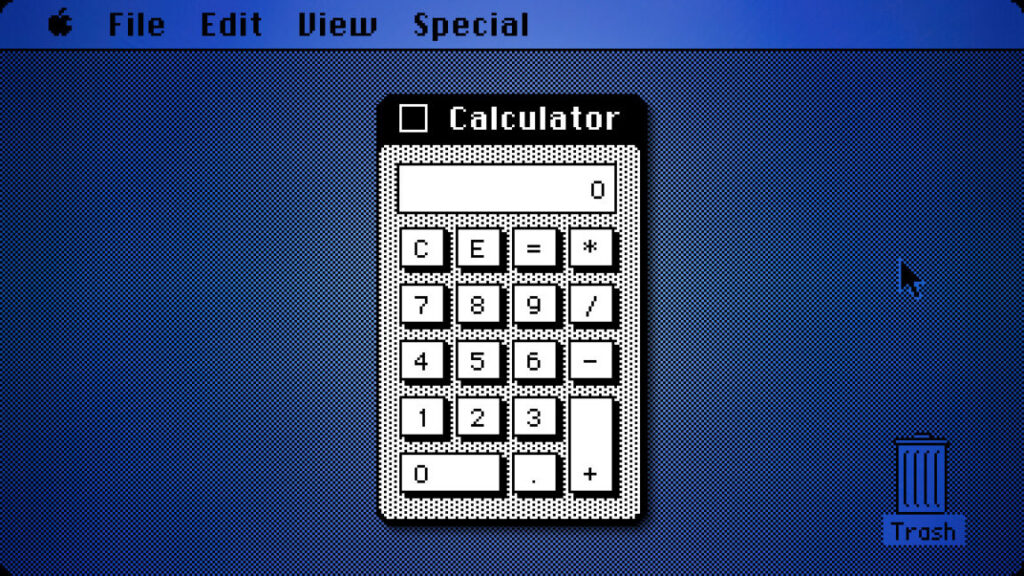
Rather than continue the endless revision cycle, Espinosa took a different approach. According to Hertzfeld, Espinosa created a program that exposed every visual parameter of the calculator through pull-down menus: line thickness, button sizes, background patterns, and more. When Jobs sat down with it, he spent about ten minutes adjusting settings until he found a combination he liked.

The approach worked. When given direct control over the parameters rather than having to articulate his preferences verbally, Jobs quickly arrived at a design he was satisfied with. Hertzfeld notes that he implemented the calculator’s UI a few months later using Jobs’s parameter choices from that ten-minute session, while Donn Denman, another member of the Macintosh team, handled the mathematical functions.

That ten-minute session produced the calculator design that shipped with the Mac in 1984 and remained virtually unchanged through Mac OS 9, when Apple discontinued that OS in 2001. Apple replaced it in Mac OS X with a new design, ending the calculator’s 17-year run as the primary calculator interface for the Mac.

Why it worked

Espinosa’s Construction Set was an early example of what would later become common in software development: visual and parameterized design tools. In 1982, when most computers displayed monochrome text, the idea of letting someone fine-tune visual parameters through interactive controls without programming was fairly forward-thinking. Later, tools like HyperCard would formalize this kind of idea into a complete visual application framework.

The primitive calculator design tool also revealed something about Jobs’s management process. He knew what he wanted when he saw it, but he perhaps struggled to articulate it at times. By giving him direct manipulation ability, Espinosa did an end-run around that communication problem entirely. Later on, when he returned to Apple in the late 1990s, Jobs would famously insist on judging products by using them directly rather than through canned PowerPoint demos or lists of specifications.

The longevity of Jobs’s ten-minute design session suggests the approach worked. The calculator survived nearly two decades of Mac OS updates, outlasting many more elaborate interface elements. What started as a workaround became one of the Mac’s most simple but enduring designs.

By the way, if you want to try the original Mac OS calculator yourself, you can run various antique versions of the operating system in your browser thanks to the Infinite Mac website.
The Mac calculator’s original design came from letting Steve Jobs play with menus for ten minutes Read More »

secret-calculator-hack-brings-chatgpt-to-the-ti-84,-enabling-easy-cheating

Secret calculator hack brings ChatGPT to the TI-84, enabling easy cheating

Breaking free of “test mode” —

Tiny device installed inside TI-84 enables Wi-Fi Internet, access to AI chatbot.

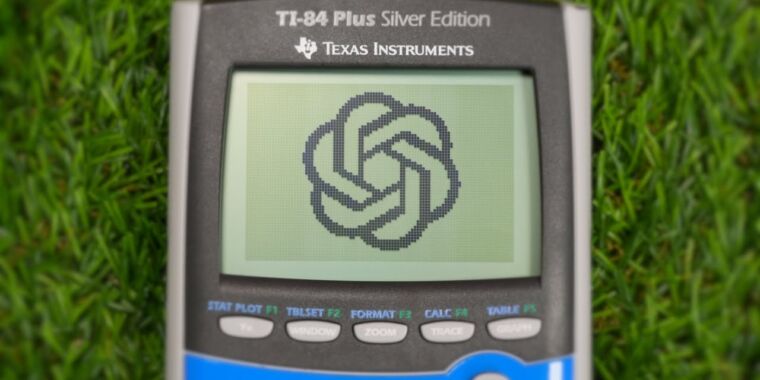
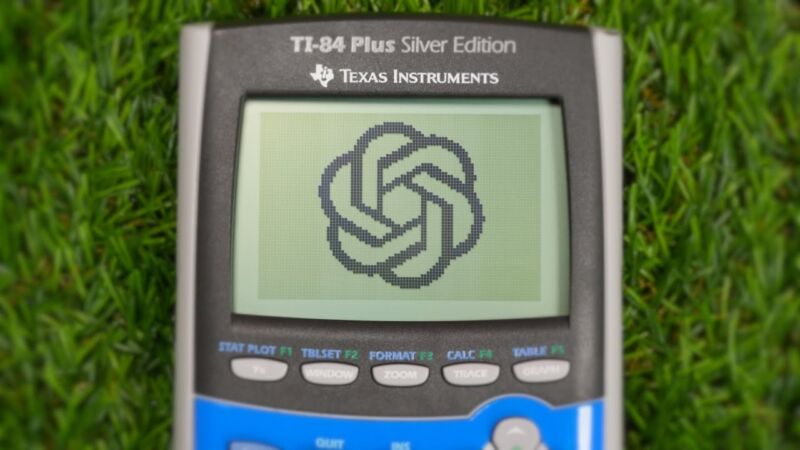
An OpenAI logo on a TI-84 calculator screen.

On Saturday, a YouTube creator called “ChromaLock” published a video detailing how he modified a Texas Instruments TI-84 graphing calculator to connect to the Internet and access OpenAI’s ChatGPT, potentially enabling students to cheat on tests. The video, titled “I Made The Ultimate Cheating Device,” demonstrates a custom hardware modification that allows users of the graphing calculator to type in problems sent to ChatGPT using the keypad and receive live responses on the screen.

ChromaLock began by exploring the calculator’s link port, typically used for transferring educational programs between devices. He then designed a custom circuit board he calls “TI-32” that incorporates a tiny Wi-Fi-enabled microcontroller, the Seed Studio ESP32-C3 (which costs about $5), along with other components to interface with the calculator’s systems.

It’s worth noting that the TI-32 hack isn’t a commercial project. Replicating ChromaLock’s work would involve purchasing a TI-84 calculator, a Seed Studio ESP32-C3 microcontroller, and various electronic components, and fabricating a custom PCB based on ChromaLock’s design, which is available online.

The creator says he encountered several engineering challenges during development, including voltage incompatibilities and signal integrity issues. After developing multiple versions, ChromaLock successfully installed the custom board into the calculator’s housing without any visible signs of modifications from the outside.

“I Made The Ultimate Cheating Device” YouTube Video.

To accompany the hardware, ChromaLock developed custom software for the microcontroller and the calculator, which is available open source on GitHub. The system simulates another TI-84, allowing people to use the calculator’s built-in “send” and “get” commands to transfer files. This allows a user to easily download a launcher program that provides access to various “applets” designed for cheating.

One of the applets is a ChatGPT interface that might be most useful for answering short questions, but it has a drawback in that it’s slow and cumbersome to type in long alphanumeric questions on the limited keypad.

Beyond the ChatGPT interface, the device offers several other cheating tools. An image browser allows users to access pre-prepared visual aids stored on the central server. The app browser feature enables students to download not only games for post-exam entertainment but also text-based cheat sheets disguised as program source code. ChromaLock even hinted at a future video discussing a camera feature, though details were sparse in the current demo.

ChromaLock claims his new device can bypass common anti-cheating measures. The launcher program can be downloaded on-demand, avoiding detection if a teacher inspects or clears the calculator’s memory before a test. The modification can also supposedly break calculators out of “Test Mode,” a locked-down state used to prevent cheating.

While the video presents the project as a technical achievement, consulting ChatGPT during a test on your calculator almost certainly represents an ethical breach and/or a form of academic dishonesty that could get you in serious trouble at most schools. So tread carefully, study hard, and remember to eat your Wheaties.

Secret calculator hack brings ChatGPT to the TI-84, enabling easy cheating Read More »

ipados-18-could-ship-with-built-in-calculator-app,-after-14-calculator-less-years

iPadOS 18 could ship with built-in Calculator app, after 14 Calculator-less years

a calculated move —

Every single iPhone and Mac has come with a calculator app, but not the iPad.

iPadOS 18 could ship with built-in Calculator app, after 14 Calculator-less years

Apple/Andrew Cunningham

Last year, Apple introduced the ability to set multiple timers at once in the Clock app on its various platforms.

“We truly live in an age of wonders,” deadpanned Apple’s Craig Federighi in the company’s official presentation, tacitly acknowledging the gap between the apparent simplicity of the feature and the amount of time that Apple took to implement it.

The next version of iPadOS may contain another of these “age of wonders” features, an apparently simple thing that Apple has chosen never to do for reasons that the company can’t or won’t explain. According to MacRumors, iPadOS 18 may finally be the update that brings a version of Apple’s first-party Calculator app to the iPad.

Calculator was one of the very first iPhone apps that shipped with the iPhone back in 2007 but was mysteriously and inexplicably absent from the iPad when it launched in 2010. It’s also the very last of those original missing apps to find its way to the iPad’s home screen—Stocks, Clock, Voice Memos, and Weather had all made the jump previously, with the Weather app coming as recently as 2022.

It’s not that the iPad is incapable of calculating; the Spotlight search feature can already handle basic off-the-cuff math and conversion questions, and third-party calculator apps like PCalc, Numerical², Calcbot, and innumerable free-to-download no-name calculator apps have stepped up to fill the gap. But it was never clear why Apple decided against shipping a first-party Calculator app with the iPad, when it had shipped one with every iPhone since 2007 and every Mac since 1984.

The new Calculator app should be more than just a straightforward port of the current iOS or macOS app. Apple is apparently planning a small overhaul of the Calculator app for macOS 15 with a history tape for tracking past calculations, a resizable window, and an updated round-button design that more closely imitates the iOS version. The iPad and macOS versions of many of Apple’s apps share a lot of code these days—Stocks, Voice Memos, News, Home, Weather, Clock, and others share essentially the same design and layout in both operating systems—so it’s a fair bet that this redesigned Mac app and the newly introduced iPad app will be the same software.

At least one developer of a prominent iPad calculator seemed undaunted by the news that his app could be Sherlocked this fall.

“Yes, I saw the MacRumors article,” wrote PCalc developer James Thomson on his Mastodon account, responding to no one in particular. “Yes, it’s fine.”

iPadOS 18 could ship with built-in Calculator app, after 14 Calculator-less years Read More »